
1. Įvadas
This manual provides detailed instructions for the installation, operation, and maintenance of your Septekon 2K Outdoor Security Camera P30. Please read this manual thoroughly before using the product to ensure proper setup and functionality. Keep this manual for future reference.

Image 1.1: Septekon 2K Outdoor Security Camera P30 with live view išmaniajame telefone.
2. Produktas baigtasview
2.1 Pakuotės turinys
- Septekon 2K Outdoor Security Camera P30
- Maitinimo adapteris
- Montavimo varžtai ir inkarai
- Vartotojo vadovas
2.2 Pagrindinės savybės
- 2K Ultra Clear Image: 3MP high-definition lens with 2304x1296 resolution for detailed video.
- Pažangus naktinis matymas: Equipped with 8 infrared LEDs, providing clear vision up to 65 feet in darkness.
- Real-Time Motion Alert & Smart Siren: Instant mobile alerts and an audible siren to deter intruders.
- Improved Dual Wi-Fi Antenna: Ensures a stable 2.4G WiFi connection over longer distances.
- Dvipusis garsas: Įmontuotas mikrofonas ir garsiakalbis bendravimui.
- IP66 atsparus vandeniui: Sukurtas naudoti lauke, atsparus dulkėms ir vandeniui.
- Saugi saugykla: Supports local storage via Micro SD card (up to 128GB, not included) and optional cloud storage with AES256 encryption.
- Kelių vartotojų prieiga: Share camera access with family and friends through the app.
- „Amazon Alexa“ suderinama: Integrate with Alexa for voice control and viewing.
3. Sąrankos vadovas
3.1 Fizinis įrengimas
- Pasirinkite vietą: Pasirinkite vietą lauke su skaidria šviesa view of the area you wish to monitor. Ensure the location is within range of your 2.4G WiFi network and has access to a power outlet.
- Sumontuokite fotoaparatą: Use the provided mounting screws and anchors to securely attach the camera to a wall or suitable surface. Adjust the camera angle for optimal coverage.
- Prijunkite maitinimą: Plug the power adapter into the camera and then into a power outlet. The camera will power on.
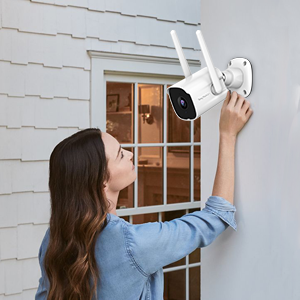
Image 3.1: Proper installation of the security camera on an exterior wall.
3.2 Programėlės atsisiuntimas ir paskyros sukūrimas
- Atsisiųskite programą: Ieškokite the "Septekon" app in your smartphone's app store (iOS or Android) and download it.
- Sukurti paskyrą: Atidarykite programėlę ir vykdykite ekrane pateikiamus nurodymus, kad sukurtumėte naują vartotojo paskyrą.
3.3 Tinklo jungtis
- Pridėti įrenginį: In the Septekon app, tap the "+" icon to add a new device. Select your camera model.
- Prisijunkite prie „Wi-Fi“: Follow the app's instructions to connect the camera to your 2.4G WiFi network. Ensure your smartphone is also connected to the same 2.4G network during setup. The camera's dual antenna design enhances signal stability.
- Poravimas: The app will guide you through the pairing process, which typically involves scanning a QR code displayed on your phone with the camera lens.

Image 3.2: Illustration of two-way audio functionality and the stable WiFi connection provided by dual antennas.
4. Naudojimo instrukcijos
4.1 Tiesiogiai View
Once connected, open the Septekon app and select your camera to view the live feed. You can monitor your property in real-time with 2K resolution.

Image 4.1: Demonstrates the 2K ultra-clear video quality, capable of capturing fine details like a license plate.
4.2 Dvipusis garsas
Tiesioginio transliavimo metu palieskite mikrofono piktogramą view to speak through the camera's speaker. This allows for direct communication with visitors or to deter unwanted individuals.
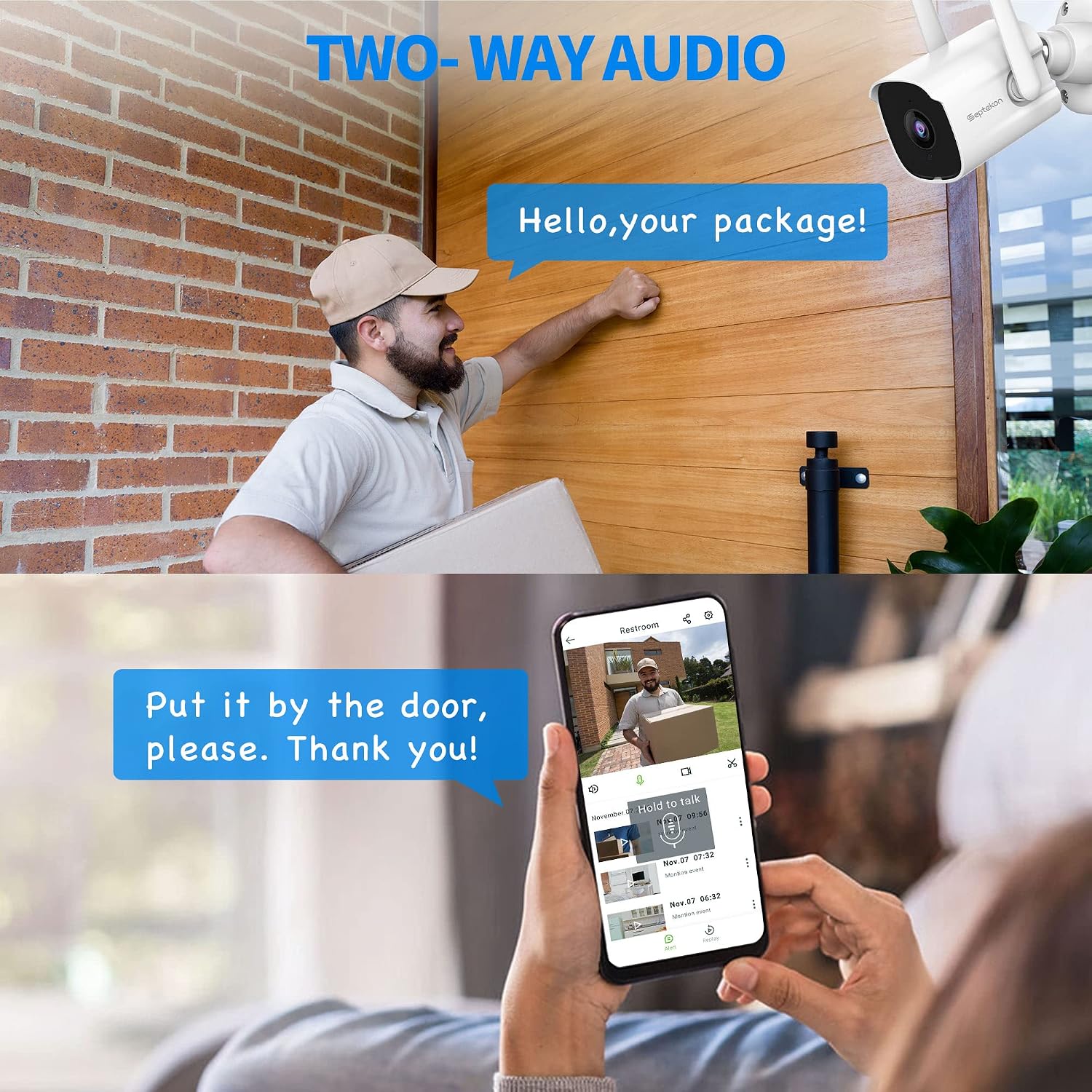
Image 4.2: Using the two-way audio feature to communicate with a delivery person at the door.
4.3 Judesio aptikimas ir įspėjimai
The camera automatically detects motion and sends instant alerts to your mobile phone. You can customize motion detection zones and sensitivity settings within the app. In case of suspicious activity, the smart siren can be activated remotely to scare away intruders.
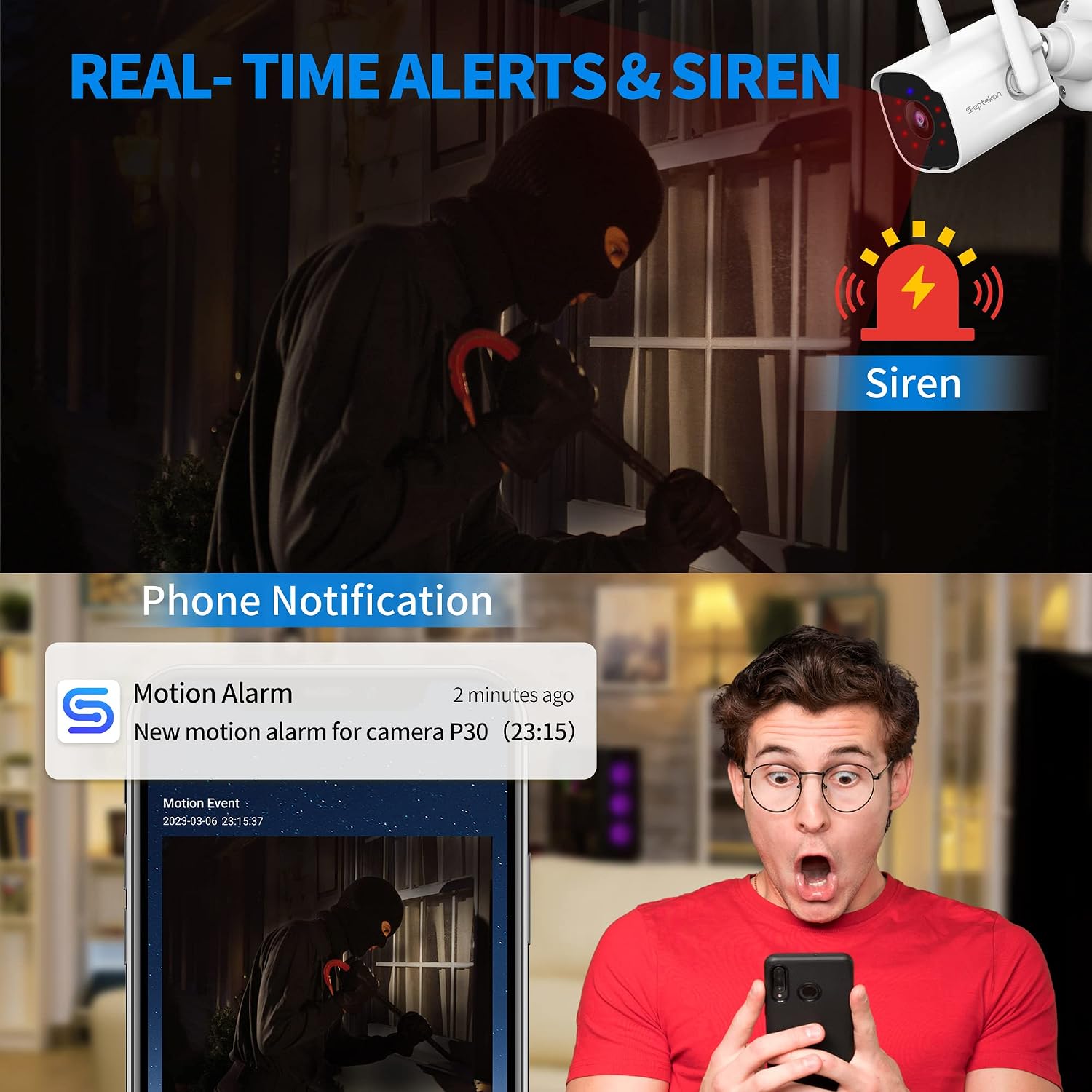
Image 4.3: A smartphone displaying a motion detection alert from the Septekon app, indicating an event and the option to activate a siren.
4.4 Naktinis matymas
The camera automatically switches to advanced infrared night vision in low-light conditions, providing clear black-and-white video up to 65 feet.

Image 4.4: A smartphone displaying the enhanced night vision capabilities of the camera, showing a clear view tamsoje.
4.5 Įrašymas ir saugojimas
Recordings can be stored locally on a Micro SD card (not included, up to 128GB) or via optional cloud storage. All data is protected with enterprise-class AES256 encryption.

Image 4.5: The cloud storage interface on a smartphone, displaying various recorded video events.
4.6 Kelių vartotojų prieiga
You can create guest accounts within the Septekon app to share live views and recorded videos with family members or trusted individuals.
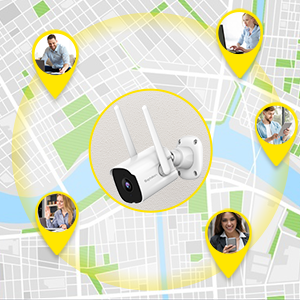
Image 4.6: Illustration of multiple users accessing the camera feed simultaneously from various locations.
4.7 „Amazon Alexa“ integracija
The camera is compatible with Amazon Alexa. Enable the Septekon skill in your Alexa app to view your camera feed on compatible Alexa-enabled devices by voice command (e.g., "Alexa, show me the backyard").
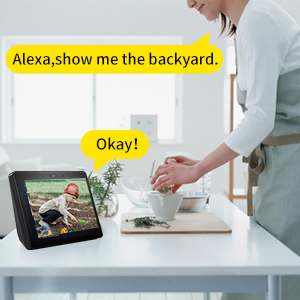
Image 4.7: A user interacting with an Alexa-enabled smart display to view fotoaparato tiekimas.
5. Priežiūra
- Valymas: Periodiškai nuvalykite fotoaparato objektyvą ir korpusą minkšta,amp cloth to remove dust and dirt. Do not use harsh chemicals.
- Ryšio patikrinimas: Regularly verify that the camera has a stable power supply and a strong Wi-Fi connection.
- Firmware atnaujinimai: Check the Septekon app for available firmware updates to ensure optimal performance and security.
6. Problemų sprendimas
- Fotoaparatas neprisijungęs: Ensure the camera is powered on and connected to a stable 2.4G WiFi network. Restart the camera and your router if necessary.
- Prasta vaizdo kokybė: Check the lens for dirt or obstructions. Ensure adequate lighting for optimal day vision. For night vision, ensure no strong light sources are directly facing the camera.
- Judesio įspėjimai negaunami: Verify motion detection settings in the app. Check your phone's notification settings for the Septekon app.
- Dvipusio garso problemos: Ensure your phone's microphone is enabled for the app and the camera's speaker is not obstructed.
- SD kortelė neįrašo: Įsitikinkite, kad SD kortelė tinkamai įdėta ir suformatuota programoje. Patikrinkite, ar kortelė nepilna arba nesugadinta.
7. Specifikacijos
| Modelis | 30 p |
| Vaizdo įrašymo raiška | 3 MP (2304 x 1296) |
| Ryšys | 2.4 G „Wi-Fi“ (laidinis maitinimas) |
| Naktinio matymo diapazonas | Iki 65 pėdų |
| Atsparumas oro sąlygoms | IP66 Atsparus vandeniui |
| Saugojimo parinktys | „Micro SD“ kortelė (iki 128 GB), debesies saugykla |
| Garsas | Dvipusis garsas |
| Judesio aptikimas | Yes, with Smart Siren |
| Suderinami įrenginiai | Išmanusis telefonas („iOS“ / „Android“), „Amazon Alexa“ |
| Maitinimo šaltinis | Laidinis elektrinis (6 vatai) |
| Montavimo tipas | Sieninis laikiklis |
| Viewing kampas | 105 laipsnių |
| Prekės svoris | 10.8 uncijos |
8. Garantija ir palaikymas
For warranty information, technical support, or any inquiries regarding your Septekon 2K Outdoor Security Camera P30, please refer to the contact information provided on the Septekon official website or within the Septekon app. Please retain your proof of purchase for warranty claims.