
1. Produktas baigtasview
The THINKCAR THINKSCAN 641 is a wireless OBD2 diagnostic tool designed for comprehensive vehicle system analysis. It provides diagnostic functions for Engine, Transmission, ABS, and SRS Airbag systems, along with full OBD2 modes and 10 essential maintenance reset services. The device features a touchscreen interface and connects wirelessly via Bluetooth to the vehicle's OBD-II port.
1.1 Pakuotės turinys
- THINKCAR THINKSCAN 641 OBD2 Scanner (x1)
- Bluetooth Connector (x1)
- Product Manual (x1)
1.2 Įrenginio komponentai
Familiarize yourself with the main components of your THINKSCAN 641 device:

Image: THINKCAR THINKSCAN 641 device layout with labeled buttons and ports.
- 4.8 colio jutiklinis ekranas: Main display for navigation and data viewing.
- Maitinimo / ekrano užrakinimo mygtukas: Paspauskite ir palaikykite 3 sekundes, kad įjungtumėte arba išjungtumėte.
- Patvirtinimo mygtukas: Used to select options or confirm actions.
- Up, Down, Left, Right Toggle Key: Meniu ir parinkčių naršymui.
- Grąžinimo raktas: To go back to the previous screen or menu.
- TF kortelės lizdas: Išplečiamai saugyklai.
- Įkrovimo prievadas: Įkrovimo laido prijungimui.
- OBD Interface: Port for the Bluetooth connector.
2. Sąranka
2.1 Pradinis prisijungimas
To begin using your THINKSCAN 641, follow these steps to establish a connection with your vehicle:
- Raskite savo transporto priemonės OBD-II prievadą, kuris paprastai yra po prietaisų skydeliu vairuotojo pusėje.
- Plug the included Bluetooth 5.0 VCI Dongle into the vehicle's OBD-II port.
- Turn on the vehicle's ignition (engine off, key on).
- Power on the THINKSCAN 641 handheld unit by pressing and holding the Power/Screen Lock Button for 3 seconds.
- The device will automatically attempt to connect via Bluetooth. A stable connection should be established within 3 seconds.
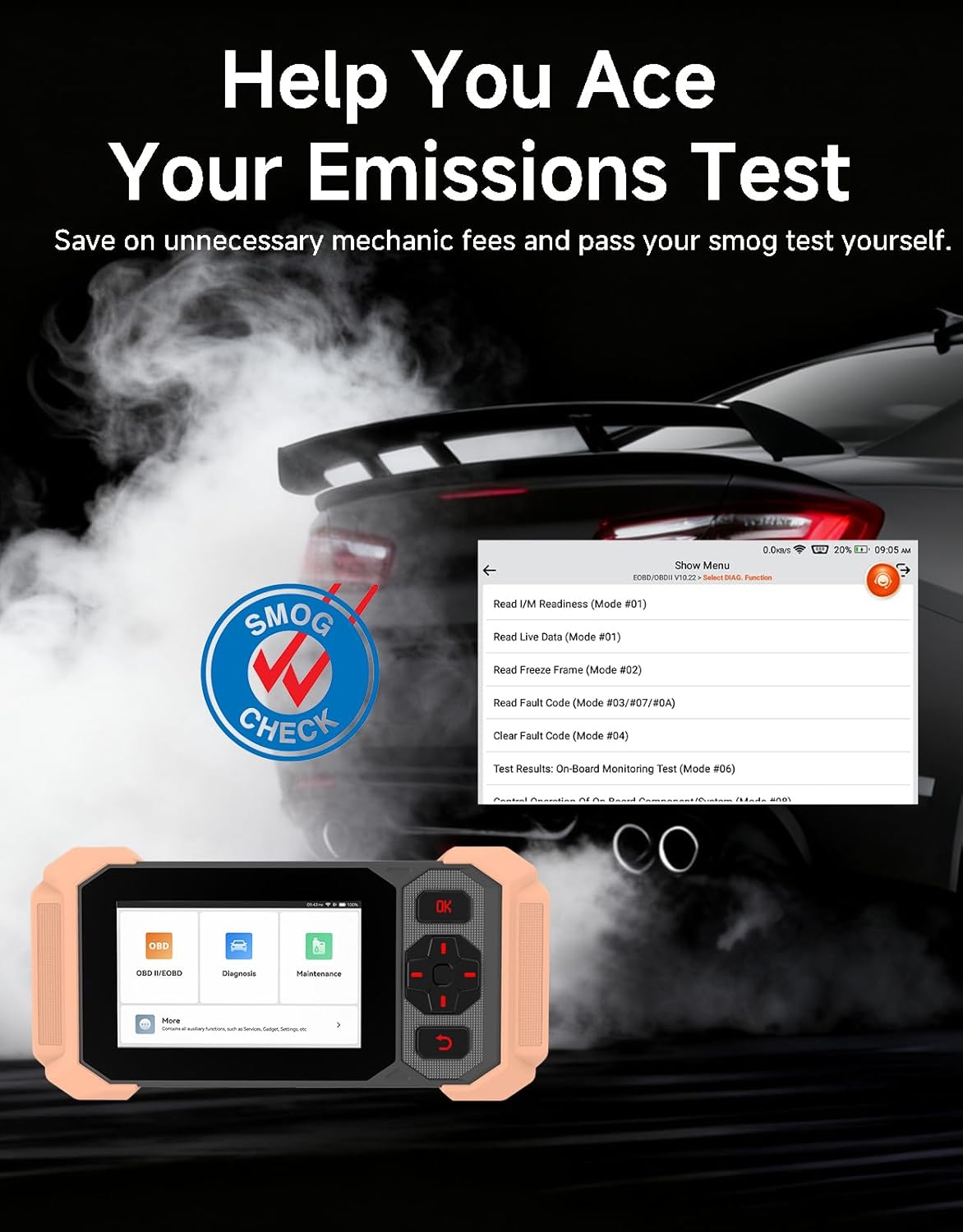
Image: Bluetooth VCI Dongle connected to the vehicle's OBD-II port.
2.2 Automatic Vehicle Identification (AutoVIN)
The THINKSCAN 641 supports AutoVIN functionality, which automatically identifies your vehicle's information upon connection. If AutoVIN fails for your specific vehicle model, you can manually enter the vehicle information to proceed with diagnostics.
2.3 Programinės įrangos naujiniai
The device supports lifetime free software updates via Wi-Fi. Ensure your device is connected to a stable Wi-Fi network to download and install the latest software versions, which include new vehicle models and improved functionalities.

Image: Lifetime Free Update icon.
2.4 Instructional Video: How to Use
Video: This video demonstrates the basic steps for connecting and using the THINKCAR THINKSCAN 641 diagnostic tool, including menu navigation and initiating a scan.
3. Naudojimo instrukcijos
3.1 4-System Diagnostics
The THINKSCAN 641 provides in-depth diagnostics for four core vehicle systems:
- Variklio sistema: Reads and clears engine fault codes, views live data, and performs various engine-related tests.
- Stabdžių antiblokavimo sistema (ABS): Diagnoses ABS issues, reads and clears ABS fault codes, and performs ABS bleeding.
- Supplemental Restraint System (SRS/Airbag): Detects and clears airbag system fault codes, and performs SRS resets.
- Perdavimo sistema: Analyzes transmission performance, reads and clears transmission fault codes.

Vaizdas: Viršview of 4-System Diagnostic capabilities.
3.2 Pilni OBD2 režimai
The device supports all 10 OBD2 test modes, offering comprehensive diagnostic capabilities:
- Skaitykite kodus: Rodo diagnostinius gedimų kodus (DTC).
- Išvalyti kodus: Išvalo gedimų kodus (DTC) ir atstato monitorius.
- Tiesioginiai duomenys: Rodo realaus laiko duomenų srautą iš transporto priemonės jutiklių.
- Sustabdyti kadrą: Stores a snapshot of vehicle operating conditions when an emission-related fault occurs.
- I/M pasirengimas: Tikrina su emisija susijusių monitorių būseną.
- O2 jutiklio testas: Gauna O2 jutiklio monitoriaus bandymo rezultatus.
- Borto monitoriaus testas: Gauna rezultatus apie su išmetamųjų teršalų kiekiu susijusius jėgos agregato komponentus ir sistemas.
- EVAP sistemos bandymas: Pradeda garavimo išmetimo kontrolės sistemos bandymą.
- Informacija apie transporto priemonę: Nuskaito transporto priemonės identifikavimo numerį (VIN), kalibravimo ID ir kalibravimo patvirtinimo numerį (CVN).
- DTC paieška: Provides detailed explanations for diagnostic trouble codes.

Image: Full OBD2 Modes functions display.
3.3 10 Maintenance Reset Functions
The THINKSCAN 641 includes 10 specialized maintenance and reset functions:
- ABS kraujavimas: Bleeds air from the brake system.
- Oro pagalvės (SRS) atstatymas: Resets the airbag system after repairs.
- Baterijų atitikimas: Registers a new battery to the vehicle's ECU.
- Stabdžių trinkelių atstatymas: Resets the brake pad life after replacement.
- DPF regeneracija: Pradeda dyzelino kietųjų dalelių filtro regeneracijos procesą.
- Electronic Throttle Adaptation: Iš naujo išmoksta droselio sklendės padėtį.
- Purkštuko kodavimas: Koduoja naujus purkštukų numerius ECU.
- Alyvos pakeitimo atstatymas: Atstato alyvos keitimo lemputę.
- Vairo kampo atstatymas: Atstato vairavimo kampo jutiklį.
- TPMS atstatymas: Resets the Tire Pressure Monitoring System.

Image: 10 Maintenance Reset Functions.
3.4 Tiesioginių duomenų grafikų braižymas
The device allows for real-time graphing of multiple sensor readings simultaneously, aiding in the diagnosis of intermittent issues and performance analysis.

Image: Live Data Stream icon.
3.5 Transporto priemonių suderinamumas
The THINKSCAN 641 is compatible with all OBDII-compliant vehicles manufactured in 1996 or later, covering over 118 automotive brands. It also supports the CAN FD protocol and FCA AutoAuth certification. Note that access to FCA AutoAuth requires a separate purchase and is currently supported for Renault, Nissan, and Chrysler brands.

Image: Wide compatibility with various car brands and regions.
4. Priežiūra
4.1 Routine Maintenance Resets
Utilize the 10 maintenance reset functions to perform routine service tasks and clear corresponding indicator lights after repairs. This includes tasks such as oil service resets, brake pad replacements, and battery registrations.
4.2 Programinės įrangos naujiniai
Regularly check for and install software updates via Wi-Fi to ensure your device has the latest vehicle coverage and diagnostic capabilities. Updates are provided free for life.
5. Problemų sprendimas
5.1 Gedimų kodų ištrynimas
When a fault code is detected, it is crucial to diagnose and fix the underlying issue before clearing the code. Clearing codes without addressing the root cause will likely result in the fault code reappearing.
Image: Reminder to fix vehicle faults before clearing codes.
5.2 AutoVIN Failure
If the AutoVIN feature does not automatically identify your vehicle, proceed by manually entering the vehicle's information (make, model, year) to continue with the diagnostic process.
5.3 Vartotojo sąsajos navigacija
While the device is designed for ease of use, some advanced functions may require familiarity with diagnostic procedures. Refer to the built-in DTC Lookup Library for code definitions and consult the online customer service for further assistance if needed.
6. Specifikacijos
| Funkcija | Specifikacija |
|---|---|
| Prekės ženklas | GALVOK AUTOMOBILĮ |
| Modelio numeris | THINKSCAN 641 |
| Maitinimo šaltinis | Maitinamas baterijomis |
| Operacinė sistema | Android 8.1 |
| Ekrano dydis | 4.3 colių |
| Kalba | Anglų (palaiko 23 kalbas) |
| Tinkamo automobilio tipas | Universalus tinka |
| Prekės svoris | 0.9 svaro |
| Ryšys | „Bluetooth 5.0“ (belaidis) |
| Atnaujinimai | Nemokami atnaujinimai visą gyvenimą per „Wi-Fi“ |
| Palaikomi protokolai | OBDII, CAN FD, FCA AutoAuth (separate purchase for specific brands) |
7. Garantija ir palaikymas
7.1 Gamintojo garantija
The THINKCAR THINKSCAN 641 comes with a 3-year manufacturer's warranty, ensuring coverage for potential defects or malfunctions.
7.2 Techninė pagalba
Lifetime free technical support is provided for the THINKSCAN 641. For assistance, you can access the built-in online customer service feature directly from the device. This allows for direct communication with professional support staff to resolve any queries or issues.

Image: Timely Online Feedback and Support.