
1. Įvadas
The Nikon COOLSHOT PROII STABILIZED is a high-performance laser distance meter designed for golf. It incorporates advanced technology to provide accurate and stable distance measurements. Key features include a stabilization system to reduce shake, a dual locked-on echo function for precise target acquisition, and a fast measurement response time.

1.1 paveikslėlis: Šonas view of the Nikon COOLSHOT PROII STABILIZED Golf Laser Distance Meter. This image shows the overall design of the device, highlighting its compact form factor.
2. Sąranka
2.1 Akumuliatoriaus įdėjimas
The COOLSHOT PROII STABILIZED requires one CR2 lithium battery (not included). Ensure correct polarity when inserting the battery.
- Locate the battery compartment cap on the underside of the device.
- Turn the cap counter-clockwise to open.
- Insert one CR2 lithium battery, ensuring the positive (+) and negative (-) terminals align with the indicators inside the compartment.
- Replace the battery compartment cap and turn it clockwise until securely fastened.
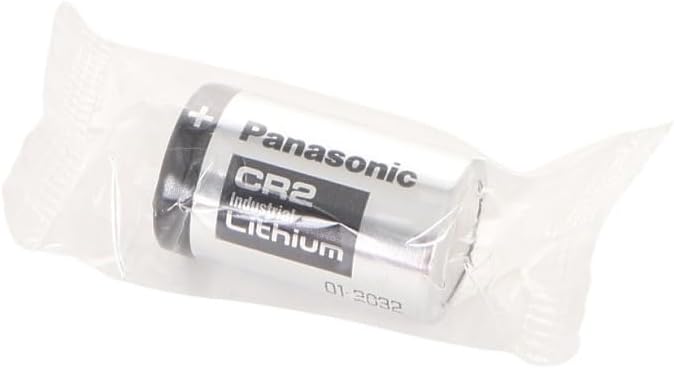
Image 2.1: A CR2 Lithium battery. This type of battery is required for the COOLSHOT PROII STABILIZED device.

2.2 pav.: Apačia view of the device, illustrating the location of the battery compartment cap.
2.2 Pradinis įjungimas
Įdėjus bateriją, paspauskite PWR ON mygtuką, kad įjungtumėte įrenginį. Ekranas įsijungs.
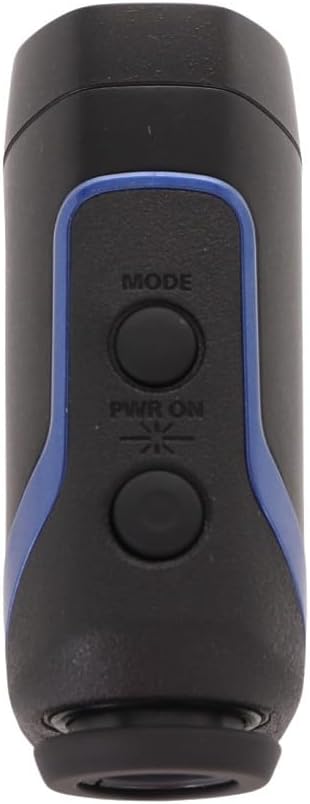
2.3 pav.: Viršus view of the device, showing the 'MODE' and 'PWR ON' buttons.
3. Naudojimo instrukcijos
3.1 Maitinimo įjungimas/išjungimas
- Norėdami įjungti, paspauskite PWR ON mygtuką.
- Įrenginys automatiškai išsijungs maždaug po 8 sekundžių neveiklumo, kad taupytų akumuliatoriaus veikimo laiką.
3.2 Measuring Distance (HYPER READ)
The HYPER READ technology provides quick and stable measurement responses. To measure a distance:
- Žiūrėkite pro okuliarą.
- Align the target reticle with the object you wish to measure.
- Paspauskite ir palaikykite PWR ON button. The measurement will be displayed in approximately 0.3 seconds or less.
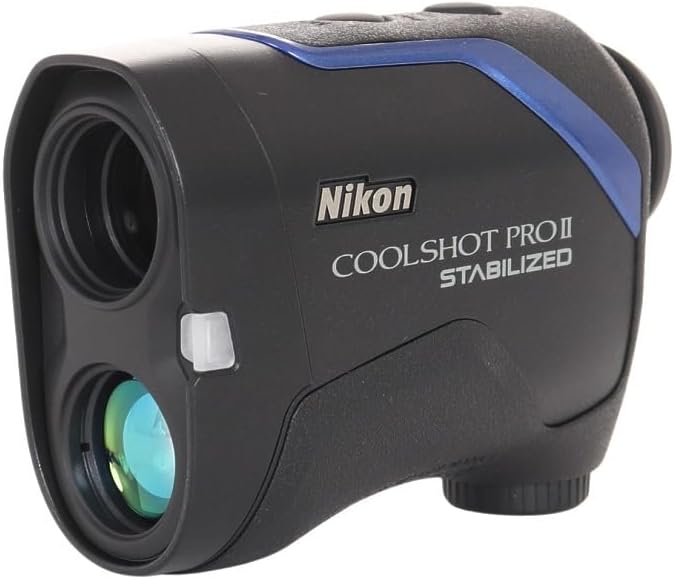
3.1 vaizdas: priekis view of the device, showing the objective lens and laser emitter/receiver.
3.3 STABILIZED Function
The STABILIZED function reduces hand shake and environmental factors by approximately 80%, providing a steady viewfinder field and stable laser measurement. This is particularly useful for targeting small objects like flagsticks.
3.4 DUAL LOCKED ON ECHO
When measuring objects with overlapping backgrounds (e.g., a flagstick in front of trees), the DUAL LOCKED ON ECHO function identifies the nearest object. A "LOCKED ON SIGN" will appear on the viewfinder display, accompanied by an electronic sound notification, confirming that the distance to the flagstick has been measured.
3.5 ID TECHNOLOGY (Slope Adjustment)
The ID TECHNOLOGY provides a slope-adjusted distance, taking into account incline or decline shooting angles. This feature helps in selecting the correct club for your shot. The device offers four measuring display modes; the D mode (straight line distance) will show a flashing straight mode sign.
3.6 Ekranas ir režimai
The COOLSHOT PROII STABILIZED features a red interior OLED display. The brightness of the display automatically adjusts to ambient light conditions, ensuring readability in various environments. Use the REŽIMAS button to cycle through available display modes.
4. Priežiūra
4.1 Valymas
- Objektyvai: Use a soft, clean cloth specifically designed for optical lenses. Gently wipe the lens surfaces to remove dust or smudges. Avoid using abrasive materials or excessive force.
- Korpusas: Wipe the device body with a soft, dry cloth. For stubborn dirt, a slightly damp cloth can be used, followed by a dry cloth. Do not use organic solvents like paint thinner or benzene.
4.2 Saugykla
When not in use, store the COOLSHOT PROII STABILIZED in its protective carrying case in a cool, dry place, away from direct sunlight and extreme temperatures. Remove the battery if the device will not be used for an extended period.

Image 4.1: The protective carrying case for the Nikon COOLSHOT PROII STABILIZED.

Image 4.2: The device stored securely within its carrying case.
4.3 Akumuliatoriaus keitimas
Replace the CR2 lithium battery when the low battery indicator appears on the display or if the device fails to power on. Refer to Section 2.1 for battery installation instructions.
5. Problemų sprendimas
| Problema | Galima priežastis | Sprendimas |
|---|---|---|
| Įrenginys neįsijungia. | Baterija išsikrovusi arba netinkamai įdėta. | Replace the battery with a new CR2 lithium battery, ensuring correct polarity. |
| Inaccurate or inconsistent measurements. | Obstruction of laser path, dirty lenses, or extreme weather conditions. | Ensure a clear line of sight to the target. Clean the lenses. Avoid use in heavy fog or rain if possible. |
| Ekranas blankus arba neįskaitomas. | Low battery, or display brightness needs adjustment (though automatic). | Pakeiskite bateriją. Jei problema išlieka, susisiekite su palaikymo tarnyba. |
| "LOCKED ON SIGN" does not appear. | Target is too small, too far, or there is no clear distinction from the background. | Ensure the target is within range and clearly visible. Try aiming at a larger part of the target if possible. |
6. Specifikacijos
| Funkcija | Detalė |
|---|---|
| Prekės ženklas | Nikon |
| Modelio numeris | COOLSHOT PROII |
| Spalva | Juoda |
| Prekės svoris | 0.8 svaro (maždaug 363 gramai) |
| Didinimas | 7x |
| Matavimo diapazonas | 8-1,200 yd. (7.5-1,090m) |
| Atsparumo vandeniui lygis | Atsparus vandeniui |
| Baterijos tipas | CR2 Lithium (disposable) |
| Prekės matmenys (I x P x A) | 1.7 colių ilgio x 8 colių pločio x 3.9 colių aukščio (apytiksliai 4.3 cm x 20.3 cm x 9.9 cm) |
| Tarptautinis apsaugos įvertinimas | IPX4 |
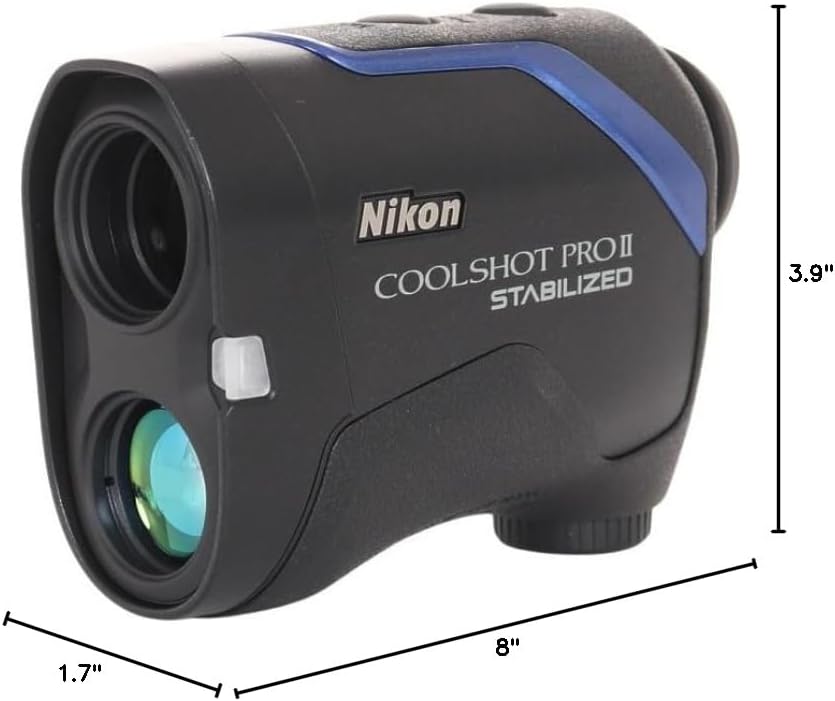
Image 6.1: Dimensions of the Nikon COOLSHOT PROII STABILIZED device.
7. Garantija ir palaikymas
7.1 Informacija apie garantiją
Please note that warranty coverage may vary by region. According to available information, this unit may not be warranted by Nikon for the US market as it might not be intended for that specific distribution channel. It is recommended to verify warranty details with your point of purchase or local Nikon distributor.
7.2 Pagalba klientams
For technical assistance, service, or further inquiries regarding your Nikon COOLSHOT PROII STABILIZED, please refer to the official Nikon website or contact Nikon customer support in your region. Keep your purchase receipt and product serial number available when contacting support.