
1. Produktas baigtasview
The TP-Link Deco X1500 is a Wi-Fi 6 Mesh System designed to provide seamless, whole-home Wi-Fi coverage. This 3-pack system utilizes advanced Wi-Fi 6 technologies to deliver faster speeds, connect more devices, and reduce latency for a superior network experience. It creates a unified network that automatically selects the best connection as you move throughout your home.

Image: A single TP-Link Deco X1500 Mesh WiFi 6 unit, showcasing its compact white cylindrical design.
Pagrindinės funkcijos:
- Faster Connections: Wi-Fi 6 achieves speeds up to 1,500 Mbps: 1,201 Mbps on 5 GHz and 300 Mbps on 2.4 GHz.
- Prijungti daugiau įrenginių: OFDMA and MU-MIMO technologies quadruple capacity for simultaneous transmission to multiple devices.
- Enhanced Seamless Coverage: Achieve perfect whole-home coverage with a clearer and stronger Wi-Fi signal generated by Wi-Fi 6.
- Itin mažas delsos laikas: Reduced latency enables more responsive gaming and video chats.
- Vieningas tinklas: Multiple units form a whole-home network that automatically selects the best connection as you move around your home.
- Tvirta tėvų kontrolė: Apribokite laiką internete ir užblokuokite netinkamą websites based on unique profilesukurta kiekvienam šeimos nariui.
- Supaprastinta sąranka: The Deco app guides you step-by-step through the setup process.
2. Pakuotės turinys
Patikrinkite, ar pakuotėje yra visi reikalingi daiktai:
- 3 x Deco X1500 įrenginiai
- 1 x RJ45 eterneto kabelis
- 3 x maitinimo adapteriai
- 1 x Greito montavimo vadovas
3. Sąrankos instrukcijos
Setting up your Deco X1500 Mesh System is straightforward using the TP-Link Deco app. Follow these steps for initial installation:
- Atsisiųskite „Deco“ programėlę: Ieškokite 'TP-Link Deco' in the App Store (iOS) or Google Play Store (Android) and download the application.
- Sign Up or Log In: Open the Deco app and sign up for a TP-Link ID. If you already have one, log in.
- Prijunkite pagrindinį „Deco“ įrenginį:
- Išjunkite modemą.
- Prijunkite vieną Deco įrenginį prie modemo naudodami pateiktą Ethernet kabelį.
- Power on your modem, then power on the Deco unit.
- Vykdykite instrukcijas programėlėje: The Deco app will automatically detect your Deco unit and guide you through the process of creating your Wi-Fi network name and password.
- Pridėti papildomus dekoratyvinius vienetus: Once the main Deco is set up, the app will prompt you to add the remaining Deco units. Place them strategically throughout your home for optimal coverage. The app will provide guidance on ideal placement.
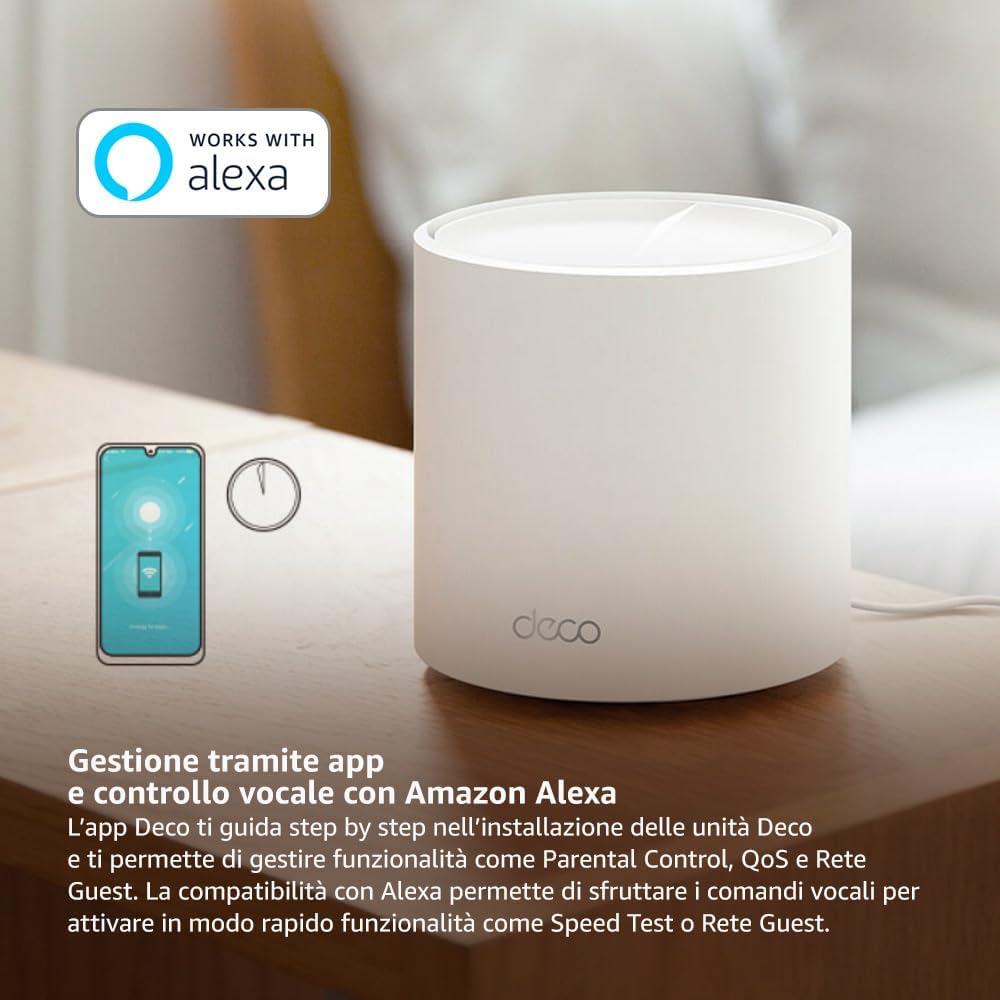
Image: A smartphone screen displaying the TP-Link Deco app, illustrating the step-by-step setup process for the mesh system.
4. Naudojimo instrukcijos
The Deco X1500 system is managed primarily through the TP-Link Deco app, offering various features to control and optimize your home network.
Using the Deco App:
- Tinklo valdymas: View connected devices, monitor network status, and manage Wi-Fi settings.
- Tėvų kontrolė: Sukurkite profesionaląfiles for family members, set time limits, and block inappropriate content.
- Paslaugos kokybė (QoS): Siekdami optimalaus našumo, prioritetizuokite įrenginius ar veiklas.
- Svečių tinklas: Sukurkite atskirą „Wi-Fi“ tinklą svečiams, taip užtikrindami pagrindinio tinklo saugumą.
- Antivirusinė programa: Utilize built-in HomeShield features for network protection.
Balso valdymas su „Amazon Alexa“:
The Deco X1500 is compatible with Amazon Alexa. Link your TP-Link Deco account to your Alexa account to use voice commands for network functions, such as:
- Enabling or disabling the Guest Network.
- Running a speed test.
- Pausing Wi-Fi for specific profiles.

Paveikslėlis: Galinė dalis view of a Deco X1500 unit, showing two Gigabit LAN/WAN auto-sensing Ethernet ports and the power input.
5. Priežiūra
Regular maintenance ensures optimal performance and longevity of your Deco X1500 system.
Firmware atnaujinimai:
- The Deco app will notify you of available firmware updates. It is recommended to keep your Deco units updated to the latest firmware for improved performance, security, and new features.
- Follow the in-app instructions to perform firmware updates. Do not power off the units during an update.
Valymas ir išdėstymas:
- Clean the Deco units with a soft, dry cloth. Do not use liquid cleaners or aerosols.
- Place Deco units in open areas, away from obstructions like large metal objects, thick walls, or other electronic devices that may cause interference.
- Ensure adequate ventilation around each unit to prevent overheating.
6. Problemų sprendimas
If you encounter issues with your Deco X1500 system, refer to the following common troubleshooting steps.
Nėra interneto ryšio:
- Patikrinkite modemą: Įsitikinkite, kad jūsų modemas įjungtas ir turi aktyvų interneto ryšį.
- Kabelių jungtys: Patikrinkite, ar Ethernet kabelis, jungiantis pagrindinį „Deco“ įrenginį su modemu, yra tvirtai prijungtas.
- Iš naujo paleiskite įrenginius: Power cycle your modem and all Deco units. Wait a few minutes for them to restart and re-establish connections.
- „Deco“ programėlės būsena: Check the Deco app for network status and any error messages.
Silpnas „Wi-Fi“ signalas arba neveikiančios zonos:
- Vieneto išdėstymas: Adjust the placement of your Deco units. Try to place them equidistant from each other and the main Deco, avoiding physical obstructions.
- Trikdžiai: Move Deco units away from other electronics (microwaves, cordless phones, Bluetooth devices) that might cause wireless interference.
- Pridėti daugiau vienetų: For very large homes or those with multiple floors, consider adding more Deco units to expand coverage.
Įrenginys negali prisijungti prie „Wi-Fi“:
- Teisingas slaptažodis: Įsitikinkite, kad įvedėte teisingą „Wi-Fi“ slaptažodį.
- Įrenginio suderinamumas: Verify that your device supports the Wi-Fi standards used by the Deco system (802.11ax/ac/n/a/g/b).
- Iš naujo paleiskite įrenginį: Bandydami prisijungti, paleiskite įrenginį iš naujo.
- Check Blacklist: Ensure the device has not been accidentally blacklisted in the Deco app.
7. Specifikacijos
| Funkcija | Specifikacija |
|---|---|
| Prekės ženklas | TP-Link |
| Modelio pavadinimas | „Deco X1500“ |
| Ypatinga funkcija | „Wi-Fi“ 6 |
| Dažnių juostos klasė | Dviejų juostų |
| Belaidžio ryšio standartas | „802.11ax“ |
| Suderinami įrenginiai | Kompiuteris, išmanusis telefonas, planšetinis kompiuteris |
| Rekomenduojamas naudojimas | Pradžia |
| Ryšio technologija | RJ45 |
| Spalva | Baltas |
| Saugumo protokolas | WPA3 |
| Number of Ports (per unit) | 2 x Gigabit LAN/WAN (auto-sensing) |
| Kontrolės metodas | Programėlė |
| Duomenų perdavimo sparta | 1500 megabitų per sekundę |
| LAN prievado pralaidumas | 1000 Mbps |
| ttage | 110.0 V |
| Max Upstream Data Transfer Rate | 1201 megabitų per sekundę |
| Antenų skaičius | Vidinis |
| Išmaniųjų namų suderinamumas | Taip |
| „Wi-Fi“ generavimas | „Wi-Fi“ 6 |
| Aprėptis (3 vnt. pakuotė) | Iki 520 kvadratinių metrų |
| Prekės svoris | 1.8 kilogramo |
8. Informacija apie garantiją
The TP-Link Deco X1500 Mesh System comes with a 3 metų gaminio garantija. This warranty covers defects in materials and workmanship under normal use. For specific terms and conditions, please refer to the warranty card included in your package or visit the official TP-Link websvetainę.
9. Parama
For further assistance, technical support, or to access additional resources, please visit the official TP-Link support websvetainė:
TP-Link palaikymas Websvetainę
You can also find FAQs, updated manuals, and community forums on the support page.