
Įvadas
This manual provides essential instructions for the safe and effective use of your LITEON PA-1300-04 AC Adapter Charger. This power supply is designed to provide reliable power to compatible DELL Latitude 10 ST, ST2, T03G, and T07G tablets. Please read this manual thoroughly before using the product and retain it for future reference.
Saugos informacija
- Maitinimo šaltinis: Use only with appropriate AC power outlets (100-240V AC, 50/60Hz).
- Vėdinimas: Ensure adequate ventilation around the adapter. Do not cover the adapter or place it in an enclosed space during operation.
- Drėgmė: Keep the adapter away from water, high humidity, and extreme temperatures. Do not operate with wet hands.
- Žala: Do not use the adapter if the cable or housing is damaged. Contact qualified service personnel for repairs.
- Vaikai: Laikyti vaikams nepasiekiamoje vietoje.
- Išardymas: Do not attempt to disassemble or modify the adapter. This will void the warranty and may cause electric shock or fire.
- Suderinamumas: Use only with specified compatible devices (DELL Latitude 10 ST, ST2, T03G, T07G tablets).
Sąranka
- Išpakuoti: Atsargiai išimkite kintamosios srovės adapterį iš pakuotės.
- Patikrinti: Check the adapter and cable for any visible damage. If damage is found, do not use the product.
- Prijunkite prie maitinimo lizdo: Plug the AC power cord (if detachable) into the adapter, then plug the adapter's AC plug into a standard wall outlet.
- Prisijunkite prie įrenginio: Insert the specialized multi-pin connector of the adapter into the charging port of your compatible DELL Latitude tablet. Ensure a firm and secure connection.
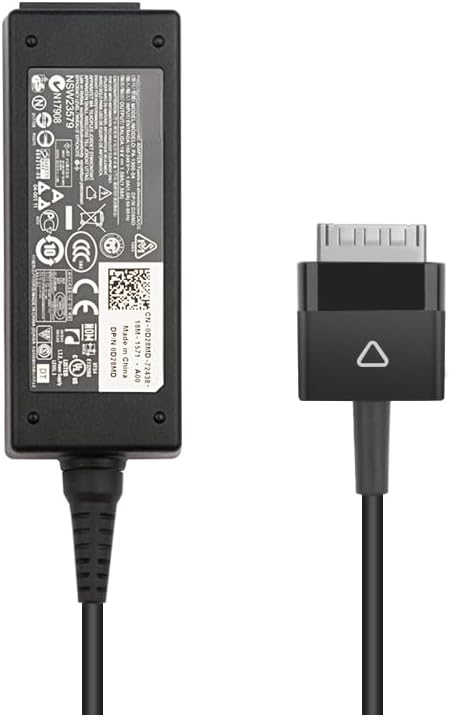
Image: The LITEON PA-1300-04 AC Adapter showing the main power brick and the specialized multi-pin connector for DELL Latitude tablets.
Naudojimo instrukcijos
Once properly connected, the adapter will begin charging your DELL Latitude tablet. The charging status is typically indicated by an LED on your tablet or on the adapter itself (if present). Refer to your tablet's user manual for specific charging indicators.
- Įkrovimas: The adapter provides a stable 19V DC output at 1.58A, totaling 30W, suitable for your tablet's power requirements.
- Atjungimas: To disconnect, first unplug the connector from your tablet, then unplug the adapter from the wall outlet.
- Saugykla: When not in use, store the adapter and cable neatly. Avoid tightly coiling the cable to prevent damage.
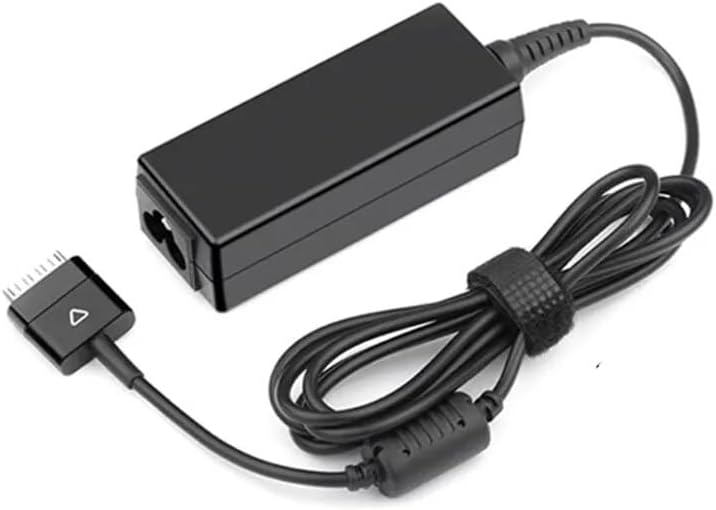
Image: The LITEON PA-1300-04 AC Adapter with its cable coiled, demonstrating proper storage.
Priežiūra
- Valymas: Prieš valydami atjunkite adapterį nuo visų maitinimo šaltinių. Paviršiui nuvalyti naudokite minkštą, sausą šluostę. Nenaudokite skystų valiklių ar tirpiklių.
- Kabelio priežiūra: Avoid bending or crimping the cable excessively, especially near the connectors. This can lead to internal wire damage.
- Saugykla: Kai nenaudojate, laikykite adapterį vėsioje, sausoje vietoje.
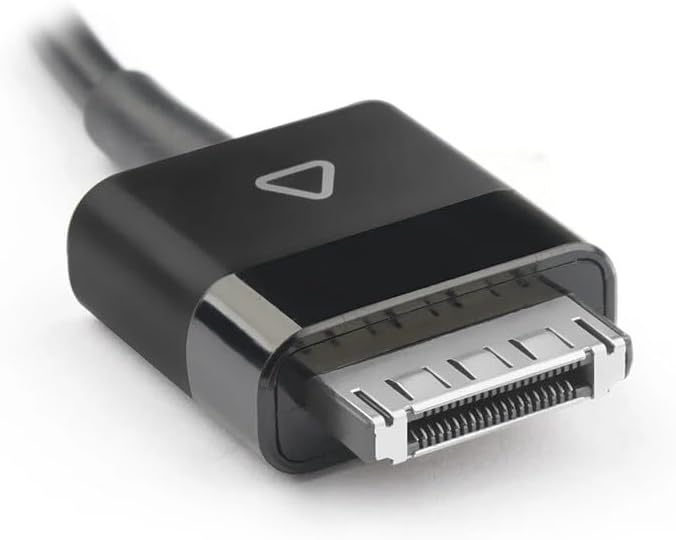
Paveikslėlis: detalus view of the specialized multi-pin connector, highlighting its design for DELL Latitude tablets.
Trikčių šalinimas
| Problema | Galima priežastis | Sprendimas |
|---|---|---|
| Planšetinis kompiuteris neįkraunamas. |
|
|
| Adapteris karštas. |
|
|
Specifikacijos
- Modelis: PA-1300-04 / AD065G2Uz
- Įvestis: 100-240V AC, 50/60Hz (Standard AC input for power adapters)
- Išėjimas ttage: 19V DC
- Išėjimo srovė: 1.58A
- Galia: 30W
- Jungties tipas: Specialized multi-pin connector for DELL Latitude tablets
- Suderinami įrenginiai: DELL Latitude 10 ST, DELL Latitude ST2, DELL Latitude T03G, DELL Latitude T07G tablets
- Kilmė: Žemyninė Kinija
Garantija ir palaikymas
For warranty information and technical support, please refer to the documentation provided with your purchase or contact the vendor directly. Keep your proof of purchase for warranty claims.