
Įvadas
Thank you for choosing the Contixo F21 Pro Drone. This manual provides essential information for the safe operation, setup, and maintenance of your drone. Please read this manual thoroughly before operating the device to ensure proper usage and to prevent damage.
1. Sąranka
1.1 Kas yra dėžutėje
Patikrinkite, ar pakuotėje yra visi komponentai:
- Contixo F21 Pro Drone
- Remote Control (with 4.3" integrated screen)
- 2 x 3.7V 1200mAh Batteries
- 8 x Propeller Replacements
- 4 x Propelerio apsaugos
- USB įkrovimo laidas
- 16GB SD kortelė
- Atsuktuvas
- Nukreipimo padas
- Dėklas nešiojimui
- Instrukcijų vadovas
- Trumpas vadovas

1.2 Baterijos įkrovimas ir įdėjimas
The drone is powered by two 3.7V 1200mAh Lithium-Ion batteries. Ensure both batteries are fully charged before first use.
- Connect the USB charging cable to the battery and a suitable USB power adapter (not included).
- The charging indicator on the battery will show its status (refer to the Quick Guide for specific light patterns).
- Kai akumuliatorius visiškai įkrautas, atjunkite jį.
- Insert the charged battery into the drone's battery compartment until it clicks securely into place.

1.3 Propelerio montavimas
The drone comes with pre-installed propellers. If replacement is needed:
- Identify the correct propeller for each motor (marked A or B).
- Use the provided screwdriver to remove the screw holding the old propeller.
- Place the new propeller onto the motor shaft, aligning it correctly.
- Secure the propeller with a screw. Ensure all propellers are firmly attached before flight.
1.4 Nuotolinio valdymo pulto sąranka
The remote control features an integrated 4.3-inch screen for live video feed and flight data.
- Įsitikinkite, kad nuotolinio valdymo pultas yra įkrautas.
- Įjunkite nuotolinio valdymo pultą.
- Įjunkite droną.
- The remote control and drone should automatically pair. If not, refer to the Quick Guide for pairing instructions.

1.5 Drono paruošimas
The F21 Pro drone features a foldable design for portability.
- Gently unfold the drone arms until they lock into position.
- Attach the propeller guards if flying indoors or in crowded areas for added protection.

2. Naudojimo instrukcijos
2.1 Pagrindiniai skrydžio valdymo įtaisai
Familiarize yourself with the remote control sticks and buttons for basic flight maneuvers:
- Pakilimas / nusileidimas: Use the dedicated one-key take-off/landing button or manually control with the throttle stick.
- Aukščio laikymas: The drone maintains a stable altitude automatically, allowing for easier control.
- Krypties valdymas: Use the directional stick to move the drone forward, backward, left, and right.
- Pasukimas: Use the rotation control to turn the drone left or right.
2.2 Išmanieji skrydžio režimai
The F21 Pro drone includes several intelligent flight features to enhance your experience:
- Kliūčių vengimas: Equipped with 270° environmental perception, the drone can sense obstacles and automatically stop to prevent collisions. This feature is primarily for indoor use.

- Optinio srauto padėties nustatymas: This system helps the drone hover steadily, improving stability, especially for beginners.
- Aukščio laikymas: Maintains a consistent altitude, simplifying flight control.

- Gestų asmenukė: Activate camera functions with simple hand gestures.
- Follow Object/Palm Follow: The drone can track and follow a designated object or your palm.
- Gravitacijos valdymas: Control the drone's movement by tilting your remote.
- 360° apsivertimai ir riedėjimai: Execute aerial acrobatics with a dedicated button.


2.3 Kameros veikimas
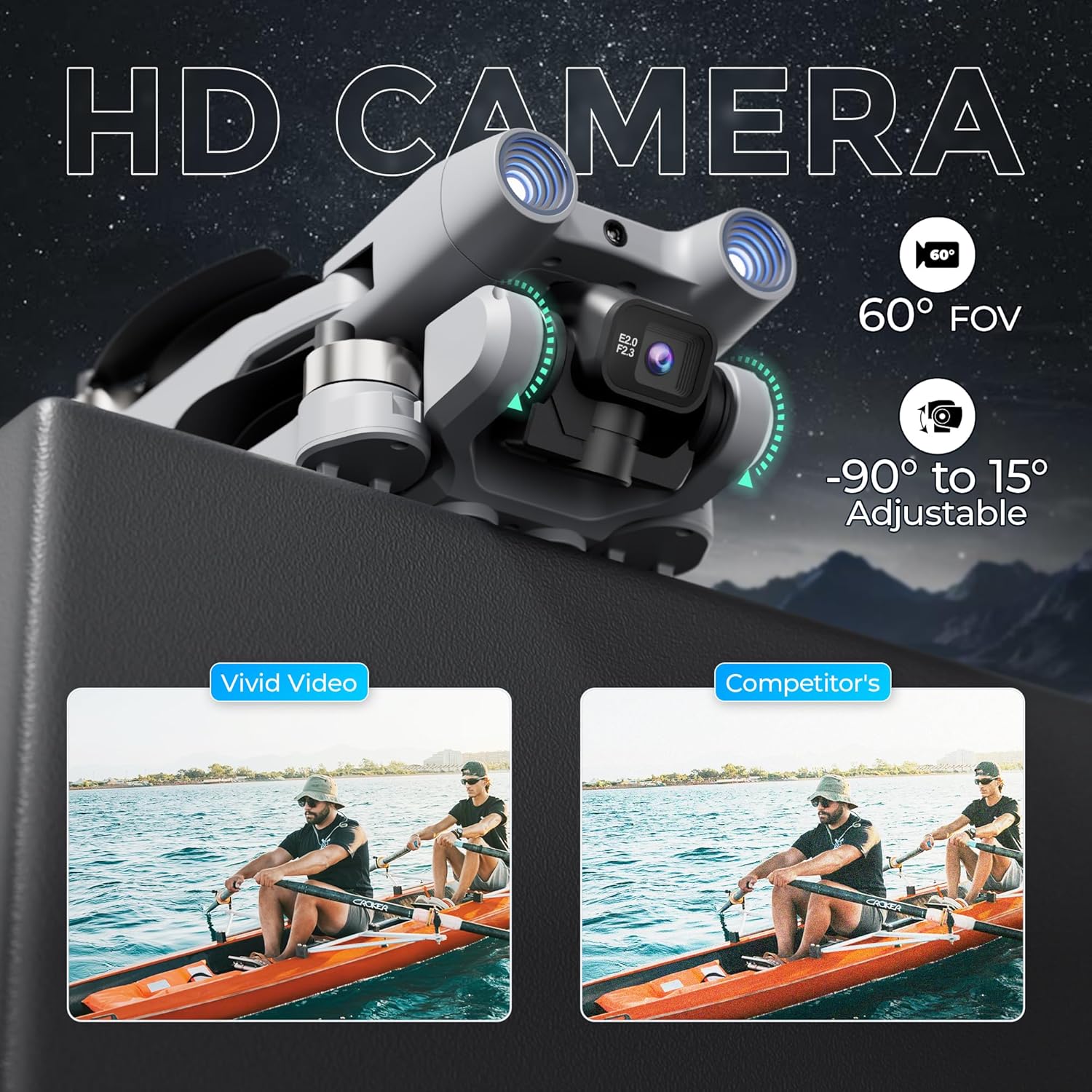
The F21 Pro features a dual camera system with adjustable angles.
- The main camera offers a 60° Field of View (FOV) and can be adjusted from -90° to 15°.
- Video capture resolution is 480p, with an output resolution of 1920x1080 pixels.
- Images are captured in JPEG format, and videos in MP4.
- Use the controls on the remote to adjust the camera angle and initiate recording or photo capture.
2.4 Flight Performance
- Skrydžio laikas: Each battery provides approximately 15 minutes of flight, totaling up to 30 minutes with both included batteries.
- Skrydžio diapazonas: The drone has a maximum flight range of up to 300 feet and video transmission up to 240 feet.
- Bešepetėliniai varikliai: Equipped with efficient and quiet 1503 brushless motors for stable flight.
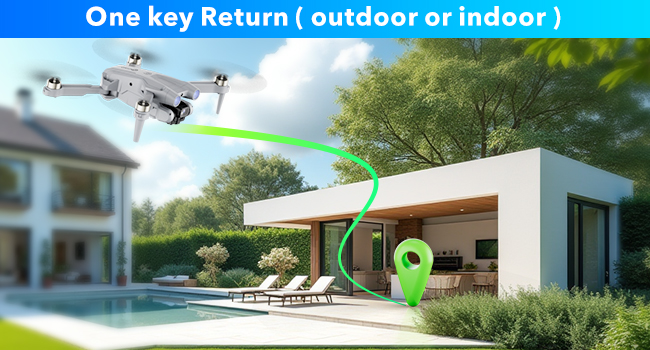
- Grąžinimas vienu raktu: The drone features a one-key return function for easy recall.
2.5 Veikimo vaizdo įrašas
Watch this video for a visual guide on operating your Contixo F21 Pro Drone.
3. Priežiūra
3.1 Propelerio keitimas
Inspect propellers regularly for damage. Replace any bent, cracked, or chipped propellers immediately using the provided replacements and screwdriver. Ensure correct propeller type (A or B) is installed on the corresponding motor.
3.2 Akumuliatoriaus priežiūra
- Visada naudokite originalų įkrovimo laidą.
- Neperkraukite ir per daug neiškraukite baterijų.
- Baterijas laikykite vėsioje, sausoje vietoje, apsaugotoje nuo tiesioginių saulės spindulių ir ekstremalių temperatūrų.
- Jei ilgesnį laiką nenaudojate, įkraukite baterijas maždaug iki 50 % talpos.
3.3 Valymas
Use a soft, dry cloth to clean the drone and remote control. Avoid using liquids or solvents that could damage electronic components.
4. Problemų sprendimas
If you encounter issues with your Contixo F21 Pro Drone, refer to the following common problems and solutions:
| Problema | Galima priežastis | Sprendimas |
|---|---|---|
| Dronas neįsijungia | Baterija neįkrauta arba netinkamai įdėta | Įsitikinkite, kad akumuliatorius yra visiškai įkrautas ir teisingai įdėtas. |
| Drone is unstable or veers during flight | Propellers damaged; Drone not calibrated; Environmental interference | Check and replace damaged propellers. Perform drone calibration as per Quick Guide. Fly in calm conditions away from strong winds or magnetic interference. |
| Trumpas skrydžio laikas | Battery not fully charged; Old or damaged battery | Įsitikinkite, kad baterijos yra visiškai įkrautos. Jei veikimas labai pablogėja, apsvarstykite galimybę pakeisti senas baterijas. |
| Loss of control or unresponsive remote | Drone out of range; Signal interference; Low remote battery | Keep drone within specified range. Avoid areas with strong Wi-Fi or radio signals. Ensure remote control battery is charged. |
| Kamera neįrašo ir nefotografuoja | SD card full or not inserted; Camera malfunction | Check if the 16GB SD card is correctly inserted and has free space. Format the SD card if necessary. |
5. Specifikacijos
| Funkcija | Detalė |
|---|---|
| Prekės ženklas | Contixo |
| Modelio pavadinimas | F21 Pro |
| Ypatingos savybės | 360 Degree Flip, Foldable, Integrated GPS, Obstacle Avoidance, Portable |
| Amžiaus diapazonas (aprašas) | Suaugęs |
| Spalva | Pilka |
| Vaizdo įrašymo raiška | 480p |
| Ryšio technologija | Wi-Fi |
| Įtraukti komponentai | Drone, Remote Control, 2 Batteries, 8 Propellers, USB Cable, Landing Pad, 16GB SD Card, Screwdriver, Carrying Case |
| Įgūdžių lygis | Pradedantysis |
| Prekės svoris | 5.8 uncijos (apie 164 g) |
| Baterijos talpa | 1200 milijonųamp Valandos (vienai baterijai) |
| Vaizdo įrašymo formatas | MP4 |
| Nuotolinio valdymo technologija | 2.4 GHz |
| Valdymo tipas | Nuotolinio valdymo pultas |
| Didžiausias diapazonas | 350 Feet (Flight), 240 Feet (Video Transmission) |
| Belaidžio ryšio technologija | Wi-Fi |
| Baterijos elementų sudėtis | Ličio jonas |
| Palaikomas vaizdo formatas | JPEG |
| Vaizdo išvesties skiriamoji geba | 1920 x 1080 pikselių |
| Optinių jutiklių technologija | Optinis srautas, CMOS |
| Medžiaga | Plastikiniai |
| Prekės matmenys P x P x A | 5.28 colio ilgio x 5.28 colio pločio x 1.02 colio aukščio (sulankstyta) |
6. Informacija apie garantiją
Contixo products are covered by a limited warranty against manufacturing defects. For specific warranty terms and conditions, please refer to the warranty card included in your product packaging or visit the official Contixo websvetainėje. Išsaugokite pirkimo įrodymą garantiniams reikalavimams.
7. Pagalba klientams
For technical assistance, troubleshooting, or any questions regarding your Contixo F21 Pro Drone, please contact Contixo customer support. Contact details can be found on the official Contixo website or in the Quick Guide provided with your product.