
1. Įvadas
Thank you for choosing the BOYA Omic-D Wireless Lavalier Microphone. This system is designed to provide high-quality audio recording for your iPhone and iPad devices with Lightning ports. Featuring MFi certification, noise cancellation, and a convenient magnetic clip, the Omic-D is ideal for video recording, vlogging, interviews, and live streaming. Please read this manual carefully to ensure proper operation and to maximize the performance of your device.
2. Pakuotės turinys
Before use, please verify that all items listed below are included in your package:
- 2 x Omic TX Transmitters (Microphones)
- 1 x Omic RXD Receiver (Lightning Connector)
- 2 x kailiniai priekiniai stiklai
- 1 x USB-A į USB-C laidas
- 1 x Omic CC įkrovimo dėklas
- 1 x nešiojamasis krepšys

Image: Contents of the BOYA Omic-D package.
3. Produktas baigtasview
The BOYA Omic-D system consists of two compact transmitters (microphones), a receiver, and a portable charging case. Each component is designed for ease of use and portability.
3.1. Transmitters (TX)
The transmitters are small, lightweight microphones equipped with a magnetic clip for secure attachment to clothing. They feature a built-in omnidirectional microphone and a button for noise cancellation.
3.2. Receiver (RXD)
The receiver plugs directly into your iPhone or iPad's Lightning port. It facilitates the wireless connection between the transmitters and your device, enabling audio capture without additional cables.
3.3. Charging Case (CC)
The charging case not only protects your microphones and receiver but also recharges them on the go. It supports both USB-C wired charging and wireless charging.

Image: The BOYA Omic-D wireless clip microphone and charging case.
4. Sąranka
The BOYA Omic-D system is designed for plug-and-play operation, requiring minimal setup.
- Įkraukite įrenginius: Ensure both transmitters and the charging case are fully charged before first use. Place the transmitters into the charging case. Connect the charging case to a power source using the provided USB-A to USB-C cable or place it on a wireless charger.
- Automatinis susiejimas: Open the charging case. The transmitters will automatically power on and attempt to pair with each other and the receiver.
- Prijunkite imtuvą: Plug the Omic RXD receiver directly into the Lightning port of your iPhone or iPad. The receiver will automatically connect to the transmitters. A blue indicator light on the transmitters signifies a successful connection.
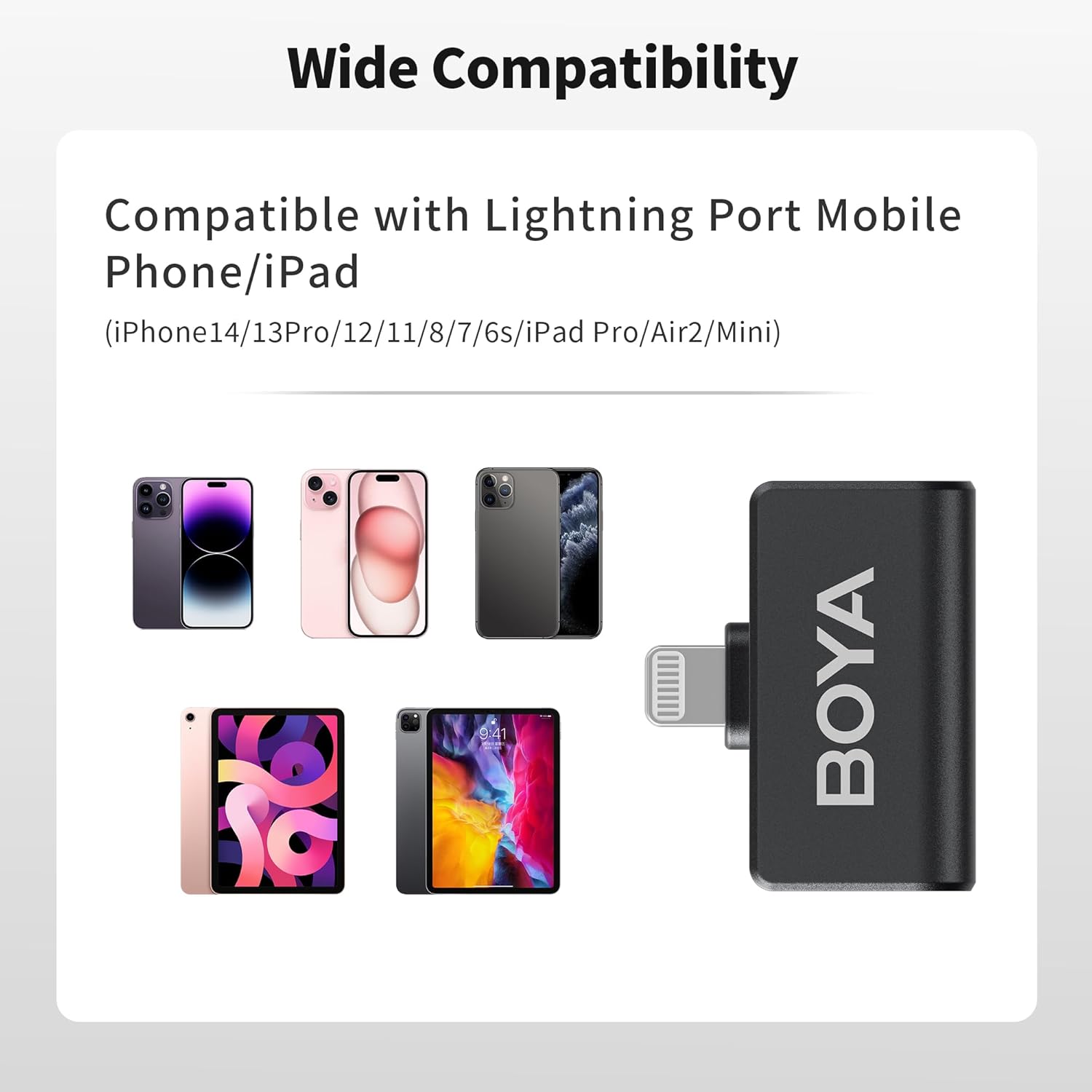
Image: Wide compatibility of the Omic-D with Lightning port devices.
5. Naudojimo instrukcijos
5.1. Maitinimo įjungimas/išjungimas
- Maitinimas: Open the charging case, and the transmitters will automatically power on.
- Išjungti: Place the transmitters back into the charging case, and they will automatically power off.
5.2. Wearing the Microphone
The transmitters can be worn in two ways:
- Magnetinis tvirtinimas: Use the integrated magnetic clip to attach the transmitter securely to your clothing.
- Prisegamas: Alternatively, use the traditional clip-on method to secure the microphone.
For optimal audio quality, position the microphone approximately 6-8 inches (15-20 cm) from your mouth.

Image: Various ways to wear the Omic-D microphone using magnetic or clip-on methods.
5.3. Triukšmo slopinimas
The BOYA Omic-D features an active noise cancellation algorithm to reduce ambient noise. To activate or deactivate noise cancellation, press the designated button on the transmitter. A change in the indicator light may signify the mode change.

Image: Illustration of the noise cancellation feature on the Omic-D microphone.
5.4. Windshields
For outdoor recording or in windy conditions, attach the provided fur windshields to the transmitters to minimize wind noise and improve audio clarity.
5.5. Atkūrimas
The Omic-D receiver utilizes exclusive audio analysis technology, allowing you to play back audio directly through your phone's built-in speaker without needing to unplug the receiver.
5.6. Telefono įkrovimas
The receiver includes a built-in USB-C port. This port allows you to connect a power source to charge your iPhone or iPad while the microphone system is in use, supporting fast charging up to 3A.
6. Įkrovimas
The BOYA Omic-D system offers flexible charging options:
- Įkrovimo dėklas: The charging case itself can be charged via the USB-C port using the included cable or wirelessly by placing it on a compatible wireless charging pad.
- Siųstuvai: Place the transmitters into the charging case to recharge them. The case provides multiple full charges for the transmitters.
A fully charged transmitter provides approximately 5 hours of continuous recording. The charging case extends the total operating time to up to 15 hours.

Image: Rechargeable digital battery case features and capacity.
7. Suderinamumas
The BOYA Omic-D is MFi certified and compatible with a range of Apple devices:
- iPhone 14 / 14 Pro / 14 Pro Max
- iPhone 13/13 Pro
- iPhone 12 / XR / X
- iPad Pro Series with Lightning Port
NOTE: This device is NOT compatible with iPhone 15 series or any USB-C port iPad models. For these devices, please choose the BOYA Omic-U model.
8. Specifikacijos
| Funkcija | Detalė |
|---|---|
| Mikrofono formos faktorius | Lavalier |
| Polinis raštas | Visakryptis |
| Ryšio technologija | 2.4GHz bevielis ryšys |
| Jungties tipas | Žaibas |
| Transmisijos diapazonas | Iki 164 pėdų (50 metrų) atvirose erdvėse |
| Dažnio atsakas | 20 Hz–20 kHz |
| Signalo ir triukšmo santykis | 80 dB |
| Kanalų skaičius | 2 |
| Baterijos tipas | Ličio polimeras (įtraukta) |
| Siųstuvo svoris | Maždaug 2 gramų (0.071 uncijos) |
| Įkrovimo dėklo talpa | 300 mAh (apytiksliai) |
| Ypatingos savybės | Battery Indicator Light, Clip, Noise Reduction, Runs on Plug-In Power, Volume Control |

Image: The BOYA Omic-D offers up to 164ft (50m) transmission range.
9. Problemų sprendimas
If you encounter issues with your BOYA Omic-D microphone, please refer to the following common solutions:
- No Sound/Microphone Not Recognized:
- Ensure the receiver is fully inserted into your iPhone/iPad's Lightning port.
- Verify that both transmitters are powered on and paired (indicated by a steady blue light).
- Check your device's audio input settings to ensure the external microphone is selected, if applicable.
- Confirm your device is compatible (not an iPhone 15 series or USB-C iPad).
- Restart your iPhone/iPad and try reconnecting.
- Poor Audio Quality/Excessive Noise:
- Ensure the microphone is positioned correctly, approximately 6-8 inches from the sound source.
- Activate the noise cancellation feature if in a noisy environment.
- Attach the fur windshields when recording outdoors or in windy conditions.
- Patikrinkite, ar tarp siųstuvo ir imtuvo nėra kliūčių, kurios galėtų trukdyti belaidžiam signalui.
- Įkrovimo problemos:
- Ensure the USB-C cable is securely connected to both the charging case and a power source.
- If using wireless charging, ensure the case is correctly placed on a compatible wireless charging pad.
- Patikrinkite, ar maitinimo šaltinis veikia.
10. Priežiūra
To ensure the longevity and optimal performance of your BOYA Omic-D microphone system, follow these maintenance guidelines:
- Valymas: Įrenginiams valyti naudokite minkštą, sausą šluostę. Venkite naudoti stiprias chemines medžiagas ar abrazyvines medžiagas.
- Saugykla: Store the microphones and receiver in their charging case when not in use to protect them from dust, moisture, and physical damage.
- Venkite ekstremalių sąlygų: Nelaikykite prietaisų ekstremaliose temperatūrose, tiesioginiuose saulės spinduliuose ar didelėje drėgmėje.
- Elkitės atsargiai: Venkite prietaisų numetimo ar stiprių smūgių.
11. Garantija ir palaikymas
BOYA offers a 2 metų garantija for the Omic-D Wireless Lavalier Microphone. This warranty covers manufacturing defects and malfunctions under normal use.
If you experience any issues or require technical assistance, please contact BOYA customer support. You can find contact information on the official BOYA websvetainėje arba per savo pirkimo platformą.
Daugiau informacijos ir produktų atnaujinimų rasite oficialioje svetainėje BOYA Store.