
1. Įvadas
Thank you for choosing the THOKWOK TK-X2 Motorcycle Intercom System. This device is designed to provide clear and reliable communication, music playback, and hands-free calling for motorcyclists, ATV riders, snowmobilers, and cyclists. Featuring Bluetooth 5.0, noise cancellation, and a waterproof design, the TK-X2 enhances your riding experience.
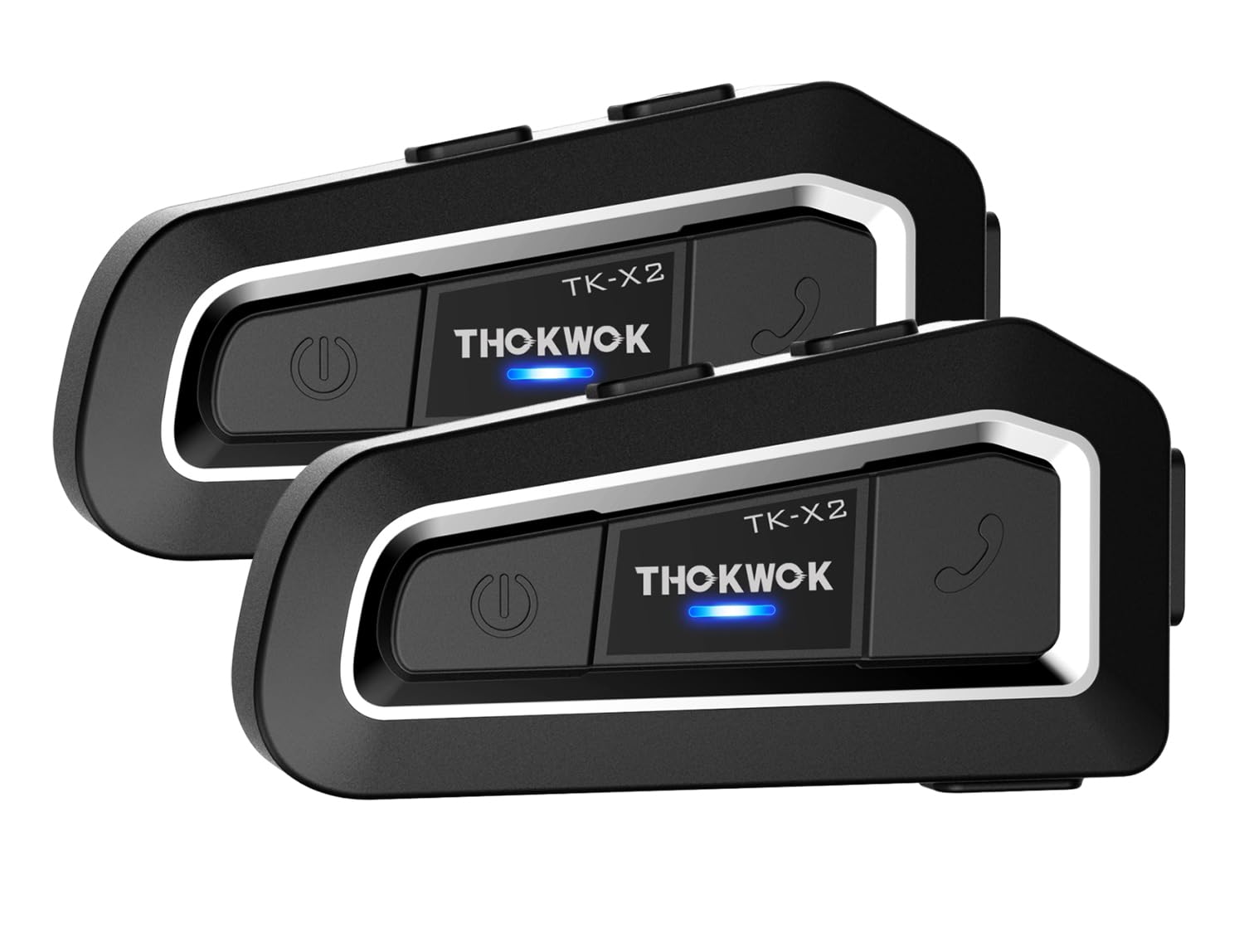
Image: The THOKWOK TK-X2 intercom unit, a compact device designed for helmet mounting.
2. Kas yra dėžutėje
Patikrinkite pakuotės turinį, kad įsitikintumėte, jog yra visi reikalingi daiktai:
- TK-X2 Bluetooth Headset Main Unit (x2)
- Headphone Cable (x2)
- Boom Microphone (x2)
- Button Microphone (x2)
- Įkrovimo kabelis (x2)
- Clamp with Screws (x2)
- Velcro Clip (x2)
- „Allen Wrench“ (2 x)
- Speaker Pad (x4)
- Vartotojo vadovas (1x)

Image: A visual representation of all components included in the THOKWOK TK-X2 package.

Image: A detailed layout of the TK-X2 system components, including the main unit, various microphones, cables, and mounting accessories.
3. Sąranka
3.1. Montavimas
The TK-X2 can be easily installed on most helmet types. Choose between the clamp mount or the adhesive Velcro clip for secure attachment.
- Domofono įrenginio montavimas: Attach the intercom unit to the side of your helmet using either the screw clamp or the adhesive Velcro clip. Ensure it is securely fastened.
- Garsiakalbių montavimas: Place the speakers inside the helmet's ear pockets. Use the provided speaker pads for comfort and optimal sound.
- Installing Microphone: Select the appropriate microphone for your helmet type. Use the boom microphone for open-face or flip-up helmets, and the button microphone for full-face helmets. Position the microphone close to your mouth for clear voice pickup.
- Prijungimo kabeliai: Connect the speaker and microphone cables to the corresponding ports on the intercom unit.
Video: A demonstration of how to install the THOKWOK TK-X2 intercom system onto a motorcycle helmet, showing speaker and microphone placement.
3.2. Įkrovimas
Before first use, fully charge the TK-X2 unit. The device features a 650mAh battery.
- Connect the charging cable to the Type-C port on the intercom unit and to a USB power source.
- Įkrovimo indikatoriaus lemputė rodys įkrovimo būseną.
- Pilnas įkrovimas trunka maždaug 2.5 valandų.
- The battery provides up to 24 hours of talk/music time and up to 280 hours of standby time.

Image: The TK-X2 unit on a wet surface, illustrating its long battery life and charging indicators.
3.3. Poravimas
The TK-X2 supports universal pairing with most Bluetooth headsets on the market, including other THOKWOK models like BT-S2 and BT-S3.
- Initial Pairing (First Use): With the unit off, press and hold the power button until the LED flashes red and blue alternately, indicating pairing mode.
- Prisijunkite prie telefono: On your phone, enable Bluetooth and search for "TK-X2". Select it to connect.
- Intercom poravimas: For intercom communication between two TK-X2 units, ensure both are in pairing mode. Press the intercom button on one unit to initiate connection.

Image: The TK-X2 unit mounted on a helmet, with icons indicating its universal pairing compatibility with other Bluetooth headsets.
4. Naudojimo instrukcijos
The TK-X2 features large, glove-friendly buttons for easy control while riding.

Image: The TK-X2 unit with a gloved hand, highlighting the large, accessible buttons for easy operation.
4.1. Maitinimo įjungimas/išjungimas
- Maitinimas: Press and hold the Power button for approximately 3 seconds until you hear a tone and the LED flashes blue.
- Išjungti: Press and hold the Power button for approximately 5 seconds until you hear a tone and the LED turns off.
4.2. Domofono ryšys
The TK-X2 supports full-duplex intercom communication between two riders up to 1000 meters. It can connect up to 3 riders, with 2 able to speak simultaneously.
- Įjungti domofoną: After pairing, a short press of the Intercom button will start or end an intercom conversation.
- Switch Riders (for 3 riders): If 3 units are paired, press the Intercom button to cycle between the two active conversation partners.

Image: The TK-X2 unit displayed above a road with motorcycles, illustrating its 1000-meter intercom range.
4.3. Phone Functions
Once paired with your phone, you can manage calls hands-free.
- Atsiliepti į skambutį: Short press the Phone button.
- Baigti skambutį: Short press the Phone button during a call.
- Atmesti skambutį: Paspauskite ir 2 sekundes palaikykite telefono mygtuką.
- Perrink paskutinį numerį: Du kartus paspauskite telefono mygtuką.
4.4. Muzikos atkūrimas
Enjoy Hi-Fi stereo music from your connected device.
- Leisti / pristabdyti: Short press the Multi-function button (usually the central button).
- Kitas takelis: Paspauskite garsumo didinimo mygtuką.
- Ankstesnis takelis: Paspauskite garsumo mažinimo mygtuką.
- Garso reguliavimas: Naudokite garsumo didinimo / mažinimo mygtukus.

Image: A visual of the Qualcomm Bluetooth 5.0 chip and a 40mm speaker, highlighting the audio technology.
4.5. FM radijas
The TK-X2 includes an integrated FM radio.
- Įjungti / išjungti FM radiją: Press and hold the FM button (if available, or a specific combination as per quick start guide).
- Skenavimo stotys: Short press the Volume Up/Down buttons to scan for the next/previous station.

Image: The TK-X2 unit displaying FM radio functionality and compatibility with voice assistants.
4.6. Balso asistentas
Access your phone's voice assistant (Siri, Google Assistant) for hands-free commands.
- Suaktyvinti „Voice Assistant“: Short press the Voice Assistant button (or a specific button combination).
5. Priežiūra
To ensure the longevity and optimal performance of your TK-X2 intercom system, follow these maintenance guidelines:
- Valymas: Nuvalykite įrenginį minkštu, damp audinys. Nenaudokite stiprių cheminių medžiagų ar abrazyvinių valiklių.
- Atsparumas vandeniui: The TK-X2 features an IP67 waterproof design, making it resistant to rain and snow. However, avoid submerging the unit in water.
- Saugykla: Store the unit in a cool, dry place when not in use. Avoid extreme temperatures.
- Akumuliatoriaus priežiūra: For long-term storage, charge the battery to about 50% every few months to prevent deep discharge.

Image: A split image demonstrating the TK-X2's noise suppression capabilities and its IP67 waterproof rating in rainy conditions.
6. Problemų sprendimas
If you encounter issues with your TK-X2, please refer to the following common solutions:
| Problema | Galima priežastis | Sprendimas |
|---|---|---|
| Įrenginys neįsijungia | Senka baterija | Kraukite įrenginį mažiausiai 2.5 valandas. |
| Iš garsiakalbių nėra garso | Garsiakalbiai netinkamai prijungti arba per mažas garsumas | Check speaker connections. Increase volume. Ensure device is paired. |
| Nepavyksta susieti su telefonu / domofonu | Not in pairing mode or too far apart | Ensure unit is in pairing mode (flashing red/blue). Bring devices closer. Restart both devices. |
| Intercom connection drops | Už diapazono ribų arba trukdžių | Move closer to the other intercom unit. Avoid areas with strong electromagnetic interference. |
| Prasta mikrofono kokybė | Microphone not positioned correctly or wrong type used | Adjust microphone position closer to your mouth. Ensure the correct microphone type (boom/button) is used for your helmet. |
If the problem persists, please contact THOKWOK customer support.
7. Specifikacijos
| Funkcija | Detalė |
|---|---|
| Prekės ženklas | THOKWOK |
| Modelio pavadinimas | TK-X2 |
| Spalva | Juoda |
| Ryšio technologija | Bluetooth |
| Belaidė technologija | Bluetooth |
| Bluetooth versija | 5.0 |
| Domofono atstumas | Up to 1000 meters (between 2 riders) |
| Max Riders for Intercom | 3 (2 can speak simultaneously) |
| Triukšmo valdymas | Active Noise Cancellation (DSP & CVC) |
| Battery Life (Talk/Music) | Iki 24 valandų |
| Baterijos veikimo laikas (budėjimo režimas) | Iki 280 valandų |
| Įkrovimo laikas | apytiksliai 2.5 valandas |
| Ausinių lizdas | C tipas |
| Atsparumo vandeniui lygis | IP67 (atsparus vandeniui) |
| Prekės svoris | 42 gramų |
| Suderinami įrenginiai | Motorcycles, ATVs, Snowmobiles, Bicycles |
| Produkto savybės | Noise Cancellation, Rechargeable Battery, Microphone Included, Hi-Fi Stereo Music, Integrated FM Radio |
| Mikrofonai | Interchangeable Boom and Button Microphones |

Paveikslėlis: Viršview of the TK-X2's key features including Bluetooth 5.0, multi-rider intercom, FM radio, Hi-Fi stereo, DSP&CVC noise cancellation, voice command, IP67 waterproofing, and 650mAh battery.

Image: Two types of microphones, boom and button, demonstrating the interchangeable design for different helmet styles.

Image: A collage showing the TK-X2 being used in various outdoor activities such as snowmobiling, motorcycling, ATV riding, and dirt biking.
8. Garantija ir palaikymas
Your THOKWOK TK-X2 Motorcycle Intercom System comes with a 2 metų garantija nuo įsigijimo datos, apimanti gamybos defektus.
For technical support, warranty claims, or any questions regarding your product, please contact THOKWOK customer service. Our professional after-sales team is dedicated to providing prompt and accurate assistance.
Prašome išsaugoti pirkimo įrodymą garantijos tikslais.