
Įvadas
This manual provides detailed instructions for the setup, operation, and maintenance of your RAPIQUE R-03 Bluetooth Wireless Mouse. Designed for dual-mode connectivity (Bluetooth 5.1 and 2.4G USB-C receiver), this rechargeable mouse offers a lightweight, silent, and ergonomic experience for various devices.
Pakuotės turinys
Prašome patikrinti, ar pakuotėje yra visi reikalingi daiktai:
- 1 x RAPIQUE R-03 Bluetooth Wireless Mouse
- 1 x 2.4G Type-C Wireless Receiver (stored in the mouse bottom slot)
- 1 x USB-C įkrovimo laidas
- 1 x naudojimo instrukcija
Produktas baigtasview ir Pagrindinės funkcijos
The RAPIQUE R-03 mouse is engineered for comfort and versatility, featuring:
- Special Hollow Design: Ensures optimal airflow to keep hands cool and ventilated during prolonged use. The ergonomic round shape provides comfortable extended use.
- Dviejų režimų ryšys: Seamlessly switch between Bluetooth 5.1 and 2.4G wireless connection via the easy-to-use Type-C receiver.
- Quiet Clicking & Scrolling: Reduced noise by up to 90% for a distraction-free environment.
- Rechargeable & Auto Sleep: Equipped with a 600 mAh lithium battery, offering up to a week of continuous use on a single charge. Features an intelligent auto-sleep function and on-off switch for battery conservation.
- Visuotinis suderinamumas: Supports a wide range of devices including MacBooks, iPads, laptops, tablets, and Chromebooks. Bluetooth mode is compatible with Windows 8/10, iOS 13+, Mac OS 10.10+, and Android 5.0+. 2.4GHz mode works with any device featuring a Type-C port.
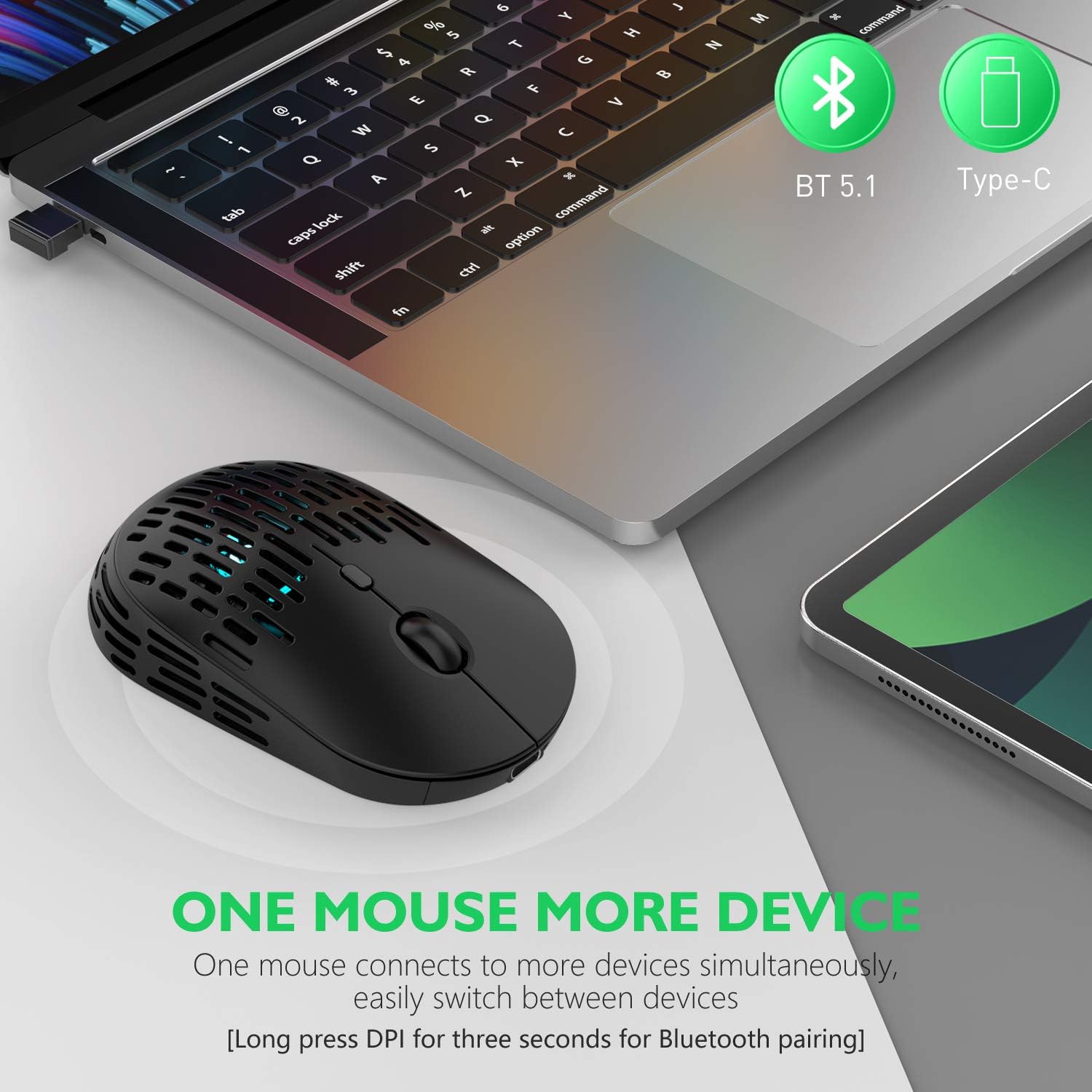
Image: The RAPIQUE R-03 mouse demonstrating dual-mode connectivity with a laptop and tablet.
Sąrankos instrukcijos
1. 2.4G Wireless Connection (USB-C Receiver)
- Locate the Type-C receiver: The 2.4G Type-C wireless receiver is stored in a dedicated slot at the bottom of the mouse. Gently slide it out.
- Insert the receiver: Plug the Type-C receiver into an available Type-C port on your computer, laptop, or tablet.
- Switch to 2.4G mode: On the bottom of the mouse, slide the switch to the "2.4G" position. The mouse should automatically connect to your device.

Image: The underside of the RAPIQUE R-03 mouse, highlighting the storage compartment for the Type-C receiver.
Video: Demonstrates how to connect the RAPIQUE Type C Wireless Bluetooth Mouse using the 2.4G USB-C receiver.
2. „Bluetooth“ ryšys
- Switch to Bluetooth mode: On the bottom of the mouse, slide the switch to the "BT" position.
- Activate pairing mode: Press and hold the DPI button (located near the scroll wheel) for three seconds until the indicator light on the mouse starts flashing, indicating it's in pairing mode.
- Įjunkite „Bluetooth“ savo įrenginyje:
- „Windows 8/10“: Eikite į Nustatymai > Įrenginiai > „Bluetooth“ ir kiti įrenginiai, and turn on Bluetooth. Select "BT5.1 Mouse" from the list of available devices and click "Connect".
- For iPad/iPhone (iOS 13+): Eikite į Nustatymai > Prieinamumas > Touch > AssistiveTouch and enable it. Then, go back to Nustatymai > Bluetooth, turn on Bluetooth, and select "BT5.1 Mouse" to connect and pair.
- For Mac OS 10.10+: Eikite į System Preferences > Bluetooth, turn on Bluetooth. Select "BT5.1 Mouse" from the list and click "Connect".
- For Android 5.0+: Eikite į Nustatymai > Prijungti įrenginiai > „Bluetooth“, turn on Bluetooth, and select "BT5.1 Mouse" from the list and pair.
- Confirm connection: Once successfully paired, the indicator light on the mouse will stop flashing and remain solid or turn off, depending on the model.
Video: A user demonstrates how to pair the RAPIQUE mouse via Bluetooth and shares their thoughts on its quiet operation.
Naudojimo instrukcijos
DPI reguliavimas
The RAPIQUE R-03 mouse features 3 adjustable DPI levels (800-1200-1600) to customize cursor sensitivity. To change the DPI, simply press the DPI button located below the scroll wheel. Each press will cycle through the available sensitivities.

Image: The RAPIQUE R-03 mouse highlighting its adjustable DPI settings for customized cursor speed.
Silent Clicking and Scrolling
This mouse is designed with silent click and scroll technology, reducing operational noise by up to 90%. This feature is ideal for quiet environments such as offices, libraries, or late-night use at home.
Automatinis miego režimas
To conserve battery life, the mouse is equipped with an intelligent auto-sleep function. If inactive for a period, the mouse will enter sleep mode. To wake it up, simply move or click the mouse.
Įkrovimo instrukcijos
The RAPIQUE R-03 mouse features a built-in 600 mAh rechargeable lithium battery. When the mouse pointer becomes erratic, unresponsive, or disconnects frequently, it indicates a low battery and requires charging.
- Connect the USB-C charging cable: Insert the small end of the provided USB-C charging cable into the charging port located at the front of the mouse.
- Connect to power source: Plug the USB-A end of the cable into a computer's USB port or a 5V adapter (do not use mobile phone or computer chargers with higher voltage outputs, as this may damage the mouse).
- Charging indicator: A red light next to the scroll wheel will illuminate to indicate that charging is in progress.
- Full charge: The red light will turn off once the mouse is fully charged. A full charge typically takes 2-3 hours and provides approximately one week of continuous use.
Pastaba: It is recommended to fully charge the mouse for 2-3 hours before its first use.

Image: The RAPIQUE R-03 mouse being charged via its USB-C port.
Video: Demonstrates the charging process for the RAPIQUE Type C Wireless Bluetooth Mouse.
Priežiūra
- Keep the mouse clean: Regularly wipe the mouse surface with a soft, dry cloth to remove dust and debris.
- Avoid liquids: Do not expose the mouse to water or other liquids.
- Store properly: When not in use, store the 2.4G USB-C receiver in its designated slot at the bottom of the mouse to prevent loss.
- Optimal charging: Always use the provided USB-C cable and a compatible 5V power source for charging to ensure battery longevity.
Trikčių šalinimas
- Pelė neprisijungia per 2.4G:
- Ensure the Type-C receiver is securely plugged into your device's Type-C port.
- Verify the switch on the bottom of the mouse is set to the "2.4G" position.
- Try plugging the receiver into a different Type-C port or restarting your device.
- Pelė neprisijungia per „Bluetooth“:
- Ensure the switch on the bottom of the mouse is set to the "BT" position.
- Confirm Bluetooth is enabled on your device and the mouse is in pairing mode (flashing indicator light).
- Remove any previously paired "BT5.1 Mouse" entries from your device's Bluetooth settings and attempt to pair again.
- Ensure your device's operating system meets the minimum requirements (e.g., iOS 13+ for Apple devices).
- Pelė neįkraunama:
- Check that the USB-C charging cable is properly connected to both the mouse and the power source.
- Ensure the power source is a standard 5V USB port or adapter. Avoid high-voltage įkrovikliai.
- Verify the red charging indicator light is on. If not, try a different cable or power source.
- Žymeklio judėjimas netolygus arba nereaguoja:
- Patikrinkite akumuliatoriaus lygį ir, jei reikia, įkraukite pelę.
- Įsitikinkite, kad pelė naudojama ant tinkamo paviršiaus (ne itin atspindinčio ar permatomo).
- Adjust the DPI sensitivity using the DPI button.
Specifikacijos
| Prekės ženklas | RAPIKAS |
| Modelio pavadinimas | R-03 |
| Spalva | Matinė juoda |
| Ryšio technologija | Bluetooth 5.1, 2.4G Type C Receiver |
| Judesio aptikimo technologija | Optinis |
| DPI jautrumas | 800, 1200, 1600 (reguliuojamas) |
| Mygtukų kiekis | 3 |
| Rankų orientacija | Abipusis |
| Baterijos tipas | 600 mAh Lithium Polymer (Rechargeable, Included) |
| Vidutinis akumuliatoriaus veikimo laikas | 168 Hours (approx. 1 week) |
| Įkrovimo prievadas | USB-C |
| belaidis diapazonas | 10.0 metrų |
| Suderinami įrenginiai | Mac, Laptop, Tablet, Chromebook |
| Operacinės sistemos suderinamumas | Chrome OS, Mac OS, Windows 10/11, iOS 13+, Android 5.0+ |
| Prekės svoris | 0.09 kilogramo |
| Medžiaga | Plastikiniai |
Garantija ir palaikymas
The RAPIQUE R-03 mouse comes with a 1 metų garantija from the manufacturer. For technical assistance, troubleshooting, or warranty claims, please contact RAPIQUE customer support through the retailer where the product was purchased or visit the official RAPIQUE store on Amazon: RAPIQUE Store.
We are committed to providing reliable service and support. If you have any questions or are not satisfied with your mouse, please reach out for a solution.