
Įvadas
This manual provides essential instructions for the safe installation, operation, and maintenance of your APC Back-UPS Pro 1050VA (BN1050M) Uninterruptible Power Supply. Please read this manual thoroughly before installing or operating the unit.
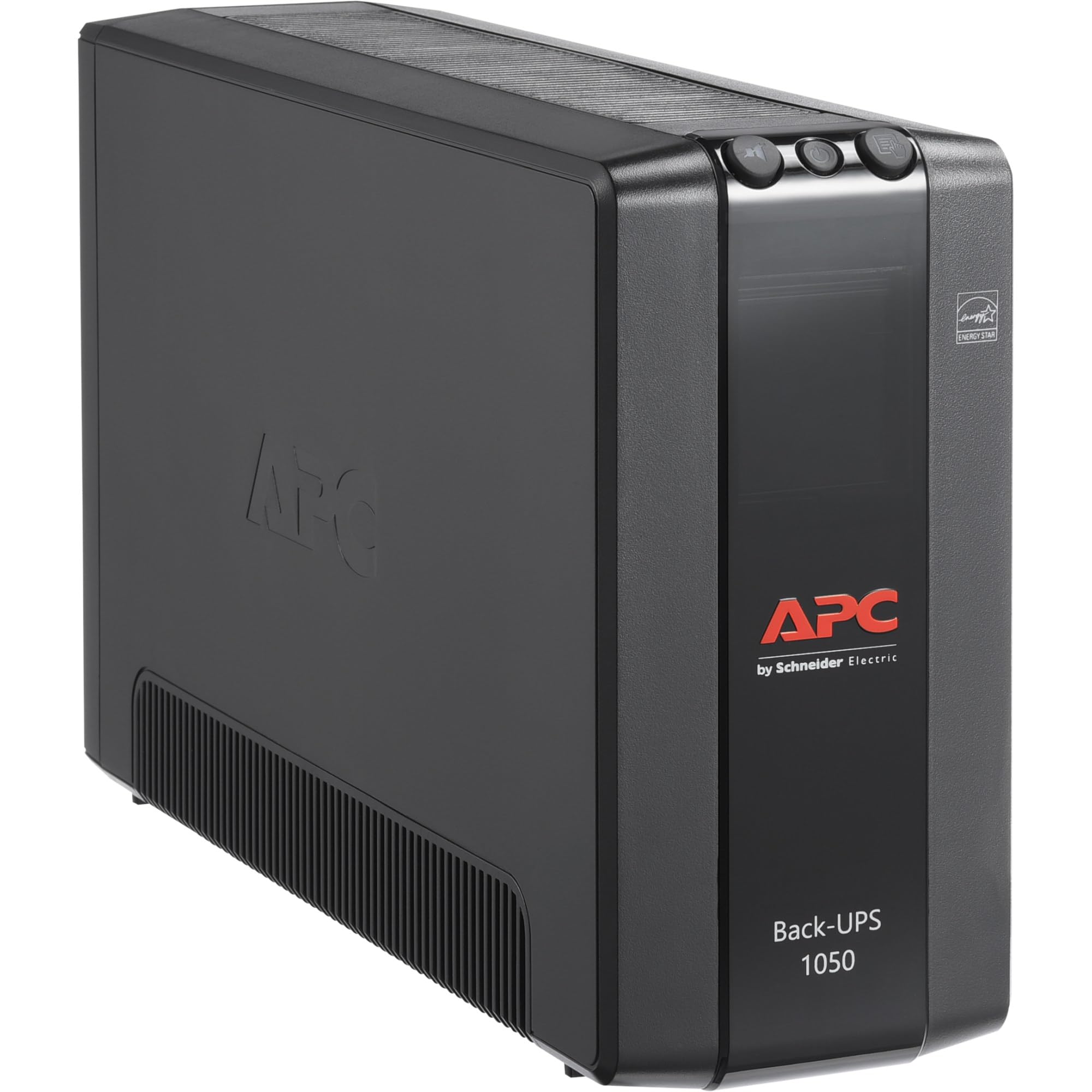
Vaizdas: priekis view of the APC Back-UPS Pro 1050VA (BN1050M) unit, showcasing its compact tower design and control panel.
Sąranka
1. Išpakavimas ir patikrinimas
- Carefully unpack the UPS and inspect it for any shipping damage. If damage is found, notify the carrier and dealer.
- Verify that all components are included: UPS unit, user manual, USB communication cable.
2. Įdėjimas
- Place the UPS on a flat, stable surface.
- Ensure adequate airflow around the unit. Do not block ventilation openings. Maintain at least 1 inch (2.5 cm) of clearance on all sides.
- Avoid direct sunlight, excessive heat, humidity, or conductive contaminants.

Image: The APC Back-UPS Pro 1050VA (BN1050M) unit positioned discreetly under a desk, demonstrating its compact size for convenient placement in a home or office environment.
3. Įrangos prijungimas
The Back-UPS Pro 1050VA features two types of outlets:
- Baterijos atsarginis maitinimas ir viršįtampių apsaugos lizdai (4 lizdai): Connect critical equipment such as computers, monitors, and external hard drives to these outlets. These outlets provide power from the UPS battery during power outagir apsaugo nuo viršįtampių.
- Lizdai, skirti tik apsaugai nuo viršįtampių (4 lizdai): Connect non-critical equipment like printers, scanners, or speakers to these outlets. These outlets provide surge protection but do not provide battery backup power during an outage.

Vaizdas: Galinis view of the APC Back-UPS Pro 1050VA (BN1050M), clearly showing the arrangement of the 8 outlets (4 battery backup, 4 surge only), the USB and Serial data ports, and the circuit breaker. A QR code for support is also visible.
4. Pradinis įkrovimas
Connect the UPS power cord to a grounded 120V AC outlet. The unit will begin charging the battery. Allow the battery to charge for at least 24 hours before connecting equipment to ensure maximum runtime capacity.
5. Programinės įrangos diegimas (neprivaloma)
For advanced power management features, such as automatic shutdown during extended outages, install APC PowerChute software. Connect the provided USB cable from the UPS data port to your computer. Download the latest software version from the official APC websvetainė: apc.com/us/en/support/software-downloads/.
Naudojimo instrukcijos
1. Turning the UPS On/Off
- Įjungti: Press and hold the power button on the front panel until a beep is heard. The unit will perform a self-test, and the 'On Line' indicator will illuminate.
- Išjungti: Press and hold the power button until a beep is heard and the unit powers down.
2. Rodiklių supratimas
Priekiniame skydelyje yra LED indikatoriai ir garsinis signalas, pranešantys apie UPS būseną:
- Prisijungęs (žalias šviesos diodas): UPS maitina prijungtą įrangą.
- Maitinimas iš akumuliatoriaus (geltonas šviesos diodas): The UPS is supplying battery power to connected equipment during a power outage. An audible alarm will sound.
- Perkrova (raudonas šviesos diodas): The connected load exceeds the UPS capacity. Disconnect non-essential equipment immediately.
- Fault (Red LED): Indicates an internal fault. Refer to the Troubleshooting section.
- Building Wiring Fault (Red LED on rear): Indicates a wiring problem in the building's electrical system (e.g., missing ground, reversed polarity). Consult a qualified electrician.
3. Savikontrolės funkcija
To manually initiate a self-test, press and hold the 'Test' button on the front panel for a few seconds. The UPS will briefly switch to battery power to test its battery and internal circuitry. This is recommended monthly.
Priežiūra
1. Baterijos priežiūra ir keitimas
- The internal battery is not user-replaceable. Contact APC support for battery service or replacement.
- To maximize battery life, ensure the UPS is kept in a cool, dry environment and remains connected to utility power.
- Regularly perform self-tests to monitor battery health.
2. Valymas
UPS išorę valykite minkšta,amp cloth. Do not use solvents or abrasive cleaners. Ensure ventilation openings are free from dust and debris.
Trikčių šalinimas
Dažniausiai pasitaikančias problemas ir jų sprendimus žr. toliau pateiktoje lentelėje.
| Problema | Galima priežastis | Sprendimas |
|---|---|---|
| UPS neįsijungia. | Not connected to utility power; discharged battery. | Ensure power cord is securely plugged into a live outlet. Allow 24 hours for initial battery charge. |
| UPS pypsi nuolat arba dažnai. | On battery mode; low battery; overload. | Check utility power. Allow battery to recharge. Reduce connected load. |
| Šviečia perkrovos šviesos diodas. | Too much equipment connected to battery backup outlets. | Disconnect non-essential equipment from battery backup outlets until the LED turns off. |
| Building Wiring Fault LED is illuminated. | Wiring problem in the building. | Dėl pastato laidų patikrinimo kreipkitės į kvalifikuotą elektriką. |
| UPS provides short runtime. | Baterija sena arba nėra visiškai įkrauta. | Allow battery to charge for 24 hours. If issue persists, the battery may need service. Contact APC support. |
Grandinės pertraukiklio atstatymas
If the UPS experiences an overload and shuts down, the circuit breaker on the rear panel may trip. Disconnect some equipment, then push the circuit breaker button to reset the unit. Refer to the rear panel image in the Setup section for its location.
Specifikacijos
| Funkcija | Detalė |
|---|---|
| Modelio numeris | BN1050M |
| Talpa | 1050 600 VA / XNUMX W |
| Nominalusis įėjimas ttage | 120V kintamoji srovė |
| Nominalus išėjimas ttage | 120V kintamoji srovė |
| Įvesties dažnis | 60 Hz |
| Išvesties bangos forma | Stepped approximation to a sine wave |
| Išpardavimo vietų skaičius | 8 (4 atsarginės baterijos ir viršįtampis, 4 tik viršįtampis) |
| Baterijos tipas | Ličio jonas |
| Įprastas įkrovimo laikas | 24 valandų (pradiniam įkrovimui) |
| Formos faktorius | Bokštas |
| Įvesties jungtis | NEMA 5-15P (Type B - 3 pin North American) |
| Duomenų prievadai | USB, serijinis |
Garantija ir palaikymas
For detailed warranty information, please refer to the official APC website or the warranty card included with your product. APC provides technical support and customer service to assist with any product-related inquiries.
- Palaikymas internetu: Visit the APC support page at apc.com/us/en/support/ DUK, dokumentacija ir kontaktinės informacijos gavimas.
- Produkto registracija: Register your product online to receive important updates and warranty service. You can use the QR code on the rear of the unit or visit go2se.com/ref=BN1050M.


