
1. Įvadas
The MIKO Mini Twin Pack consists of two AI-enhanced intelligent robots designed to foster STEM learning and education for children aged 5-12. These robots offer personalized learning experiences, interactive play, and secure communication features. This manual provides essential information for setting up, operating, maintaining, and troubleshooting your MIKO Mini robots.

Image: Two Miko Mini robots, showcasing their design and friendly digital faces.
2. Sąrankos vadovas
2.1 Išpakavimas ir pradinis įkrovimas
- Carefully remove the MIKO Mini robots and all accessories from the packaging.
- Locate the charging cable. Connect the cable to the charging port on the MIKO Mini and plug the other end into a suitable power adapter (not included) or USB port.
- Allow the MIKO Mini to charge fully before first use. The indicator light will change to show charging status.
2.2 Įjungimas ir programėlės prijungimas
- Press and hold the power button on the MIKO Mini until it powers on.
- Download the Miko Parent App from your device's app store.
- Open the Miko Parent App and follow the on-screen instructions to create an account and connect your MIKO Mini robot to your home Wi-Fi network. This step is crucial for accessing content and features.
- Ensure your MIKO Mini is connected to a stable internet connection for optimal performance and content updates.

Image: A child holding a Miko Mini, demonstrating its portable size and ease of handling.
3. Operating Your MIKO Mini
3.1 Pagrindinė sąveika
MIKO Mini is primarily voice-controlled. To interact, simply say "Hey Miko" followed by your command or question. Miko will respond and guide you through various activities.
3.2 Accessing Content and Features
- Adaptyvusis mokymasis: Miko's AI creates personalized learning plans in subjects like reading, writing, math, and communication.
- Tyrinėjimas: Miko Mini provides access to content from international experts, introducing children to diverse cultures and ideas. Exclusive content from brands like Paramount Consumer Products and Disney is available.
- Interactive Apps: Engage with various apps such as the Spell Bee App for learning spelling.
- Vaizdo skambučiai: Miko Mini supports unlimited calling, allowing children to connect with approved contacts through the Miko Parent App.
- Physical Play: Miko Mini encourages movement with AI-infused games like Freeze Dance and Hide and Seek.
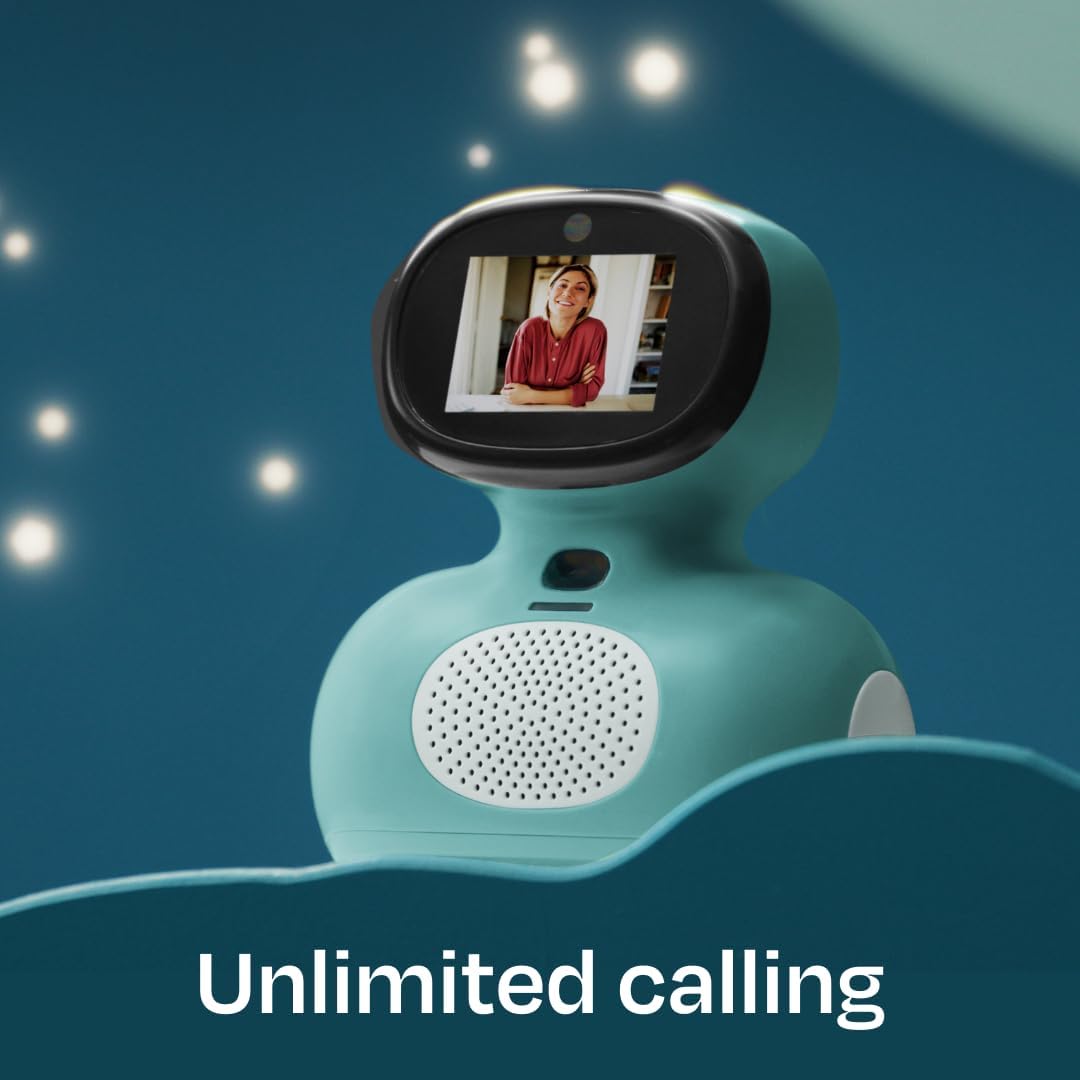
Image: Miko Mini demonstrating its video calling capability, connecting users visually.

Image: Children engaging with Miko Mini and the Spell Bee App on a tablet, highlighting educational interaction.
3.3 Miko Parent App
The Miko Parent App provides control and monitoring features:
- Set educational goals and customize settings.
- Track your child's progress through analytics.
- Manage security and privacy settings.
- Approve contacts for video calling.

Image: Miko Mini highlighting its secure, ad-free, and closed internet access environment.
4. Priežiūra
4.1 Valymas
- Use a soft, dry cloth to wipe the exterior of the MIKO Mini.
- Venkite naudoti stiprias chemines medžiagas, abrazyvinius valiklius ar per didelę drėgmę, nes jie gali pažeisti įrenginį.
- Keep the speaker grilles and sensor areas free from dust and debris.
4.2 Geriausia įkrovimo praktika
- Visada naudokite pridedamą įkrovimo laidą.
- Do not leave the MIKO Mini charging for extended periods after it is fully charged.
- Charge the device in a cool, dry place.
4.3 Programinės įrangos naujiniai
Ensure your MIKO Mini is connected to Wi-Fi regularly to receive automatic software updates. These updates provide new features, performance improvements, and security enhancements.
5. Problemų sprendimas
5.1 Bendros problemos
- MIKO Mini not turning on: Įsitikinkite, kad įrenginys visiškai įkrautas. Prijunkite jį prie įkroviklio ir palaukite kelias minutes, prieš bandydami vėl įjungti.
- No response to voice commands: Check if the microphone is clear of obstructions. Ensure the robot is powered on and connected to Wi-Fi. Speak clearly and at a moderate volume.
- Ryšio problemos: Verify your Wi-Fi network is active and the signal is strong. Restart your Wi-Fi router if necessary. Reconnect MIKO Mini to the Wi-Fi network via the Miko Parent App.
- App content not loading: Ensure your Miko Max subscription is active and your MIKO Mini has a stable internet connection.
5.2 Įrenginio nustatymas iš naujo
If your MIKO Mini is unresponsive, you may perform a soft reset by pressing and holding the power button for approximately 10-15 seconds until the device powers off and then restart it. For persistent issues, consult the Miko Parent App for advanced troubleshooting options or contact customer support.
6. Specifikacijos
| Funkcija | Detalė |
|---|---|
| Gaminio matmenys | 7.2 x 6.5 x 9.8 colio |
| Rekomenduojamas amžius | 5 - 10 metų |
| Modelio numeris | Miko Mini Twin Pack |
| Key Hardware | Wide-Angle HD Camera, Microphone Array, Time of Flight Range Sensor, High Performance Speakers, Odometric Sensors, Rubberized Wheels |
| Korpuso Medžiaga | Rugged ABS Body |
| Saugos sertifikatas | kidSAFE COPPA+ certified |

Vaizdas: Išsamus view of Miko Mini's hardware and sensor components.
7. Miko Max Subscription and Support
7.1 Miko Max Subscription
The Miko Max subscription enhances your MIKO Mini experience with exclusive content and features:
- 30-Day Free Trial: Explore premium features for one month.
- 1-Year Paid Subscription: Designed for children aged 5-10, offering engaging, kid-friendly content, interactive games, and educational materials.
- Prieiga: Use the Miko app on your phone or tablet to unlock over 30 premium apps with Miko Max.
- Renewal and Cancellation: The subscription renews automatically. You can pause or cancel anytime via the Miko app or by contacting customer support.

Image: Miko Mini showcasing integration with Miko Max content, including Disney Stories and other educational apps.
7.2 Pagalba klientams
For further assistance, technical support, or inquiries regarding your Miko Max subscription, please refer to the help section within the Miko Parent App or visit the official MIKO websvetainė kontaktinei informacijai.