
1. Įvadas
Thank you for choosing the BOTSLAB 2.5K Front Dash Cam. This device is designed to provide superior video quality and enhanced safety features for your vehicle. With its 2.5K HD resolution, 170° ultra-wide angle lens, and advanced functionalities like 24/7 parking mode, built-in GPS, and driver alerts, it ensures comprehensive coverage and peace of mind on the road. This manual will guide you through the setup, operation, and maintenance of your dash cam.
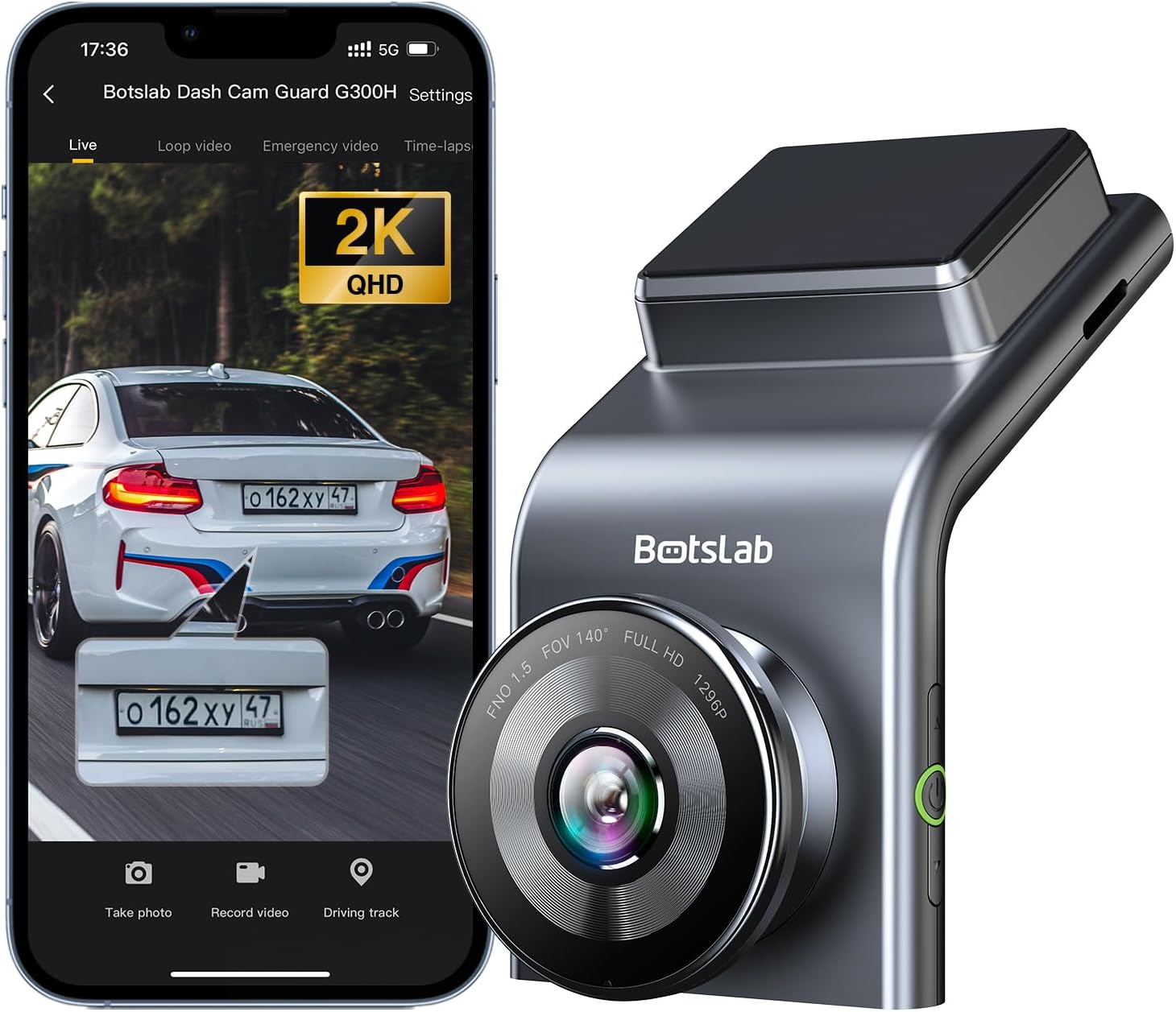
Figure 1: BOTSLAB 2.5K Front Dash Cam Overview
2. Kas yra dėžutėje
Patikrinkite pakuotės turinį, kad įsitikintumėte, jog yra visi reikalingi daiktai:
- Front Camera (x1)
- Automobilinis įkroviklis (1x)
- USB Power Cord (x1)
- Installation Pry Bar (x1)
- Vartotojo vadovas (1x)
- Electrostatic Film (x1)

2 pav. Pakuotės turinys
3. Sąranka ir diegimas
The BOTSLAB Dash Cam is designed for easy installation with invisible wiring, ensuring a clean and integrated look in your vehicle. Follow these steps for proper setup:
- Pasirinkite montavimo vietą: Pasirinkite vietą ant priekinio stiklo, kuri neužstotų jūsų view kelio. Paprastai tai yra už galinioview veidrodis.
- Švarus priekinis stiklas: Ensure the chosen area on the windshield is clean and dry.
- Užtepkite elektrostatinę plėvelę: Peel off the protective layer from the electrostatic film and apply it to the cleaned area on your windshield. Smooth out any air bubbles. This film allows for easy removal of the dash cam mount without leaving residue.
- Pritvirtinkite vaizdo registratoriaus laikiklį: Secure the dash cam mount to the electrostatic film. Ensure it is firmly attached.
- Vaizdo registratoriaus tvirtinimas: Slide the dash cam onto its mount until it clicks into place.
- Prijunkite maitinimą: Connect the USB power cord to the dash cam and route the cable along the edge of the windshield and dashboard to the car charger. Use the installation pry bar to tuck the cable neatly into the gaps for an invisible wiring setup.
- Prijunkite prie automobilinio įkroviklio: Įkiškite automobilio įkroviklį į savo automobilio cigarečių degiklio lizdą.
- Sureguliuoti kampą: Power on the dash cam and adjust its angle to ensure the camera captures the road ahead clearly, covering the desired field of view (170° ultra-wide angle).

Figure 3: Easy Installation and Cable Management
4. Naudojimo instrukcijos
4.1. Įjungimas / išjungimas ir pagrindinis įrašymas
The dash cam will automatically power on and begin recording when your vehicle starts. It will power off automatically when the vehicle is turned off. Ensure a microSD card (not included, supports up to 256GB) is inserted for recording.

Figure 4: MicroSD Card Slot for Storage
4.2. 2.5K HD Video Quality and Night Vision
Experience 2.5K superior HD video quality with a 170° ultra-wide view angle that fully covers all lanes without blind spots. Coupled with clear Night Vision, you'll have full-color, high-quality videos in any lighting condition.

Figure 5: Enhanced Clarity with 2.5K Resolution
4.3. 24/7 Parking Mode
When used with the G300H dedicated hard-wired kit (ASIN: B0D3QK86TQ, sold separately), the G300H front dash cam can achieve 24/7 uninterrupted recording. Video is recorded any time there is a collision or accident. Benefit from Time-lapse Recording for uninterrupted 24-hour parking monitoring, utilizing minimal memory space. The Loop Recording feature ensures continuous recording, preserving vital clips while overwriting older videos.

Figure 6: 24/7 Parking Monitoring
4.4. Enhanced Awareness and Safety Features
Stay in sync with traffic through the Front Vehicle Start Reminder and enhance safety with Pedestrian Collision Alert. These features keep you alert to movement around you, automatically triggering notifications for a seamless and vigilant driving experience.
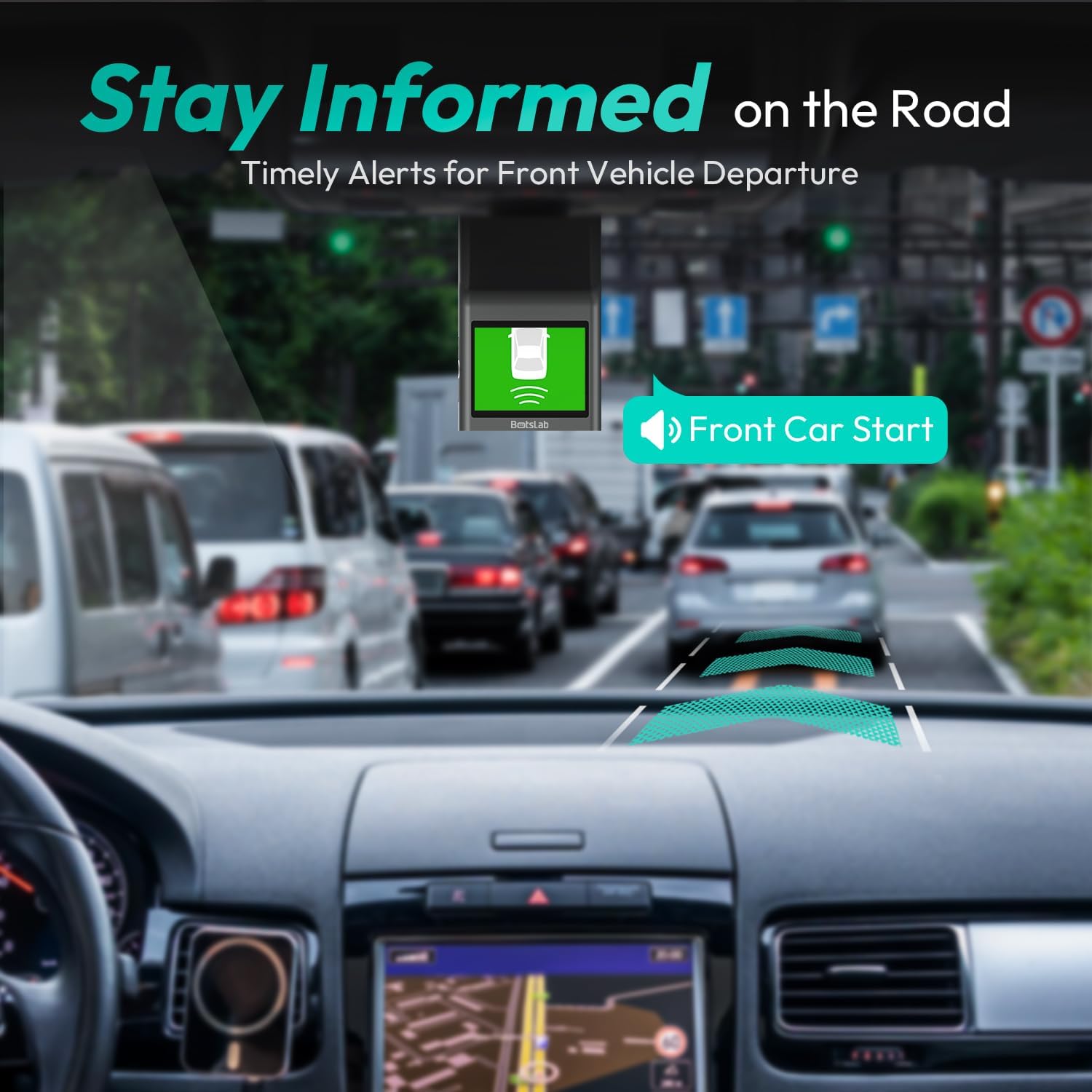
Figure 7: Front Vehicle Start Reminder

Figure 8: Pedestrian Collision Alert
4.5. GPS Integration
Built-in GPS functionality records every detail of your journey, from speed to location. View your personalized routes on Google Maps, right from your phone. It's not just about convenience; it's about keeping your travel data private and secure.

Figure 9: Precise Location Tracking with GPS
4.6. G-Sensor and Emergency Video Protection
In the event of a collision or sudden movement, the G-Sensor automatically locks videos, preventing overwriting. This feature provides the detailed evidence you need for insurance claims or traffic disputes.

Figure 10: Emergency Video Protection
5. Priežiūra
To ensure the longevity and optimal performance of your BOTSLAB Dash Cam, follow these maintenance guidelines:
- Nuvalykite objektyvą: Regularly wipe the camera lens with a soft, lint-free cloth to ensure clear recordings. Avoid using abrasive cleaners.
- Check MicroSD Card: Periodically check the microSD card for errors or corruption. Format the card monthly to maintain optimal performance and prevent data loss. Back up any important footage prieš formatavimą.
- Firmware atnaujinimai: Check the BOTSLAB app or website for available firmware updates. Keeping your dash cam's firmware up-to-date ensures you have the latest features and bug fixes.
- Temperatūros valdymas: Avoid exposing the dash cam to extreme temperatures for prolonged periods. If parked in direct sunlight, consider removing the dash cam or using a sunshade.
- Saugus montavimas: Įsitikinkite, kad vaizdo registratorius yra tvirtai pritvirtintas, kad išvengtumėte vibracijos, kuri gali paveikti vaizdo kokybę arba numesti įrenginį.
6. Problemų sprendimas
Jei kyla problemų dėl vaizdo registratoriaus, žr. šias dažniausiai pasitaikančias problemas ir sprendimus:
| Problema | Galima priežastis | Sprendimas |
|---|---|---|
| Vaizdo registratorius neįsijungia. | Nėra maitinimo šaltinio; sugedęs automobilinis įkroviklis / laidas. | Check car charger connection and vehicle's power outlet. Try a different USB cable or car charger. |
| Įrašymas sustoja arba footage yra sugadintas. | MicroSD card full, corrupted, or incompatible. | Format the microSD card regularly. Use a high-quality Class 10 or U3 microSD card. Replace the card if issues persist. |
| „Wi-Fi“ ryšio problemos. | Interference; incorrect app settings. | Ensure you are within range. Restart the dash cam and your smartphone. Reinstall the BOTSLAB app. |
| GPS neseka vietos. | Poor satellite signal; dash cam not receiving GPS data. | Įsitikinkite, kad vaizdo registratorius turi švarų paviršių view dangaus. Pasitraukite nuo aukštų pastatų ar tunelių. |
| Vaizdo įrašo kokybė prasta. | Nešvarus objektyvas; apsauginė plėvelė vis dar ant objektyvo; prastas apšvietimas. | Clean the camera lens. Remove any protective film. Ensure proper lighting for optimal recording. |
Dėl papildomos pagalbos žr. pagalbos skyrių arba susisiekite su klientų aptarnavimo tarnyba.
7. Specifikacijos
| Funkcija | Detalė |
|---|---|
| Gaminio matmenys | 0.59 x 0.98 x 2.17 colio |
| Prekės svoris | 14.9 uncijos |
| Modelio numeris | G300H |
| Ryšio technologija | 2.4 GHz „WiFi“ |
| Ypatingos savybės | Pedestrian Collision Alert, Built-In GPS, 24/7 Parking Monitoring |
| Vaizdo įrašymo raiška | 2.5 tūkst |
| Spalva | šviesiai mėlyna |
| Gamintojas | 360 Smart Network |
| Pasiekiama pirmoji data | 23 m. lapkričio 2023 d |
| Orientacija | Priekyje |
| Transporto priemonės paslaugos tipas | Bus, Car, Truck |
| Montavimo tipas | Priekinio stiklo kalnas |
8. Garantija ir palaikymas
BOTSLAB is committed to providing high-quality AI-Vision security products and excellent customer service. Your dash cam comes with comprehensive support to ensure your satisfaction.
8.1. Informacija apie garantiją
The BOTSLAB Dash Cam G300H includes a 365 dienų kokybės garantija. For detailed terms and conditions, please refer to the official warranty documentation or contact customer support.
8.2. Techninė pagalba
Mes siūlome Lifetime Technical Help for your product. If you encounter any issues or have questions, please utilize the following support channels:
- Tiesioginis pokalbis: Download the Botslab APP, register and sign in, then navigate to 'Me' > 'Support' > 'Live Chat' for 24-hour assistance.
- Oficialus Websvetainė: Apsilankykite global.botslab.com produktų informacijos, DUK ir pagalbos išteklių.
- Pagalba el. paštu: Siųskite savo užklausas adresu Service@botslab.com. We aim for 48 Hours Fast Support.
- Vartotojų bendruomenė: Join the Botslab Users Group for peer support and discussions.


Figure 11: BOTSLAB Support and Care Information
For a complete digital version of this manual, you can access the Vartotojo vadovas (PDF).