
Įvadas
Thank you for choosing the Lexip Tsume Kakashi Kamui Naruto Shippuden Controller. This high-performance gaming controller is designed to enhance your gaming experience with its unique design and advanced features. This manual provides essential information for setting up, operating, and maintaining your controller.
Pakuotės turinys
Patikrinkite pakuotę, ar joje yra šie daiktai:
- Lexip Tsume Kakashi Kamui Naruto Shippuden Controller
- USB įkrovimo/duomenų laidas
- Vartotojo vadovas (šis dokumentas)
Valdiklio išdėstymas
Familiarize yourself with the various components of your controller.

1 paveikslas: Priekyje view of the controller, showcasing the limited edition design inspired by Naruto Shippuden.
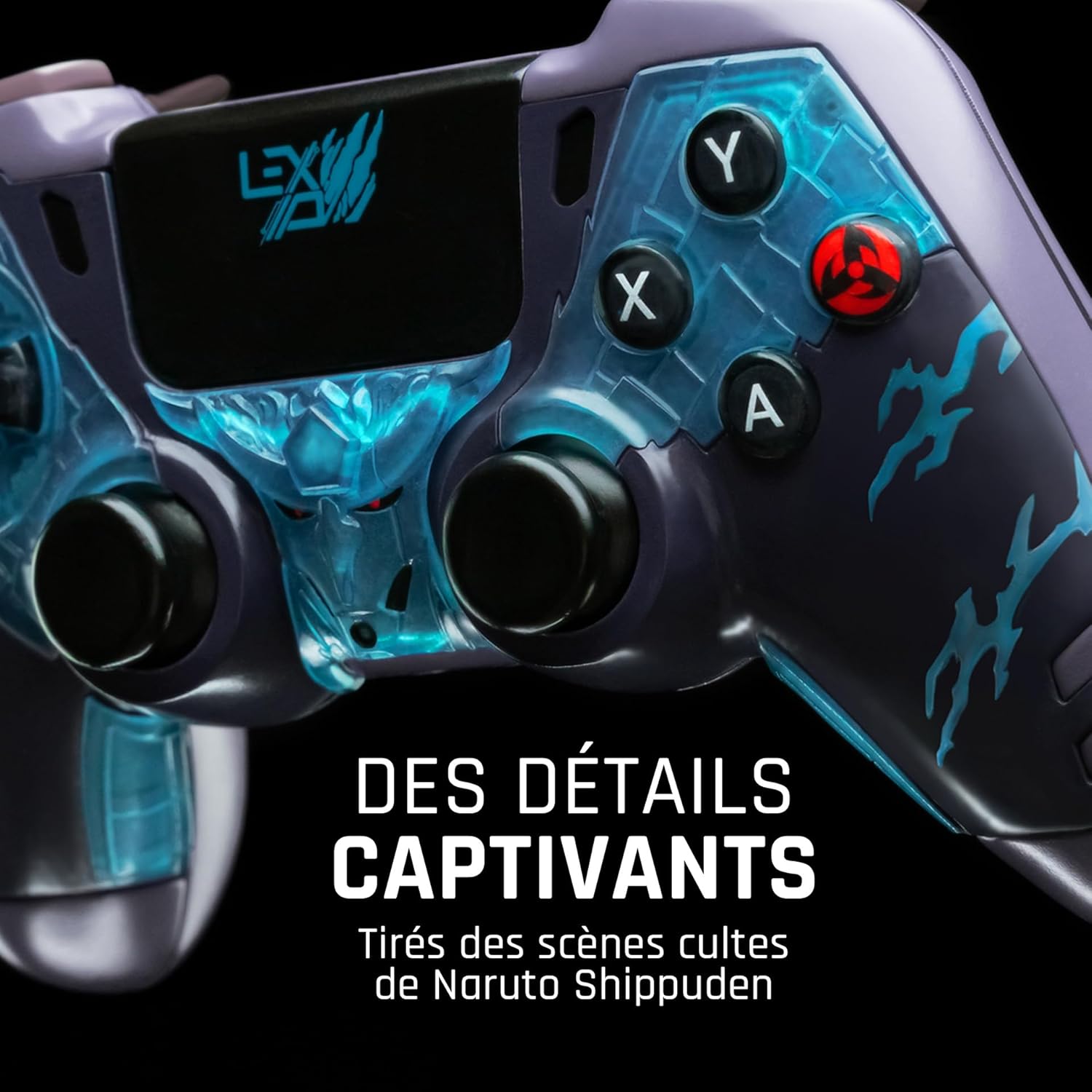
2 paveikslas: Išsamus view of the controller's face buttons and analog sticks, highlighting the intricate Naruto Shippuden design elements.

3 paveikslas: Galinis view of the controller, illustrating the placement of the programmable paddles (M1, M2, M3) for enhanced gameplay.
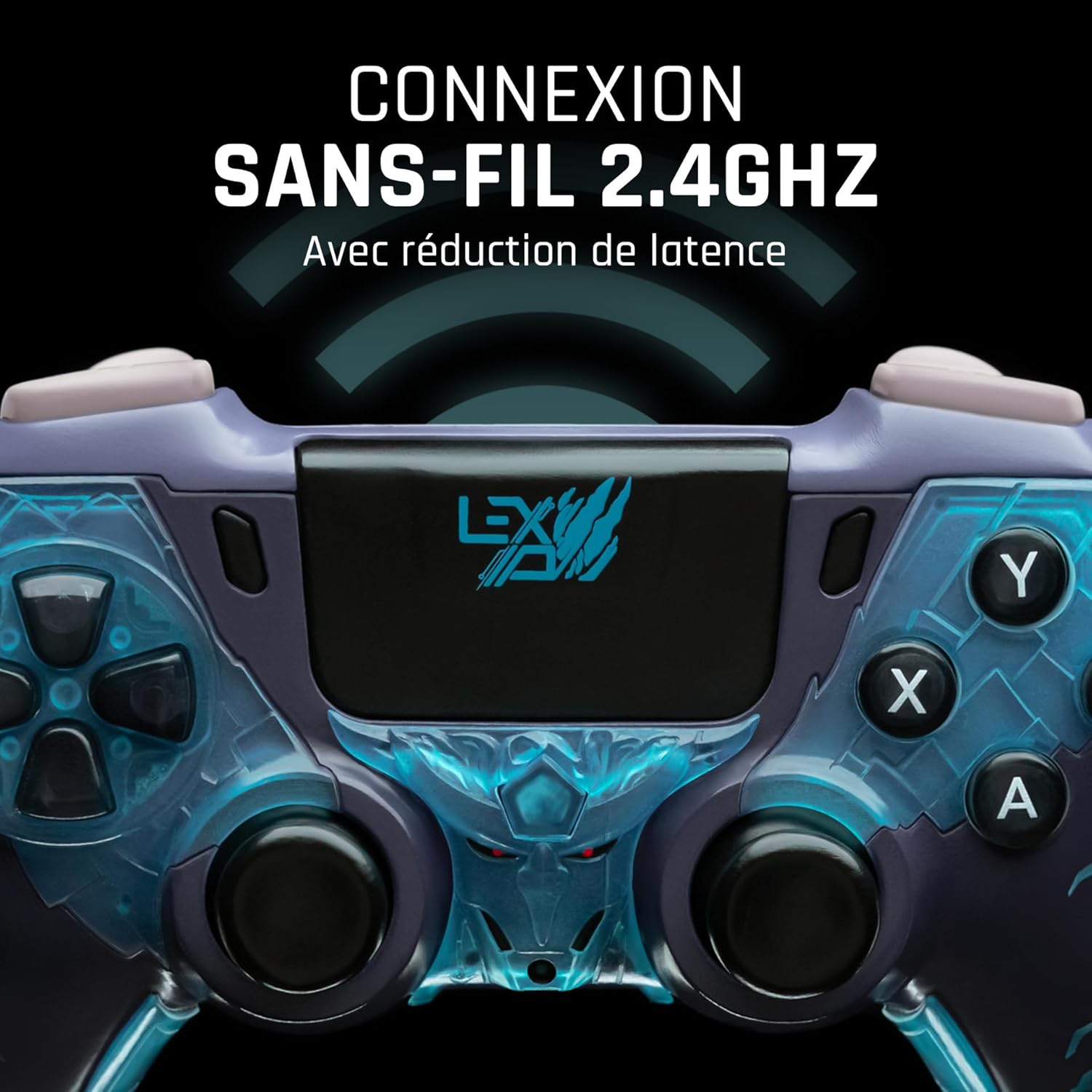
4 paveikslas: Priekyje view of the controller, indicating its 2.4GHz wireless connection capability for reduced latency.
Pagrindiniai komponentai:
- Analoginės lazdelės: Two high-precision analog sticks for movement and camera control.
- D-Pad: Krypties klaviatūra tiksliam įvedimui.
- Veido mygtukai (A, B, X, Y): Standartiniai veiksmų mygtukai.
- Pečių mygtukai (L1, R1) ir gaidukai (L2, R2): Įvairiems veiksmams žaidime.
- Programmable Paddles (M1, M2, M3): Located on the rear for custom button assignments.
- Namų mygtukas: For system menu access.
- Share/Options Buttons: For in-game menu and sharing functions.
- USB-C prievadas: Įkrovimui ir laidiniam prijungimui.
Sąranka
1. Pradinis įkrovimas
Before first use, fully charge the controller. Connect the supplied USB cable to the controller's USB-C port and the other end to a powered USB port (e.g., console, PC, or USB wall adapter). The charging indicator will show the charging status and turn off when fully charged.
2. Connecting Wirelessly (2.4GHz)
- Insert the 2.4GHz wireless dongle (if included, typically found in the controller's packaging or a dedicated slot) into an available USB port on your gaming console or PC.
- Įjunkite valdiklį paspausdami pagrindinį mygtuką.
- The controller will automatically attempt to pair with the dongle. The indicator light on the controller will stop flashing and remain solid once connected.
3. Prijungimas USB kabeliu
To use the controller in wired mode or if wireless connection is not desired:
- Connect the USB cable to the controller's USB-C port.
- Connect the other end of the USB cable to an available USB port on your gaming console or PC.
- The controller will be recognized as a wired device and is ready for use.
Naudojimo instrukcijos
Maitinimo įjungimas/išjungimas
- Norėdami įjungti: Press the Home button. The controller will attempt to connect to the last paired device.
- Norėdami išjungti: Press and hold the Home button for approximately 5-10 seconds until the indicator lights turn off. The controller will also power off automatically after a period of inactivity to conserve battery.
Using Programmable Paddles
The controller features three programmable paddles (M1, M2, M3) on the rear. These paddles can be assigned to replicate other button inputs for quick access during gameplay. Refer to your console or PC's controller settings for specific button remapping options, as dedicated software for programming these paddles may not be available.

5 paveikslas: A user holding the controller, demonstrating its ergonomic design during use.
Priežiūra
- Valymas: Valdiklį valykite minkšta, sausa šluoste. Jei nešvarumai sunkiai įveikiami, šiek tiek nuvalykite.ampNuvalykite šluostę vandeniu. Nenaudokite stiprių cheminių medžiagų ar abrazyvinių valiklių.
- Saugykla: Laikykite valdiklį vėsioje, sausoje vietoje, apsaugotoje nuo tiesioginių saulės spindulių ir ekstremalių temperatūrų.
- Akumuliatoriaus priežiūra: Norėdami pailginti baterijos veikimo laiką, venkite dažnai visiškai iškrauti valdiklį. Reguliariai jį įkraukite, net jei ilgesnį laiką nenaudojate.
Trikčių šalinimas
Valdiklis neprisijungia
- Įsitikinkite, kad valdiklis įkrautas.
- For wireless connection, ensure the 2.4GHz dongle is securely plugged into the console/PC and the controller is powered on.
- Try connecting the controller via the USB cable to verify functionality.
- Restart your console/PC and try connecting again.
Buttons/Sticks Unresponsive
- Įsitikinkite, kad valdiklis tinkamai prijungtas ir įjungtas.
- Patikrinkite, ar aplink mygtukus ar svirtis nėra fizinių kliūčių ar šiukšlių.
- Test the controller with another game or application to determine if the issue is specific to one program.
Trumpas baterijos veikimo laikas
- Prieš naudodami įsitikinkite, kad valdiklis yra visiškai įkrautas.
- Reduce rumble intensity if possible through system settings, as vibration motors consume significant power.
- Avoid extreme temperatures during use and storage.
Specifikacijos
| Funkcija | Detalė |
|---|---|
| Modelio numeris | TSXLXGC0002 |
| Ryšys | 2.4 GHz belaidis, USB laidinis |
| Matmenys (I x P x A) | 3.94 x 1.97 x 0.5 colio |
| Svoris | 1.01 svaro |
| Įvesties tomastage | 3V - 500mA |
| Programmable Paddles | Yes (M1, M2, M3) |
Garantija ir palaikymas
For warranty information and technical support, please refer to the official Lexip website or contact Lexip customer service. Keep your proof of purchase for warranty claims.
Lexip Official Websvetainė: www.lexip.com (Note: This is a placeholder link, please refer to actual Lexip support channels.)