
Įvadas
Thank you for choosing the LEXIP Madara Design Headset. This manual provides detailed instructions for setting up, operating, and maintaining your headset. Please read this manual thoroughly before use to ensure optimal performance and longevity of your device.
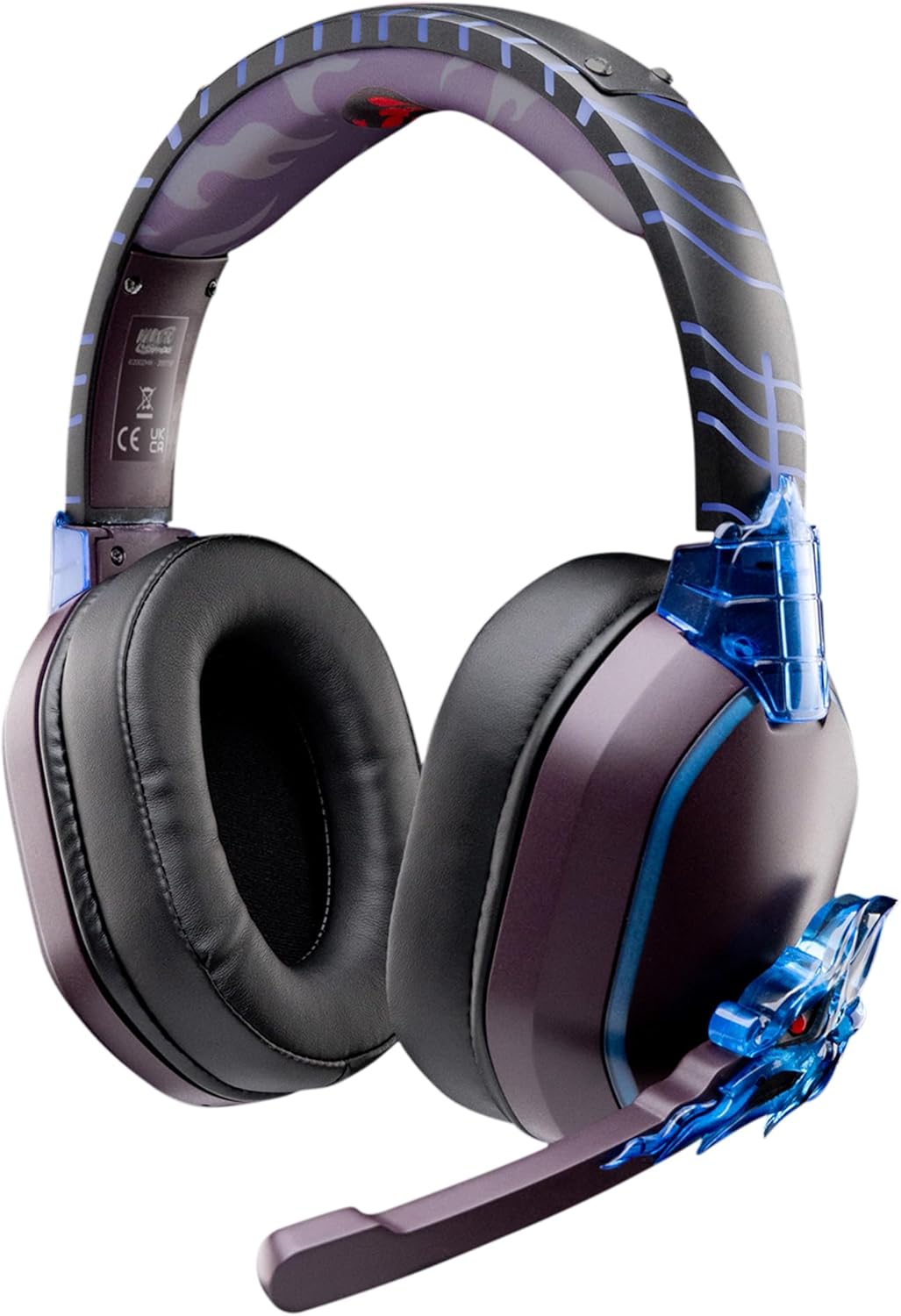
Image: The LEXIP Madara Design Headset, featuring a distinctive purple and blue color scheme with intricate design elements inspired by Madara.
Pakuotės turinys
Įsitikinkite, kad pakuotėje yra visi daiktai:
- LEXIP Madara Design Headset
- Nuimamas mikrofonas
- 3.5 mm garso laidas
- USB įkrovimo laidas
- Vartotojo vadovas
Produktas baigtasview
Familiarize yourself with the components and design features of your headset.

Image: Close-up of the headset's ear cup, highlighting the intricate blue dragon design element.

Vaizdas: View of the soft earcups and adjustable headband, designed for comfort during extended use.
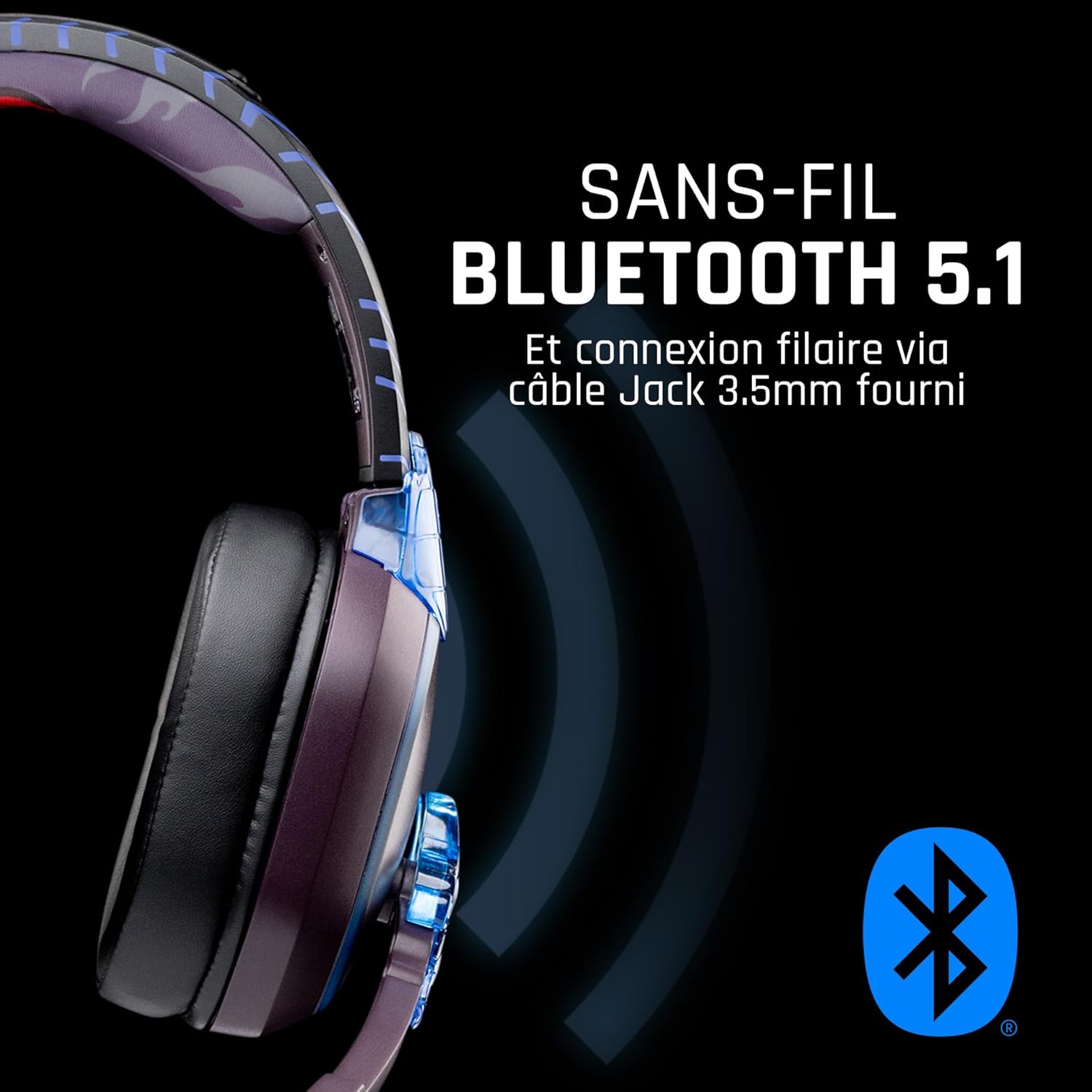
Vaizdas: Šoninė view of the headset, illustrating its wireless Bluetooth 5.1 capability and connection points.

Image: The headset displayed on a stand, alongside a matching game controller, showcasing its gaming application.
Pagrindinės funkcijos:
- Belaidis „Bluetooth 5.1“: For seamless wireless audio.
- Laidinis ryšys: Via the included 3.5mm Jack cable.
- Nuimamas mikrofonas: For clear communication and versatility.
- Garsumo valdymas: Integrated controls for easy audio adjustment.
- Triukšmo izoliacija: Passive noise reduction for an immersive experience.
- Patogus dizainas: Adjustable headband and over-ear form factor.
Sąranka
1. Ausinių įkrovimas
- Prijunkite USB įkrovimo laidą prie ausinių įkrovimo prievado.
- Kitą USB kabelio galą prijunkite prie suderinamo USB maitinimo šaltinio (pvz., kompiuterio USB prievado, USB sieninio adapterio).
- The LED indicator on the headset will show the charging status. A full charge typically takes approximately 2-3 hours.
2. Mikrofono pritvirtinimas
- Locate the microphone input port on the headset, usually on the left earcup.
- Align the detachable microphone connector with the port and gently push it in until it clicks into place.
- Adjust the microphone's position for optimal voice pickup.
Naudojimo instrukcijos
1. Įjungimas/išjungimas
- Norėdami įjungti: Paspauskite ir palaikykite maitinimo mygtuką maždaug 3 sekundes, kol užsidegs LED indikatorius.
- Norėdami išjungti: Paspauskite ir palaikykite maitinimo mygtuką maždaug 5 sekundes, kol užges LED indikatorius.
2. „Bluetooth“ susiejimas (belaidis režimas)
- Įsitikinkite, kad laisvų rankų įranga išjungta.
- Paspauskite ir palaikykite maitinimo mygtuką maždaug 5–7 sekundes, kol LED indikatorius greitai mirksės, rodydamas susiejimo režimą.
- On your device (Windows 10/11, Mac, PS5, PS4, Xbox Series X/S, Xbox One, Nintendo Switch, Android, iOS, tablets), navigate to Bluetooth settings.
- Ieškokite available devices and select "LEXIP Madara Headset" (or similar name).
- Suporavus LED indikatorius nustos mirksėti ir liks nuolat mėlynas.
3. Wired Connection (3.5mm Jack)
- Insert one end of the 3.5mm audio cable into the headset's audio jack.
- Insert the other end into the 3.5mm audio port of your desired device.
- The headset will operate in passive wired mode, even if the power is off.
4. Garsumo valdymas
- Use the volume control dial or buttons located on the headset to adjust the audio level.
Priežiūra
- Valymas: Ausinėms valyti naudokite minkštą, sausą šluostę. Nenaudokite abrazyvinių valiklių ar tirpiklių.
- Saugykla: Laikykite ausines vėsioje, sausoje vietoje, toliau nuo tiesioginių saulės spindulių ir ekstremalių temperatūrų.
- Akumuliatoriaus priežiūra: Norėdami optimalaus baterijos veikimo laiko, venkite dažnai visiškai iškrauti ausines. Reguliariai jas kraukite.
- Atsparumas vandeniui: Ausinės nėra atsparios vandeniui. Venkite sąlyčio su skysčiais.
Trikčių šalinimas
| Problema | Galima priežastis | Sprendimas |
|---|---|---|
| Nėra garso iš ausinių | Headset not powered on; Volume too low; Not paired/connected; Incorrect audio output selected on device. | Ensure headset is powered on and charged. Increase volume. Re-pair Bluetooth or check 3.5mm cable connection. Select headset as audio output on your device. |
| Nepavyksta susieti per „Bluetooth“ | Headset not in pairing mode; Device Bluetooth off; Too far from device; Interference. | Ensure headset is in pairing mode (flashing LED). Turn device Bluetooth off and on again. Move headset closer to device. Avoid strong Wi-Fi signals or other Bluetooth devices. |
| Mikrofonas neveikia | Microphone not properly attached; Muted on headset/device; Incorrect input selected on device. | Ensure microphone is securely attached. Check if microphone is muted. Select headset microphone as input device in your device's sound settings. |
| Trumpas baterijos veikimo laikas | Headset not fully charged; Old battery. | Ensure headset is fully charged before use. Battery performance may degrade over time. |
Specifikacijos
| Modelio numeris | TSXLXHS0003 |
| Prekės ženklas | Lexip |
| Ryšio technologija | Belaidis („Bluetooth 5.1“), laidinis (3.5 mm lizdas) |
| Dažnių diapazonas | 20 Hz–20 000 Hz |
| Varža | 3 omai |
| Jautrumas | 116 dB |
| Triukšmo izoliacija | Pasyvus triukšmo mažinimas |
| Mikrofonas | Nuimamas |
| Valdikliai | Garsumo reguliatorius, nuotolinio valdymo pultas |
| Suderinami įrenginiai | Windows 10/11, Mac, PS5, PS4, Xbox Series X/S, Xbox One, Nintendo Switch, Android, iOS, tablets |
| Formos faktorius | Over-ear, Extra-aural |
| Medžiaga | Mišrios medžiagos |
| Amžiaus diapazonas | Suaugęs |
| Atsparumo vandeniui lygis | Neatsparus vandeniui |
| Baterija | 1 non-standard battery (included) |
Garantija ir palaikymas
The LEXIP Madara Design Headset comes with a 2 metų gamintojo garantija nuo pirkimo datos. Ši garantija apima medžiagų ir gamybos defektus normaliai naudojant.
For warranty claims, technical support, or further assistance, please contact LEXIP customer service through their official website or the retailer where the product was purchased. Please have your proof of purchase and model number (TSXLXHS0003) ready when contacting support.
Pastaba: Šiuo metu nėra informacijos apie atsarginių dalių prieinamumą ir programinės įrangos atnaujinimus.