
Įvadas
Thank you for choosing the VOLT PLUS TECH Pro Earbuds YD03. These wireless earbuds feature Bluetooth 5.3 connectivity, an LED digital display charging case, and are designed for a comfortable audio experience. This manual provides instructions for setup, operation, maintenance, and troubleshooting to ensure optimal performance.

Image: The VOLT PLUS TECH Pro Earbuds YD03, showing both earbuds and the charging case with its LED display.
Pakuotės turinys
Patikrinkite, ar pakuotėje yra visi reikalingi daiktai:
- Belaidžio įkrovimo dėklas
- Two Earbuds (Left and Right)
- USB-C įkrovimo laidas
- Vartotojo vadovas (šis dokumentas)
- Ear Cushions (multiple sizes: Small, Medium, Large)
Sąranka ir pradinis naudojimas
1. Ausinių ir dėklo įkrovimas
Before first use, fully charge the earbuds and the charging case. The charging case features an LED digital display that shows the battery level of the case and each earbud.
- Place both earbuds into the charging case. Ensure they are correctly seated to initiate charging.
- Connect the provided USB-C cable to the charging port on the case and to a compatible USB power source.
- The LED display on the case will indicate charging status. A full charge typically takes approximately 2 hours.

Image: The charging case with a USB-C cable inserted into its charging port, indicating the charging process.

Image: A close-up of the charging case's LED digital display, showing the battery percentages for the left earbud, the case, and the right earbud.
2. Susiejimas su jūsų įrenginiu
Ausinės automatiškai įsijungs susiejimo režimu, kai bus išimtos iš įkrovimo dėklo.
- Open the charging case and remove both earbuds. They will automatically power on, and a blue indicator light will flash. If they do not power on automatically, press and hold the touch area on each earbud for 3-5 seconds until the blue indicator light flashes.
- Išmaniajame telefone ar kitame „Bluetooth“ įrenginyje eikite į „Bluetooth“ nustatymus.
- Įsitikinkite, kad „Bluetooth“ įjungtas.
- Ieškokite available devices and select "YD03" from the list.
- Once connected, the earbuds will provide a voice prompt stating "Connected".
The earbuds support independent use, allowing you to use either the left or right earbud individually. Simply remove one earbud from the case, and it will connect to your device.
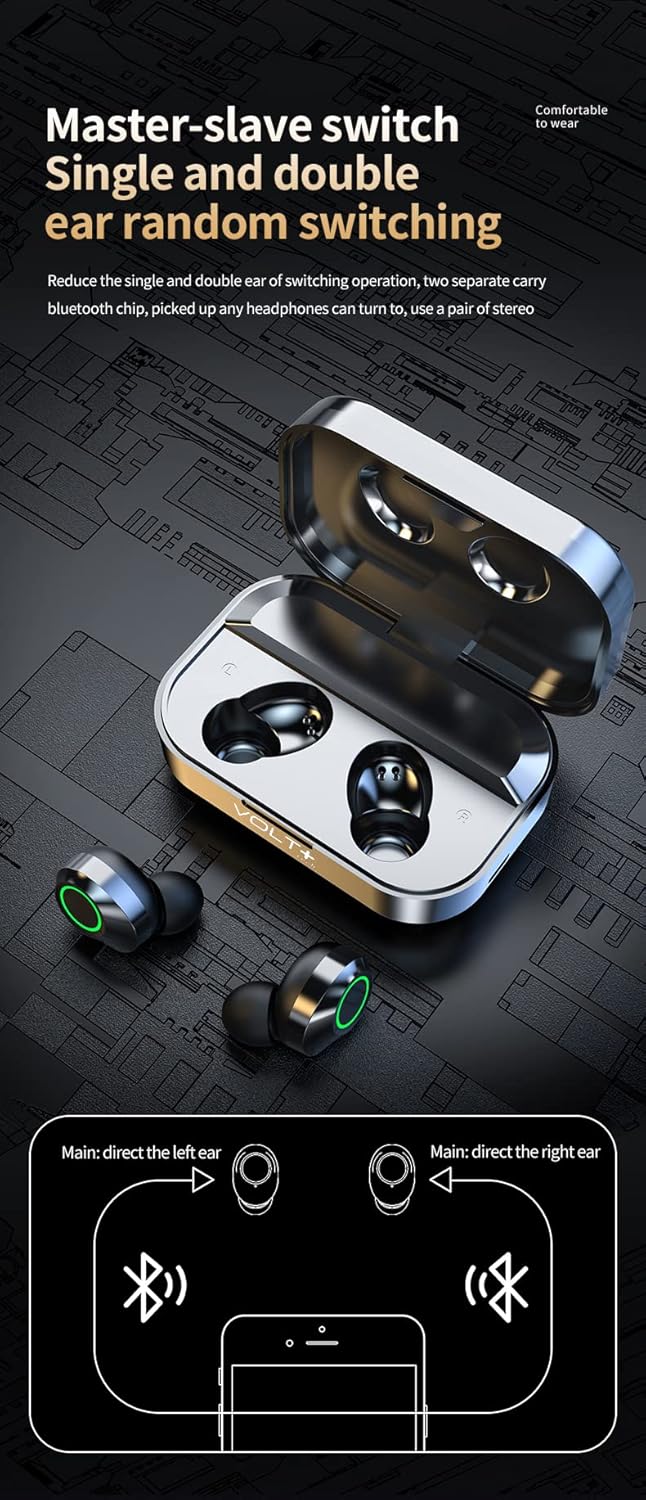
Image: The VOLT PLUS TECH Pro Earbuds YD03 resting inside their open charging case, ready for removal and pairing.
3. Ausų antgalių pasirinkimas
For optimal sound quality and comfort, choose the ear tips that best fit your ears. The package includes small, medium, and large ear tips. Experiment with different sizes to find the most secure and comfortable fit.
Naudojimo instrukcijos
Palieskite valdiklius
The earbuds feature touch-sensitive controls on their outer surface. Refer to the following table for common functions:
| Veiksmas | Kairė ausinė (L) | Dešinė ausinė (R) |
|---|---|---|
| Leisti / pristabdyti | Vienu bakstelėjimu | Vienu bakstelėjimu |
| Kita daina | Dukart palieskite | |
| Ankstesnė daina | Dukart palieskite | |
| Padidinti garsumą | Tris kartus palieskite | |
| Sumažinti garsumą | Tris kartus palieskite | |
| Atsiliepti / Baigti skambutį | Trumpas paspaudimas | Trumpas paspaudimas |
| Atmesti skambutį | Ilgai paspauskite 2 sekundes | Ilgai paspauskite 2 sekundes |
| Įjungti balso asistentą („Siri“ / „Google“ asistentas) | Ilgai paspauskite 1.5 sekundes | Ilgai paspauskite 1.5 sekundes |
| Game/Video Mode | Touch switch under 4 (specific gesture not fully detailed, refer to device for exact activation) | |

Image: A visual guide illustrating the touch control actions for the left and right earbuds, including play/pause, track skipping, volume adjustment, and call management.
Maitinimo įjungimas/išjungimas
- Maitinimas: Remove earbuds from the charging case. They will power on automatically. Alternatively, press and hold the touch area for 3-5 seconds.
- Išjungti: Place earbuds back into the charging case. They will power off automatically and begin charging. Alternatively, disconnect from Bluetooth and they will power off after a few minutes of inactivity.
Priežiūra
Tinkama priežiūra užtikrina ausinių ilgaamžiškumą ir našumą.
- Valymas: Reguliariai valykite ausines ir įkrovimo dėklą minkštu, sausu, nepūkuotu skudurėliu. Nenaudokite abrazyvinių valiklių ar tirpiklių. Švelniai pašalinkite ausų sierą ar nešvarumus nuo ausų antgalių ir garsiakalbio tinklelio, naudodami mažą, minkštą šepetėlį arba vatos tamponėlį.
- Atsparumas vandeniui: The earbuds are rated IPX4 water resistant, meaning they are protected from splashing water from any direction. They are suitable for light rain and sweat during exercise. Įkrovimo dėklas NĖRA atsparus vandeniui. Do not submerge the earbuds or charging case in water.
- Saugykla: Kai nenaudojate, laikykite ausines įkrovimo dėkle, kad jos būtų apsaugotos ir įkrautos. Laikykite vėsioje, sausoje vietoje, toliau nuo ekstremalių temperatūrų.
- Akumuliatoriaus priežiūra: Norėdami taupyti akumuliatoriaus veikimo laiką, venkite dažnai visiškai iškrauti ausines ir įkrovimo dėklą. Reguliariai juos įkraukite, net jei nenaudojate nuolat.
Trikčių šalinimas
Jei kyla problemų dėl ausinių, išbandykite šiuos sprendimus:
- Ausinės nesusijungia / nesusijungia:
- Įsitikinkite, kad abi ausinės yra įkrautos.
- Place both earbuds back into the charging case, close the lid, wait a few seconds, then open the lid and remove them again to re-initiate pairing mode.
- Išjunkite ir vėl įjunkite savo įrenginio „Bluetooth“.
- Forget "YD03" from your device's Bluetooth list and attempt to pair again.
- Veikia tik viena ausinė:
- Įsitikinkite, kad abi ausinės yra įkrautos.
- Place both earbuds back into the charging case, close the lid, and then remove them simultaneously.
- Jei problema išlieka, pabandykite iš naujo nustatyti ausines (žr. gamintojo instrukcijas). web(jei jos čia išsamiai pateiktos, rasite konkrečias nustatymo iš naujo instrukcijas).
- Nėra garso arba garsas per mažas:
- Patikrinkite garsumo lygį tiek prijungtame įrenginyje, tiek ausinėse.
- Įsitikinkite, kad ausinės tinkamai įstatytos į ausis.
- Nuvalykite visas šiukšles nuo ausinių garsiakalbio tinklelio.
- Įkrovimo dėklas neįkraunamas:
- Patikrinkite, ar USB-C laidas yra tvirtai prijungtas prie korpuso ir maitinimo šaltinio.
- Išbandykite kitą USB-C laidą ir (arba) maitinimo adapterį.
- Įsitikinkite, kad maitinimo šaltinis veikia.
Specifikacijos
| Funkcija | Detalė |
|---|---|
| Modelio pavadinimas | 03 YD |
| Prekės ženklas | VOLT PLUS TECH |
| Bluetooth versija | 5.3 |
| Bluetooth diapazonas | Iki 33 pėdų (10 metrų) |
| Baterijos veikimo laikas (ausinės) | 5+ valandų vienu įkrovimu |
| Bendras grojimo laikas (su įkrovimo dėklu) | Iki 25 valandų |
| Įkrovimo laikas | Maždaug 2 val |
| Atsparumo vandeniui lygis | IPX4 (tik ausinės, įkrovimo dėklas nėra atsparus vandeniui) |
| Triukšmo valdymas | Active Noise Cancellation, Passive Noise Cancellation, Sound Isolation |
| Mikrofonai | Quad Microphones (2 per earbud) with CVC 8.1 Noise Reduction |
| Kontrolės metodas | Palieskite |
| Ausinės Jack | USB-C (įkrovimo dėklui) |
| Suderinami įrenginiai | Android, iOS, Mac, Windows, iPhone SE 2 |
| Prekės svoris | 4 uncijos (bendras produktas) |
| Gaminio matmenys | 1.5 x 1 x 1.5 colio |
| Nešiojimo dėklo matmenys | 2.7 x 1.3 x 1.2 colio |
| Garso tvarkyklės dydis | 26 milimetrų |
| Garso vėlavimas | 9 milisekundės |
Garantija ir palaikymas
For warranty information or technical support, please refer to the documentation included with your purchase or contact the seller directly through the platform where the product was purchased. You may also visit the official VOLT PLUS TECH webSvetainė, kurioje rasite tolesnę pagalbą.