
glo 10189920
glo HYPER PRO Device User Manual
Modelis: 10189920
1. Įvadas
The glo HYPER PRO is an advanced tobacco heating device designed to provide an enhanced experience. It features an EasyView LED display for monitoring device status, a TasteSelect selector for choosing between Standard and Boost modes, and HeatBoost technology for consistent intensity. The device also includes fast charging capabilities and extended battery life.
Important Safety Notice: This product is not risk-free and contains nicotine, which is addictive.
2. Saugos įspėjimai
- This product, when used with its intended tobacco sticks, is not risk-free and delivers nicotine, a highly addictive substance.
- The device itself does not contain tobacco sticks, liquids, pre-filled cartridges, or refills. These must be purchased separately.
- The glo HYPER PRO operates without combustion, producing zero ash and less odor compared to traditional cigarettes.
- Always read the label, warnings, and instructions provided on the product packaging before use. Information on the packaging may differ from online descriptions.
- Laikyti vaikams ir naminiams gyvūnėliams nepasiekiamoje vietoje.
- Nelaikykite prietaiso ekstremaliose temperatūrose, tiesioginiuose saulės spinduliuose ar vandenyje.
- Use only the charging cable provided or a certified USB-C cable with a compatible power adapter.
3. Pakuotės turinys
Please check that your glo HYPER PRO package contains the following items:
- glo HYPER PRO Device
- USB-C įkrovimo laidas
- Valymo šepetys
- Vartotojo vadovas (šis dokumentas)
4. Įrenginys baigtasview
Familiarize yourself with the components of your glo HYPER PRO device.
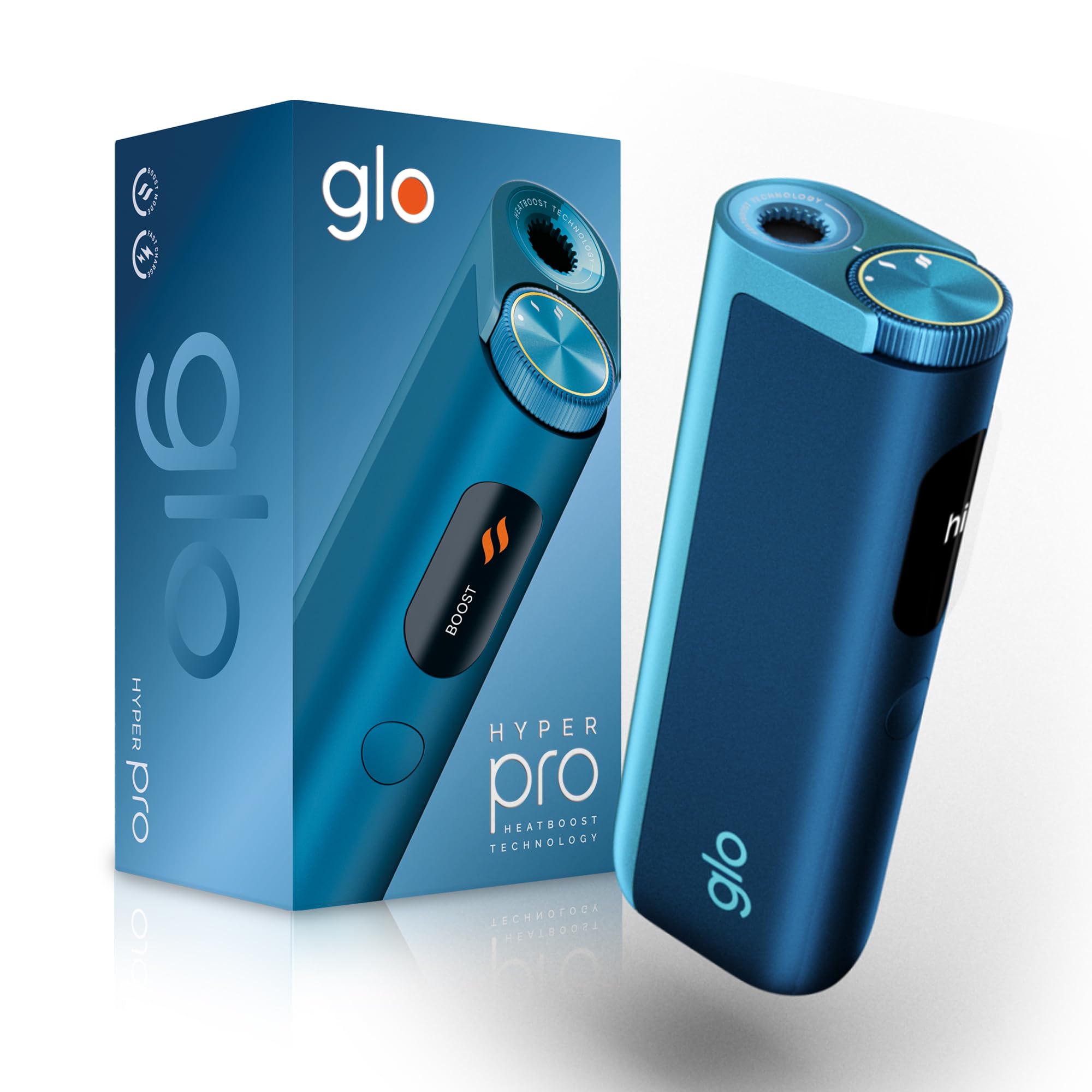
This image displays the glo HYPER PRO device in blue, highlighting its compact dimensions (96.4mm height, 36.5mm width) and weight (92 grams). Key features such as Boost Mode, EasyView Display, and Fast Charge are indicated.
- Šildymo kamera: Where the tobacco stick is inserted.
- TasteSelect Selector: Button to switch between Standard and Boost modes.
- LengvaView Skystųjų kristalų ekranas: Shows selected mode, session progress, and battery status.
- USB-C prievadas: Prietaiso įkrovimui.
5. Pradinė sąranka
5.1 Įrenginio įkrovimas
Before first use, fully charge your glo HYPER PRO device. The device features fast charging and extended battery life.
- Connect the USB-C charging cable to the device's USB-C port.
- Plug the other end of the cable into a compatible USB power adapter.
- LengvaView LED display will indicate the charging progress.
- Visiškai įkrovę įrenginį atjunkite nuo įkroviklio.
5.2 Pirmasis naudojimas
To turn on the device for the first time:
- Press the TasteSelect button 5 times rapidly.
- The device will vibrate and the EasyView LED display will illuminate, indicating it is ready for use.
6. Prietaiso valdymas
6.1 Inserting a Tobacco Stick
Ensure the device is clean before inserting a tobacco stick.
- Gently insert a compatible tobacco stick into the heating chamber at the top of the device.
- Do not force the stick.
6.2 Selecting a Mode (Standard or Boost)
The TasteSelect selector allows you to choose your preferred intensity.

This image illustrates two glo HYPER PRO devices, demonstrating the selection between Standard and Boost intensity modes.
- Standartinis režimas: For a balanced experience. Press and hold the TasteSelect button until the device vibrates once.
- Padidinimo režimas: For superior intensity, featuring HeatBoost technology. Press and hold the TasteSelect button until the device vibrates twice.
LengvaView LED display will show the selected mode and the heating progress.
6.3 Seanso pradžia
- After inserting the tobacco stick and selecting your mode, the device will begin heating.
- LengvaView LED display will show a countdown or progress indicator.
- The device will vibrate when it is ready for use.
- Once the session is complete, the device will vibrate again and the display will turn off.
6.4 Ending a Session
Po seanso:
- Remove the used tobacco stick from the heating chamber.
- Dispose of the used stick responsibly.
- Prieš valydami arba sandėliuodami leiskite prietaisui atvėsti.
7. Priežiūra ir valymas
Regular cleaning ensures optimal performance and longevity of your glo HYPER PRO device.
7.1 Cleaning the Heating Chamber
- Prieš valydami, įsitikinkite, kad prietaisas yra išjungtas ir visiškai atvėsęs.
- Use the provided cleaning brush to gently remove any tobacco residue from the heating chamber.
- Avoid using water or liquid cleaners directly on the heating element.
- For stubborn residue, a dry cotton swab can be used carefully.
7.2 Išorinis valymas
Wipe the exterior of the device with a soft, dry cloth as needed.
8. Problemų sprendimas
If you encounter issues with your glo HYPER PRO, refer to the following common problems and solutions:
| Problema | Galima priežastis | Sprendimas |
|---|---|---|
| Įrenginys neįsijungia | Žemas akumuliatoriaus įkrovimas arba jo nėra | Visiškai įkraukite įrenginį naudodami pridėtą USB-C laidą. |
| Prietaisas nešildo | Tobacco stick not inserted correctly; Device malfunction | Ensure the tobacco stick is fully and correctly inserted. Try restarting the device. If the issue persists, contact customer support. |
| Įkrovimas lėtas arba neveikia | Faulty cable or adapter; Dirty charging port | Check the USB-C cable and power adapter for damage. Try a different compatible cable/adapter. Clean the charging port gently with a dry, soft brush. |
| LED ekranas neveikia | Įrenginio gedimas | Pabandykite paleisti įrenginį iš naujo. Jei problema išlieka, susisiekite su klientų aptarnavimo tarnyba. |
9. Specifikacijos
| Funkcija | Detalė |
|---|---|
| Prekės ženklas | glo |
| Modelio numeris | 10189920 |
| Matmenys (IxPxH) | 9.6 x 3.6 x 2.1 cm |
| Svoris | 150 gramų |
| Baterijos talpa | 2580 mAh (ličio jonų) |
| Įkrovimo prievadas | USB-C |
| Ypatinga funkcija | Kompaktiškas dizainas |
| Gamintojas | Nicoventures Trading Limited |
10. Garantija ir palaikymas
10.1 Informacija apie garantiją
For detailed warranty information, please refer to the warranty card included in your product packaging or visit the official glo websvetainėje. Garantijos sąlygos ir nuostatos gali skirtis priklausomai nuo regiono.
10.2 Pagalba klientams
If you have any questions, require assistance, or need to report an issue with your glo HYPER PRO device, please contact glo customer support through their official websvetainėje arba kontaktiniais duomenimis, pateiktais jūsų produkto dokumentacijoje.
Susiję dokumentai - 10189920
 |
glo Hilo: Guida Rapida, Sicurezza e Funzionalità del Dispositivo Scopri come utilizzare in sicurezza il tuo dispositivo glo Hilo con questa guida rapida. Include schema del prodotto, avvertenze di sicurezza, istruzioni per l'uso, funzionalità connesse e risoluzione dei problemi. |
 |
glo™ Plus Device Safety Instructions and User Guide Comprehensive safety instructions and user guide for the glo™ Plus device, covering usage, charging, battery information, troubleshooting, and connected features. Learn how to safely operate and maintain your device. |
 |
Ghid de utilizare glo™ Hilo Plus Ghid complet de utilizare pentru dispozitivul de tutun încălzit glo™ Hilo Plus. Include instrucțiuni detaliate de siguranță, operare, întreținere și depanare, asigurând o utilizare optimă și sigură. |
 |
Glo Hyper Pro User Manual: Safety, Usage, Charging, Cleaning, and Troubleshooting Detailed user guide for the Glo Hyper Pro heated tobacco device, covering all aspects from initial setup and safe operation to maintenance and error resolution. |
 |
glo Compatible Tobacco and Nicotine Stick Catalog A comprehensive catalog of tobacco and nicotine sticks compatible with glo devices, including virto, rivo, veo, neo, Kent, and Dunhill brands, detailing flavor profiles and intensity. |
 |
Regulament Oficial: Campania Promoțională „myglo days mai 2026” Oficialus al c reglamentasampaniei promoționale myglo days mai 2026 organizată de British American Tobacco România. Află detalii despre oferte, eligibilitate și mecanism. |
Ask a question about this manual
Ask about setup, troubleshooting, compatibility, parts, safety, or missing instructions. Manuals+ will review the question and use this page’s manual context to help answer it.