
1. Įvadas ir pabaigaview
Welcome to the world of aerial photography and exploration with your new Holy Stone HS360S GPS Drone. This special edition drone, celebrating Holy Stone's 10th Anniversary, features a vibrant dark green paint scheme and is designed for both beginners and experienced pilots. Weighing under 249g, it is FAA compliant, meaning no registration is needed, allowing you to focus on the joy of flight.
The HS360S is equipped with a 4K UHD camera, offering high-resolution photos (3840x2160P) and videos, an 85° FOV lens, and a 90° adjustable camera for capturing breathtaking aerial footage. Its superior 5G transmission technology provides a reliable connection up to 10,000 feet. Advanced GPS functions ensure stable flight and safe return, while intelligent flight modes like Follow Me, Tap Fly, Point of Interest, and Hand Gesture Shots enhance your flying experience.
Video: Holy Stone 10th Anniversary Special Edition Drone. This video showcases the drone's design and some of its key features in action.
Video: Holy Stone HS360S Special Edition. A detailed look at the special edition HS360S drone and its capabilities.
2. Sąranka ir surinkimas
2.1 Kas yra dėžutėje
- Holy Stone HS360S Drone
- Nuotolinio valdymo pultelis
- Intelligent Flight Batteries (2 included in this version)
- USB Charging Cables (for drone and controller)
- Atsarginiai sraigtai
- Atsuktuvas
- Carry Case
- Vartotojo vadovas (šis dokumentas)

Image: All components included with the Holy Stone HS360S drone, neatly arranged in its carry case.
2.2 Pradinė sąranka
- Įkrauti baterijas: Fully charge both the drone's flight batteries and the remote controller's internal battery using the provided USB cables.
- Unfold Drone: Švelniai išskleiskite drono rankas, kol jos spragtelės ir užsifiksuos vietoje.
- Įdėkite bateriją: Insert a fully charged intelligent flight battery into the drone's battery compartment until it is securely latched.
- Paruoškite nuotolinio valdymo pultą: Extend the phone holder on the remote controller. Attach your smartphone to the holder and connect it using the appropriate data cable (USB-C, Lightning, or Micro USB).
- Atsisiųsti programą: Download and install the 'HS Fly' app from your smartphone's app store.
3. Naudojimo instrukcijos
3.1 Nuotolinio valdymo pultas baigtasview
The remote controller is your primary interface for controlling the HS360S drone. Familiarize yourself with its layout and functions:
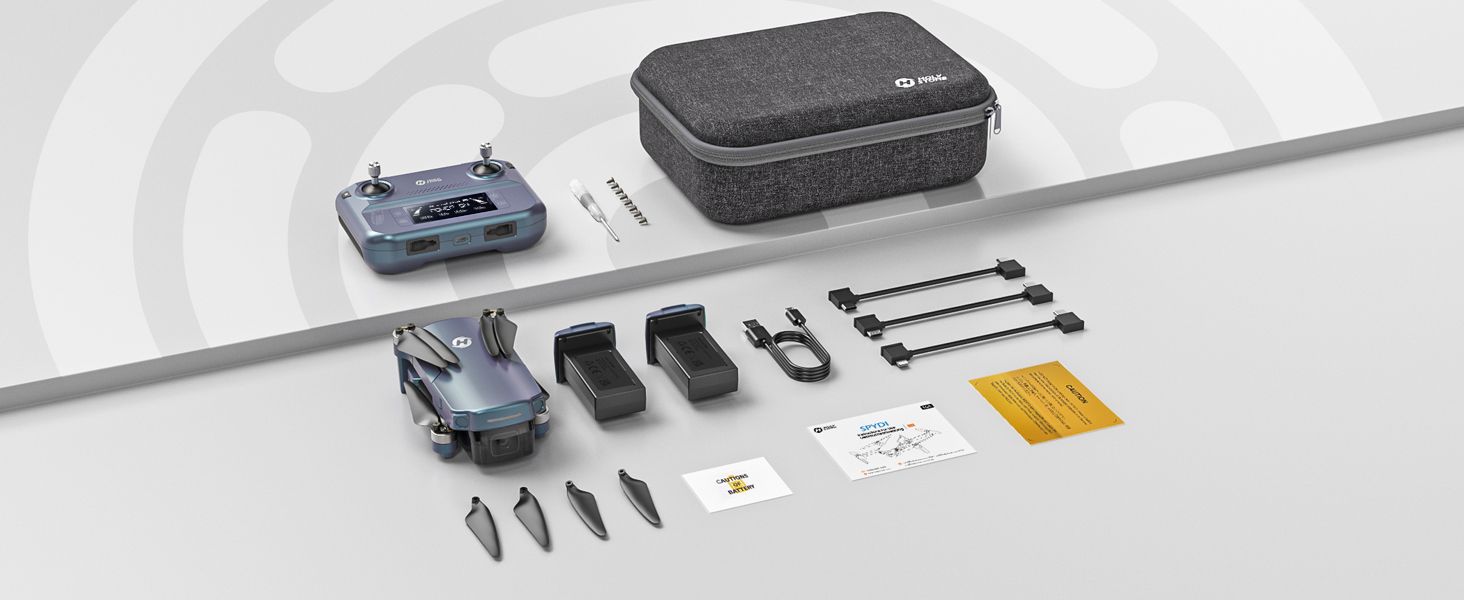
Image: Detailed diagram of the Holy Stone HS360S remote controller, highlighting all buttons and ports.
- Kairysis vairasvirtė: Valdo aukštį (aukštyn/žemyn) ir sukimąsi (pokrypį į kairę/dešinę).
- Dešinysis vairasvirtė: Valdo judėjimą pirmyn/atgal ir į kairę/dešinę.
- Pakilimo / nusileidimo mygtukas: Short press for automatic takeoff/landing.
- Avarinis sustojimas: Long press to immediately stop motors (use only in emergencies).
- Greičio jungiklis: Short press to cycle through speed modes (Beginner, Normal, Sport).
- GPS jungiklis: Long press to toggle GPS mode.
- Grįžimas į namus (RTH): Pradeda automatinį grįžimą į pakilimo tašką.
- Fotografavimo mygtukas: Užfiksuoja nejudantį vaizdą.
- Record Video Button: Pradeda / sustabdo vaizdo įrašymą.
- Priartinimo ratukas: Reguliuoja kameros priartinimą.
- Camera Adjustment Dial: Tilts the camera up or down.
- LCD ekranas: Displays flight information and battery status.
- Ryšio prievadas: For connecting your smartphone.
3.2 Pagrindinės skrydžių operacijos
- Maitinimas: Turn on the drone first, then the remote controller. Wait for them to connect (indicated by solid lights and a beep).
- GPS signalas: Ensure the drone has acquired sufficient GPS satellites before takeoff for stable flight and RTH functionality.
- Kilimas: Place the drone on a flat, open surface. Short press the Takeoff/Landing button. The drone will automatically ascend and hover.
- Skrydžio valdymas: Use the joysticks to control the drone's movement. Start with slow, gentle movements, especially in Beginner Mode.
- Nusileidimas: Short press the Takeoff/Landing button. The drone will automatically descend and land. Alternatively, you can manually land using the left joystick.
3.3 Išmanieji skrydžio režimai
The HS360S offers several intelligent flight modes to enhance your aerial photography and videography:
- Sekite mane režimas: The drone will automatically follow the remote controller (and your connected smartphone) at a set distance and altitude.
- Palieskite skristi: Tap a point on the map in the HS Fly app, and the drone will fly to that location.
- Lankytina vieta: Select a central point, and the drone will circle around it, capturing footage.
- Hand Gesture Shots: Norėdami pradėti fotografuoti ar filmuoti, naudokite konkrečius rankų gestus.
- Automatinis grįžimas (RTH): The drone will return to its takeoff point if the battery is low, connection is lost, or the RTH button is pressed.

Image: Visual representation of the drone performing various intelligent flight functions like Follow Me, Point of Interest, Trajectory Flight, and Waypoint Flight.

Image: Diagram illustrating the Smart Return Home feature, showing the drone returning to its home point due to low voltage, smart RTH activation, or failsafe RTH.
3.4 Kameros veikimas
The integrated 4K UHD camera allows you to capture stunning visuals:
- Nuotraukų / vaizdo įrašų fiksavimas: Use the dedicated buttons on the remote controller or the HS Fly app to take photos or start/stop video recording.
- Kameros kampo reguliavimas: Use the camera adjustment dial on the remote to tilt the camera for different perspectives.
- Rezoliucija: Photos are captured at 3840x2160P, and videos are recorded in 4K.

Vaizdas: Stambus planas view of the Holy Stone HS360S drone's 4K UHD camera, highlighting its 90° remotely adjustable feature and 85° FOV.
Video: Holy Stone HS360S Green GPS 4K Drone with Camera for Adults. This video demonstrates the drone's camera capabilities and flight stability.
4. Priežiūra
- Propelerio apžiūra: Regularly check propellers for any damage (cracks, bends). Replace damaged propellers immediately using the provided spare parts and screwdriver.
- Valymas: Keep the drone and camera lens clean from dust and debris. Use a soft, dry cloth.
- Akumuliatoriaus priežiūra: Baterijas laikykite vėsioje, sausoje vietoje. Neperkraukite ir neperkraukite.
- Saugykla: When not in use, fold the drone and store it in its carry case to protect it from damage.
5. Problemų sprendimas
Jei kyla kokių nors problemų, vadovaukitės šiais įprastais trikčių šalinimo patarimais:
- Dronas nereaguoja: Ensure both the drone and controller are fully charged and properly paired. Re-calibrate the drone if necessary.
- Nestabilus skrydis: Ensure GPS signal is strong. Calibrate the gyroscope and compass as per the app instructions. Avoid flying in strong winds.
- Nėra kameros transliacijos: Check the smartphone connection cable and ensure the HS Fly app is running correctly.
- Trumpas skrydžio laikas: Įsitikinkite, kad baterijos yra visiškai įkrautos. Skrydžio laiką gali paveikti agresyvus skrydis arba stiprus vėjas.
For more detailed troubleshooting or persistent issues, please contact Holy Stone Customer Support.
6. Specifikacijos
| Funkcija | Specifikacija |
|---|---|
| Modelio pavadinimas | HS Gradient Color Edition |
| Prekės svoris | 8.7 uncijos (249 g) |
| Vaizdo įrašymo raiška | 4K UHD (3840x2160P) |
| Didžiausias diapazonas | 10,000 Feet (Transmission) |
| Ryšio technologija | 5G WiFi Repeater |
| Ypatingos savybės | 4K UHD Camera, Time-lapse Photography, FPV, GPS Follow Me, Auto Return, Lightweight, No Need FAA/Remote ID |
| Baterijos elementų sudėtis | Ličio polimeras |
| Valdymo tipas | Nuotolinio valdymo pultas |
| Medžiaga | Plastikiniai |
| Prekės matmenys (I x P x A) | 11.6 colio ilgio x 8.4 colių pločio x 2.2 colio aukščio |
7. Garantija ir palaikymas
Holy Stone is committed to providing excellent customer service. If you have any questions, concerns, or require assistance with your HS360S drone, please do not hesitate to contact our support team.
Our HS Fly App also ensures continuous improvements and updates to the drone's functions, offering an ever-improving flight experience. For further guidance, you can refer to in-app tutorials and official YouTube guidance videos.
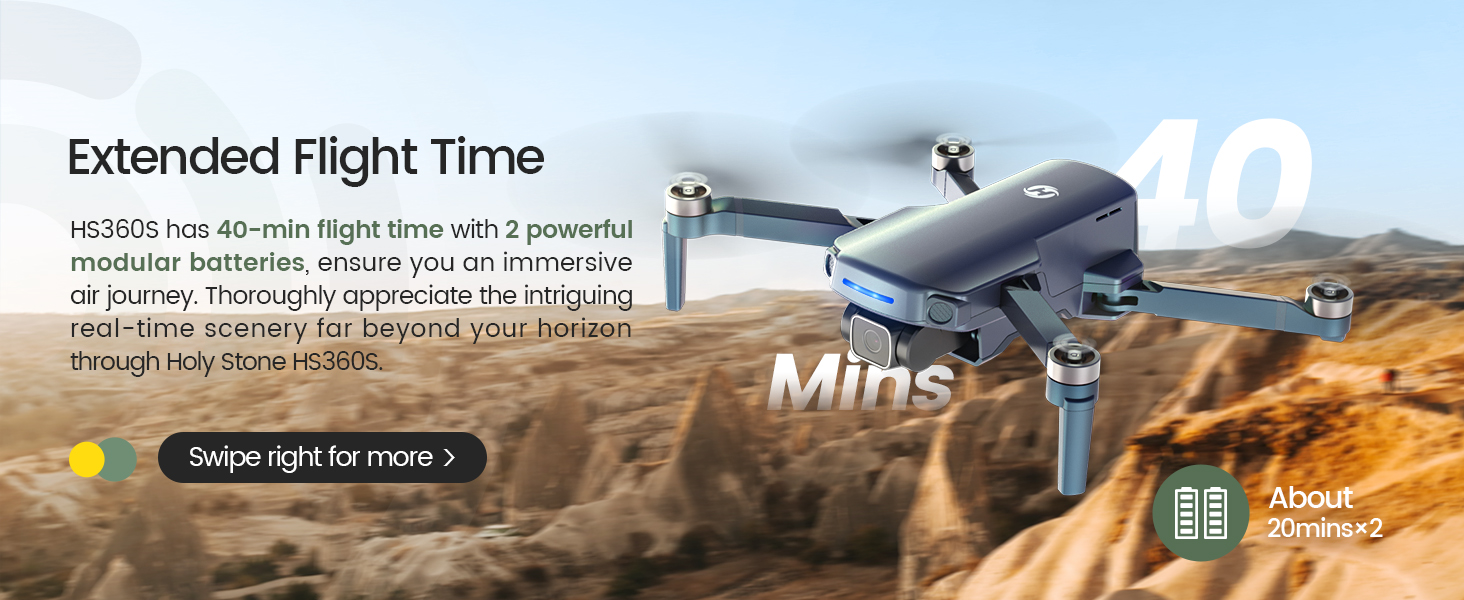
Image: A customer support representative ready to assist, symbolizing Holy Stone's commitment to flight guidance and after-sales support.
Kontaktinė informacija: Please refer to your product packaging or the official Holy Stone websvetainę, kurioje rasite naujausią klientų aptarnavimo kontaktinę informaciją.


