
FIFINE K688W
GERAI AmpliTank K688W Dynamic USB/XLR Microphone User Manual
Model: K688W | Brand: FIFINE
1. Įvadas
Ačiū, kad pirkoteasing the FIFINE AmpliTank K688W Dynamic USB/XLR Microphone. This microphone is designed for high-quality audio capture in various applications, including gaming, streaming, podcasting, and professional recording. Please read this manual carefully to ensure proper setup and operation.

Image: The FIFINE AmpliTank K688W microphone demonstrating its sound capture capabilities with a visual representation of sound waves.
2. Pakuotės turinys
Patikrinkite, ar pakuotėje yra visi toliau išvardyti daiktai:
- GERAI AmpliTank K688W Microphone Body
- USB-C–USB-A laidas (2.5 m)
- 3/8" į 5/8" sraigtinis adapteris
- Naudotojo vadovas (japonų k.)
Note: A microphone stand and XLR cable are not included and must be purchased separately.

Image: The FIFINE AmpliTank K688W microphone and its included accessories: USB cable and screw adapter, alongside the user guide.
3. Produktas baigtasview (Components and Controls)
Susipažinkite su mikrofono komponentais ir valdikliais:

Vaizdas: Galinis view FIFINE AmpliTank K688W microphone, highlighting the XLR output terminal and USB connection port.
- XLR Output Terminal: For connecting to audio interfaces, mixers, or other professional audio equipment.
- USB Connection Port (USB Type-C): For direct connection to computers or game consoles.
- 3.5 mm ausinių lizdas: Garso stebėjimui realiuoju laiku.
- Microphone Volume Control (Gain Knob): Adjusts the microphone's input sensitivity. (USB mode only)
- Headphone Jack Volume Control: Adjusts the monitoring volume through the 3.5mm headphone jack. (USB mode only)
- Nutildymo mygtukas su LED indikatoriumi: Toggles microphone mute. LED indicates mute status. (USB mode only)
4. Sąranka
4.1 USB jungtis
For direct connection to a computer (Windows/Mac OS) or game console (PS4/PS5):
- Connect the USB-C end of the provided USB cable to the microphone's USB port.
- Connect the USB-A end of the cable to an available USB port on your computer or game console.
- The device will automatically recognize the microphone.
- Select "FIFINE K688W" as your input and output device in your system's sound settings or application settings.

Image: The FIFINE AmpliTank K688W microphone connected to a laptop via its USB-C port, illustrating plug-and-play functionality.
4.2 XLR Connection
For connecting to professional audio equipment (audio interfaces, mixers):
- Connect a standard XLR cable (not included) to the XLR output terminal on the microphone.
- Kitą XLR kabelio galą prijunkite prie garso sąsajos arba maišytuvo XLR įvesties.
- Ensure your audio interface or mixer is properly configured to receive input from the connected XLR channel.
- Adjust gain levels on your audio interface/mixer as needed.

Paveikslėlis: detalus view FIFINE AmpliTank K688W's connectivity panel, showing both USB and XLR ports for versatile audio setups.
5. Naudojimo instrukcijos
5.1 Gain Control (USB Mode Only)
The gain knob on the microphone allows you to adjust the input sensitivity. Rotate the knob clockwise to increase gain and counter-clockwise to decrease it. Adjust this to achieve an optimal recording level without clipping or distortion.
5.2 Mute Function (USB Mode Only)
Press the touch-sensitive mute button on top of the microphone to instantly mute or unmute the audio input. The LED indicator will change color to show the microphone's status (e.g., green for active, red for muted).
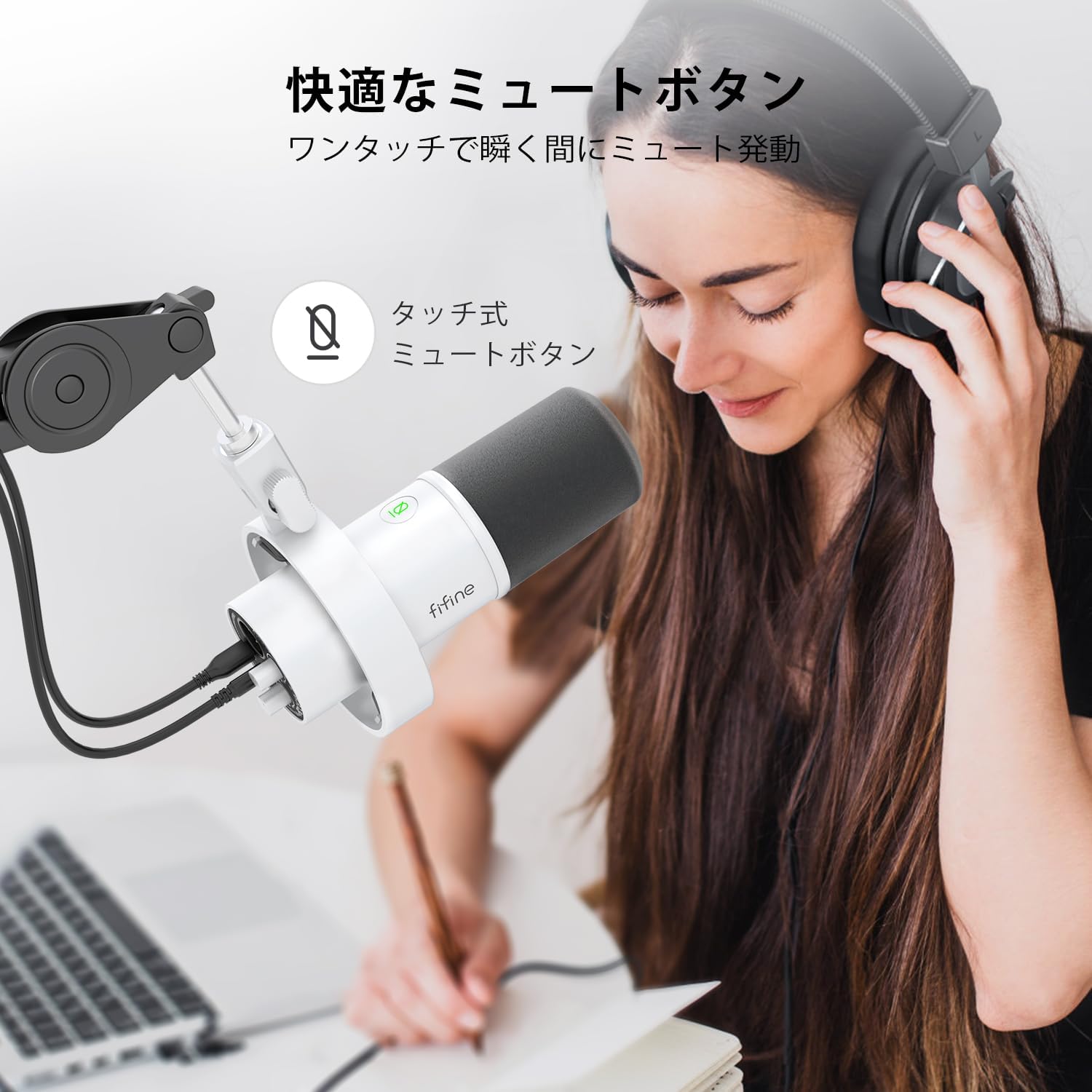
Image: A user interacting with the touch-sensitive mute button on the FIFINE AmpliTank K688W microphone, demonstrating its ease of use.
5.3 Headphone Monitoring (USB Mode Only)
Connect your headphones to the 3.5mm headphone jack on the microphone to monitor your audio in real-time with zero latency. Use the dedicated headphone volume knob to adjust the monitoring level to your preference.
6. Priežiūra
- Mikrofoną laikykite švarų, nuvalydami jį minkštu, sausu skudurėliu.
- Avoid exposing the microphone to extreme temperatures, humidity, or direct sunlight.
- Kai nenaudojate, laikykite mikrofoną apsauginiame dėkle, kad išvengtumėte dulkių ir pažeidimų.
- Do not attempt to disassemble the microphone, as this will void the warranty.

Image: The FIFINE AmpliTank K688W microphone mounted on a boom arm, showcasing its integrated metal body design suitable for various recording environments.
7. Problemų sprendimas
| Problema | Galima priežastis | Sprendimas |
|---|---|---|
| Nėra garso išvesties (USB) |
|
|
| Nėra garso išvesties (XLR) |
|
|
| Iškreiptas garsas |
|
|
| Per didelis foninis triukšmas |
|
|
8. Specifikacijos
| Funkcija | Detalė |
|---|---|
| Modelis | K688W |
| Prekės ženklas | GERAI |
| Mikrofono tipas | Dinamiškas |
| Polinis raštas | Vienakryptis (kardioidas) |
| Ryšys | USB (Type-C), XLR |
| Dažnio atsakas | 70Hz - 15KHz |
| Signalo ir triukšmo santykis (S/N) | 75 dB |
| Galios tipas | Laidinis elektrinis (maitinamas per USB) |
| Suderinami įrenginiai | PC (Windows/Mac OS), Game Consoles (PS4/PS5), Audio Mixers, Audio Interfaces, Smartphones (with adapter, not included) |
| Ypatingos savybės | Volume Control, Mute Function, Headphone Monitoring |
| Spalva | Baltas |
| Medžiagos | Plastikas, Metalas |
| UPC | 850052511821 |
9. Garantija ir palaikymas
9.1 Informacija apie garantiją
Šis produktas tiekiamas su a 1 metų gamintojo garantija from the date of purchase. The warranty covers defects in materials and workmanship under normal use.
Garantija netaikoma:
- Žala, atsiradusi dėl netinkamo naudojimo, piktnaudžiavimo, nelaimingo atsitikimo ar aplaidumo.
- Žala dėl neleistino remonto ar modifikacijų.
- Normalus nusidėvėjimas.
9.2 Pagalba klientams
Jei kyla kokių nors problemų su FIFINE AmpliTank K688W microphone, such as packaging damage, color discrepancies, or product defects, please contact FIFINE Japan customer support immediately. Provide your purchase details and a description of the issue for prompt assistance.
For further support, please visit the official FIFINE websvetainę.

Image: Information regarding FIFINE's customer support process, including steps to contact them via Amazon and their operating hours.
Ask a question about this manual
Ask about setup, troubleshooting, compatibility, parts, safety, or missing instructions. Manuals+ will review the question and use this page’s manual context to help answer it.