
BOTSLAB R811
BOTSLAB 5MP Wireless Video Doorbell Camera User Manual
Model: R811 | Brand: BOTSLAB
Įvadas
Thank you for choosing the BOTSLAB 5MP Wireless Video Doorbell Camera. This manual provides comprehensive instructions for setting up, operating, and maintaining your new video doorbell. Designed for enhanced home security, the R811 model offers a 180° head-to-toe panoramic view, advanced AI motion detection, and flexible power options, all without monthly fees. Please read this manual thoroughly before use to ensure optimal performance and safety.
Kas yra dėžutėje
Prieš tęsdami montavimą, patikrinkite, ar yra visi komponentai.

Pakuotės turinys: Doorbell (x1), Base Station (x1), Mounting Bracket (x1), Bracket Positioning Stickers (x1), 15-Degree Mounting Bracket (x1), 15-Degree Bracket Positioning Stickers (x1), Power Plug (x1), Installation Accessory Kit (x1), AC Cable Pack (x1), Ejector Pin (x1), Quick Start Guide (x1), Doorbell Button Sticker (x1), Parcel Sticker (x1), Charging Cable (x1).
Produktas baigtasview
Familiarize yourself with the key features and components of your BOTSLAB Video Doorbell.

Durų skambučio blokas: Features a 5MP camera lens, PIR motion sensor, microphone, and illuminated doorbell button. The unit is designed for outdoor use and is weatherproof.
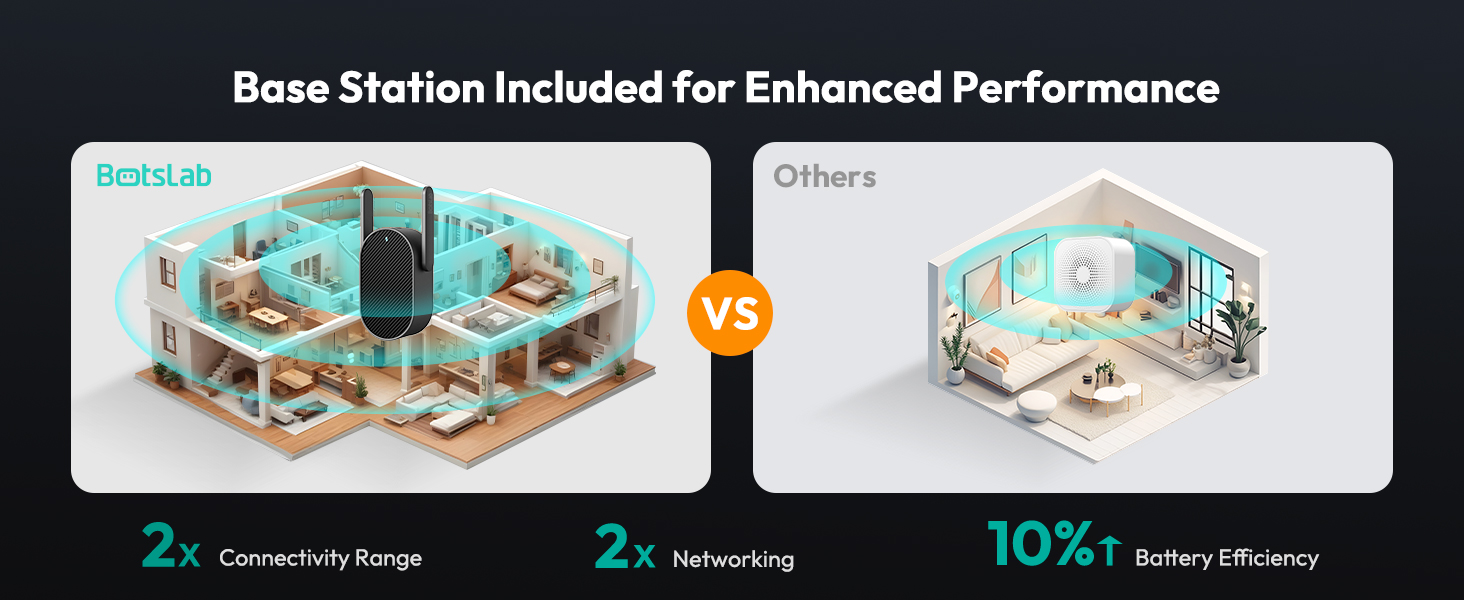
Bazinė stotis: This indoor unit enhances connectivity and acts as an indoor chime. It plugs directly into a wall outlet and communicates wirelessly with the doorbell.
Sąranka
Follow these steps to set up your BOTSLAB Video Doorbell.
- Įkraukite durų skambutį: Before installation, fully charge the doorbell using the provided USB-C cable. The charging port is located on the side of the doorbell unit.
- Atsisiųskite programą: Scan the QR code in the Quick Start Guide or search for "Botslab App" on your mobile device's app store (iOS/Android). Install and open the app.
- Paskyros registracija: Follow the in-app instructions to register for a Botslab account.
- Įrenginių poravimas: In the app, select to add a new device and follow the pairing instructions. Ensure your phone and the doorbell are close to your Wi-Fi router for a strong signal. The doorbell supports both 2.4GHz and 5GHz Wi-Fi.
- Install the Base Station: Plug the base station into a power outlet inside your home, ideally centrally located between your Wi-Fi router and the doorbell's installation spot.
- Durų skambučio montavimas:
- Adhesive Installation (Smooth Surface): Use the provided 3M VHB adhesive on the flat mounting plate. Ensure the surface is clean, dry, and smooth.
- Screw-Mounted Installation (Masonry/Stucco): Use the provided screws and wall anchors. Mark the screw holes using the back plate as a template, drill holes, insert anchors, and then screw the flat back plate onto the wall.
- 15-Degree Bracket (Optional): If you need to angle the doorbell for a better view, use the 15-degree bracket. Attach it to the wall first using screws, then attach the flat back plate to the 15-degree bracket.
Vaizdo įrašas: Official Botslab guide on how to install the video doorbell camera (Wall Mounted).
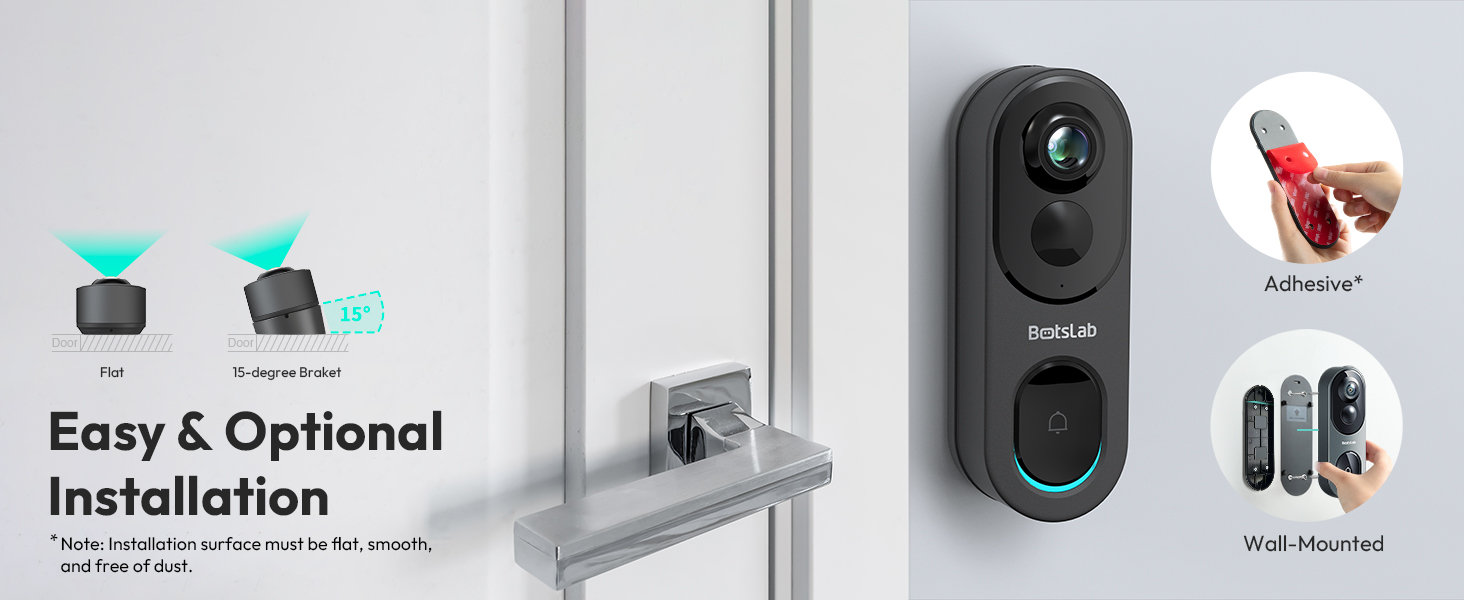
Diegimo parinktys: Choose between adhesive or wall-mounted installation, with an optional 15-degree bracket for angled views.
Naudojimo instrukcijos
Learn how to use your BOTSLAB Video Doorbell's features.
- Tiesiogiai View: Open the Botslab App to access the live feed from your doorbell camera. You can switch between 4 viewing modes (Panoramic, VR, Horizontal Correction, Vertical Correction) to see exactly what you need.
- Judesio aptikimas: The doorbell uses advanced radar and PIR sensors for smart AI detection (human detection, visitor recognition). Customize detection zones in the app to reduce false alerts. You will receive push notifications on your phone when motion is detected.
- Dvipusis garsas: Speak to visitors at your door directly through the app using the built-in microphone and speaker. Voice modulation options are available for privacy.
- Naktinis matymas: The doorbell automatically switches to night vision mode in low-light conditions, providing clear black-and-white video up to 24 feet.
- Video Recording & Storage: All detection videos are recorded and stored on the built-in 32GB local storage. You can review these videos directly from the Botslab App without any monthly fees.
- Išmaniųjų namų integracija: The doorbell works seamlessly with Alexa and Google Assistant. Use voice commands to check your doorbell feed.
- Šeimos bendrinimas: Share live video access with up to 5 users through the Botslab App.

360 ° panoraminė View: Capture every detail with the 5MP HD resolution and fisheye lens, offering a complete head-to-toe view.
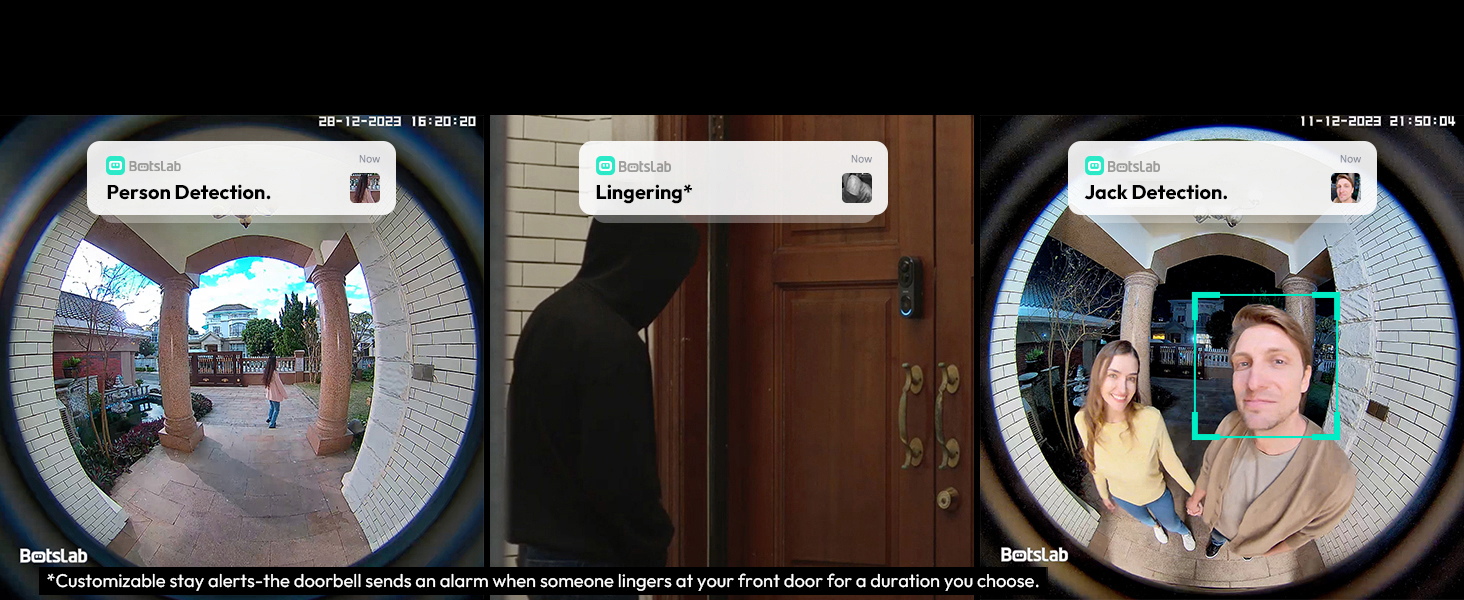
Išmanusis AI aptikimas: Receive alerts for person detection, lingering, and visitor recognition, with customizable detection zones.
Priežiūra
Proper maintenance ensures the longevity and optimal performance of your doorbell.
- Valymas: Švelniai nuvalykite kameros objektyvą ir durų skambučio paviršių minkšta,amp skudurėliu. Venkite abrazyvinių valiklių ar tirpiklių.
- Akumuliatoriaus įkrovimas: For battery-powered operation, recharge the 6400mAh battery every 210 days or as needed, depending on usage. The doorbell can also be wired for continuous power.
- Firmware atnaujinimai: Regularly check the Botslab App for available firmware updates to ensure your device has the latest features and security enhancements.
- Saugyklos valdymas: While the 32GB built-in storage offers ample space, you can manage recorded videos through the app, deleting old footage jei reikia.
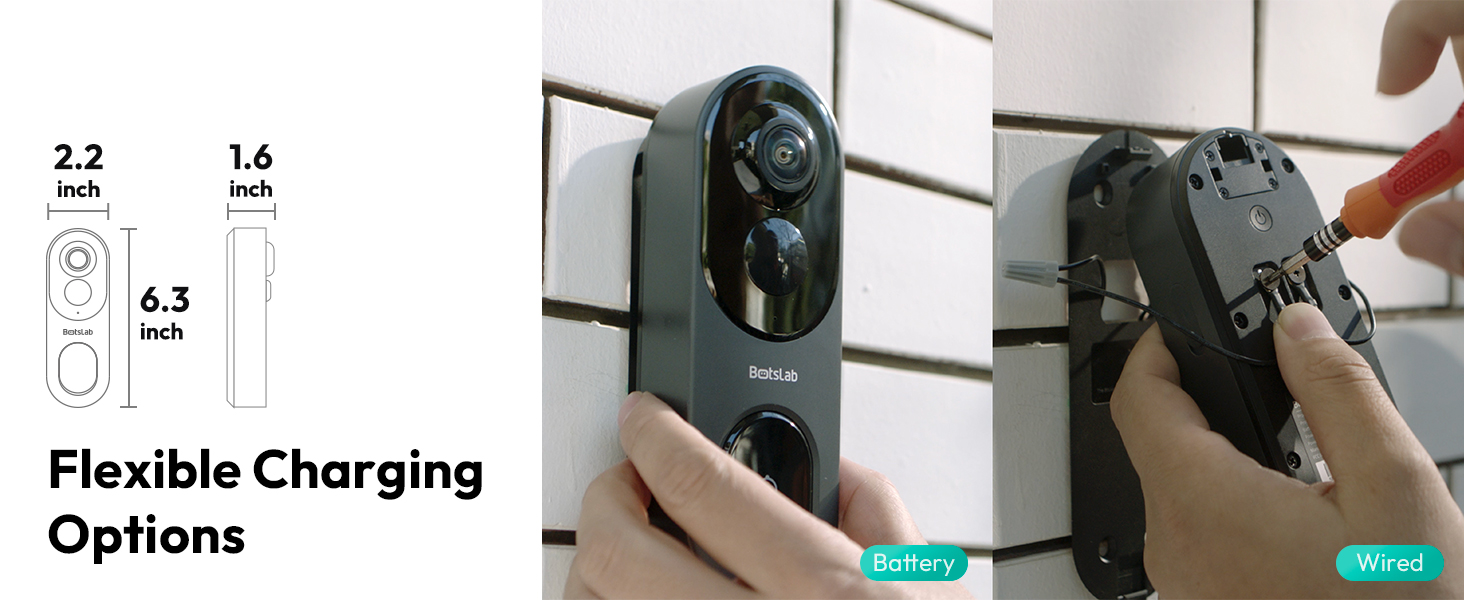
Lankstus įkrovimas: The doorbell can be powered by its long-lasting 6400mAh battery or wired for continuous operation.
Trikčių šalinimas
Jei kyla problemų, žr. šiuos įprastus sprendimus:
- Nėra maitinimo / neįsijungia: Ensure the battery is charged or the wired connection is secure. Press and hold the power button on the back of the doorbell.
- Prastas „Wi-Fi“ ryšys: Ensure the base station is within optimal range of your router and the doorbell. Reduce obstacles between devices. Verify your Wi-Fi network (2.4GHz/5GHz) is stable.
- Nėra pranešimų: Check app settings to ensure notifications are enabled. Verify your phone's notification settings for the Botslab App.
- Klaidingi judėjimo įspėjimai: Adjust the sensitivity of the radar and PIR sensors in the app. Customize detection zones to focus on relevant areas.
- Vaizdo įrašo kokybės problemos: Ensure a strong Wi-Fi signal. In the app, check the video quality settings (UHD, HD, Fluent) and select UHD for the best resolution.
- Dvipusio garso problemos: Check microphone and speaker settings in the app. Ensure there is no obstruction to the microphone or speaker on the doorbell unit.
Specifikacijos
| Funkcija | Detalė |
|---|---|
| Modelio pavadinimas | Botslab Video Doorbell Camera R811 |
| Vaizdo įrašymo raiška | 5 MP |
| Laukas View | 180 Degrees (Head-to-Toe) |
| Ryšio technologija | 2.4GHz Wi-Fi/5GHz Wi-Fi |
| Maitinimo šaltinis | Battery (6400mAh) / Wired Powered |
| Vietinė saugykla | Integruota 32GB Flash atmintis |
| Naktinio matymo diapazonas | Up to 24 Feet (IR LED) |
| Atsparumas oro sąlygoms | IP66 (atsparus vandeniui) |
| AI aptikimas | Human Detection, Visitor Recognition, Lingering Alerts |
| Matmenys (I x P x A) | 5.12 x 2.36 x 1.18 colio |
| Prekės svoris | 1.23 svaro |
Garantija ir palaikymas
BOTSLAB offers a 365-Day Quality Guarantee and Lifetime Technical Help for your product. For any inquiries or support, please refer to the following options:
- 24 Hours Live Chat: Download the Botslab APP, register and sign in, then navigate to Me > Support > Live Chat.
- Websvetainė: Visit the official Botslab websvetainė adresu global.botslab.com
- Pagalba el. paštu: Susisiekite su klientų aptarnavimo tarnyba el Service@botslab.com
- „Botslab“ naudotojų grupė: Join the community for tips and assistance.

Botslab Care: 365-Day Quality Guarantee, Lifetime Technical Help, 30-Day Free Returns, 24/7 Customer Service.
Ask a question about this manual
Ask about setup, troubleshooting, compatibility, parts, safety, or missing instructions. Manuals+ will review the question and use this page’s manual context to help answer it.