
1. Įvadas
This manual provides detailed instructions for the VOLT PLUS TECH F9 Wireless Bluetooth 5.3 Earbuds. Please read this manual carefully before using the product to ensure proper operation and to maximize your user experience. Keep this manual for future reference.
2. Pakuotės turinys
Upon opening your VOLT PLUS TECH F9 Earbuds package, please verify that all the following items are included:
- Two (2) F9 Wireless Earbuds
- One (1) 2000mAh Charging Case with Power Bank Functionality
- One (1) USB-C Charging Cable
- Three (3) Pairs of Ear Adapters (Small, Medium, Large)
- Vienas (1) vartotojo vadovas

Image: Contents of the VOLT PLUS TECH F9 Earbuds package, including earbuds, charging case, USB-C cable, ear tips, and user manual.
3. Sąranka ir pirmasis naudojimas
3.1 Ausinių ir dėklo įkrovimas
Before first use, fully charge the charging case and earbuds. Place the earbuds into the charging case. Connect the USB-C charging cable to the charging port on the case and plug the other end into a USB power adapter (not included).
- Įkrovimo dėklo LED ekrane bus rodomas akumuliatoriaus įkrovos procentastage.
- The earbuds will show a red indicator light while charging, which turns off when fully charged.
- A full charge typically takes approximately 30 minutes for the earbuds and longer for the case.
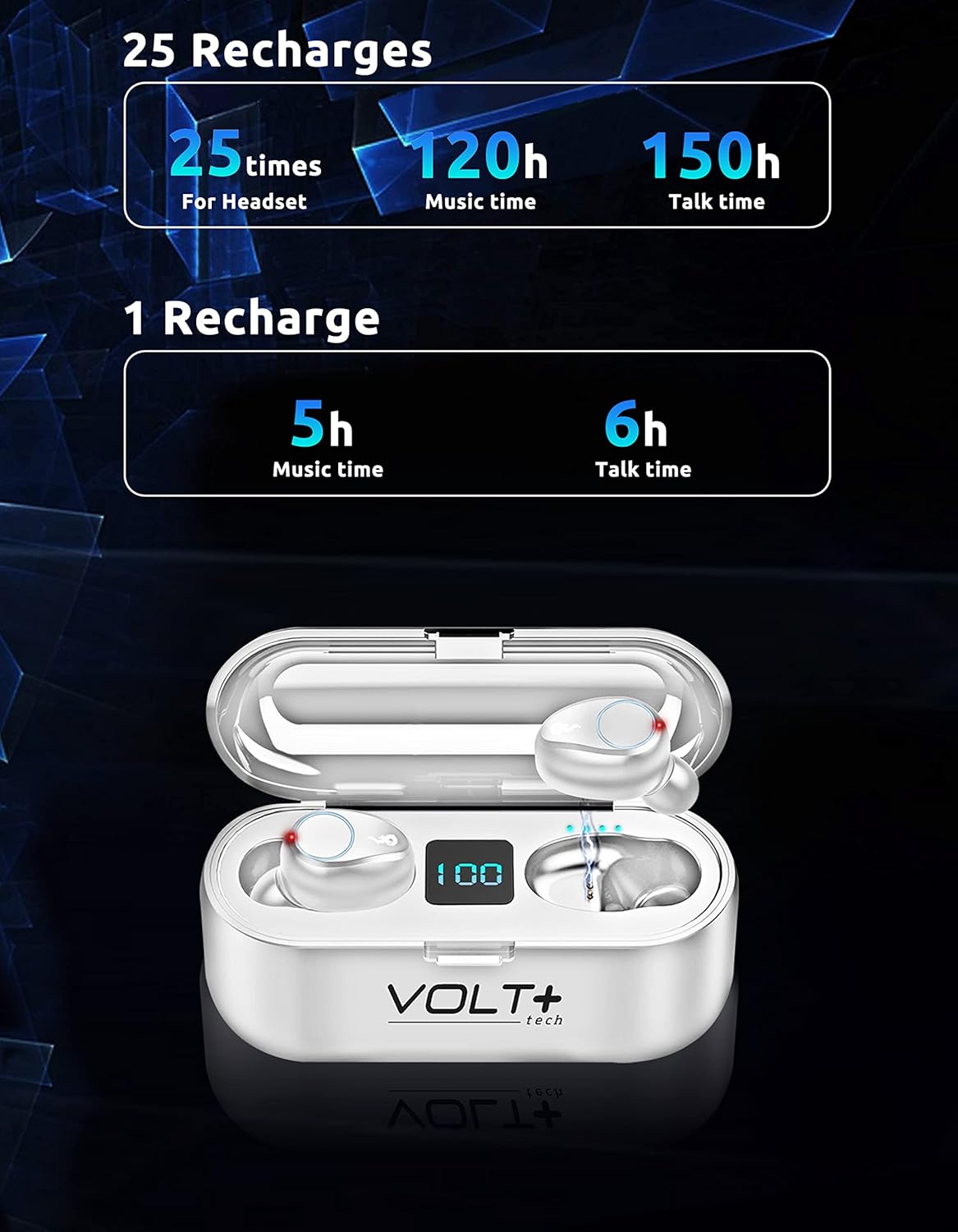
Image: White VOLT PLUS TECH F9 Earbuds inside their charging case, displaying '100' on the LED screen, indicating a full charge.
3.2 Įjungimas / išjungimas
- Maitinimas: Ausinės automatiškai įsijungia, kai išimamos iš įkrovimo dėklo.
- Išjungti: The earbuds automatically power off and begin charging when placed back into the charging case.
3.3 Bluetooth poravimas
Norėdami susieti ausines su „Bluetooth“ įrenginiu, atlikite šiuos veiksmus:
- Įsitikinkite, kad ausinės yra visiškai įkrautos.
- Remove both earbuds from the charging case. They will automatically enter pairing mode, indicated by flashing lights (typically blue and red).
- Įrenginyje (pvz., išmaniajame telefone, planšetiniame kompiuteryje) įjunkite Bluetooth ir ieškokite galimų įrenginių.
- Select "F9" from the list of available devices.
- Prijungus, ausinių indikatoriaus lemputės nustos mirksėti.
Ausinės automatiškai vėl prisijungs prie paskutinio suporuoto įrenginio, kai bus išimtos iš dėklo, jei įrenginyje įjungtas „Bluetooth“.

Image: White VOLT PLUS TECH F9 Earbuds positioned near a smartphone, illustrating the pairing process.
4. Operacija
4.1 Ausinių dėvėjimas
Select the ear tips that provide the most comfortable and secure fit for your ears. Insert the earbuds gently into your ear canal and rotate them slightly to ensure a snug fit. A proper fit enhances sound quality and noise isolation.

Image: A woman wearing an earbud, highlighting the ergonomic and secure-fit design for comfortable, all-day use.
4.2 Jutikliniai valdikliai
The F9 earbuds feature smart touch controls on each earbud. The functions are as follows:
| Veiksmas | Kairė ausinė (L) | Dešinė ausinė (R) |
|---|---|---|
| Leisti / pristabdyti muziką | Paspauskite vieną kartą | Paspauskite vieną kartą |
| Kita daina | Greitai paspauskite du kartus | N/A |
| Ankstesnė daina | N/A | Greitai paspauskite du kartus |
| Padidinti garsumą | N/A | Paspauskite tris kartus |
| Sumažinti garsumą | Paspauskite tris kartus | N/A |
| Atsiliepti / Baigti skambutį | Paspauskite vieną kartą | Paspauskite vieną kartą |
| Atmesti skambutį | Paspauskite ir palaikykite 2 sekundes | Paspauskite ir palaikykite 2 sekundes |
| Activate Voice Assistant (Siri/Android) | Paspauskite ir palaikykite 3 sekundes | Paspauskite ir palaikykite 3 sekundes |

Image: Visual guide illustrating the touch control functions on the VOLT PLUS TECH F9 Earbuds, showing actions for calls, music playback, volume, and voice assistant activation.
4.3 Išorinės baterijos funkcionalumas
The charging case for your F9 earbuds doubles as a 2000mAh power bank, capable of charging your smartphone or other small devices. To use this feature:
- Connect your device's charging cable to the USB output port on the charging case.
- The charging case will begin to supply power to your connected device.

Image: The VOLT PLUS TECH F9 Earbuds charging case connected via a cable to a smartphone, demonstrating its power bank capability.
5. Priežiūra ir priežiūra
5.1 Valymas
- Reguliariai valykite ausines ir įkrovimo dėklą minkštu, sausu, nepūkuotu skudurėliu.
- Nuimkite ausų galiukus ir nuvalykite juos švelniu muilu bei vandeniu, tada kruopščiai nusausinkite prieš vėl įdėdami.
- Venkite naudoti abrazyvinius valiklius, tirpiklius ar aerozolinius purškalus.
5.2 Atsparumas vandeniui (IPX7)
The F9 earbuds are rated IPX7 waterproof, meaning they can withstand immersion in water up to 1 meter for 30 minutes. This makes them suitable for sports and outdoor activities where they might be exposed to sweat or rain.
- Do not intentionally submerge the earbuds for extended periods or beyond the specified depth.
- The charging case is not waterproof. Avoid exposing it to water.
- Prieš dėdami ausines atgal į įkrovimo dėklą, įsitikinkite, kad jos yra visiškai sausos, kad nepažeistumėte jų.

Image: Two white VOLT PLUS TECH F9 Earbuds submerged in water with splashes, illustrating their IPX7 waterproof capability.
5.3 Saugykla
When not in use, store the earbuds in their charging case to protect them and keep them charged. Store the product in a cool, dry place away from extreme temperatures and direct sunlight.
6. Problemų sprendimas
If you encounter issues with your VOLT PLUS TECH F9 Earbuds, please refer to the following common solutions:
- Ausinės nesusijungia: Ensure both earbuds are removed from the case and are in pairing mode. Turn off and on your device's Bluetooth. Forget the device in your Bluetooth settings and try pairing again.
- Veikia tik viena ausinė: Place both earbuds back into the charging case, close the lid, then remove them again. Ensure both are fully charged.
- Nėra garso: Patikrinkite garsumo lygį tiek savo įrenginyje, tiek ausinėse. Įsitikinkite, kad ausinės tinkamai prijungtos prie jūsų įrenginio.
- Įkrovimo problemos: Patikrinkite, ar įkrovimo laidas tvirtai prijungtas prie dėklo ir maitinimo šaltinio. Įsitikinkite, kad ausinių ir dėklo įkrovimo kontaktai yra švarūs ir be šiukšlių.
- Prasta garso kokybė: Ensure the earbuds are properly seated in your ears with the correct size ear tips. Move closer to your connected device to avoid interference.
If the issue persists, try resetting the earbuds by placing them in the charging case, then performing a factory reset if available (refer to specific instructions if provided with the product, as this model does not detail a specific reset procedure in the provided data).
7. Gaminio specifikacijos
Below are the technical specifications for the VOLT PLUS TECH F9 Wireless Bluetooth 5.3 Earbuds:
| Funkcija | Specifikacija |
|---|---|
| Modelio pavadinimas | F9 |
| Bluetooth versija | 5.3 |
| Bluetooth diapazonas | 33 pėdų (apie 10 metrus) |
| Įkrovimo dėklo akumuliatoriaus talpa | 2000 mAh |
| Earbud Battery Life (Music) | Iki 5 valandų vienu įkrovimu |
| Earbud Battery Life (Talk) | Iki 6 valandų vienu įkrovimu |
| Bendras žaidimo laikas su įkrovimo dėklu | 24-26 valandas |
| Įkrovimo laikas | Maždaug 30 minutės (ausinės) |
| Atsparumo vandeniui įvertinimas | IPX7 |
| Triukšmo valdymas | Active Noise Cancellation, Passive Noise Cancellation, Sound Isolation (CVC 8.0) |
| Garso tvarkyklės tipas | Dinaminis vairuotojas |
| Garso tvarkyklės dydis | 26 milimetrų |
| Varža | 25.94 omai |
| Jautrumas | 103 dB |
| Kontrolės metodas | Palieskite |
| Suderinami įrenginiai | Android, iOS, Mac, Vivo V23e 5G, Windows |
| Prekės svoris (ausinės) | Approx. 4 Ounces (total) |
| Gaminio matmenys | 1 x 1.7 x 1.5 colio |

Image: Diagram showing the dimensions of the VOLT PLUS TECH F9 Earbuds and their charging case.
8. Garantija ir palaikymas
VOLT PLUS TECH products are designed for reliability and performance. For warranty information, please refer to the documentation included with your purchase or contact VOLT PLUS TECH customer support directly.
If you require further assistance or have questions not covered in this manual, please contact our customer support team through the retailer's platform or the official VOLT PLUS TECH websvetainę.