
1. Įvadas
The COLBOR W100 is a compact, high-output bi-color COB LED video light designed for various content creation needs. This manual provides essential information for the safe and effective operation of your device, including setup, usage, maintenance, and technical specifications. Please read this manual thoroughly before using the product.
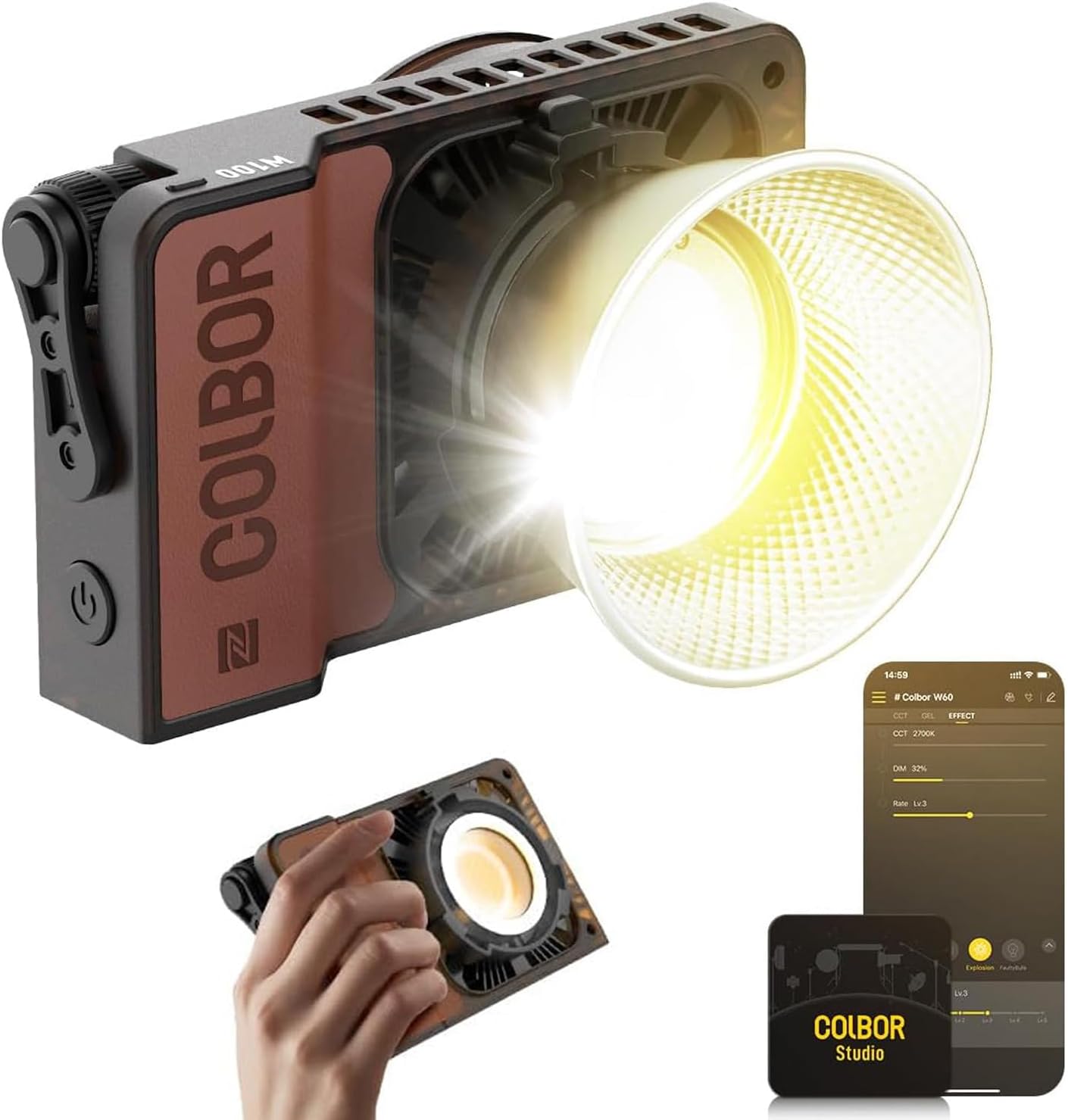
Image 1.1: COLBOR W100 Bi-Color Pocket COB Video Light
2. Pakuotės turinys
Patikrinkite, ar pakuotėje yra visi toliau išvardyti daiktai. Jei kurių nors daiktų trūksta arba jie pažeisti, susisiekite su klientų aptarnavimo tarnyba.
- Wonder W100 Video Light x 1
- Reflector (Mini Bowens Mount) x 1
- Softcover x 1
- 100W DC Power Adapter x 1
- 2 m maitinimo kabelis x 1
- Wire Lanyard x 1
- Apsauginis dangtelis x 1
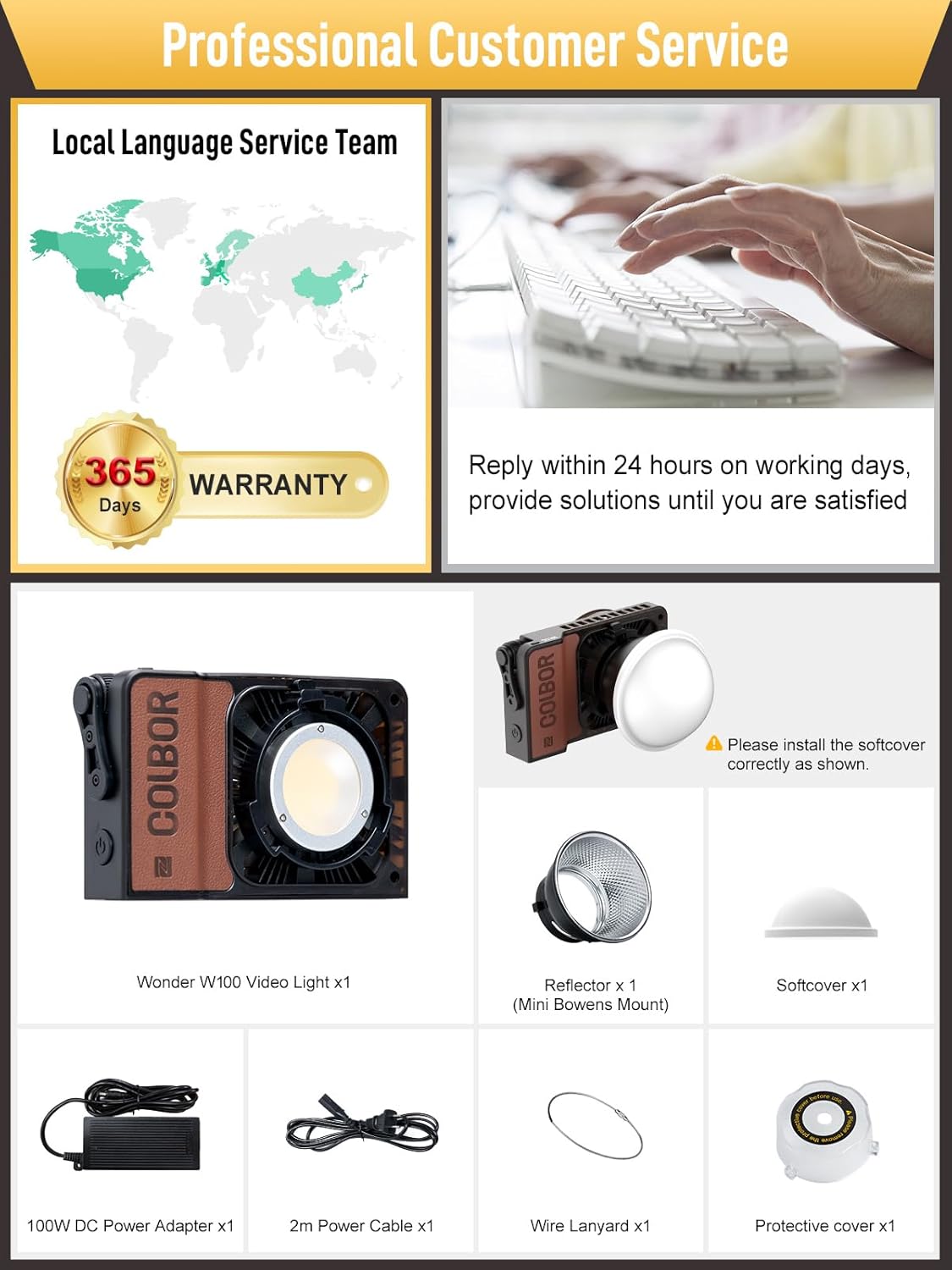
2.1 pav.: Pridedami priedai
3. Pagrindinės savybės
- Didelis našumas: The W100 delivers 100W of power, providing up to 20,800 Lux at 0.5m (with reflector) at 6500K. It features a Φ31mm light bead and advanced diffuse transmission technology for uniform light distribution.
- Reguliuojama spalvos temperatūra: Offers a bi-color range from 2700K to 6500K, allowing for versatile lighting scenarios.
- Kompaktiškas ir nešiojamas dizainas: Weighing only 345g and measuring 157x93x43mm, the W100 is designed for easy transport and integration into everyday gear.
- Efektyvi aušinimo sistema: Equipped with an Intelligent Air Duct and Heat Pipe Cooling System, ensuring stable performance and durability with a noise level below 28dB at 1 meter in high-temperature environments (35°C).
- Flexible Powering Options: Supports DC adapter, PD Type-C fast charging, and COLBOR grip battery (sold separately).
- APP valdymas: Seamless control via the COLBOR STUDIO APP using Mesh Network and 2.4GHz channel for remote adjustments.

Image 3.1: Brightness and Output Capabilities

Image 3.2: Portable Design
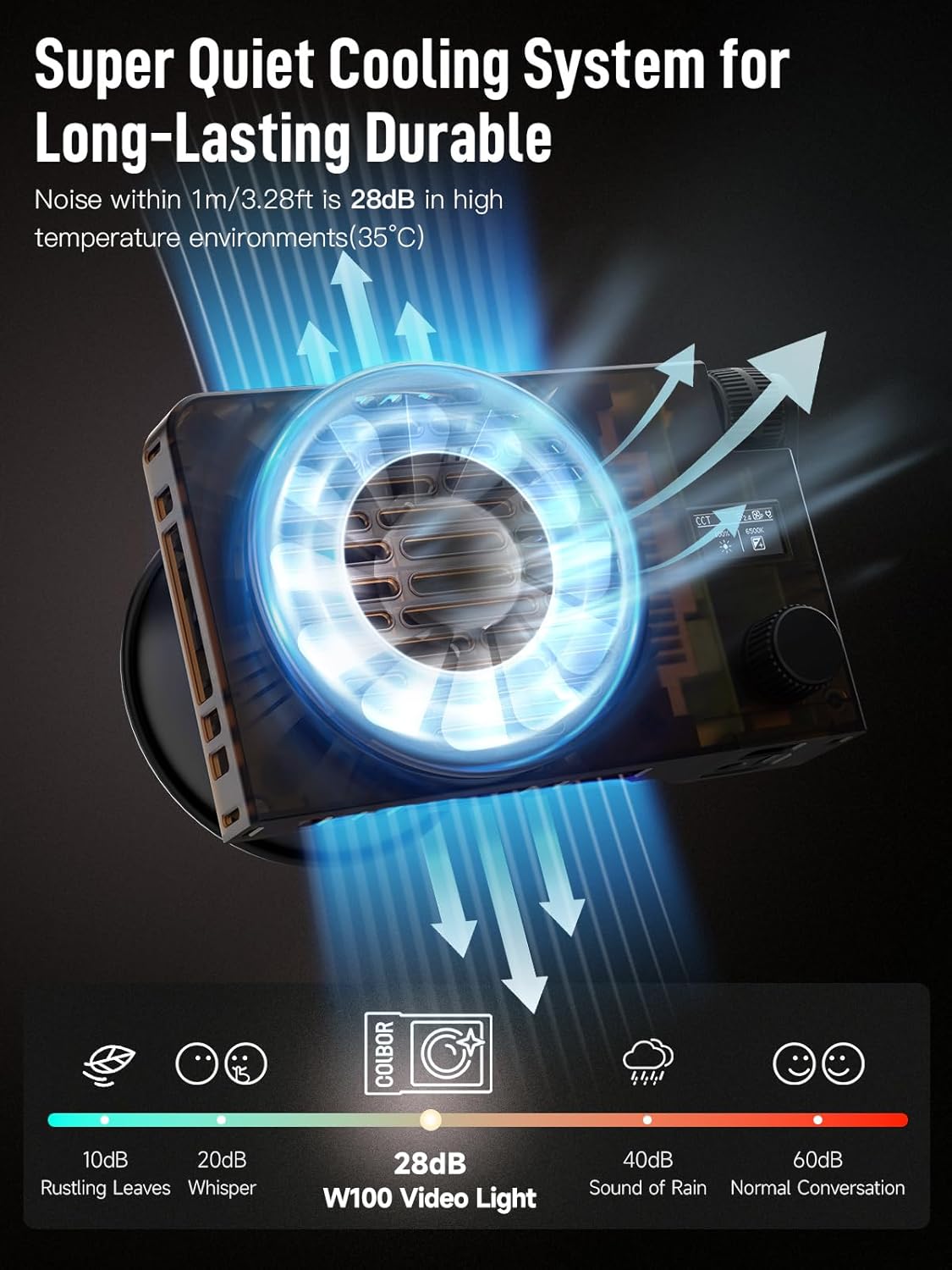
Image 3.3: Cooling System Overview
4. Sąranka
4.1 Įrenginio maitinimas
The COLBOR W100 offers multiple power input methods:
- DC adapteris: Connect the provided 100W DC power adapter to the DC-in port on the light and plug it into a power outlet.
- PD Type-C Fast Charging: Use a compatible PD Type-C power source (e.g., power bank with PD3.0, output >65W) and connect it to the Type-C port.
- COLBOR Grip Battery: Attach a COLBOR grip battery (sold separately) to the designated mount for portable operation.
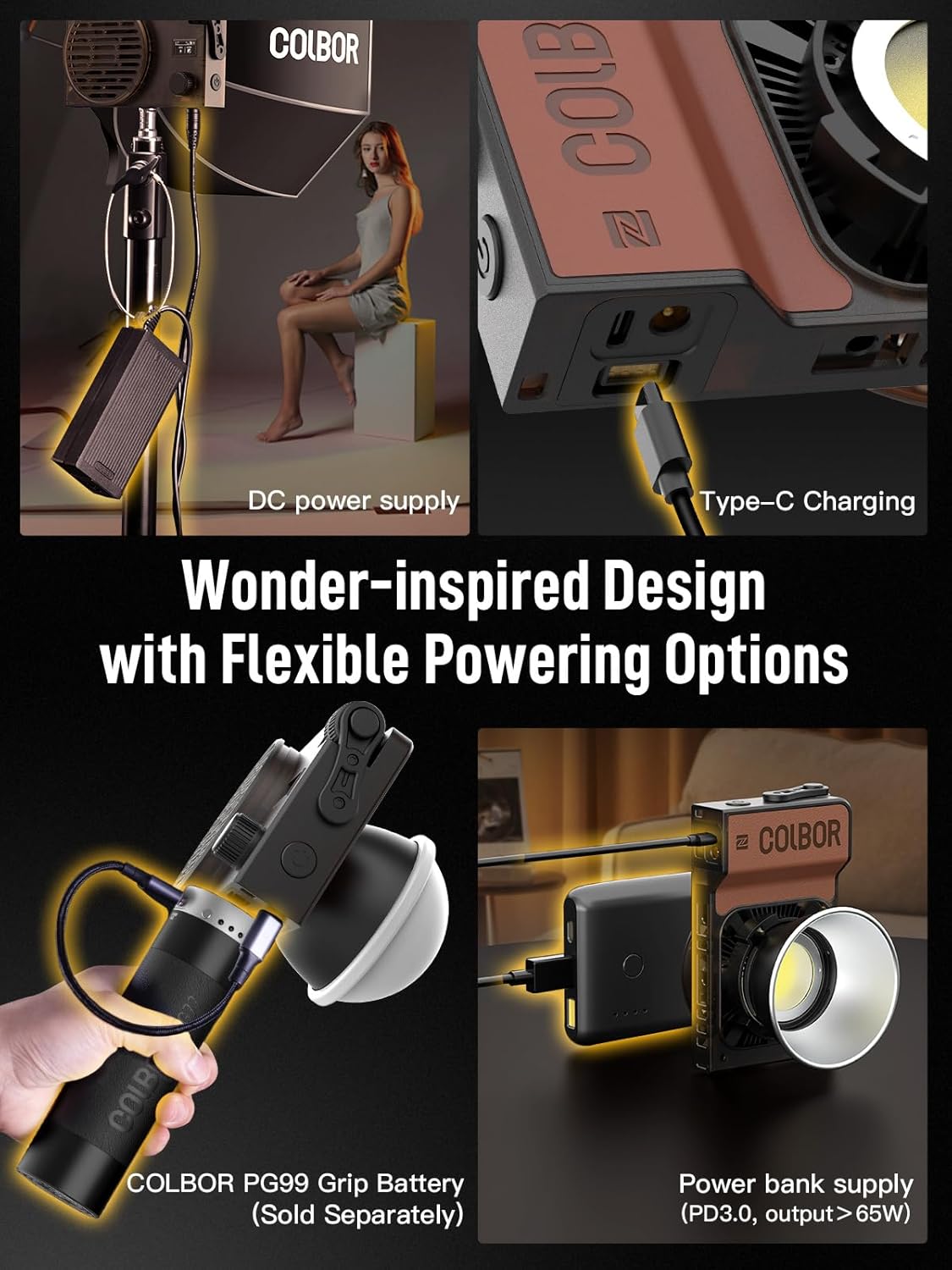
Image 4.1: Powering Options
4.2 Priedų tvirtinimas
To attach the reflector or softcover, align the accessory with the Mini Bowens Mount on the front of the light and twist until it locks securely. Ensure the softcover is installed correctly as shown in the package contents image (Image 2.1).
5. Operacija
5.1 Rankinis valdymas
The COLBOR W100 features integrated controls for direct adjustment of brightness and color temperature. Refer to the device's physical interface for specific button and dial functions.
5.2 APP Control (COLBOR STUDIO)
For enhanced control and advanced features, download the COLBOR STUDIO APP on your mobile device.
- Ensure your COLBOR W100 is powered on.
- Open the COLBOR STUDIO APP on your smartphone.
- The app will detect nearby COLBOR devices. Select your W100 from the list to establish a connection via Mesh Network and 2.4GHz channel.
- Once connected, you can remotely adjust brightness, color temperature, and access various lighting effects directly from the app interface.
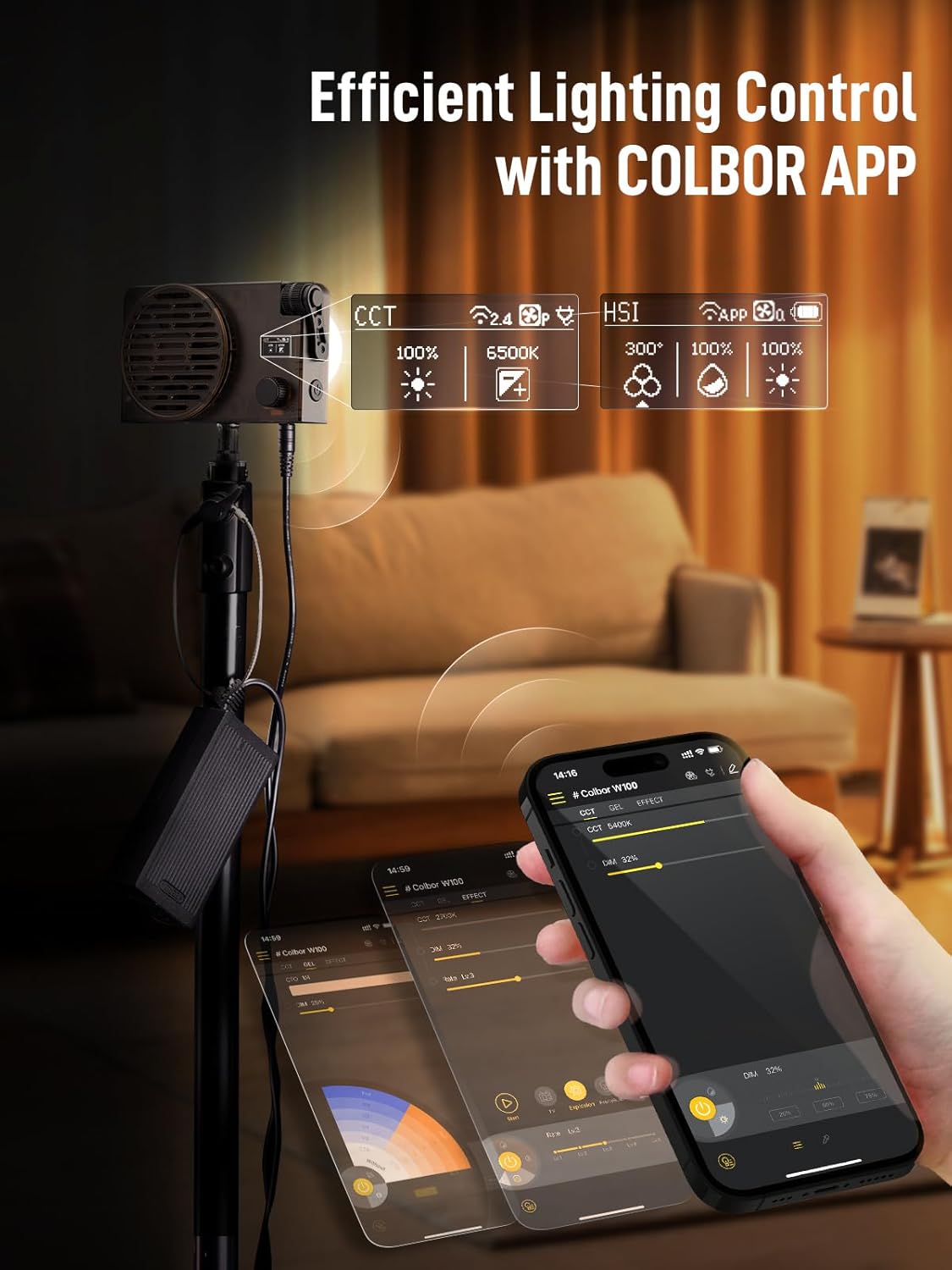
Image 5.1: COLBOR STUDIO APP Interface
6. Priežiūra
To ensure the longevity and optimal performance of your COLBOR W100, follow these maintenance guidelines:
- Valymas: Use a soft, dry cloth to clean the exterior of the light. Avoid using liquid cleaners, solvents, or abrasive materials, as these can damage the finish or internal components.
- Saugykla: When not in use, store the light in a cool, dry place, away from direct sunlight and extreme temperatures. Use the protective cover to prevent dust accumulation.
- Vėdinimas: Ensure the cooling vents are clear of obstructions during operation to maintain proper airflow and prevent overheating.
7. Problemų sprendimas
If you encounter issues with your COLBOR W100, refer to the following common troubleshooting steps:
- Šviesa neįsijungia:
- Verify that the power adapter is securely connected to both the light and a working power outlet.
- If using a power bank or grip battery, ensure it is sufficiently charged and properly connected.
- Check the power button on the device.
- Programos ryšio problemos:
- Įsitikinkite, kad jūsų mobiliajame įrenginyje įjungtas „Bluetooth“.
- Restart the COLBOR STUDIO APP and the W100 light.
- Make sure your mobile device is within range of the light.
- Unusual Noise or Overheating:
- Patikrinkite, ar neužblokuotos aušinimo angos.
- Ensure the light is operating within its specified temperature range.
- Jei problema išlieka, nutraukite naudojimą ir susisiekite su klientų aptarnavimo tarnyba.
8. Specifikacijos
| Funkcija | Specifikacija |
|---|---|
| Modelio numeris | W100 |
| Gaminio matmenys | 6.18 x 1.69 x 3.66 colio (157 x 43 x 93 mm) |
| Prekės svoris | 0.76 svaro (345 g) |
| Maitinimo išvestis | 100W |
| Spalvų temperatūros diapazonas | 2700–6500 tūkst |
| Illumination (with Reflector) | 20,800 Lux @ 0.5m (6500K) |
| Ryšio technologija | DC-in, Bluetooth |
| Techninės įrangos sąsaja | Bluetooth |
| Gamintojas | KOLBORAS |
9. Garantija ir palaikymas
COLBOR provides a 365 dienų garantija for the W100 Bi-Color Pocket COB Video Light from the date of purchase. This warranty covers manufacturing defects and ensures reliable operation under normal use conditions.
For technical assistance, warranty claims, or any product-related inquiries, please contact COLBOR customer service. Our support team aims to reply within 24 hours on working days and provide solutions to ensure your satisfaction.
For the most up-to-date support information and contact details, please visit the official COLBOR websvetainėje arba žr. kontaktinę informaciją, pateiktą ant produkto pakuotės.


