
1. Įvadas
The Foscam FNA108HE is an 8-channel Network Video Recorder (NVR) designed for surveillance systems. It supports up to 8 PoE (Power over Ethernet) IP cameras, allowing for simplified installation with power and data transmission over a single Ethernet cable. This NVR records video at up to 8MP resolution per channel and utilizes H.264+ video compression for efficient storage. It offers continuous, motion-detection, and scheduled recording options, and supports a hard drive up to 16TB (not included) for extensive storage. View and manage your surveillance system locally via HDMI/VGA monitor or remotely through a web sąsaja.
2. Pakuotės turinys
- Foscam FNA108HE 8-Channel PoE NVR
- Maitinimo adapteris
- USB pelė
- Ethernet kabelis
- Greitos pradžios vadovas
- Mounting Screws for HDD (Hard Disk Drive not included)
3. Produktas baigtasview
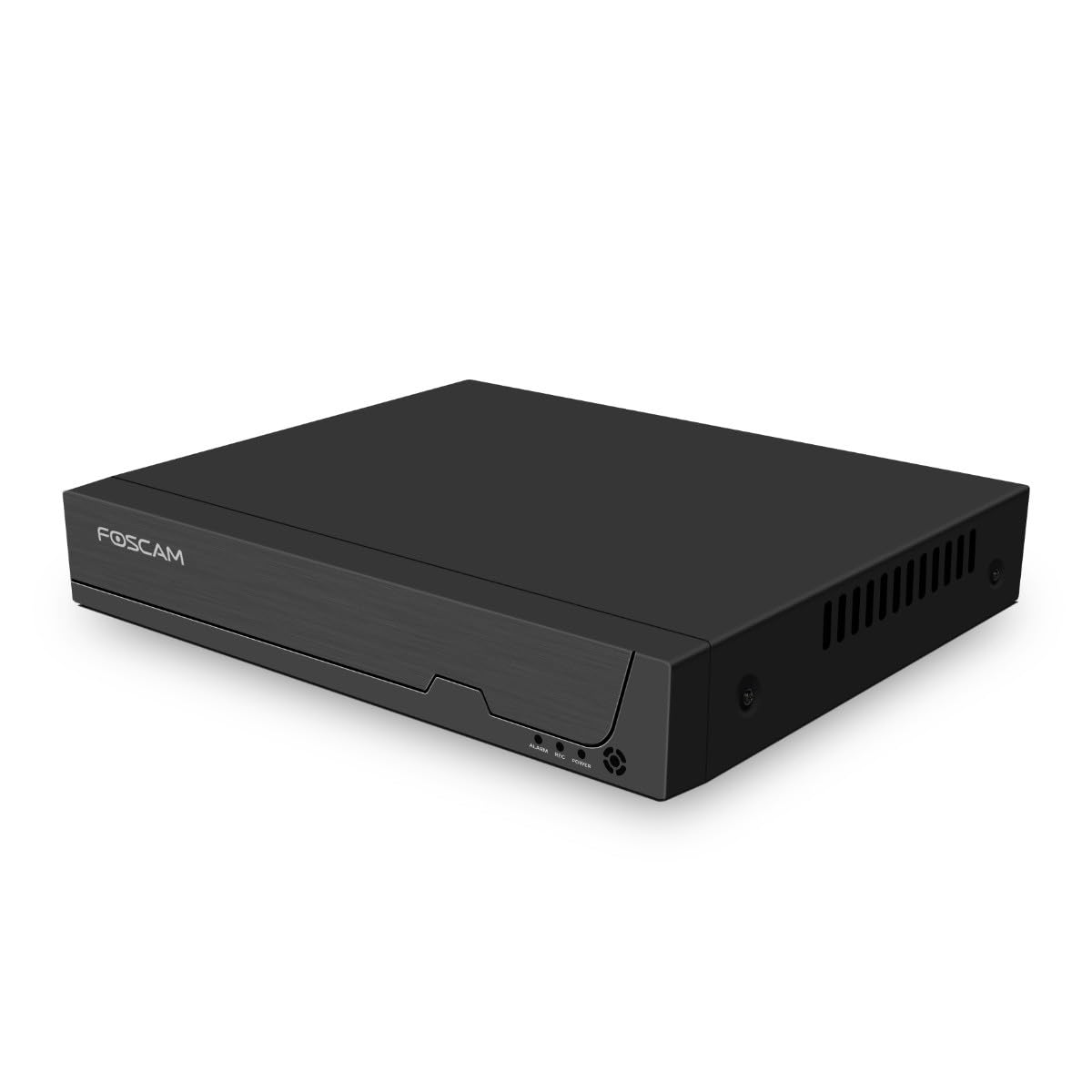
3.1 paveikslas: Priekinis skydelis
This image shows the front of the Foscam FNA108HE NVR, featuring the Foscam logo on the left and indicator lights (ALARM, REC, POWER) on the right, along with a navigation button.

3.2 pav.: Kampinis View
An angled perspective of the Foscam FNA108HE NVR, highlighting its compact design and the Foscam branding.

3.3 pav.: galinis skydelis
This image displays the rear panel of the Foscam FNA108HE NVR, showing various ports including the power switch, DC 48V power input, 8 PoE ports, LAN port, A-OUT (audio output), VGA port, HD-OUT (HDMI port), and two USB ports.
3.1 Priekinio skydelio indikatoriai
- GALIA: Indicates the NVR is powered on.
- REC: Flashes when video is being recorded.
- ALARMAS: Illuminates when an alarm event (e.g., motion detection) is triggered.
3.2 Galinio skydelio prievadai
- ĮJUNGIMO/IŠJUNGIMO jungiklis: Powers the NVR on or off.
- 48 V nuolatinė srovė: NVR maitinimo įvestis.
- PoE prievadai (1–8): Connect PoE IP cameras. These ports provide both power and data.
- LAN prievadas: Connects the NVR to your local network/router for internet access and remote viewing.
- A-OUT (Audio Output): Connects to an external speaker for audio output.
- VGA prievadas: Connects to a VGA monitor for local display.
- HD-OUT (HDMI Port): Connects to an HDMI monitor or TV for local display.
- USB prievadai (x2): Connect a USB mouse for local control and for USB backup devices.
4. Sąranka
4.1 Hard Drive Installation (Optional, HDD not included)
For video recording, a 3.5-inch SATA hard drive is required. Ensure the NVR is powered off before installation.
- Atsukite ir nuimkite viršutinį NVR dangtelį.
- Prijunkite SATA duomenų ir maitinimo kabelius iš NVR prie kietojo disko.
- Secure the hard drive to the NVR chassis using the provided screws.
- Uždėkite viršutinį dangtelį ir pritvirtinkite jį varžtais.
4.2 Techninės įrangos prijungimas
- Connect your PoE IP cameras to the PoE ports (1-8) on the NVR's rear panel using Ethernet cables.
- Connect a monitor to the NVR's HD-OUT (HDMI) or VGA port.
- Prijunkite USB pelę prie vieno iš NVR USB prievadų.
- Prijunkite NVR LAN prievadą prie maršrutizatoriaus arba tinklo komutatoriaus naudodami Ethernet kabelį.
- Connect the power adapter to the DC 48V input on the NVR and then plug it into a power outlet.
- Press the ON/OFF switch to power on the NVR.
5. Operacinis
5.1 Initial Setup and Access
Upon first boot, the NVR will guide you through an initial setup wizard (password creation, network settings, etc.). You can access the NVR interface locally via the connected monitor and mouse, or remotely via a web naršyklę kompiuteryje, prijungtame prie to paties tinklo.
5.2 Tiesiogiai View
After logging in, the NVR will display the live video feeds from connected cameras. You can switch between single-camera view, kelių kamerų tinklelis view, and customize the display layout.
5.3 Įrašymo režimai
The NVR supports the following recording modes:
- Nepertraukiamas įrašymas: Records 24/7 without interruption.
- Judesio aptikimo įrašymas: Records only when motion is detected by the cameras.
- Suplanuotas įrašymas: Records according to a predefined schedule (e.g., specific hours of the day).
Configure these settings in the NVR's menu under 'Record' or 'Schedule'.
5.4 Atkūrimas
Norėdami iš naujoview įrašytas footage:
- Access the 'Playback' menu on the NVR interface.
- Pasirinkite norimą (-as) kamerą (-as) ir datos / laiko diapazoną.
- Use the timeline to navigate through recordings and play back events.
5.5 Nuotolinė prieiga
Norėdami nuotoliniu būdu pasiekti NVR:
- Įsitikinkite, kad NVR prijungtas prie interneto.
- Configure network settings (e.g., port forwarding) on your router if necessary, or use Foscam's cloud service/P2P feature if available.
- Use the Foscam web interface or mobile application to view live feeds and manage settings from anywhere.
6. Priežiūra
6.1 Kietojo disko valdymas
Regularly check the status of your hard drive in the NVR's storage settings. If the hard drive is new or has issues, it may need to be formatted through the NVR interface. Ensure sufficient free space for continuous recording.
6.2 Firmware atnaujinimai
Periodically check the Foscam official website for firmware updates. Keeping your NVR's firmware updated ensures optimal performance, security, and access to new features. Follow the instructions provided with the firmware update carefully.
7. Problemų sprendimas
- Nėra vaizdo rodymo: Check HDMI/VGA cable connections, ensure monitor is on and set to correct input. Verify NVR is powered on.
- Cameras Not Showing: Ensure cameras are properly connected to PoE ports. Check camera power and network status. Verify camera IP addresses are within the NVR's range.
- Nėra įrašo: Confirm a hard drive is installed and formatted. Check recording schedules and motion detection settings. Ensure HDD has free space.
- Nuotolinės prieigos problemos: Verify NVR has internet access. Check network settings, port forwarding, or P2P status. Ensure correct login credentials.
- NVR Not Powering On: Check power adapter connection and power outlet. Ensure the ON/OFF switch is in the 'ON' position.
8. Specifikacijos
| Funkcija | Specifikacija |
|---|---|
| Modelio numeris | FNA108HE |
| Prekės ženklas | Foscam |
| Kanalų skaičius | 8 |
| Maksimali saugojimo talpa | 16 TB (Hard Drive not included) |
| Vaizdo įrašų suspaudimas | H.264 + |
| Vaizdo įrašo įvesties tipas | „PoE“ IP kamera |
| Vaizdo išvestis | HDMI, VGA |
| Garso išvestis | A-OUT |
| USB prievadai | 2 |
| Ryšio technologija | HDMI, USB, VGA, Ethernet (LAN, PoE) |
| Suderinami įrenginiai | Camera, Smartphone, Television |
| Prekės svoris | 880 gramų |
| Atsarginių dalių prieinamumas | 1 metai |
9. Garantija ir palaikymas
This Foscam NVR (Model FNA108HE) typically comes with a manufacturer's warranty. Spare parts are available for 1 year. For detailed warranty information, technical support, or service inquiries, please refer to the official Foscam websvetainėje arba susisiekite tiesiogiai su jų klientų aptarnavimo tarnyba. Išsaugokite pirkimo kvitą garantiniams reikalavimams.