
Strong SRT24HE4023C
„Strong“ 24 colių HD televizoriaus SRT24HE4023C naudotojo vadovas
Model: SRT24HE4023C
1. Įvadas
This user manual provides essential information for the safe and efficient operation of your Strong 24-inch HD TV, model SRT24HE4023C. Please read this manual thoroughly before using the product and retain it for future reference.
The Strong SRT24HE4023C is a compact and versatile 24-inch (60 cm) HD Ready television, specifically designed for portability with its 12V power input, making it ideal for use in caravans, campers, or other mobile environments. It features a triple tuner for various signal receptions and multiple connectivity options.
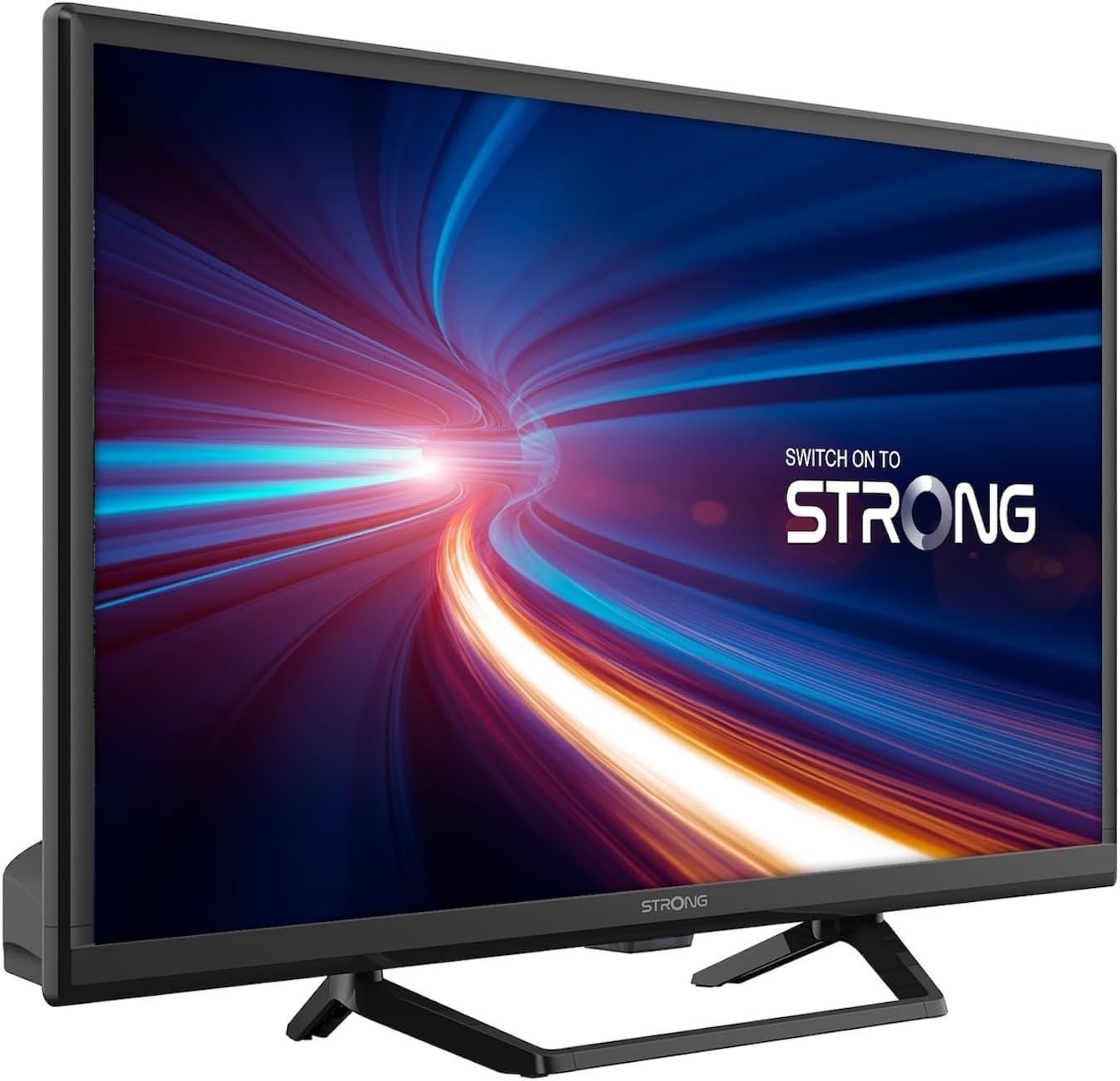
1.1 pav.: priekis view of the Strong 24-inch HD TV.
2. Pakuotės turinys
Išpakuodami įsitikinkite, kad visi toliau išvardyti daiktai yra su savimi ir yra geros būklės. Jei kokių nors daiktų trūksta arba jie pažeisti, nedelsdami susisiekite su pardavėju.
- Strong 24-inch HD TV (SRT24HE4023C)
- Televizoriaus staliukas
- Nuotolinio valdymo pultas (reikalingos 2 AAA baterijos, pridedamos)
- Vartotojo vadovas (šis dokumentas)
3. Sąranka
3.1. Stovo surinkimas
Carefully place the TV screen-down on a soft, clean surface to prevent scratches. Attach the provided stand to the base of the TV using the designated screws. Ensure the stand is securely fastened before placing the TV upright.
3.2. Maitinimo prijungimas
This TV operates on a 12V DC power supply, making it suitable for mobile applications. Connect the 12V power adapter to the TV's power input port and then to a compatible 12V power source. Ensure the power source can provide sufficient current for the TV's operation.
3.3. Išorinių įrenginių prijungimas
Televizorius siūlo įvairias prijungimo galimybes:
- HDMI prievadai (x2): Connect Blu-ray players, game consoles, or other HDMI-enabled devices. One port supports ARC (Audio Return Channel).
- USB prievadas (x1): For playing multimedia files iš USB atminties įrenginių.
- Mini AV įvestis: Skirta senesniems įrenginiams su kompoziciniais vaizdo ir stereo garso išėjimais prijungti.
- Antenna Input (ANT in): Connect a terrestrial antenna for DVB-T/T2 reception.
- Satellite Input (SAT in): Connect a satellite dish for DVB-S/S2 reception.
- PI lizdas: Insert a Common Interface module for encrypted channels.
- SPDIF išvestis: For digital audio output to an external sound system.
- Ausinių lizdas: Privačiam pasiklausymui.

3.1 pav.: galinis view rodomi įvairūs jungiamieji prievadai.
4. Naudojimo instrukcijos
4.1. Įdiegimas pirmą kartą
When you power on the TV for the first time, a setup wizard will guide you through initial settings such as language, country, and channel scanning. Follow the on-screen prompts to complete the setup.
4.2. Kanalų nuskaitymas
The TV features a triple tuner (DVB-T/T2, DVB-C, DVB-S/S2) for receiving digital terrestrial, cable, and satellite broadcasts. To scan for channels:
- Paspauskite MENIU nuotolinio valdymo pulto mygtuką.
- Eikite į Kanalas or Montavimas meniu.
- Pasirinkite Automatinis nuskaitymas or Rankinis nuskaitymas depending on your preference and connection type.
- Follow the on-screen instructions to start the scan.
4.3. Using the Electronic Program Guide (EPG)
The EPG provides a schedule of current and upcoming TV programs. To access the EPG, press the EPG button on your remote control. You can browse programs, view details, and set reminders.
4.4. Multimedijos atkūrimas per USB
Insert a USB storage device into the USB port. The TV will typically prompt you to open the media browser. You can play various multimedia files, including videos, photos, and music.
4.5. Parental Control and Hotel Mode
The TV includes parental control features to restrict access to certain channels or programs based on age ratings. Hotel mode provides advanced settings for managing TV functions in a multi-unit environment.
5. Priežiūra
5.1. Televizoriaus valymas
Before cleaning, always unplug the TV from the power source. Use a soft, dry cloth to wipe the screen and cabinet. For stubborn marks, lightly dampen the cloth with water or a mild, non-abrasive screen cleaner. Never spray liquid directly onto the TV.
5.2. Nuotolinio valdymo pulto baterijos keitimas
The remote control uses two AAA batteries. If the remote control's range decreases or it stops responding, replace both batteries with new ones, ensuring correct polarity.
6. Problemų sprendimas
Jei kyla problemų dėl televizoriaus, prieš kreipdamiesi į klientų aptarnavimo tarnybą, peržiūrėkite toliau pateiktas dažniausiai pasitaikančias problemas ir jų sprendimus.
| Problema | Galima priežastis | Sprendimas |
|---|---|---|
| Nėra galios | Power cable disconnected; no power from source. | Check power cable connection. Ensure 12V power source is active. |
| Nėra vaizdo, bet yra garsas | Pasirinktas neteisingas įvesties šaltinis; atsilaisvinęs kabelio prijungimas. | Paspauskite ŠALTINIS button to select the correct input. Check HDMI/AV cable connections. |
| Nėra garso, bet vaizdas yra | Volume too low or muted; audio settings incorrect. | Increase volume. Check mute status. Adjust audio output settings in the menu. |
| Prasta vaizdo kokybė | Weak signal; incorrect resolution. | Check antenna/satellite connection. Perform a channel scan. Adjust picture settings. |
| Nuotolinio valdymo pultas neveikia | Batteries depleted or incorrectly inserted. | Replace batteries, ensuring correct polarity. Ensure no obstructions between remote and TV. |
7. Specifikacijos
| Funkcija | Detalė |
|---|---|
| Modelis | SRT24HE4023C |
| Ekrano dydis | 24 colio (60 cm) |
| Ekrano technologija | LED, IPS Panel |
| Rezoliucija | 1366 x 768p (HD Ready) |
| Krašto santykis | 16:9 |
| Atnaujinimo dažnis | 60 Hz |
| Reagavimo laikas | 5 milisekundės |
| Derintuvai | DVB-T/T2, DVB-C, DVB-S/S2 |
| Vaizdo įrašų kodekas | HEVC 265 10-bit |
| HDMI prievadai | 2 (1 with ARC support) |
| USB prievadai | 1 |
| Kiti įėjimai / išėjimai | Mini AV In, CI Slot, SPDIF Out, Headphone Jack |
| Garso dekodavimas | DTS |
| Maitinimo šaltinis | 12 voltų nuolatinė srovė |
| Matmenys (P x A x G) | 55.29 x 36.6 x 14.78 cm (su stovu) |
| Svoris | 2.5 kg |
| VESA sieninis laikiklis | Palaikoma |
| Energijos vartojimo efektyvumo klasė | E(View EPREL informacija) |
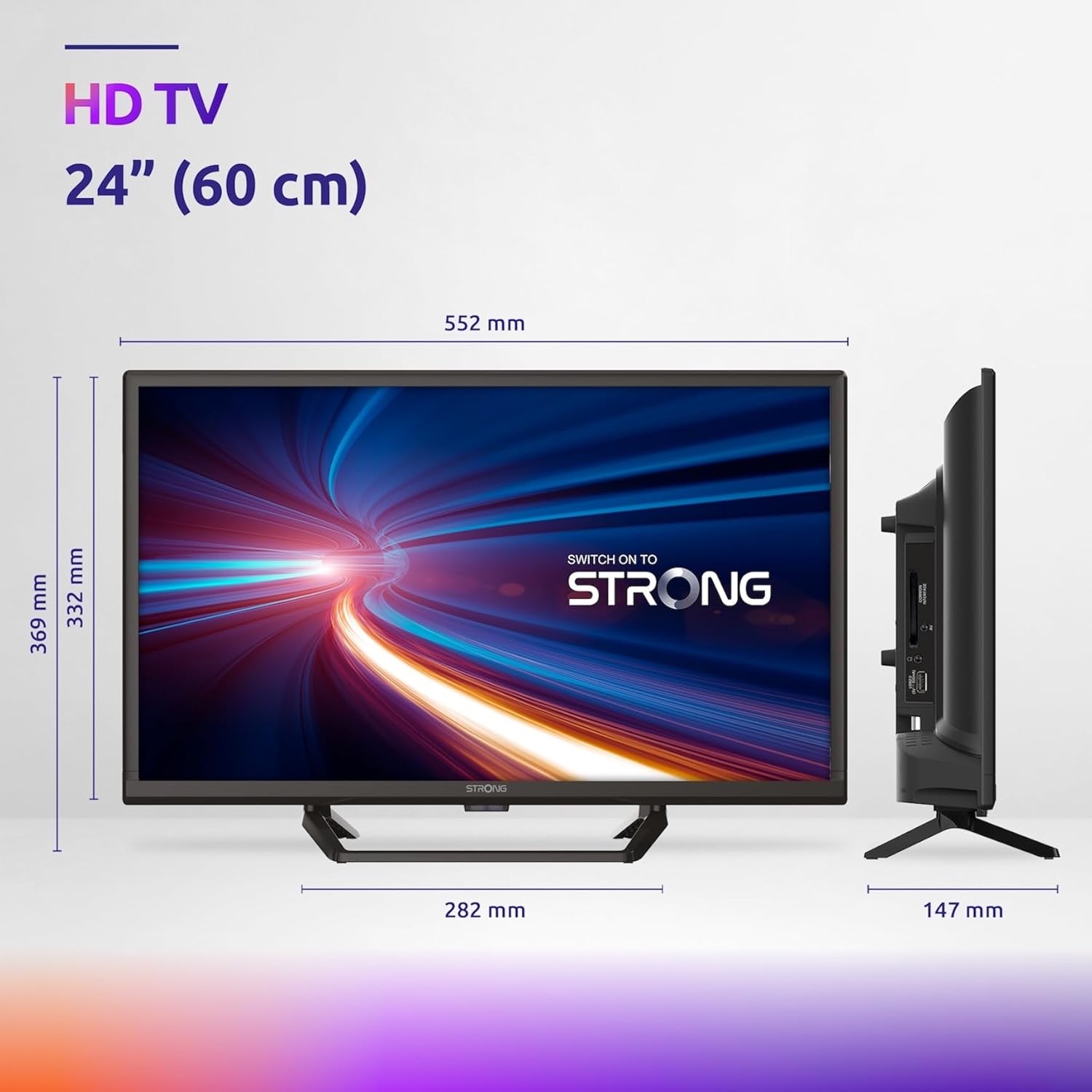
Figure 7.1: Product dimensions of the Strong 24-inch HD TV.

Figure 7.2: Energy efficiency label for the Strong SRT24HE4023C TV.
8. Garantija ir palaikymas
Strong products are designed for reliability and performance. For warranty information and technical support, please refer to the warranty card included with your product or visit the official Strong websvetainėje. Išsaugokite pirkimo kvitą kaip pirkimo įrodymą garantiniams reikalavimams.
Dėl papildomos pagalbos taip pat galite kreiptis į Strong Brand Store on Amazon papildomos informacijos apie gaminį ir išteklių.
Ask a question about this manual
Ask about setup, troubleshooting, compatibility, parts, safety, or missing instructions. Manuals+ will review the question and use this page’s manual context to help answer it.