
Įvadas
The JLab Nightfall Wired Gaming Headset is designed to provide an immersive audio experience for gamers across multiple platforms. Featuring 50mm drivers, cloud foam cushions, and a sound-isolating inner shelf, this headset ensures clear communication and comfortable wear during extended gaming sessions.
Pakuotės turinys
- JLab Nightfall Wired Gaming Headset
- Instrukcijų vadovas
Sąranka ir Ryšys
The Nightfall headset offers universal compatibility through its wired 3.5mm connection cable, making it suitable for a wide range of gaming and multimedia devices.
Ausinių prijungimas
- Locate the 3.5mm audio jack on your device (PC/Mac, Xbox, PlayStation 4 & 5, Nintendo Switch).
- Insert the 3.5mm connector from the headset cable firmly into the device's audio jack.
- Adjust your device's audio settings to ensure the headset is selected as the input and output device.

Image: The JLab Nightfall Wired Gaming Headset in use, connected to a gaming setup, demonstrating its universal compatibility.
Naudojimo instrukcijos
Audio Quality and Immersion
Equipped with 50mm drivers and a sound-isolating inner shelf, the Nightfall headset delivers immersive and powerful sound. This design enhances your gaming experience by providing rich audio with clarity and deep bass, allowing you to hear crucial in-game details.

Paveikslėlis: sprogęs view diagram highlighting the 50mm audio driver and the sound-isolating inner shelf within the headset's ear cup.
Mikrofono naudojimas
The headset features a flip-to-mute rotating boom mic, ensuring clear team communications during gaming sessions. The TeamSpeak Certified near-field directional mic captures your voice while actively eliminating background noise, ensuring your teammates hear you clearly without distractions.
- Norėdami nutildyti: Flip the microphone boom upwards.
- Norėdami įjungti garsą: Flip the microphone boom downwards.
- The rotating design allows for optimal positioning of the mic for better voice pickup.
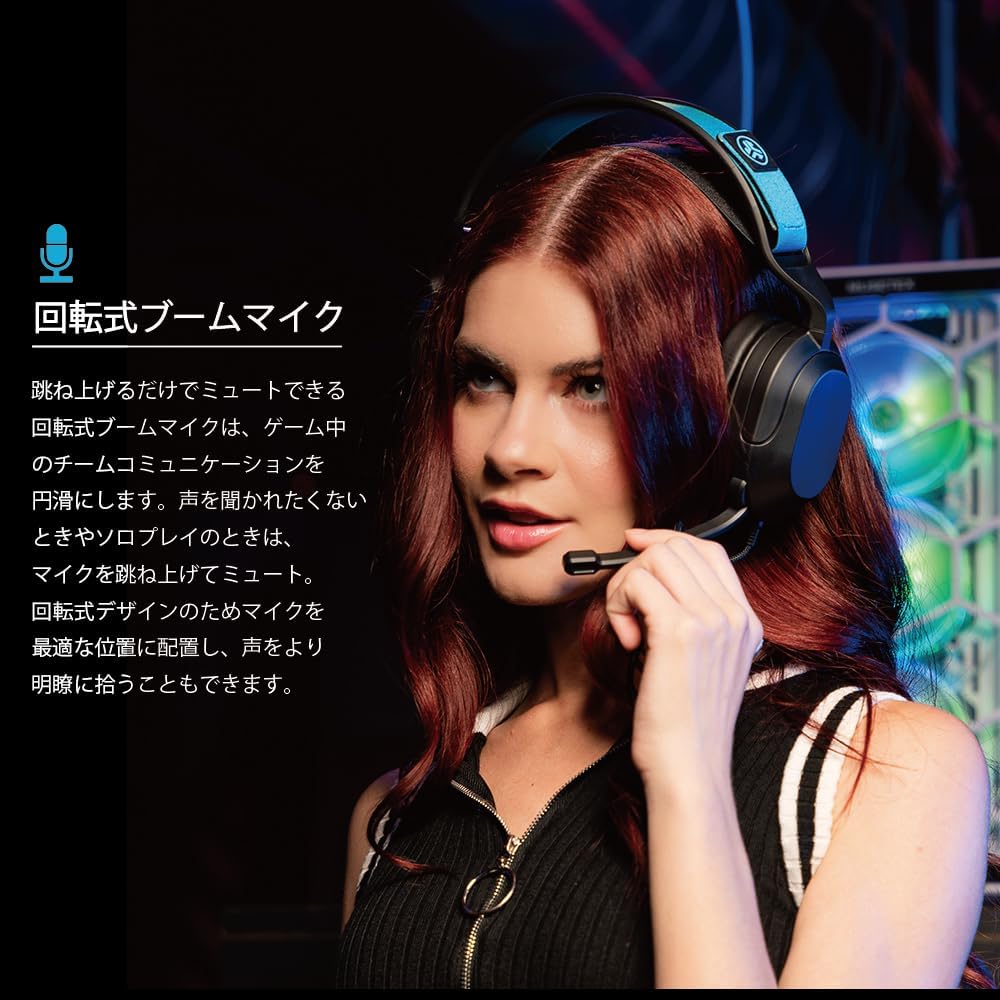
Image: A user wearing the JLab Nightfall headset, demonstrating the flexible and rotating boom microphone in an active position.

Image: A gamer wearing the JLab Nightfall headset, illustrating the effective noise elimination provided by the directional microphone for clear communication.
Komfortas ir dizainas
The Nightfall headset is engineered for all-night comfort. It features super-wide stretchable and adjustable headbands that provide a customizable fit for various head sizes. The cloud foam cushions further enhance comfort, preventing discomfort during long gaming sessions.
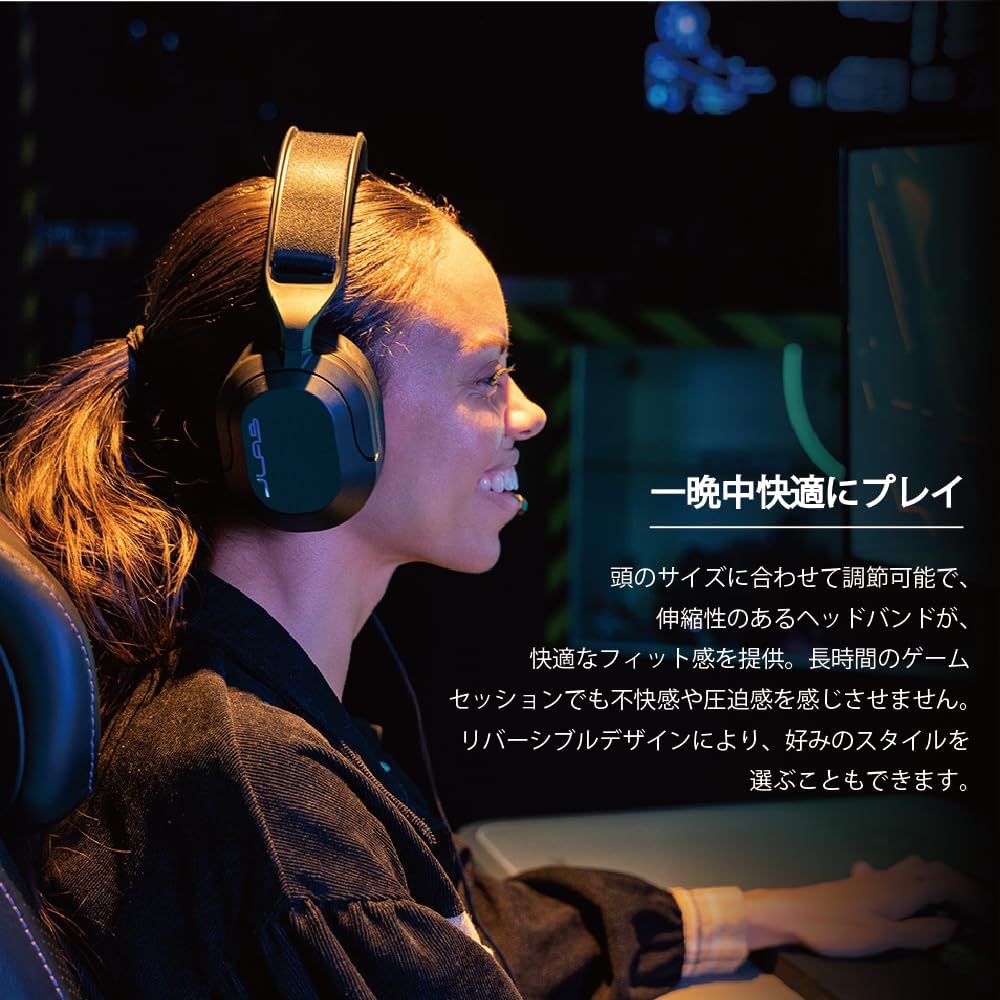
Image: A user wearing the JLab Nightfall headset, showcasing the comfortable over-ear design and adjustable headband for extended wear.

Paveikslėlis: detalus view of the JLab Nightfall headset's cloud foam ear cushions, emphasizing their soft and comfortable design.
Specifikacijos
| Funkcija | Detalė |
|---|---|
| Prekės ženklas | JLab |
| Modelio pavadinimas | Nightfall |
| Ryšio technologija | Laidinis (3.5 mm lizdas) |
| Ausų išdėstymas | Virš ausies |
| Garso tvarkyklės dydis | 50 milimetrų |
| Varža | 32 omai |
| Jautrumas | 102 dB |
| Dažnių diapazonas | 20Hz - 20,000Hz |
| Triukšmo valdymas | Garso izoliacija |
| Mikrofonas | Flip-to-mute rotating boom mic, TeamSpeak Certified near-field directional |
| Suderinami įrenginiai | PC/Mac, Xbox, PlayStation 4, PlayStation 5, Nintendo Switch |
| Prekės svoris | 0.39 kilogramo |
| Medžiaga | Plastic, Metal, Synthetic materials |
| Papildomos funkcijos | Adjustable Headband, Cloud Foam Cushions |
Priežiūra
- Valymas: Ausinėms valyti naudokite minkštą, sausą šluostę. Nenaudokite skystų valiklių ar aerozolių.
- Saugykla: Laikykite ausines vėsioje, sausoje vietoje, toliau nuo tiesioginių saulės spindulių ir ekstremalių temperatūrų.
- Kabelio priežiūra: Venkite staigių lenkimų ar per didelio kabelio tempimo, kad nepažeistumėte jo.
Trikčių šalinimas
- Nėra garso:
- Įsitikinkite, kad 3.5 mm lizdas yra visiškai įkištas į jūsų įrenginį.
- Check your device's audio settings to confirm the headset is selected as the output device and volume is not muted.
- Išbandykite ausines su kitu įrenginiu, kad atmestumėte su įrenginiu susijusią problemą.
- Mikrofonas neveikia:
- Įsitikinkite, kad mikrofono svirtelė yra nuleista žemyn į aktyvią padėtį (ne išjungta).
- Verify your device's audio settings have the headset microphone selected as the input device and input volume is not muted.
- Check for any in-game or application-specific microphone settings.
- Iškraipytas garsas:
- Lower the volume on your device or the headset.
- Ensure the 3.5mm connection is secure and free from debris.
- Test with another audio source to determine if the issue is with the headset or the source device.
Garantija ir palaikymas
The JLab Nightfall Wired Gaming Headset comes with a 2-Year Warranty from the manufacturer, JLab Audio. For detailed warranty information, technical support, or service inquiries, please refer to the official JLab websvetainėje arba susisiekite tiesiogiai su jų klientų aptarnavimo tarnyba.
Manufacturer: JLab Audio