
Įvadas
This manual provides essential information for the safe and efficient operation, maintenance, and troubleshooting of your Samsung PowerBot-E Smart Robot Vacuum Cleaner, model VR05R5050WK/AX. Please read this manual thoroughly before using the appliance and retain it for future reference.
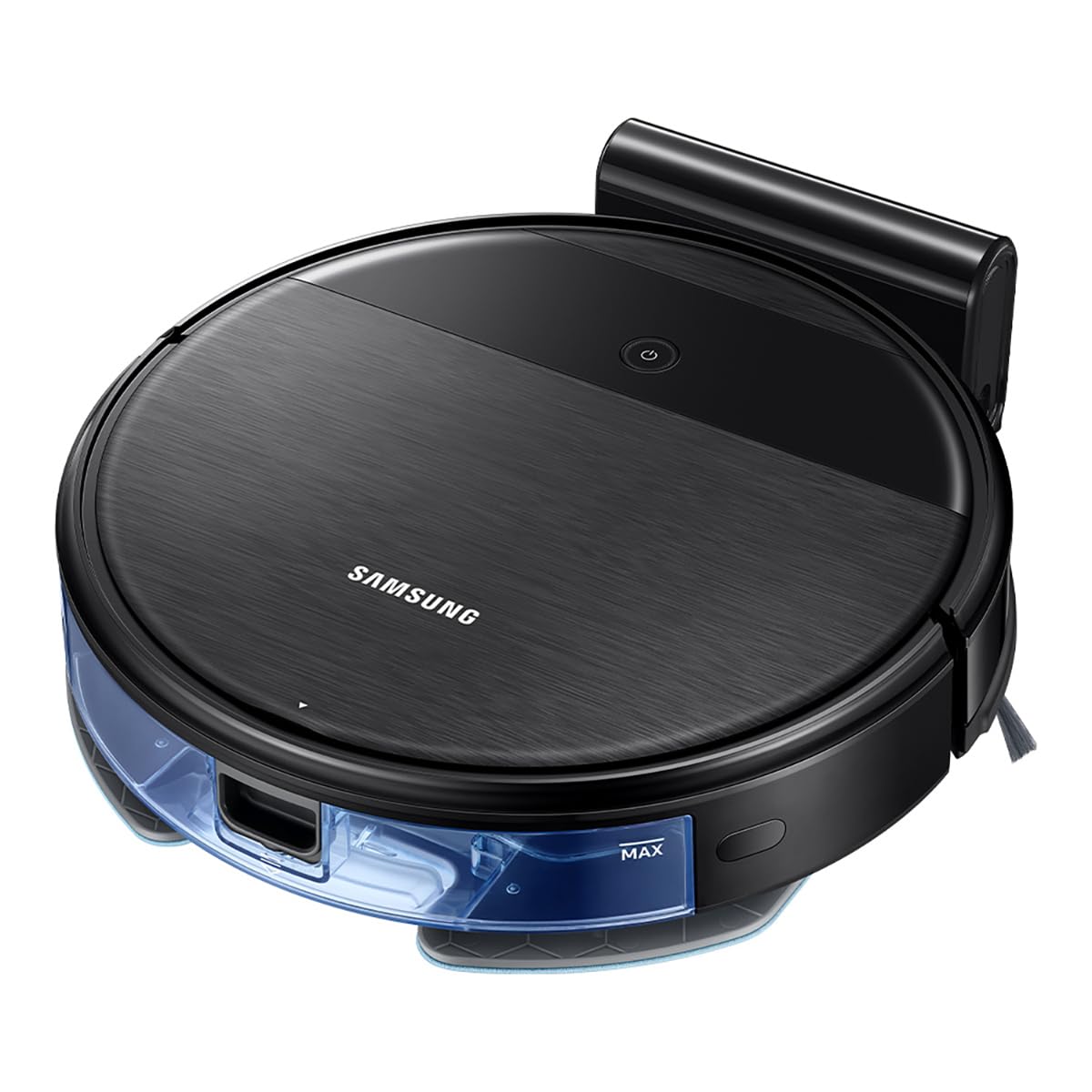
The Samsung PowerBot-E is designed to clean and mop floors simultaneously, offering a 2-in-1 cleaning system. It features Wi-Fi control for remote operation and a smart sensing system to prevent collisions and falls.
Pakuotės turinys
Patikrinkite, ar pakuotėje yra visi komponentai:
- PowerBot-E Robot Vacuum Cleaner
- Dokų stotis
- Filter (1 installed, 1 extra)
- Mop (2 units)
- Nuotolinio valdymo pultas
- Side Brush (1 installed, 1 extra)

Svarbi saugos informacija
Naudodami elektros prietaisus, visada laikykitės pagrindinių saugos priemonių, kad sumažintumėte gaisro, elektros smūgio ar sužalojimo riziką.
- Do not operate the vacuum cleaner near flammable materials or liquids.
- Ensure the charging dock is placed on a flat, stable surface away from water.
- Plaukus, laisvus drabužius, pirštus ir visas kūno dalis laikykite toliau nuo angų ir judančių dalių.
- Do not pick up large objects, sharp objects, or liquids with the vacuum.
- Supervise children and pets when the vacuum is operating.
- Naudokite tik gamintojo rekomenduojamus priedus ir aksesuarus.
Sąranka
1. Akumuliatoriaus įkrovimas
- Place the docking station against a wall in an open area, ensuring there are no obstacles within 0.5 meters to either side and 1.5 meters in front.
- Connect the power adapter to the docking station and plug it into a wall outlet.
- Place the PowerBot-E onto the docking station. Ensure the charging contacts on the vacuum align with those on the dock. The indicator light will show charging status.
- Allow the vacuum to fully charge before first use (approximately 4 hours). A full charge provides up to 150 minutes of cleaning time.

2. Installing Side Brushes and Mop Pad
- Apverskite robotinį dulkių siurblį aukštyn kojomis.
- Align the side brushes with the corresponding posts and press them down until they click into place.
- Attach a clean mop pad to the mop holder. Fill the water tank if using the mopping function.
- Slide the mop holder with the attached pad into the slot at the rear of the vacuum until it clicks.


3. Wi-Fi Connection (SmartThings App)
- Download the Samsung SmartThings app from your device's app store.
- Create a Samsung account or log in.
- Follow the in-app instructions to add your PowerBot-E device. This will enable remote control and scheduling features.
Naudojimo instrukcijos
Valymo ciklo pradžia
- Rankinis paleidimas: Press the Power button on the top of the vacuum. The vacuum will begin cleaning in Auto mode.
- Nuotolinio valdymo pultas: Use the provided remote control to start, stop, or select cleaning modes.
- „SmartThings“ programėlė: Use the app to start cleaning, set schedules, or choose specific cleaning modes from your smartphone.
Valymo režimai
- Automatinis režimas: The vacuum cleans systematically until the battery is low, then returns to the docking station.
- Spot režimas: Intensyviau valo konkrečią vietą.
- Krašto režimas: Valo palei sienas ir baldų kraštus.
- Maksimalus režimas: Užtikrina maksimalią siurbimo galią giliam valymui.
2-in-1 Vacuuming and Mopping
The PowerBot-E can vacuum and mop simultaneously. When the mop pad is attached and the water tank is filled, the vacuum automatically detects the mop and adjusts water flow for optimal mopping.

Smart Sensing System
The integrated smart sensing system helps the vacuum navigate around obstacles and avoid falling down stairs. For optimal performance, ensure the floor is clear of small objects, cables, and thick rugs that could obstruct its path.
Priežiūra
Reguliarus valymas užtikrina optimalų roboto dulkių siurblio veikimą ir pailgina jo tarnavimo laiką.
1. Šiukšlių dėžės ištuštinimas
- Paspauskite dulkių surinktuvo atlaisvinimo mygtuką ir ištraukite dulkių surinktuvą.
- Atidarykite šiukšliadėžės dangtį ir išpilkite jos turinį į šiukšliadėžę.
- Jei reikia, dulkių surinktuvą išskalaukite vandeniu, prieš įdėdami atgal, įsitikinkite, kad jis visiškai sausas.
2. Filtro valymas
- Išimkite filtrą iš dulkių surinktuvo.
- Švelniai pastuksenkite į filtrą, kad pašalintumėte dulkes. Neplaukite HEPA filtro vandeniu.
- Filtrą keiskite kas 3–6 mėnesius arba pagal poreikį, kad išlaikytumėte siurbimo galią.
3. Cleaning the Main Brush and Side Brushes
- Nuimkite pagrindinio šepečio dangtelį ir iškelkite pagrindinį šepetį.
- Use the cleaning tool (if provided) or scissors to cut and remove any hair or debris wrapped around the brush.
- Pull off the side brushes and remove any tangled hair or debris. Reattach them securely.

4. Šluostės pagalvėlės ir vandens bako valymas
- Remove the mop pad after each use and wash it thoroughly. Allow it to air dry completely.
- Empty any remaining water from the water tank and rinse it. Ensure the tank is dry before storage.
5. Jutiklių ir įkrovimo kontaktų valymas
- Wipe the cliff sensors (located on the bottom of the vacuum) and charging contacts (on the vacuum and docking station) with a clean, dry cloth.
Trikčių šalinimas
| Problema | Galima priežastis | Sprendimas |
|---|---|---|
| Vacuum does not start or respond. | Low battery; Power switch off; Obstruction. | Charge the vacuum; Ensure power switch is ON; Remove any obstructions. |
| Dulkių siurblys dažnai užstringa. | Cables, small objects, or thick rugs on the floor. | Clear the cleaning area of obstacles. Avoid using on very thick carpets. |
| Prastas valymo našumas. | Pilna dulkių talpa; Užsikimšęs filtras; Susivėlę šepečiai. | Ištuštinkite dulkių konteinerį; Išvalykite arba pakeiskite filtrą; Išvalykite pagrindinį ir šoninius šepečius. |
| Vacuum does not return to charging dock. | Docking station obstructed; Vacuum too far from dock; Dirty charging contacts. | Ensure clear path to dock; Manually place on dock; Clean charging contacts. |
| Šluostymo funkcija neveikia. | Water tank empty; Mop pad not attached correctly. | Pripildykite vandens baką; Įsitikinkite, kad šluostės pagalvėlė yra tvirtai pritvirtinta. |
If the problem persists, please refer to the Samsung support websvetainėje arba susisiekite su klientų aptarnavimo tarnyba.
Specifikacijos
| Funkcija | Detalė |
|---|---|
| Modelio pavadinimas | Aspiradora Robot PowerBot-E (VR05R5050WK/AX) |
| Prekės ženklas | Samsung |
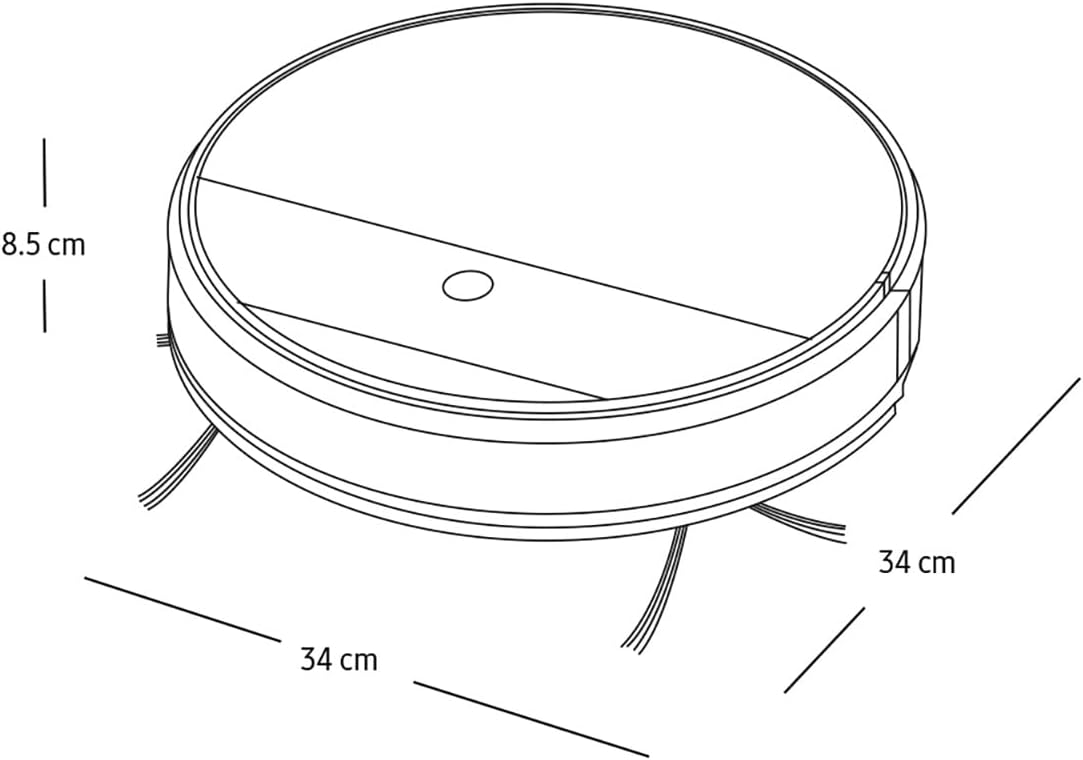
| Matmenys (I x P x A) | 34 l x 34 W x 8.5 A centimetrai |
| Svoris | 3 kilogramo |
| Baterijos veikimo laikas | Iki 150 minučių |
| Kontrolės metodas | Remote Control, App Control (SmartThings) |
| Paviršiaus rekomendacija | Visų tipų grindys |
| Triukšmo lygis | 77 decibelų |
| Įtraukti komponentai | Docking Station, Filter, Mop, Remote Control, Side Brush |
Garantija ir palaikymas
Informacijos apie garantiją ieškokite prie gaminio pridėtoje garantijos kortelėje arba apsilankykite oficialioje „Samsung“ svetainėje. websvetainėje. Išsaugokite pirkimo kvitą kaip pirkimo įrodymą garantiniams reikalavimams.
For technical support, spare parts, or service inquiries, please contact Samsung Customer Service or visit their support portal:
- „Samsung“ oficialus Websvetainė: www.samsung.com
- Klientų aptarnavimas: Kreipkitės į savo regioninį „Samsung“ webVietinių kontaktinių numerių svetainė.


