
Įvadas
Thank you for choosing the TECKNET Wireless Rechargeable Silent Mouse. This manual provides detailed instructions to help you get the most out of your new device. Please read it carefully before use and keep it for future reference.
Pakuotės turinys
- TECKNET Wireless Rechargeable Silent Mouse
- USB imtuvas
- USB-C įkrovimo laidas
- Vartotojo vadovas (šis dokumentas)
Produktas baigtasview
Susipažinkite su pelės komponentais:
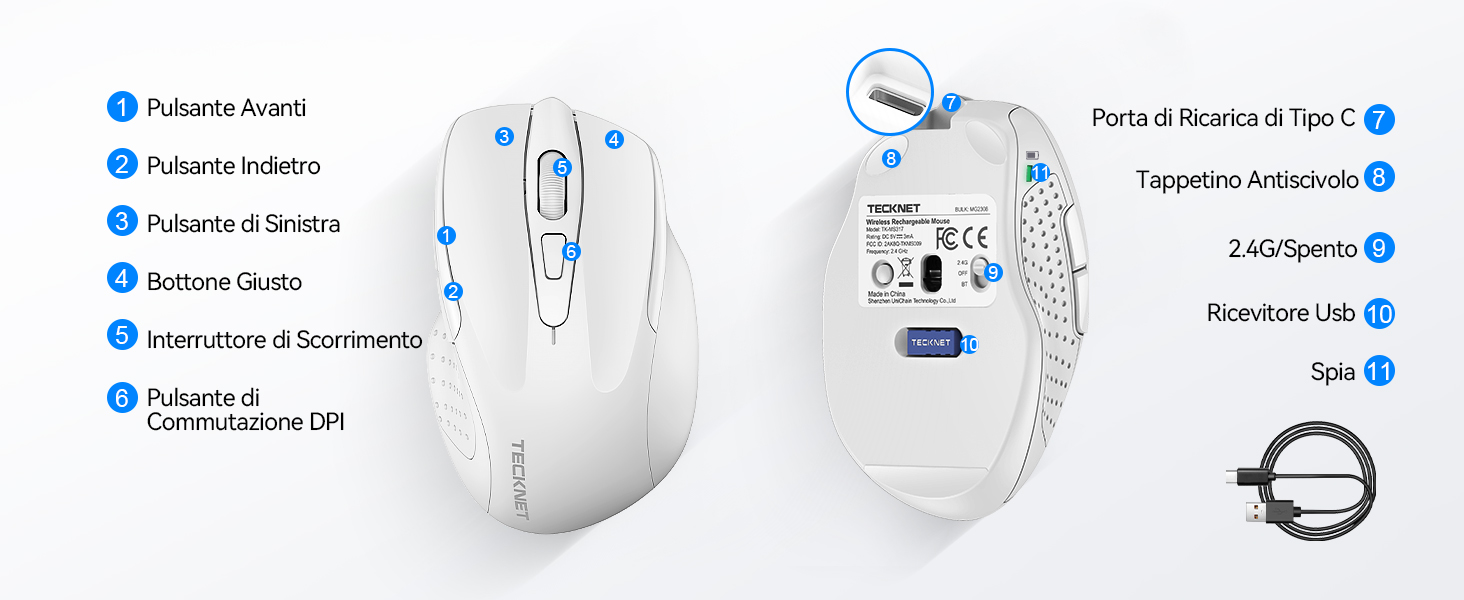
Figure 1: Mouse Components Diagram
- Pirmyn mygtukas
- Mygtukas Atgal
- Kairysis mygtukas
- Dešinysis mygtukas
- Slinkties ratukas
- DPI jungiklio mygtukas
- C tipo įkrovimo prievadas
- Neslystantis padas
- 2.4G/Off Switch
- USB imtuvo atmintis
- Indikatoriaus lemputė
Sąrankos instrukcijos
1. Pelės įkrovimas
Before first use, it is recommended to fully charge the mouse. Connect the provided USB-C charging cable to the mouse's Type-C charging port and the other end to a USB power source (e.g., computer USB port, USB wall adapter).

The mouse features a 700mAh built-in battery, providing extended usage on a single charge. The indicator light will show charging status.
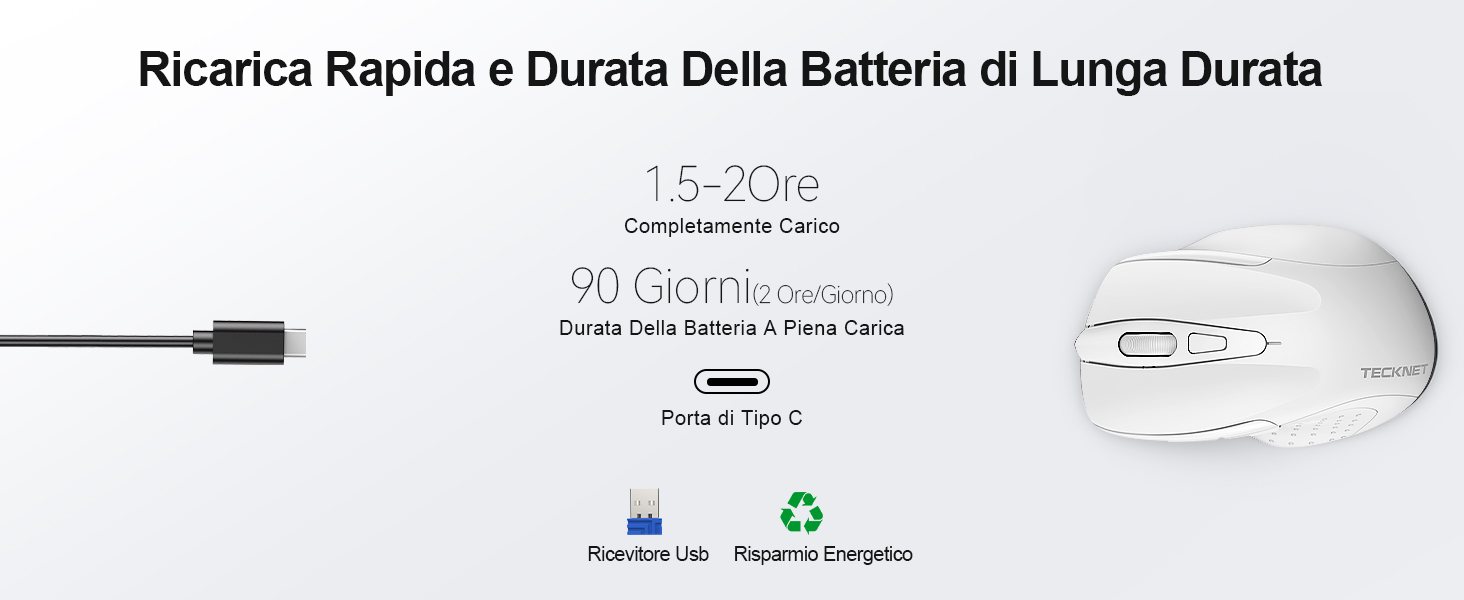
A full charge takes approximately 1.5-2 hours and can last up to 90 days (based on 2 hours/day usage).
2. USB imtuvo prijungimas
The mouse uses a 2.4GHz wireless connection for reliable data transmission.
- Raskite USB imtuvą, esantį pelės apačioje esančiame skyriuje.
- Plug the USB receiver into an available USB port on your computer (PC, laptop, Chromebook, etc.).
- Turn on the mouse using the 2.4G/Off switch located on the underside.
- Your computer should automatically detect and install the necessary drivers. The mouse is plug-and-play, requiring no additional software.

The effective working distance is up to 15 meters.

Ensure the mouse is switched on after plugging in the receiver.
Naudojimo instrukcijos
DPI reguliavimas
The mouse features 6 adjustable DPI levels (800/1200/1600/2400/3200/4800) to suit various tasks, from precise targeting to fast gaming movements. Press the DPI switch button (Component 6 in Figure 1) to cycle through the DPI settings.

Adjust DPI for optimal cursor speed and precision.
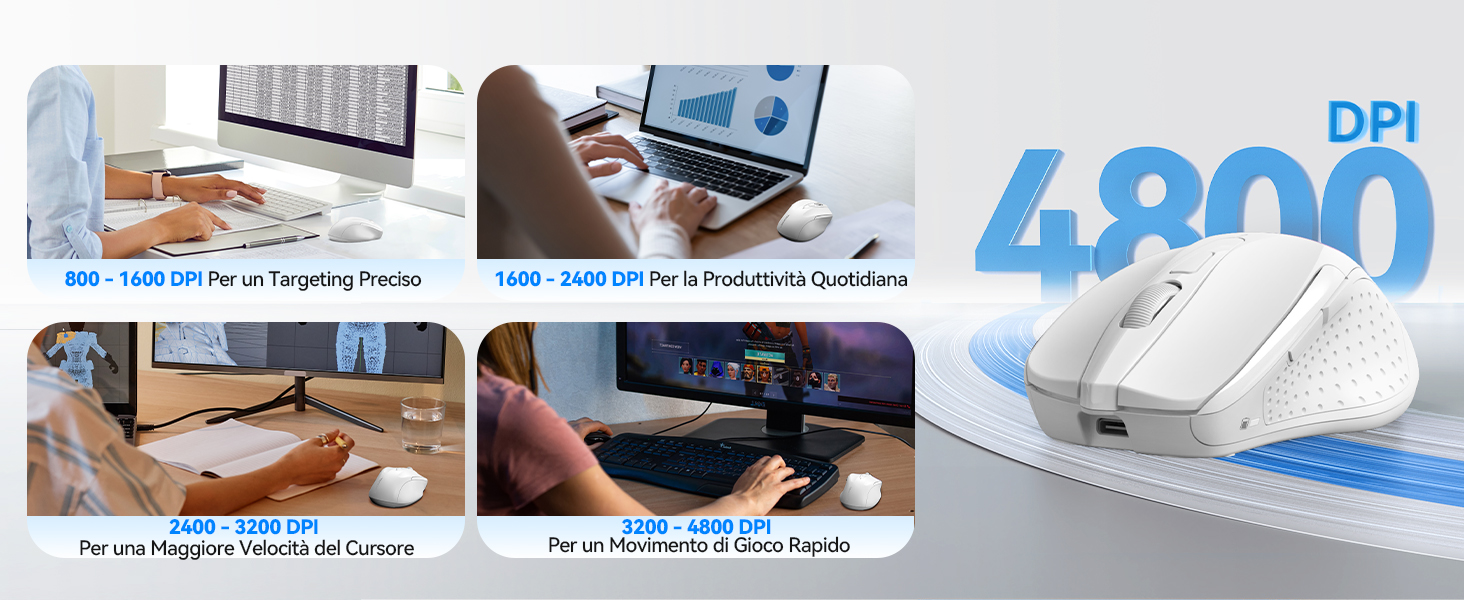
DPI settings for different usage scenarios.
Tyliojo spustelėjimo funkcija
The mouse is designed for silent operation, reducing click noise by up to 90%. This allows for a quiet working environment without disturbing others.

Enjoy a quiet working experience.
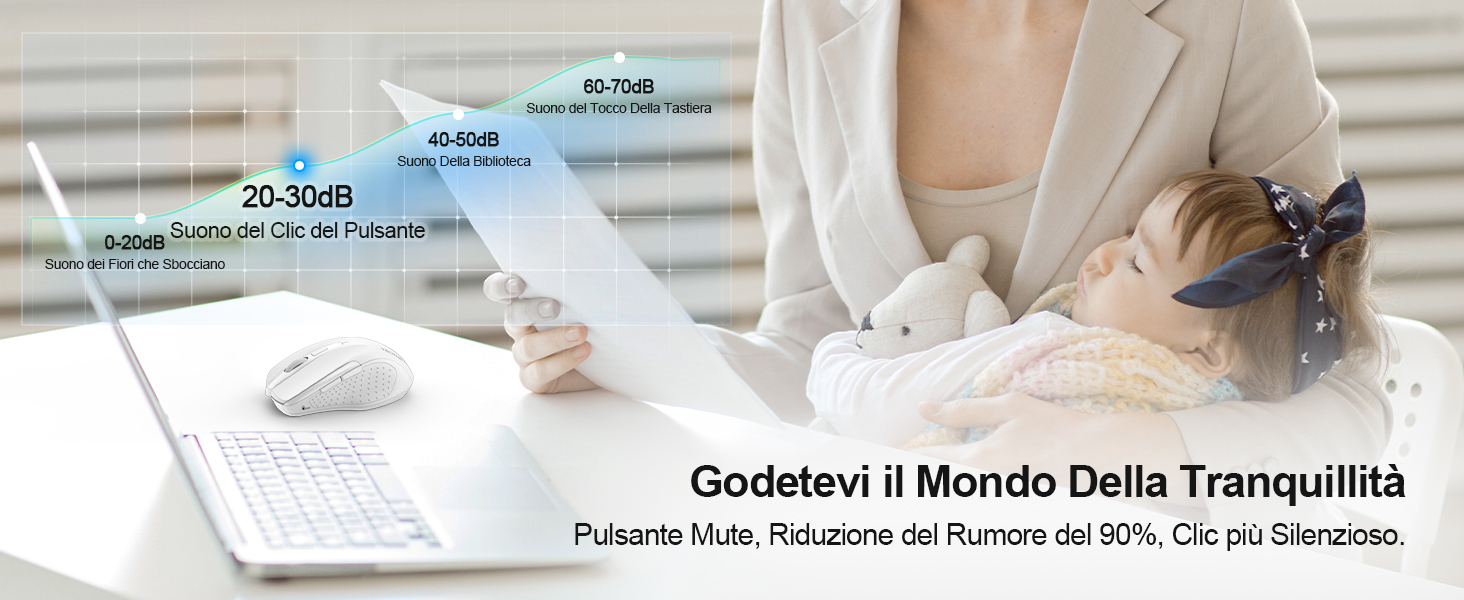
Sound level comparison demonstrating reduced click noise.
Ergonomiškas dizainas
The mouse is ergonomically designed to fit the natural curvature of your hand, reducing muscle pressure by up to 30% and ensuring comfortable use for extended periods. Soft natural rubber grips on the sides provide a secure and comfortable hold.

Ergonomic shape for comfortable use.
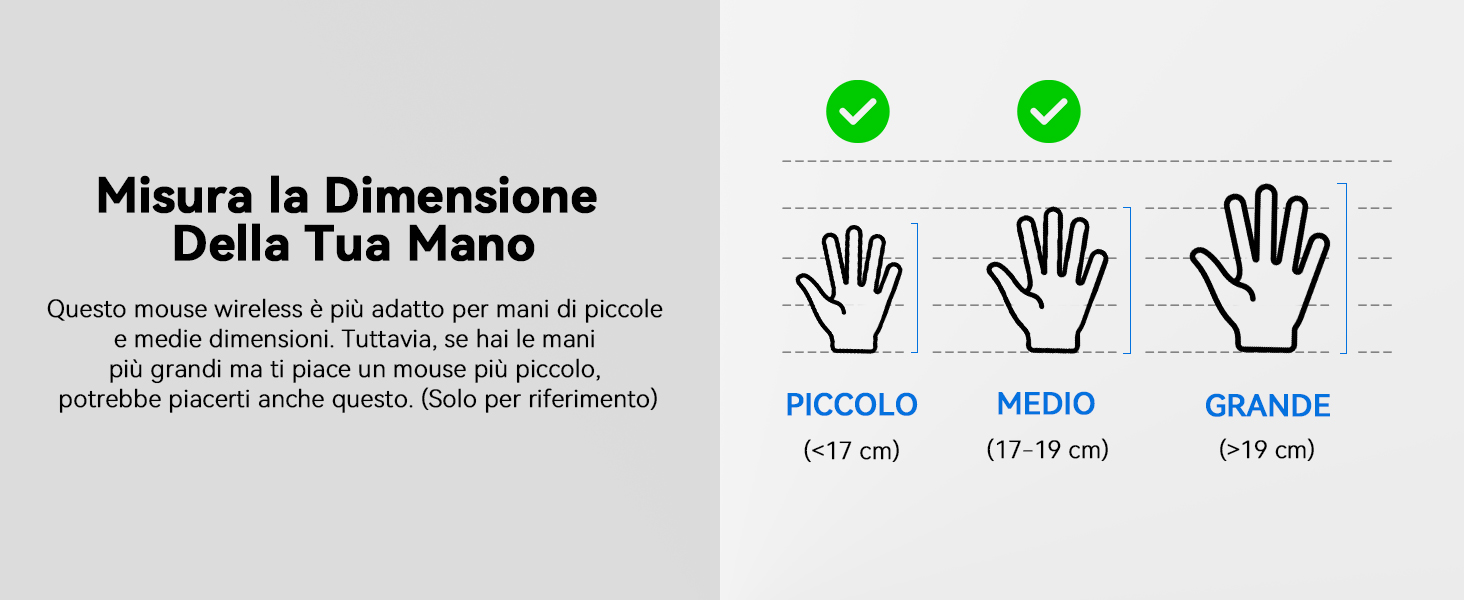
This mouse is suitable for small to medium hand sizes. Refer to the guide for reference.
Energijos taupymo funkcijos
The mouse includes intelligent power-saving features:
- Automatinis miego režimas: If inactive for 10 seconds, the mouse enters standby mode. After 10 minutes of inactivity, it enters deep sleep mode to conserve battery.
- Žadinimo funkcija: Paspauskite bet kurį mygtuką, kad pažadintumėte pelę iš miego režimo.
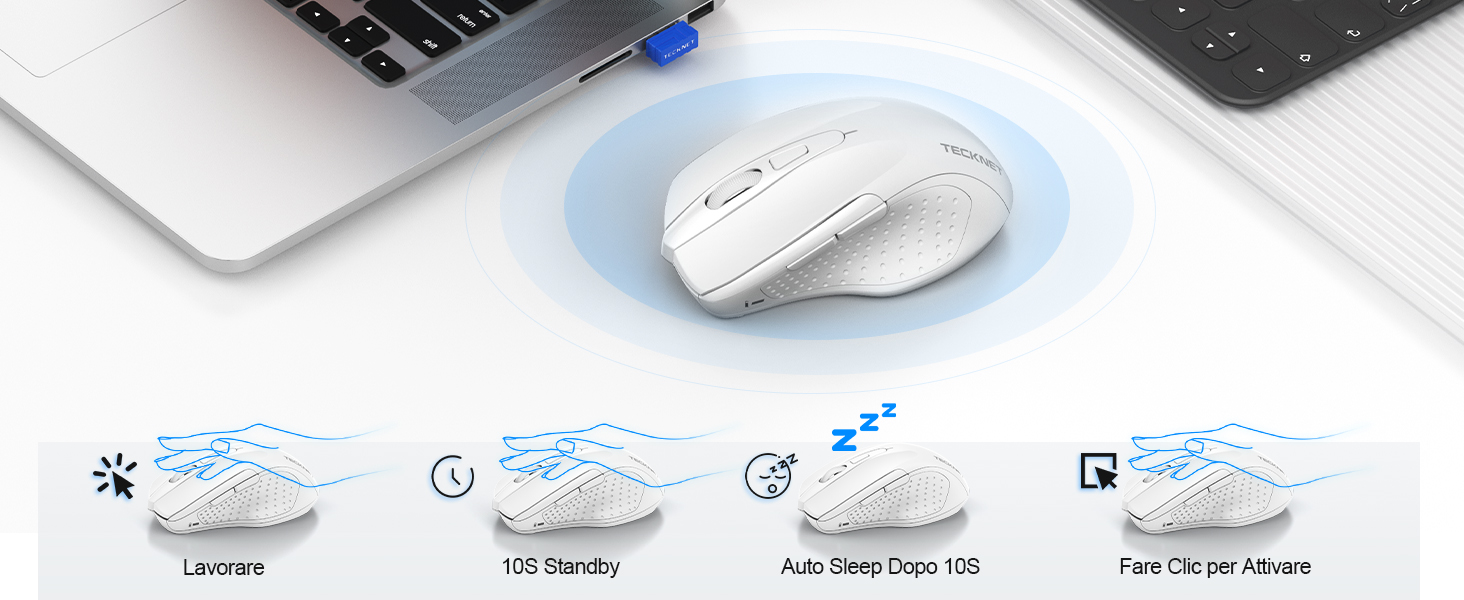
Power saving modes for extended battery life.
Priežiūra
- Valymas: Pelę valykite minkšta, sausa šluoste. Įsisenėjusius nešvarumus lengvai nuvalykite.amp galima naudoti šluostę, užtikrinant, kad į įrenginį nepatektų drėgmės.
- Įkrovimas: Recharge the mouse when the indicator light signals low battery. Avoid completely draining the battery frequently to prolong its lifespan.
- Saugykla: When not in use for extended periods, turn off the mouse and store the USB receiver in its designated compartment.
Trikčių šalinimas
| Problema | Galima priežastis | Sprendimas |
|---|---|---|
| Pelė nereaguoja | Low battery; USB receiver not connected; Mouse switched off; Driver issue. | Įkraukite pelę; Įsitikinkite, kad USB imtuvas yra tvirtai prijungtas; Įjunkite pelę; Išbandykite kitą USB prievadą; Paleiskite kompiuterį iš naujo. |
| Pertraukiamas ryšys arba vėlavimas | Interference from other wireless devices; Distance from receiver; Obstructions. | Move closer to the receiver; Remove obstructions; Avoid using near other 2.4GHz devices; Try a different USB port. |
| Cursor movement is erratic or imprecise | Dirty optical sensor; Unsuitable surface; Incorrect DPI setting. | Clean the optical sensor; Use a mouse pad or a smooth, non-reflective surface; Adjust DPI settings. |
| Mouse does not charge | Faulty charging cable; Faulty USB port; Mouse issue. | Try a different USB-C cable; Try a different USB power source; Contact customer support if the issue persists. |
Specifikacijos
| Prekės ženklas | TECNET |
| Modelio numeris | TK-MS009 |
| Spalva | Baltas |
| Ryšio technologija | 2.4 GHz belaidis ryšys (USB imtuvas) |
| Ypatingos savybės | Rechargeable, Long Battery Life, Silent Click, Ergonomic Design |
| Judesio aptikimo technologija | Optinis |
| Mygtukų skaičius | 6 |
| Rankų orientacija | Dešiniarankis |
| Suderinami įrenginiai | Laptop, PC, Chromebook, Computer |
| Operacinės sistemos | Windows 11/10/8.1/8/7/Vista/XP, Linux, Mac OS (side buttons not available on Mac OS) |
| Vidutinis baterijos veikimo laikas | 1050 Hours (approx. 1-2 months on 2-hour charge) |
| Maksimalus jautrumas | 4800 DPI |
| belaidis diapazonas | 15 metrų |
| Matmenys (I x P) | 10.6 cm ilgio x 6.8 cm pločio |
| Medžiaga | Plastikiniai |
Garantija ir palaikymas
TECKNET siūlo 36 mėnesių garantija for registered users. If you encounter any issues during the use of your mouse, please contact our professional customer service team as soon as possible. We are committed to assisting you in resolving any problems.
For support, please visit the official TECKNET websvetainėje arba žr. kontaktinę informaciją, pateiktą ant produkto pakuotės.
Internetiniai ištekliai: