
1. Įvadas
The PNI PMR R70 PRO is a portable PMR446 radio designed for reliable communication. This device operates on the 446 MHz frequency band, offering 16 channels and 99 PC programmable channels. It features 50 CTCSS tones and 166 DCS tones for enhanced privacy and interference reduction. With an IP67 rating, the radio is protected against dust and water immersion, making it suitable for various environments. No license is required for operation in most European Union countries.
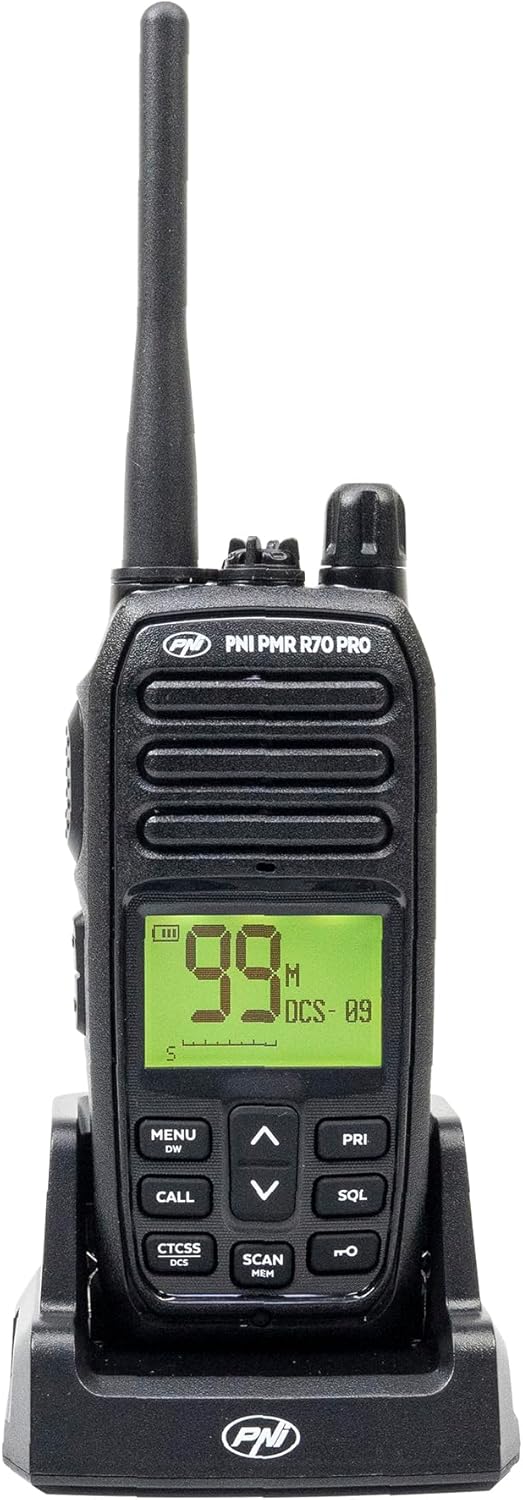
1.1 vaizdas: priekis view of the PNI PMR R70 PRO portable radio, showing the display and control buttons.
2. Pakuotės turinys
Patikrinkite, ar pakuotėje yra visi toliau išvardyti daiktai:
- PNI PMR R70 PRO Radio Unit
- Antena
- 1800 mAh baterija
- Stalinis įkroviklis
- Diržo segtukas
- Vartotojo vadovas
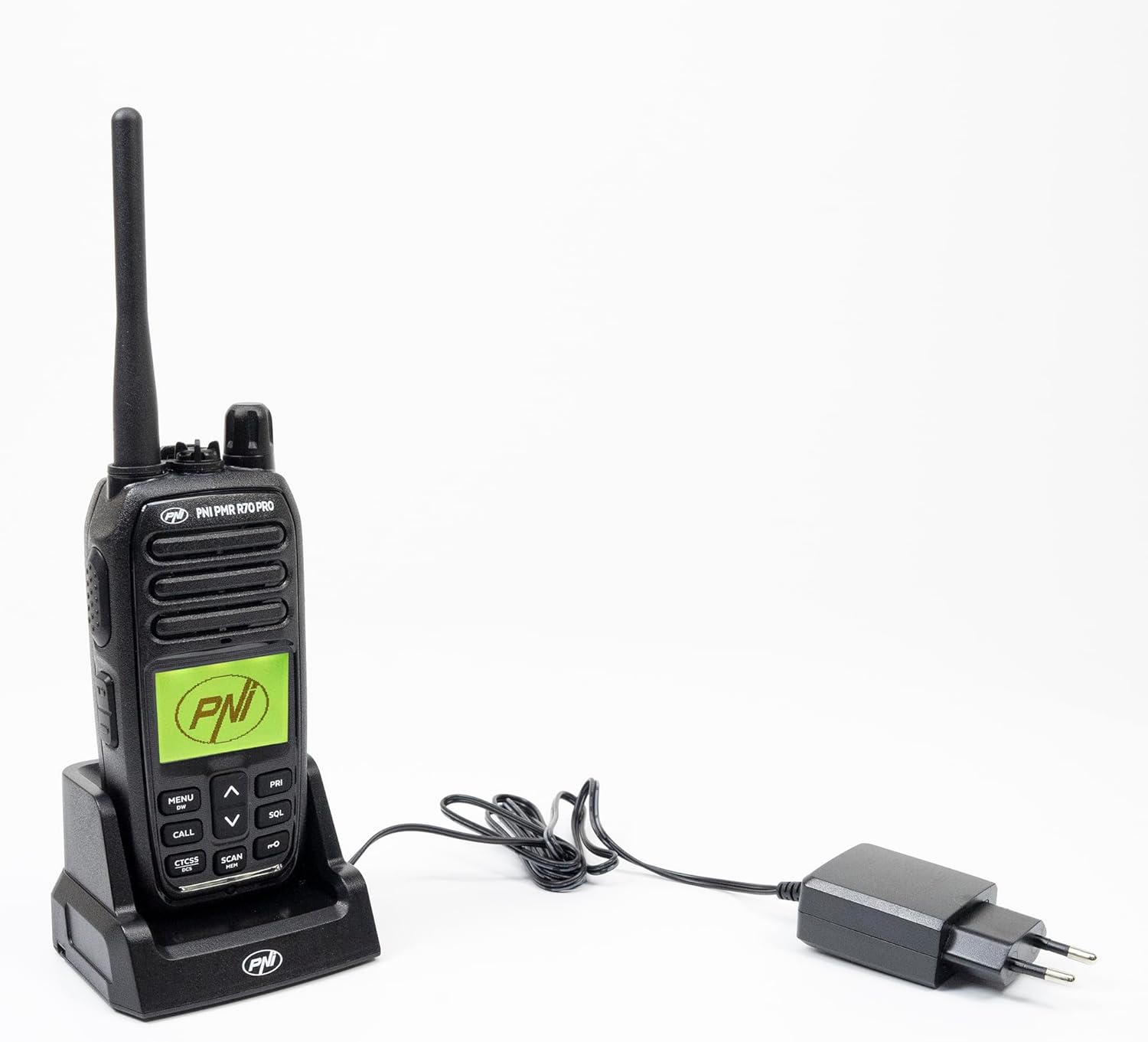
Image 2.1: All components included in the PNI PMR R70 PRO package: radio, antenna, battery, desktop charger, and belt clip.
3. Sąranka
3.1 Akumuliatoriaus įdėjimas
- Įsitikinkite, kad radijo imtuvas yra išjungtas.
- Raskite baterijų skyriaus dangtelį radijo imtuvo gale.
- Unscrew the retaining screw and carefully remove the cover.
- Insert the 1800 mAh battery into the compartment, ensuring the contacts align correctly.
- Uždėkite akumuliatoriaus skyriaus dangtelį ir pritvirtinkite jį varžtu.

3.1 vaizdas: galinis view of the PNI PMR R70 PRO radio with the battery compartment open, showing the battery and its connection.
3.2 Akumuliatoriaus įkrovimas
- Connect the desktop charger to a power outlet.
- Place the radio unit into the charging cradle. Ensure the charging contacts on the radio align with those on the charger.
- The charging indicator light on the charger will illuminate, typically red for charging and green for fully charged.
- Visiškas įkrovimas paprastai trunka kelias valandas. Neperkraukite akumuliatoriaus.
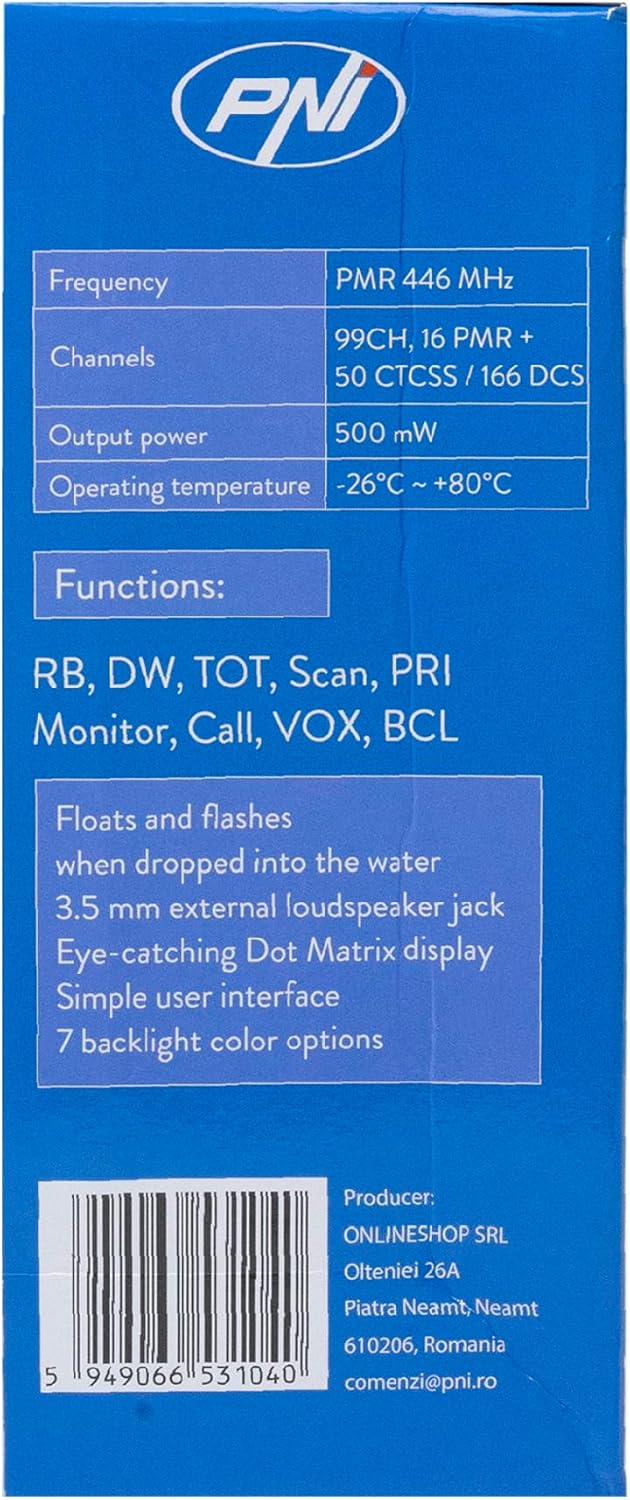
Image 3.2: The PNI PMR R70 PRO radio placed in its desktop charging cradle, connected to a power adapter.
4. Naudojimo instrukcijos
4.1 Maitinimo įjungimas/išjungimas
Norėdami įjungti radiją, sukite maitinimo / garsumo rankenėlę pagal laikrodžio rodyklę, kol išgirsite spragtelėjimą. Norėdami išjungti, sukite rankenėlę prieš laikrodžio rodyklę, kol išgirsite spragtelėjimą.
4.2 Garsumo reguliavimas
Pasukite maitinimo / garsumo rankenėlę pagal laikrodžio rodyklę, kad padidintumėte garsumą, ir prieš laikrodžio rodyklę, kad jį sumažintumėte.
4.3 Kanalo pasirinkimas
Naudokite UP (^) ir ŽEMYN (v) arrow buttons on the front panel to select one of the 16 available channels. The selected channel number will be displayed on the screen.
4.4 Perdavimas ir priėmimas
- Perduoti: Press and hold the Push-To-Talk (PTT) button located on the side of the radio. Speak clearly into the microphone. Release the PTT button to stop transmitting.
- Norėdami gauti: Įsitikinkite, kad PTT mygtukas nėra paspaustas. Radijas automatiškai priims signalus pasirinktu kanalu.
4.5 Ypatingos savybės
- CTCSS/DCS tonai: The radio supports 50 CTCSS (Continuous Tone-Coded Squelch System) and 166 DCS (Digitally Coded Squelch) tones. These tones help filter out unwanted conversations on the same channel. Refer to the full user guide for programming instructions.
- Skenavimo funkcija: Activate the scan function to monitor all active channels. The radio will stop on an active channel until the transmission ends.
- Dvigubas stebėjimas (DW): This feature allows the radio to monitor two channels simultaneously.
- Rogerio pyptelėjimas: An audible tone emitted when the PTT button is released, signaling the end of your transmission.
- Klaviatūros užraktas: Apsaugo nuo atsitiktinio nustatymų pakeitimo.
- PC Programmable Channels: The radio supports 99 PC programmable channels. This requires a specific programming cable (PNI - PSR70) and software.

Image 4.1: The PNI PMR R70 PRO radio connected to a laptop via a programming cable for channel and feature customization.
5. Priežiūra
5.1 Valymas
Nuvalykite radiją minkšta, damp šluoste. Nenaudokite stiprių cheminių medžiagų ar abrazyvinių valiklių. Prieš naudodami arba įkraudami, įsitikinkite, kad radijo imtuvas yra sausas.
5.2 Atsparumas vandeniui (IP67)
The PNI PMR R70 PRO is rated IP67, meaning it is fully protected against dust ingress and can withstand immersion in water up to 1 meter for 30 minutes. While robust, avoid unnecessary exposure to water and ensure all covers (e.g., battery cover, accessory port cover) are securely closed before exposing the radio to water.

Image 5.1: The PNI PMR R70 PRO radio with water droplets, illustrating its IP67 water resistance feature.
6. Problemų sprendimas
If you encounter issues with your PNI PMR R70 PRO radio, consider the following common troubleshooting steps:
- Nėra galios: Įsitikinkite, kad akumuliatorius tinkamai įdėtas ir visiškai įkrautas. Patikrinkite, ar įjungtas maitinimo / garsumo rankenėlė.
- Negalima perduoti ar priimti: Verify that you are on the correct channel. Check if the PTT button is functioning. Ensure the antenna is securely attached.
- Prasta garso kokybė: Adjust the volume. Ensure the microphone and speaker are not obstructed. Move to an area with fewer obstructions for better signal.
- Trumpas atstumas: Obstacles like buildings and terrain can significantly reduce range. Operate in open areas for maximum range. Ensure the battery is fully charged.
- Klaviatūra nereaguoja: Check if the keypad lock feature is activated. Deactivate it if necessary.
For persistent issues, consult the comprehensive user guide or contact customer support.
7. Specifikacijos
| Funkcija | Specifikacija |
|---|---|
| Prekės ženklas | PNI |
| Modelio numeris | PNI-R70-PRO |
| Dažnių diapazonas | 446.00625 ~ 446.19375 MHz |
| Kanalų skaičius | 16 (PMR), 99 PC Programmable |
| Išėjimo galia | 0.5 W |
| CTCSS tonai | 50 |
| DCS Tones | 166 |
| Tarptautinis apsaugos įvertinimas | IP67 (Dustproof, Submersible up to 1m for 30 min) |
| Baterija | 1800 mAh (included) |
| Vidutinis baterijos veikimo laikas | 18 valandos |
| ttage | 7.4 volto (DC) |
| Didžiausias diapazonas | Up to 10 Kilometers (open space) |
| Darbinė temperatūra | -26°C ~ +80°C |
| Gaminio matmenys (D x P x A) | 6P x 13lx 4H centimetrų |
| Prekės svoris | 225 gramų |
| Ypatingos savybės | Digital Display, Rechargeable, Roger Beep, Submersible, Keypad Lock |
8. Garantija ir palaikymas
8.1 Informacija apie garantiją
The PNI PMR R70 PRO radio comes with a 2 metų garantija nuo įsigijimo datos. Ši garantija taikoma gamybos defektams, atsiradusiems įprasto naudojimo metu. Išsaugokite pirkimo įrodymą, jei galėtumėte pateikti pretenzijas dėl garantijos.
8.2 Pagalba klientams
For technical assistance, troubleshooting, or warranty service, please contact your retailer or the manufacturer's customer support. Refer to the contact information provided in your purchase documentation.