
Ctronics CTIPC-640C-M12B
Ctronics 4K 8MP Wi-Fi PTZ Outdoor Security Camera
Vartotojo vadovas
1. Įvadas
Thank you for choosing the Ctronics 4K 8MP Wi-Fi PTZ Outdoor Security Camera. This manual provides detailed instructions for the installation, operation, and maintenance of your new security camera. Please read this manual thoroughly before use to ensure proper functionality and safety.
This camera is designed to provide comprehensive outdoor surveillance with advanced features such as 4K Ultra HD resolution, Pan-Tilt-Zoom capabilities, intelligent detection, and versatile storage options.

Image: The Ctronics 4K 8MP Wi-Fi PTZ Outdoor Security Camera, showcasing its sleek black design and dual antennas.
2. Saugos informacija
Kad nesugadintumėte gaminio ir nesužalotumėte savęs bei kitų, laikykitės šių saugos priemonių:
- Ensure the power supply matches the camera's specifications (12 Volts, 24 Watts).
- Nelaikykite fotoaparato ekstremaliose temperatūrose, kurios yra už jo veikimo diapazono ribų.
- Avoid direct exposure to strong sunlight for prolonged periods, which may affect image quality.
- Laikykite fotoaparatą atokiau nuo stiprių magnetinių laukų.
- Nebandykite ardyti ar modifikuoti fotoaparato. Visus techninės priežiūros darbus patikėkite kvalifikuotiems specialistams.
- Ensure all cables are properly secured to prevent tripping hazards or accidental disconnection.
3. Pakuotės turinys
Įsitikinkite, kad pakuotėje yra visi šie daiktai:
- Ctronics 4K 8MP Wi-Fi PTZ Outdoor Security Camera
- Maitinimo adapteris
- Tvirtinimo varžtai ir sieniniai kaiščiai
- Waterproof Kit for Network Cable
- Greitos pradžios vadovas
4. Produktas baigtasview
Susipažinkite su pagrindiniais fotoaparato komponentais:
- Objektyvas: Užfiksuoja vaizdo įrašą footage.
- IR šviesos diodai: Naktinio matymo funkcijai užtikrinti infraraudonųjų spindulių apšvietimą.
- Prožektoriai: Enhance color night vision and act as deterrents.
- Mikrofonas: Įrašo garsą dvipusiam ryšiui.
- Pranešėjas: Išveda garsą dvipusiam ryšiui ir signalizacijai.
- Antenos: Dėl „Wi-Fi“ ryšio.
- „Micro SD“ kortelės lizdas: Vietinei saugyklai (palaiko iki 256 GB, nepridedama).
- Atkūrimo mygtukas: Naudojamas norint atkurti gamyklinius fotoaparato nustatymus.
- Maitinimo prievadas: Jungiamas prie maitinimo adapterio.
- Ethernet prievadas: For wired network connection (optional).
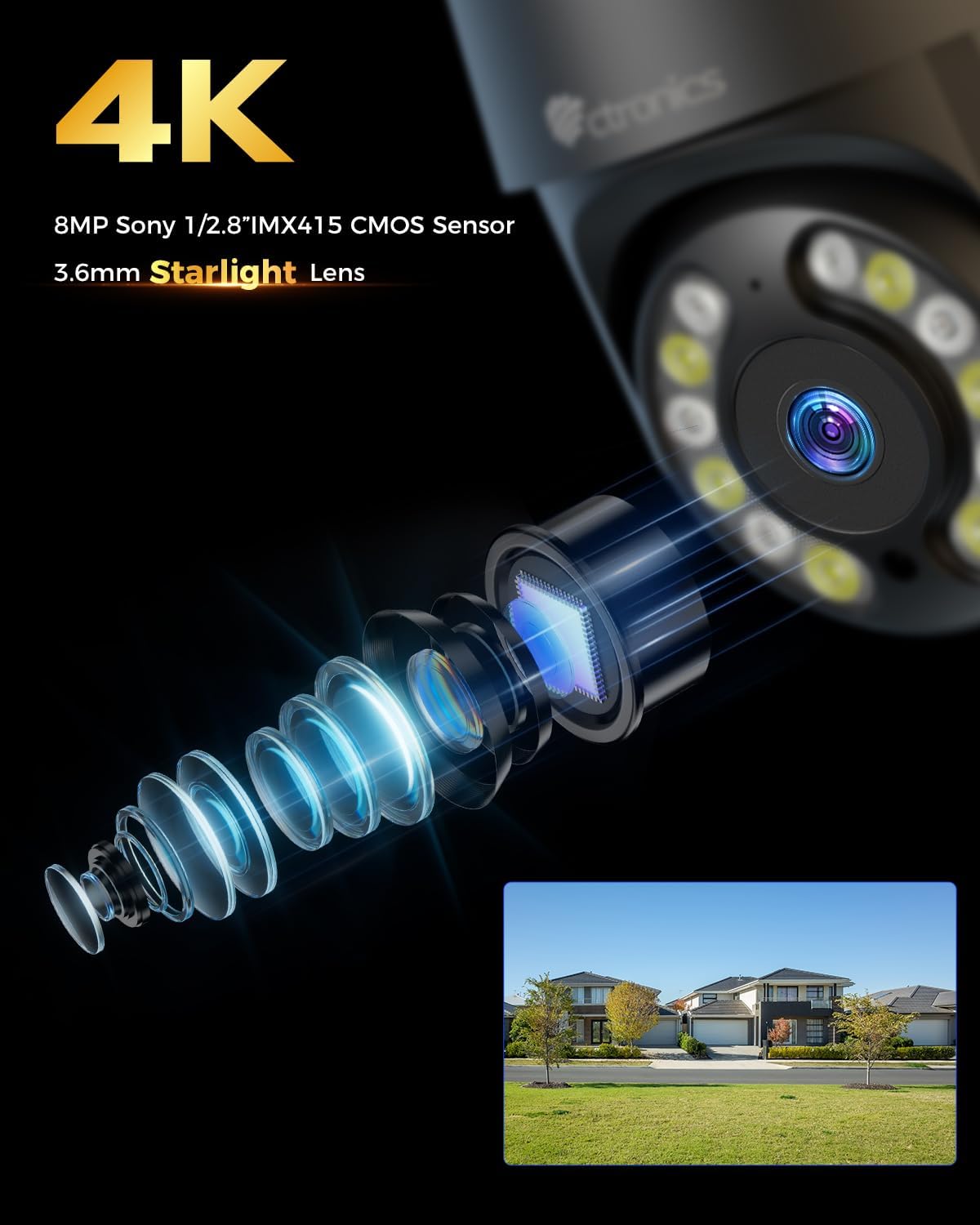
Vaizdas: Stambus planas view of the camera's 4K 8MP Sony 1/2.8" IMX415 CMOS Sensor and 3.6mm Starlight Lens, highlighting its advanced optical components.
5. Sąranka
5.1 Fizinis įrengimas
The camera supports both ceiling and wall mounting. Choose a location that provides the desired viewkampu ir yra „Wi-Fi“ ryšio diapazone arba netoli Ethernet prievado.
- Gręžimo pozicijų žymėjimas: Use the mounting template (if provided) or the camera base to mark the screw holes on the wall or ceiling.
- Gręžimo skylės: Pažymėtose vietose išgręžkite skyles ir įstatykite sieninius kaiščius.
- Apsaugokite fotoaparatą: Align the camera base with the drilled holes and secure it with the provided screws.
- Prijunkite maitinimą: Connect the power adapter to the camera's power port and plug it into a power outlet.

Image: Illustrates two flexible installation methods for the Ctronics camera: wall-mounted and ceiling-mounted, demonstrating its versatility.
5.2 Tinklo jungtis
The camera supports dual-band Wi-Fi (2.4GHz and 5GHz) for flexible connectivity.
- „Wi-Fi“ ryšys: For wireless setup, ensure your Wi-Fi network is active. The camera will connect to your chosen network during the app setup process.
- Ethernet jungtis (neprivaloma): For a stable wired connection, connect an Ethernet cable from your router to the camera's Ethernet port.
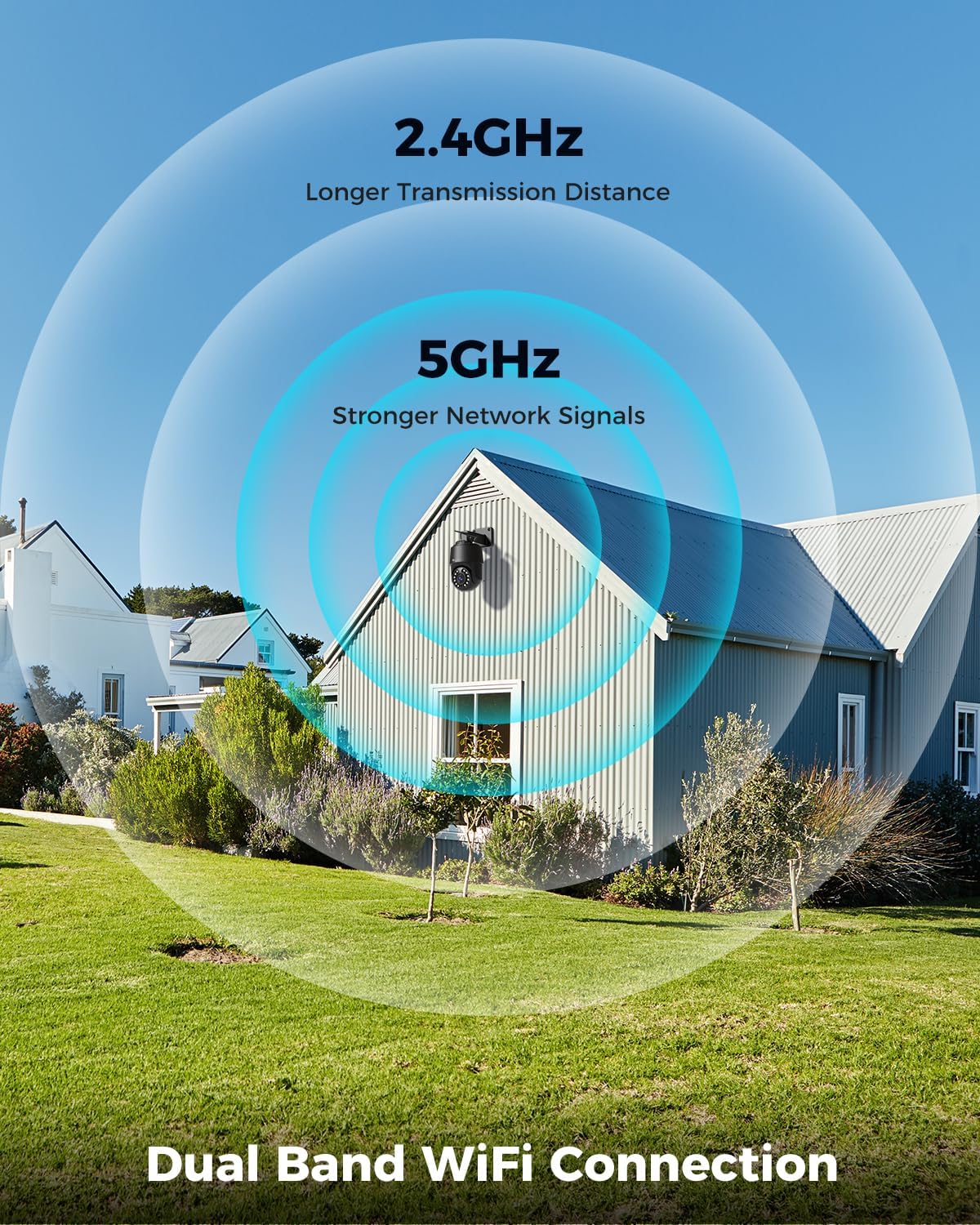
Image: Depicts the camera's dual-band Wi-Fi capability, showing 2.4GHz for longer transmission distance and 5GHz for stronger network signals, ensuring reliable connectivity.
5.3 Programėlės diegimas ir pradinė sąranka
Download the 'Ctronics PRO' or 'HIP2P' app from your mobile app store (iOS/Android) or the Ctronics website for PC/Mac clients.
- Atsisiųsti programą: Ieškokite "Ctronics PRO" or "HIP2P" in the App Store or Google Play Store and install it.
- Registruoti paskyrą: Atidarykite programėlę ir užregistruokite naują paskyrą arba prisijunkite, jei jau turite.
- Pridėti įrenginį: Tap the "+" icon to add a new device. Follow the on-screen instructions to scan the QR code on the camera or manually enter the device ID.
- Konfigūruoti tinklą: If connecting via Wi-Fi, select your Wi-Fi network and enter the password. The camera will then connect.
- Nustatyti slaptažodį: Dėl saugumo sukurkite tvirtą slaptažodį savo kamerai.

Image: Shows the broad compatibility of the Ctronics camera with various operating systems and platforms, including iOS, Android, Mac OS, Windows, Ctronics Pro app, and HiP2P client.
6. Fotoaparato valdymas
6.1 Tiesiogiai View
Once connected, you can access the live video feed from your camera through the app. This allows you to monitor your property in real-time.
6.2 PTZ valdymas (panoraminis posūkis, pakreipimas, priartinimas)
The camera features 355° pan and 90° tilt capabilities, along with 5x optical zoom.
- Stumti / pakreipti: Use the directional controls in the app to move the camera horizontally and vertically.
- Mastelio keitimas: Use the zoom controls in the app to optically zoom in or out on objects.
- Iš anksto nustatytos pozicijos: Set up to 8 preset positions for quick navigation to specific areas.

Image: Illustrates the camera's PTZ (Pan-Tilt-Zoom) functionality, showing its 355° pan and 90° tilt range for comprehensive coverage.
6.3 Detection Features & Auto Tracking
The camera can accurately detect people, vehicles, and pets, and automatically track them.
- Įjungti aptikimą: In the app settings, enable person, vehicle, or pet detection.
- Automatinis stebėjimas: When enabled, the camera will automatically follow detected subjects within its field of view.
- Aliarmo pranešimai: Receive real-time alarm notifications on your mobile device when motion is detected.
- Garso ir šviesos signalizacija: The camera can activate a sound and red/blue light alarm at night to deter intruders. This feature can be toggled on/off in the app.

Image: Demonstrates the camera's advanced detection capabilities, highlighting its ability to identify and auto-track humans, vehicles, and pets, keeping them in focus.
6.4 Naktinis matymas
The camera offers both infrared (IR) and color night vision modes.
- „IR Night Vision“: Provides clear black and white images up to 50 meters in low light or complete darkness.
- Spalvotas naktinis matymas: Utilizes built-in spotlights to provide full-color images up to 45 meters at night.

Image: Shows the camera's 4K Color/IR Night Vision capabilities, with bright spotlights illuminating a dark scene, available for audio and red & blue light alarm.
6.5 Dvipusis garsas
Bendraukite su lankytojais arba atbaidykite įsibrovėlius naudodami įmontuotą mikrofoną ir garsiakalbį.
- Kalbėkite: Norėdami kalbėti per kameros garsiakalbį, programėlėje palieskite mikrofono piktogramą.
- Klausyk: The camera's microphone captures audio from its surroundings.
6.6 Įrašymo parinktys
The camera supports various recording methods:
- „Micro SD“ kortelė: Insert a Micro SD card (up to 256GB, not included) into the camera's slot for continuous 24/7 recording or scheduled recordings.
- NVR/NAS: Connect the camera to a Network Video Recorder (NVR) or Network Attached Storage (NAS) for extended recording and management.
- Saugykla debesyje: Optional cloud storage services may be available through the app for secure off-site backup of your footage.

Image: Displays the camera's versatile storage options, including support for up to 256GB Micro SD card (not included), NVR/NAS for 24/7 recording, FTP, and Ctronics Cloud storage.
6.7 Multi-User Sharing and Remote Access
Share camera access with family and friends, and view footage nuotoliniu būdu iš bet kurios vietos.
- Dalijimasis: Share access to the camera feed with up to four users simultaneously through the app.
- Nuotolinė prieiga: Prieiga gyvai view and recorded videos from your iOS, Android, Mac, or Windows devices via the Ctronics PRO or HIP2P app/software.
7. Priežiūra
To ensure optimal performance and longevity of your Ctronics camera, follow these maintenance guidelines:
- Valymas: Regularly wipe the camera lens and body with a soft, dry cloth to remove dust and dirt. Do not use harsh chemicals or abrasive cleaners.
- Firmware atnaujinimai: Check the app periodically for firmware updates. Keeping your camera's firmware up-to-date ensures you have the latest features and security enhancements.
- Kabelio apžiūra: Periodically inspect all cables and connections for any signs of wear or damage. Ensure waterproof connections are sealed properly.
- Saugyklos valdymas: If using a Micro SD card, regularly back up important footagir apsvarstykite galimybę periodiškai formatuoti kortelę, kad išlaikytumėte našumą.
8. Problemų sprendimas
Jei kyla problemų dėl fotoaparato, žr. toliau pateiktas dažniausiai pasitaikančias problemas ir sprendimus:
| Problema | Galima priežastis | Sprendimas |
|---|---|---|
| Fotoaparatas neprisijungęs | No power; Wi-Fi signal weak/disconnected; Router issue | Check power connection; Move camera closer to router or use Ethernet; Restart router |
| Prasta vaizdo kokybė | Dirty lens; Insufficient lighting; Network bandwidth issue | Clean lens; Ensure adequate lighting or enable color night vision; Check network speed |
| Judesio aptikimas neveikia | Detection sensitivity too low; Detection zone not set; Obstructions | Adjust sensitivity in app; Configure detection zones; Clear obstructions |
| Neveikia dvipusis garsas | Microphone/speaker disabled in app; Volume too low; Network delay | Enable audio in app; Adjust volume; Check network stability |
| Nepavyksta prisijungti prie 5 GHz „Wi-Fi“ | Router settings; Distance from router | Ensure router supports 5GHz and is configured correctly; 5GHz has shorter range, move camera closer |
If the problem persists, please contact Ctronics customer support for assistance.
9. Specifikacijos
| Funkcija | Specifikacija |
|---|---|
| Modelio numeris | CTIPC-640C-M12B |
| Rezoliucija | 4K (3840x2160p), 8 Megapixels |
| Optinis priartinimas | 5X |
| Panardinimo / pakreipimo diapazonas | Pakreipimas: 355°, pakreipimas: 90° |
| Naktinio matymo diapazonas | IR: 50m, Color: 45m |
| Wi-Fi ryšys | 2.4GHz / 5GHz Dual-Band |
| Saugojimo parinktys | Micro SD (up to 256GB), NVR/NAS, Cloud |
| Atsparumas vandeniui | IP66 (atsparus vandeniui) |
| Maitinimo šaltinis | 12 voltai, 24 vatai |
| Medžiaga | Metalas |
| Matmenys (I x P x A) | 21.99 x 15.99 x 22 cm |
| Svoris | 1.28 kg |
| Suderinami įrenginiai | Computer, Laptop, Tablet, Smartphone |
| Operacinės sistemos | „iOS“, „Android“, „Mac OS“, „Windows“ |
10. Garantija ir palaikymas
Ctronics products come with a standard warranty. Please refer to the warranty card included in your package or visit the official Ctronics websvetainėje, kurioje pateikiamos išsamios garantijos sąlygos.
For technical support, troubleshooting assistance, or any inquiries regarding your product, please contact Ctronics customer service through the following channels:
- Oficialus Websvetainė: Apsilankykite pas „Ctronics“ atstovą websvetainė, kurioje rasite DUK, pagalbos straipsnius ir kontaktinę informaciją.
- Pagalba el. paštu: Send an email to the support team (email address typically found on the website or quick start guide).
- Pagalba programėlėje: Some issues can be resolved directly through the support features within the Ctronics PRO app.
When contacting support, please have your product model number (CTIPC-640C-M12B) and purchase information ready.
Ask a question about this manual
Ask about setup, troubleshooting, compatibility, parts, safety, or missing instructions. Manuals+ will review the question and use this page’s manual context to help answer it.