
Įvadas
This manual provides essential information for the safe and efficient use of your YEELIGHT W4 Smart Bulb. Please read these instructions carefully before installation and operation. Keep this manual for future reference.
The YEELIGHT W4 Smart Bulb is an E27 base LED bulb featuring dimmable functionality, color changing capabilities, and connectivity via Wi-Fi and Bluetooth for smart control.
Saugos informacija
- Prieš įdiegdami arba išimdami lemputę, įsitikinkite, kad maitinimas yra išjungtas.
- Do not use with standard dimmers. This bulb is designed for smart dimming via the app or compatible smart home systems.
- Suitable for dry locations only. Do not expose to water or moisture.
- Do not disassemble the bulb. This will void the warranty.
- Veikti nurodyto tūrio ribosetage diapazonas (230 voltų).
Pakuotės turinys
Patikrinkite, ar pakuotėje yra visi reikalingi daiktai:
- YEELIGHT W4 Smart Bulb (4 units)
- Vartotojo vadovas (šis dokumentas)
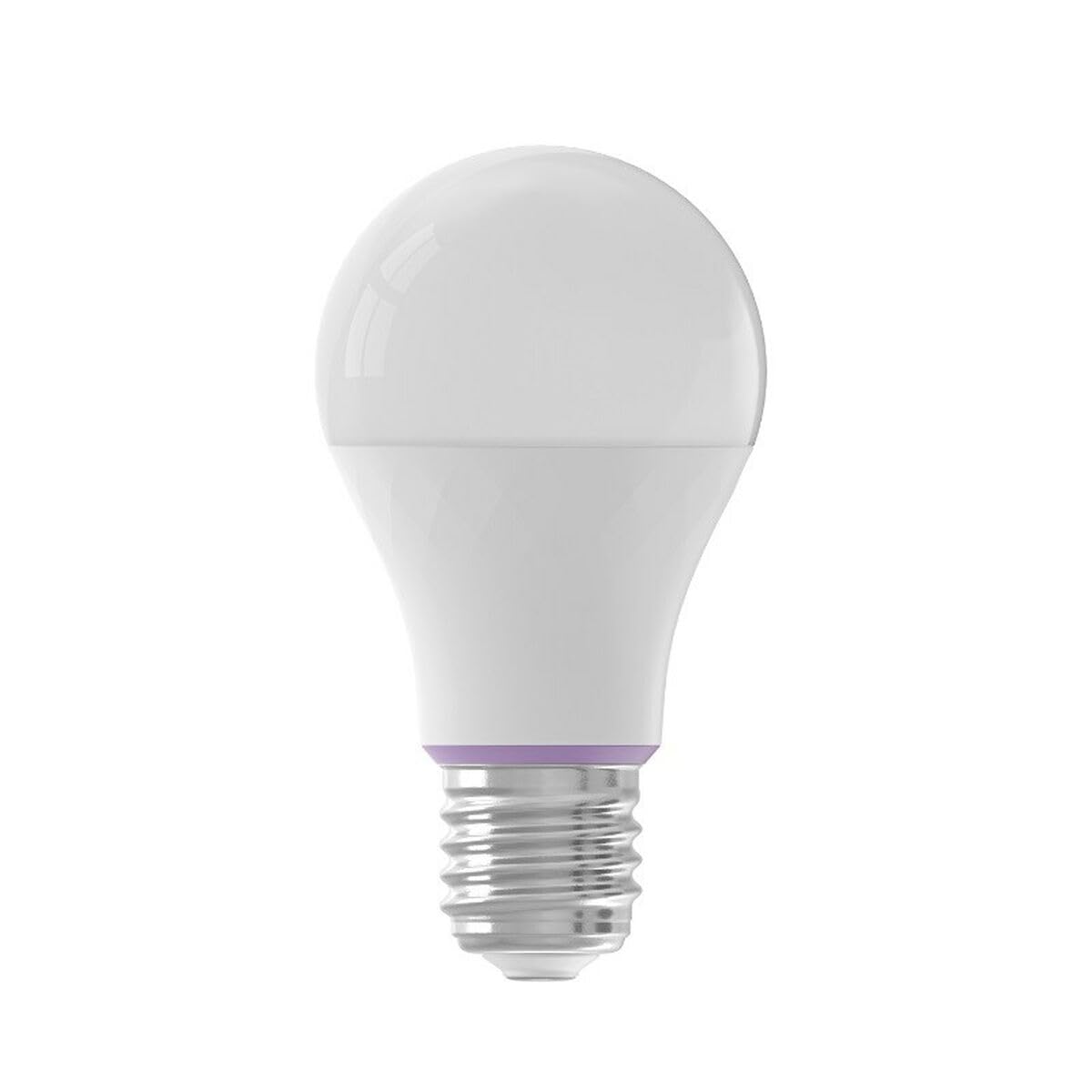
Image: YEELIGHT W4 Smart Bulb. This image displays the smart bulb, typically with an E27 screw base and a frosted or clear dome, indicating its design and form factor.
Specifikacijos
| Funkcija | Specifikacija |
|---|---|
| Modelio numeris | YLQPD-0012 (S9144407) |
| Pagrindo tipas | E27 |
| Ryšys | Wi-Fi, Bluetooth |
| Galia | 9 vatų |
| Kaitrinis ekvivalentas | 60 vatų |
| ttage | 230 voltų |
| Spalvos temperatūra | 6500 kelvinų (balta) |
| Ypatingos savybės | Pritemdoma, keičiama spalva |
| Matmenys (I x P x A) | 14.92 x 9.94 x 10.04 cm |
| Svoris | 620 gramų |
Sąranka
1. Techninės įrangos diegimas
- Išjungti: Ensure the power switch to the light fixture is in the OFF position before installation.
- Įdiekite lemputę: Screw the YEELIGHT W4 Smart Bulb into a standard E27 light socket. Do not overtighten.
- Maitinimas: Turn the power switch to the ON position. The bulb should light up, indicating it is ready for pairing.
2. Programėlės atsisiuntimas ir susiejimas
- Atsisiųsti programą: Atsisiųskite oficialų „Yeelight“ programėlė iš „App Store“ („iOS“) arba „Google Play“ parduotuvės („Android“).
- Sukurti paskyrą: Open the Yeelight App and create a new account or log in to an existing one.
- Pridėti įrenginį: Tap the "+" icon in the app to add a new device. Select the YEELIGHT W4 Smart Bulb from the list of available devices.
- Prisijunkite prie „Wi-Fi“: Follow the on-screen instructions to connect the bulb to your 2.4GHz Wi-Fi network. Ensure your phone is connected to the same 2.4GHz network during the pairing process.
- „Bluetooth“ poravimas (pasirinktinai): The bulb also supports Bluetooth for local control. If Wi-Fi is unavailable or unstable, the app may prompt for Bluetooth pairing.
- Rename Bulb: Once connected, you can rename the bulb for easier identification (e.g., "Living Room Lamp").
Veikiantis
Pagrindinė kontrolė
- Įjungta/Išjungta: Use the Yeelight App to turn the bulb on or off. You can also use the physical light switch, but this will cut power to the smart features.
- Pritemdymas: Adjust the brightness level from 1% to 100% using the slider in the Yeelight App.
- Spalvos keitimas: Select from a wide spectrum of colors or choose from preset scenes within the app.
Išplėstinės funkcijos
- Planavimas: Nustatykite lemputės įjungimo / išjungimo tvarkaraščius arba pakeiskite nustatymus konkrečiu laiku.
- Scenos: Kurkite pasirinktinius apšvietimo scenas skirtingoms nuotaikoms ar veikloms.
- Grupės valdymas: Group multiple YEELIGHT W4 bulbs together to control them simultaneously.
- Valdymas balsu: Integrate with compatible smart home assistants (e.g., Google Assistant, Amazon Alexa) for voice commands. Refer to your smart assistant's setup guide for integration instructions.
- Nuotolinio valdymo pultas: Control your bulbs from anywhere with an internet connection via the Yeelight App.
Priežiūra
- Valymas: Prieš valydami, įsitikinkite, kad lemputė išjungta ir atvėsusi. Nuvalykite minkšta, sausa šluoste. Nenaudokite skystų valiklių ar abrazyvinių medžiagų.
- Saugykla: Jei lemputę ketinate laikyti ilgesnį laiką, laikykite ją vėsioje, sausoje vietoje, apsaugotoje nuo tiesioginių saulės spindulių.
- Firmware atnaujinimai: Periodically check the Yeelight App for firmware updates to ensure optimal performance and access to new features.
Trikčių šalinimas
- Lemputė neįsijungia:
- Patikrinkite, ar šviestuvas turi maitinimą.
- Įsitikinkite, kad lemputė yra tinkamai ir tvirtai įsukta.
- Test the bulb in another working fixture.
- Bulb not connecting to Wi-Fi:
- Ensure your Wi-Fi network is 2.4GHz. The bulb does not support 5GHz networks.
- Patikrinkite „Wi-Fi“ slaptažodį.
- Move the bulb closer to your Wi-Fi router during setup.
- Reset the bulb by turning it off and on five times consecutively (1-2 second intervals). The bulb will flash, indicating it's in pairing mode.
- Iš naujo paleiskite maršrutizatorių.
- App cannot find the bulb:
- Įsitikinkite, kad jūsų telefone įjungtas „Bluetooth“.
- Confirm the bulb is powered on and in pairing mode (if recently reset).
- Update the Yeelight App to the latest version.
- Dimming or color changing issues:
- Ensure the bulb is connected to the app and has a stable Wi-Fi connection.
- Avoid using external dimmers, as they can interfere with the bulb's smart dimming capabilities.
- Perform a bulb reset and re-pair if issues persist.
Garantija
YEELIGHT products are covered by a limited warranty. For detailed warranty terms and conditions, please refer to the official YEELIGHT websvetainėje arba susisiekite su klientų aptarnavimo tarnyba. Išsaugokite pirkimo kvitą kaip pirkimo įrodymą garantijos pretenzijoms.
Palaikymas
For further assistance, technical support, or to report issues, please visit the official YEELIGHT support website or contact their customer service team. Contact information can typically be found on the YEELIGHT website or within the Yeelight App.
Websvetainė: www.yeelight.com