
1. Įvadas
This manual provides comprehensive instructions for the setup, operation, and maintenance of your Lecoo WS208 Wireless Mouse. Please read this manual carefully before using the product to ensure proper function and longevity. Keep this manual for future reference.
2. Produktas baigtasview
The Lecoo WS208 is a wireless optical mouse designed for comfort and efficiency. It features a 1200 DPI sensor for precise tracking and a silent click mechanism for a quiet user experience.
Pagrindinės funkcijos:
- 1200 DPI optinis jutiklis: Provides accurate and responsive cursor control.
- 3 mygtukų dizainas: Standard left, right, and scroll wheel buttons for essential functions.
- Tylus paspaudimas: Sumažina spragtelėjimo triukšmą, kad darbo aplinka būtų tylesnė.
- Belaidis ryšys: Operates via a 2.4GHz USB receiver, offering a range of up to 10 meters.
- Ergonomic and Compact Design: Lightweight (54g) and shaped for comfortable use over extended periods.
- Ilgas baterijos veikimo laikas: Powered by one AA battery, providing up to 6 months of usage depending on conditions.
- Visuotinis suderinamumas: Supports Windows XP/7/8/10/11, Mac OS X 10.4+, Linux Kernel 2.6+, and Android devices.
Pakuotės turinys:
- Lecoo WS208 Wireless Mouse
- USB Mini Receiver
- Vartotojo vadovas
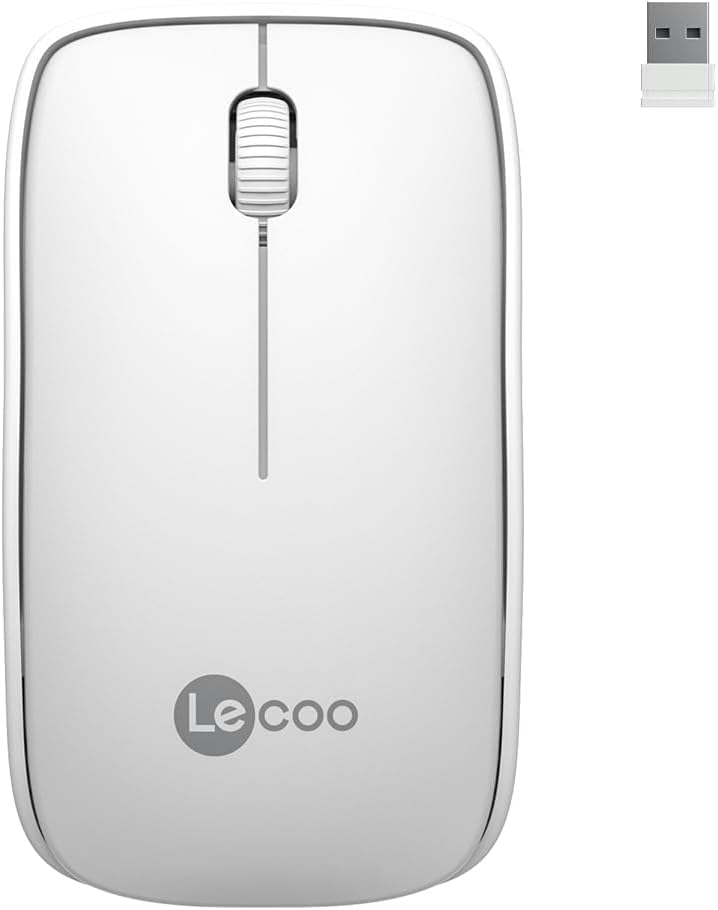
Image: Lecoo WS208 Wireless Mouse and its USB receiver.

Image: Diagram illustrating the components of the Lecoo WS208 mouse. Key features include the scroll wheel, left and right buttons, optical sensor, and USB dongle storage slot.
3. Sąranka
3.1 Akumuliatoriaus įdėjimas
- Raskite baterijų skyriaus dangtelį pelės apačioje.
- Švelniai pastumkite arba pakelkite dangtelį, kad atidarytumėte skyrių.
- Insert one AA battery (not included) into the compartment, ensuring the positive (+) and negative (-) terminals align correctly with the indicators.
- Uždėkite baterijų skyriaus dangtelį, kol jis spragtelėdamas tvirtai užsifiksuos.
3.2 USB imtuvo prijungimas
- Remove the USB mini receiver from its storage slot, usually located inside the battery compartment or on the bottom of the mouse.
- Plug the USB receiver into an available USB port on your computer (PC, Mac, Laptop) or compatible device.
- Jūsų operacinė sistema turėtų automatiškai aptikti ir įdiegti reikiamas tvarkykles. Tai gali užtrukti kelias akimirkas.
3.3 Powering On the Mouse
After installing the battery and plugging in the receiver, the mouse should automatically power on. Some models may have a power switch on the bottom; ensure it is in the 'ON' position if present.
4. Naudojimo instrukcijos
4.1 Pagrindinės funkcijos
- Kairysis mygtukas: Primary click function (e.g., select items, open links).
- Dešinysis mygtukas: Secondary click function (e.g., open context menus).
- Slinkties ratukas: Slinkite aukštyn arba žemyn per dokumentus ir web puslapius. Paspaustas slinkties ratukas taip pat veikia kaip vidurinis mygtukas.
4.2 DPI jautrumas
The Lecoo WS208 operates at a fixed 1200 DPI (Dots Per Inch) sensitivity, providing a balanced speed and precision for most daily tasks. No manual DPI adjustment is available on this model.
4.3 Veikimo diapazonas
The mouse maintains a stable connection within a 10-meter range from the USB receiver. Performance may vary depending on environmental factors and obstacles.

Image: Icons representing universal compatibility with Android, Apple (macOS), Windows, Linux, and ChromeOS.
5. Priežiūra
5.1 Valymas
- Prieš valydami įsitikinkite, kad pelė yra išjungta.
- Pelės paviršių nuvalykite minkštu, sausu, nepūkuotu skudurėliu.
- Įsisenėjusiam purvui šiek tiek pamirkykiteampNuvalykite šluostę vandeniu arba švelniu, neabrazyviniu valikliu. Venkite per didelės drėgmės.
- Do not use harsh chemicals, solvents, or abrasive materials, as these can damage the mouse's finish.
5.2 Akumuliatoriaus keitimas
When the mouse's performance degrades or it stops responding, it may be time to replace the AA battery. Follow the battery installation steps in Section 3.1.
6. Problemų sprendimas
Dažnos problemos ir sprendimai:
- Pelė nereaguoja:
- Įsitikinkite, kad akumuliatorius tinkamai įdėtas ir yra pakankamai įkrautas. Jei reikia, pakeiskite.
- Patikrinkite, ar USB imtuvas tvirtai prijungtas prie veikiančio USB prievado. Išbandykite kitą USB prievadą.
- Įsitikinkite, kad pelė yra ne toliau kaip 10 metrų atstumu nuo imtuvo.
- Iš naujo paleiskite kompiuterį.
- Erratic or jumpy cursor movement:
- Nuvalykite pelės apačioje esantį optinį jutiklį minkštu, sausu skudurėliu.
- Įsitikinkite, kad pelę naudojate ant tinkamo paviršiaus. Venkite labai atspindinčių ar skaidrių paviršių.
- Patikrinkite, ar netrukdo kiti belaidžiai įrenginiai.
- Ryšio problemos:
- Atjunkite ir vėl prijunkite USB imtuvą.
- Perkelkite pelę arčiau USB imtuvo.
7. Specifikacijos
| Prekės ženklas | Lecoo |
| Modelis | WS208 |
| Ryšio technologija | Wireless (2.4GHz USB Receiver) |
| Judesio aptikimas | Optinis |
| DPI jautrumas | 1200 DPI |
| Mygtukų skaičius | 3 (kairė, dešinė, slinkties ratukas/vidurys) |
| Veikimo diapazonas | Iki 10 metrų |
| Baterijos tipas | 1 x AA baterijos (į komplektą neįeina) |
| Baterijos veikimo laikas | Up to 6 months (depending on usage) |
| Matmenys (I x P x A) | 95 mm x 54 mm x 31 mm |
| Svoris | 54g (mouse only) |
| Suderinamumas | Windows XP/7/8/10/11, Mac OS X 10.4+, Linux Kernel 2.6+, Android |

Image: Visual representation of the Lecoo WS208 mouse dimensions (95mm length, 54mm width, 31mm height) and weight (54g).
8. Garantija ir palaikymas
Lecoo products are designed for reliability and performance. For warranty information or technical support, please refer to the warranty card included with your product or visit the official Lecoo websvetainėje. Išsaugokite pirkimo kvitą kaip pirkimo įrodymą garantiniams reikalavimams.