
Įvadas
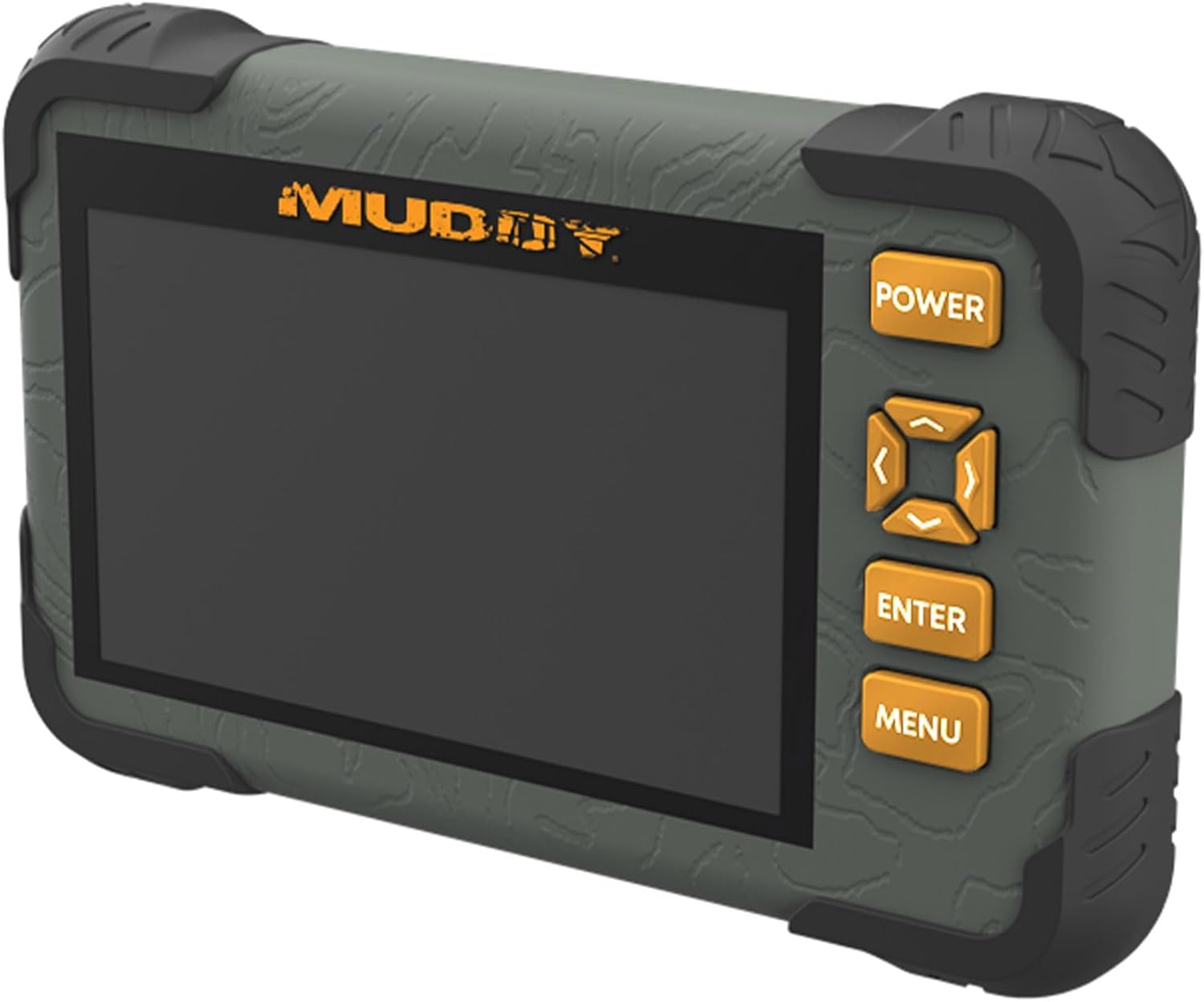
The Muddy CRV3 HD SD Card Viewer is designed for easy viewing of SD card captures with its high-definition, 4.3-inch color LCD screen. This device features durable, water-resistant housing, intuitive menu operation, and adjustable settings for optimal performance in outdoor environments. It supports 1080P video playback for SD cards up to 32GB and is powered by four AA batteries (not included).
Kas yra dėžutėje
- SD Card Reader/Viewer with 4.3" LCD Screen
- riešo Virvelė
Pagrindinės savybės
- 1080P vaizdo atkūrimas: Palaiko didelės raiškos vaizdo įrašų atkūrimą.
- 4.3 colio spalvotas LCD ekranas: Provides a clear display for viewžiniasklaida.
- Intuityvus meniu valdymas: Easy-to-navigate menu for user convenience.
- Headphone Jack for Audio: Allows for private audio monitoring.
- Adjustable Brightness & Volume: Customize display and sound levels.
- Vaizdų valdymas: Galimybės View, Transfer, and Delete images.
- Patvarus, vandeniui atsparus korpusas: Sukurta atlaikyti lauko sąlygas.
- Mikro USB lizdas: For connectivity and data transfer.
- SD kortelės lizdas: Palaiko SD korteles iki 32 GB.
- Maitinimo šaltinis: Operates on 4 AA Batteries (not included).
Sąranka
1. Akumuliatoriaus įdėjimas
The Muddy CRV3 HD SD Card Viewer requires four (4) AA batteries (not included) for operation. To install batteries:
- Suraskite akumuliatoriaus skyrių įrenginio gale.
- Turn the locking tab counter-clockwise to unlock and open the battery cover.
- Įdėkite keturias AA baterijas, užtikrindami teisingą poliškumą (+/-), kaip nurodyta skyriaus viduje.
- Close the battery cover and turn the locking tab clockwise to secure it.
Vaizdas: Galinis view of the Muddy CRV3 HD SD Card Viewer showing the circular locking tab for the battery compartment. The compartment is opened to reveal four AA batteries.
2. SD kortelės įdėjimas
The device supports SD cards up to 32GB. To insert an SD card:
- Locate the SD card slot on the side of the viewer.
- Švelniai įkiškite SD kortelę į lizdą metaliniais kontaktais žemyn, kol ji spragtelės ir užsifiksuos.
- To remove, push the SD card inward until it clicks, then release to eject.

Vaizdas: Šoninė view of the Muddy CRV3 HD SD Card Viewer highlighting the SD card slot and Micro USB port.
Naudojimo instrukcijos
1. Maitinimo įjungimas/išjungimas
- Norėdami įjungti: Paspauskite ir palaikykite GALIA button located on the right side of the device until the screen changes color and the Muddy logo appears. The device will then initialize the SD card and display the main menu.
- Norėdami išjungti: Paspauskite ir palaikykite GALIA button until the "POWER OFF" message appears on the screen, then release.
2. Meniu naršymas
The Muddy CRV3 features an intuitive menu system. Use the directional arrow buttons (UP, ŽEMYN, KAIRĖ, TEISINGAI) to navigate through options. An orange border will highlight the currently selected item.
- Use the directional buttons to move the orange border to your desired menu icon.
- Paspauskite ENTER mygtuką, kad patvirtintumėte savo pasirinkimą.
- Paspauskite MENIU button to go back to the previous screen or exit a function.
3. Viewvaizdų ir vaizdo įrašų naudojimas
From the main menu, select the appropriate icon to view images or videos stored on your SD card.
- Select the "View Images" icon (typically represented by a picture frame) and press ENTER.
- Use the directional buttons to scroll through thumbnails.
- Paspauskite ENTER į view a selected image or play a video in full screen.
- For videos, the device supports 1080P playback. Use the directional buttons for play/pause/fast-forward/rewind if available.
- Norėdami grįžti į miniatiūrą view, paspauskite MENIU.
4. Valdymas Files (View/Transfer/Delete)
The device allows basic file management directly on the viewer.
- Nors viewing an image or video, access the options menu (usually by pressing MENIU or a dedicated button) to find options like "Delete" or "Transfer".
- Follow on-screen prompts to perform desired actions. Be cautious when deleting files as this action is often irreversible.
- Dėl perkėlimo files, connect the Micro USB slot to a computer using a compatible cable. The device should appear as a removable drive.
5. Nustatymų reguliavimas
From the main menu, select the "Settings" icon (typically a gear symbol) to adjust various parameters.
- Ryškumas: Adjust the screen brightness for better visibility in different lighting conditions.
- Apimtis: Valdykite garso išvesties garsumą, ypač kai naudojate ausinių lizdą.
- Other settings may include date/time, language, and device information.
Video: A user demonstrates the functions of the Muddy CRV3 HD SD Card Viewer, including navigating menus, viewing images, and adjusting settings.
Priežiūra
- Valymas: Use a soft, dry cloth to clean the screen and exterior of the device. Avoid abrasive cleaners or solvents.
- Atsparumas vandeniui: The device features durable water-resistant housing. However, it is not designed for submersion. Ensure battery compartment and port covers are securely closed to maintain water resistance.
- Saugykla: When not in use for extended periods, remove batteries to prevent leakage and store the device in a cool, dry place.
Trikčių šalinimas
| Problema | Galima priežastis | Sprendimas |
|---|---|---|
| Įrenginys neįsijungia. | Išsikrovusios arba išsikrovusios baterijos; neteisingai įdėtos baterijos. | Replace with fresh AA batteries; ensure correct polarity. |
| SD kortelė neaptikta. | SD card not inserted correctly; incompatible SD card; faulty SD card. | Re-insert SD card until it clicks; ensure card is up to 32GB; try a different SD card. |
| Negaliu view vaizdus/vaizdo įrašus. | Sugadintas files on SD card; unsupported file formatu. | Pabandyk viewing files on a computer; ensure files are standard image/video formats. |
| No audio from headphone jack. | Volume too low; faulty headphones. | Adjust volume in settings; try different headphones. |
Specifikacijos
- Modelio pavadinimas: CRV3 HD SD Card Viewer
- Ekranas: 4.3" Color LCD Screen
- Vaizdo įrašo atkūrimas: 1080P
- SD kortelės palaikymas: Iki 32 GB
- Ryšys: Mikro USB
- Garsas: Ausinių lizdas
- Galia: 4 AA baterijos (į komplektą neįeina)
- Būstas: Patvarus, atsparus vandeniui
- Matmenys (P x P x A): 9.26" x 8.43" x 2.95"
- Gamintojas: GSM lauke
- UPC: 888151030974
Garantija ir palaikymas
MUDDY is committed to quality, durability, and functionality. For warranty information or technical support, please refer to the product packaging or visit the official MUDDY websvetainėje. Išsaugokite pirkimo kvitą, jei prireiktų garantijos.