
1. Įvadas
Thank you for choosing the MASINGO Allegro X8 2.0 Professional Karaoke Machine. This manual provides essential information for the safe and efficient operation of your device. Please read it thoroughly before use and retain it for future reference.
2. Kas yra dėžutėje
MASINGO Allegro X8 2.0 package includes the following components:
- Allegro X8 karaoke aparatas
- 2 belaidžiai mikrofonai
- Įkrovimo adapteris
- Vartotojo vadovas
- Pagalbinis kabelis

Image: The MASINGO Allegro X8 2.0 Karaoke Machine with its included accessories: two wireless microphones, a power adapter, a remote control, and the user manual.
3. Produktas baigtasview
3.1 Pagrindinės savybės
- 15-inch Touch-Screen Tablet: Integrated display for lyrics and app navigation.
- Dvigubi belaidžiai mikrofonai: Two rechargeable microphones with individual displays for volume, echo, and EQ control.
- Keli atkūrimo režimai: Supports Tablet, Bluetooth, USB, AUX-out, Micro-SD, HDMI, and Guitar inputs.
- Nešiojamas dizainas: Equipped with wheels and a telescoping handle for easy transport.
- Balso efektai: 'Magic Mode' allows voice alteration (e.g., Man, Woman, Electric, Shout).
- Ilgai veikianti baterija: Features a 12V 5000 mAh rechargeable battery providing 3-4 hours of operation.
3.2 Fiziniai komponentai

Image: The MASINGO Allegro X8 2.0 Karaoke Machine, showcasing its overall design with the integrated touchscreen and speaker grille.
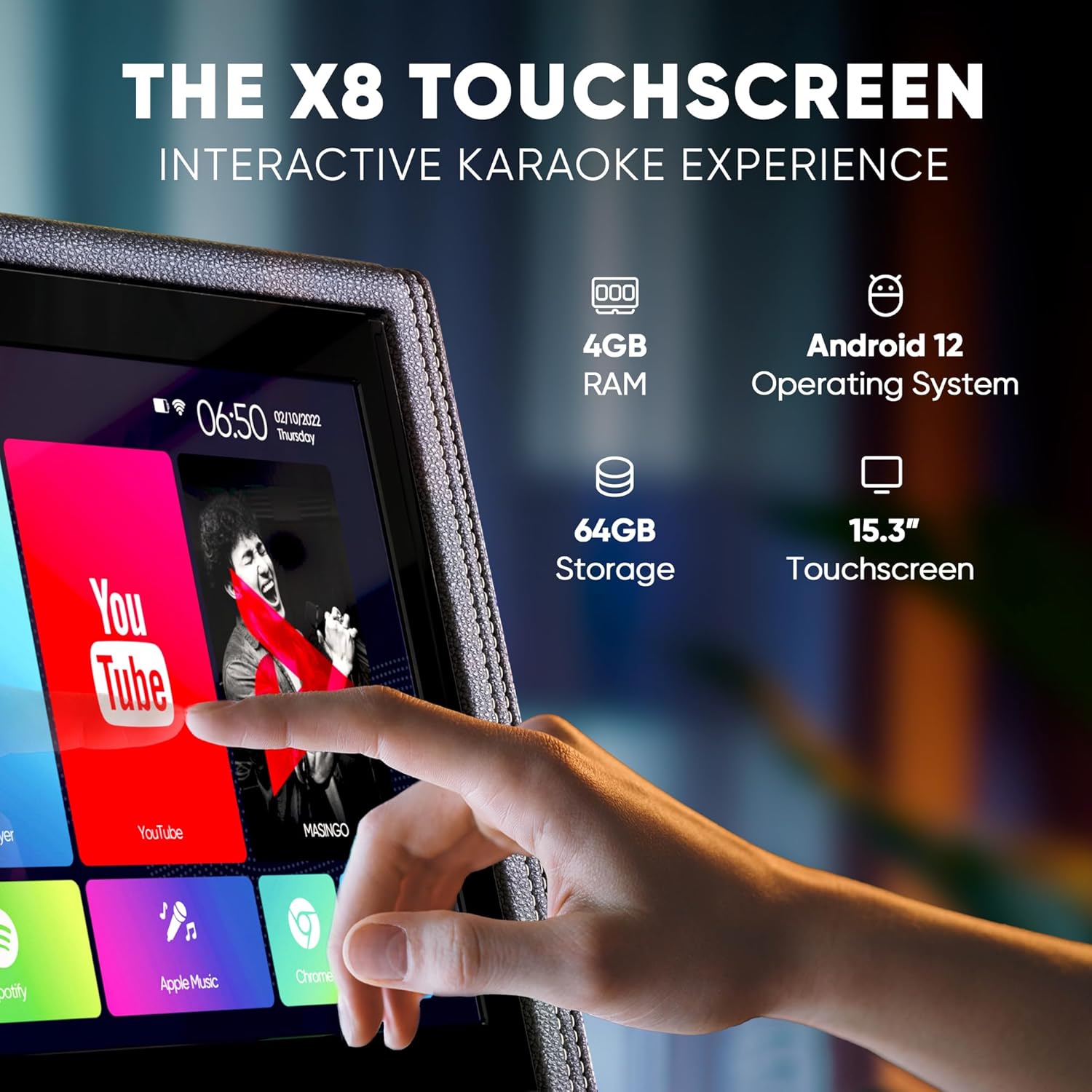
Paveikslėlis: detalus view of the 15-inch touchscreen tablet, highlighting its Android 12 operating system, 4GB RAM, and 64GB storage. The screen displays various app icons like YouTube and Spotify.

Image: Two wireless microphones are shown, emphasizing their visual control displays for battery levels and frequency, and the easy AA battery setup.

Image: A close-up of the top control panel, showing HDMI, WiFi, Bluetooth 5.0, USB, and Micro SD connectivity options.

Image: A person is shown easily transporting the karaoke machine using its telescoping handle and wheels, highlighting its portability and 12V 5000 mAh battery capacity.
Product Video: Introducing the Allegro X8 2.0 Karaoke Machine
Video Description: This official seller video provides an introduction to the MASINGO Allegro X8 2.0 Karaoke Machine, showcasing its features and design. It highlights the integrated touchscreen, dual wireless microphones, and portable nature of the device.
4. Sąranka
4.1 Pradinis įkrovimas
- Before first use, fully charge the karaoke machine using the provided charging adapter.
- Connect the charging adapter to the DC 15V input port on the control panel.
- Pilnam įkrovimui pakanka maždaug 3–4 valandų.
4.2 Mikrofono sąranka
- Insert 2 AA batteries into each wireless microphone.
- Press the power button on each microphone to turn it on. The microphones will automatically pair with the karaoke machine.
5. Naudojimo instrukcijos
5.1 Maitinimo įjungimas/išjungimas
- To power on the machine, locate the power switch on the control panel and toggle it to the 'ON' position.
- To power off, toggle the switch to the 'OFF' position.
5.2 Jutiklinio ekrano naudojimas
- The 15-inch touchscreen operates like a standard Android tablet.
- Navigate through pre-installed apps (e.g., YouTube, Spotify, Google Chrome) or download new ones from the Play Store.
- Use the remote control for basic navigation and volume adjustments from a distance.
5.3 Ryšio parinktys
- Bluetooth: Pair your smartphone or tablet wirelessly to stream music.
- USB / „MicroSD“: Insert a USB drive or Micro-SD card with your music files.
- AUX įvestis: Prijunkite išorinius garso įrenginius naudodami pridedamą AUX kabelį.
- HDMI: Connect the machine to an external display (e.g., TV) to show lyrics on a larger screen.
- Gitaros įvestis: Plug in a guitar to use the machine as an ampgyvesnis.
5.4 Mikrofono valdikliai
- Adjust individual microphone volume, echo, and EQ settings using the dedicated controls on the microphone itself or the main control panel.
- Utilize 'Magic Mode' to change your voice with various effects like 'Man', 'Woman', 'Electric', or 'Shout'.
6. Priežiūra
- Keep the machine clean by wiping it with a soft, dry cloth. Avoid using abrasive cleaners or solvents.
- Laikykite mašiną vėsioje, sausoje vietoje, apsaugotoje nuo tiesioginių saulės spindulių ir ekstremalių temperatūrų.
- Ensure microphones are stored securely in their designated sleeves when not in use.
7. Problemų sprendimas
7.1 No Sound from Speaker
- Check if the master volume is turned up.
- Ensure the correct playback mode (Bluetooth, USB, AUX) is selected.
- Verify that the connected device's volume is also turned up.
7.2 Mikrofonas neveikia
- Confirm microphones are powered on and have fresh batteries.
- Check microphone volume levels on both the mic and the main control panel.
- Ensure microphones are paired correctly (usually automatic upon power-on).
7.3 Display Lagging or Unresponsive
- Iš naujo paleiskite mašiną.
- Clear cache or uninstall unused apps from the Android tablet interface.
- Ensure a stable Wi-Fi connection for streaming content.
8. Specifikacijos
| Funkcija | Specifikacija |
|---|---|
| Modelio numeris | X8 2.0 |
| Gaminio matmenys | 15.3 x 9.4 x 25.1 colio |
| Prekės svoris | 35 svaro |
| Baterija | 1 12V 5000 mAh battery (included) |
| Baterijos veikimo laikas | 3-4 valandas |
| Ypatinga funkcija | Portable, Touchscreen |
| Spalva | Black faux leather |
9. Garantija ir palaikymas
MASINGO Allegro X8 2.0 Karaoke Machine comes with a 60-day warranty. For support or warranty claims, please refer to the contact information provided in your product packaging or visit the MASINGO official websvetainę.