
1. Produktas baigtasview
The Amkette Hush Pro Astra is a wireless mouse designed for comfort and efficiency. It features 2.4 GHz wireless connectivity, silent switches for quiet operation, an ergonomic design, and adjustable DPI settings for precise control. The mouse also includes an On/Off switch and a smart auto-sleep function to conserve battery life.
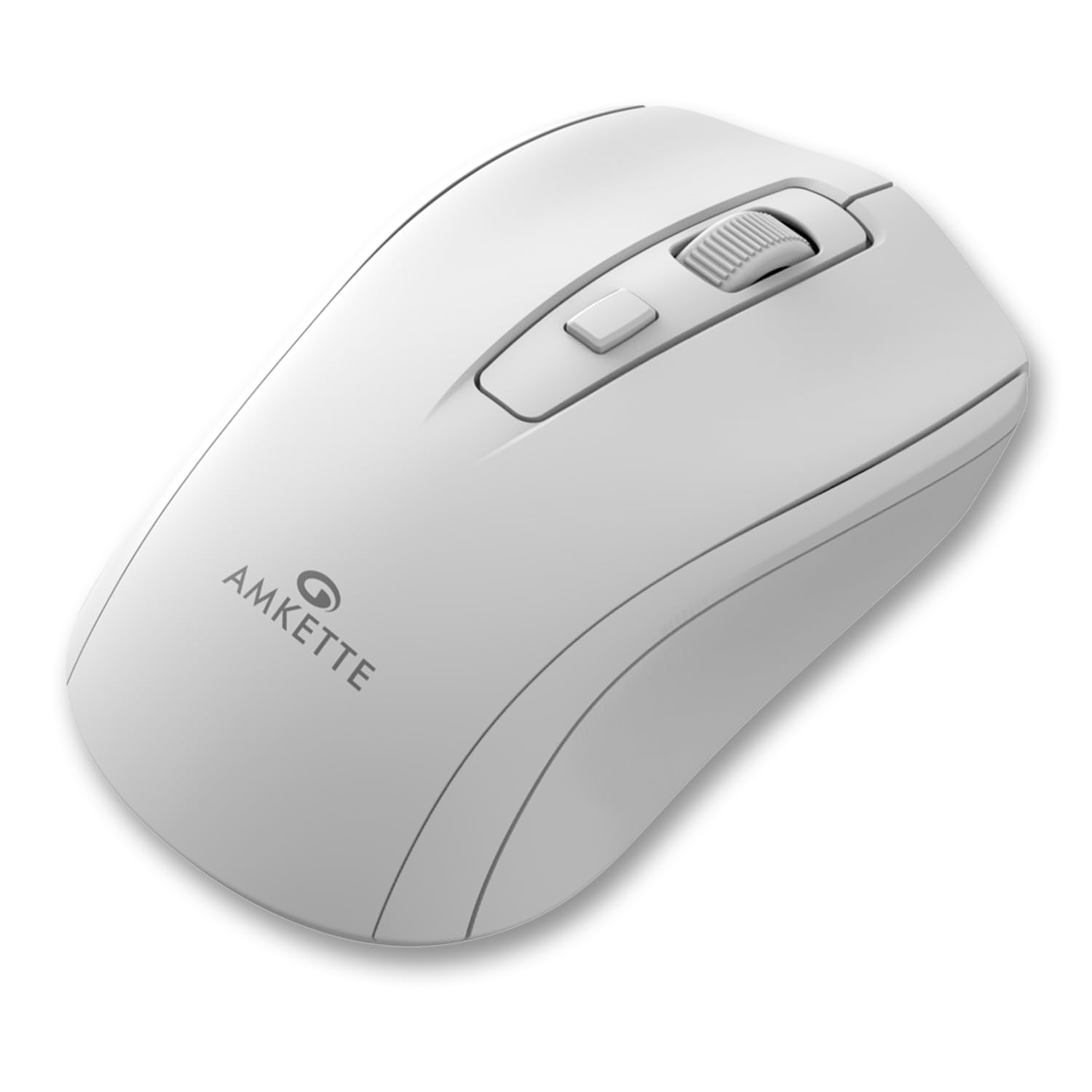
Figure 1: Amkette Hush Pro Astra Wireless Mouse (White)
Pagrindinės funkcijos:
- Advanced 2.4 GHz Wireless Connectivity: Ensures a stable, lag-free connection.
- Tylūs jungikliai: Provides noiseless clicks for an undisturbed work environment.
- Ergonomiškas dizainas: Shaped for comfortable long-term use.
- Reguliuojami DPI nustatymai: Three levels (800-1000-1200 DPI) for customizable cursor sensitivity.
- Įjungimo / išjungimo jungiklis: For manual power control.
- Smart Auto Sleep Function: Automatically conserves battery when not in use.
- Kompaktiškas ir nešiojamas: Easy to carry in a laptop bag.

Figure 2: Ergonomic grip design with matte finish for enhanced comfort.

Figure 3: Silent click switches for quiet operation.

Figure 4: Universal compatibility with Windows, Mac OS, Chrome OS, and Linux.
2. Sąrankos instrukcijos
2.1 Pakuotės turinys
Before you begin, ensure your package contains the following:
- Amkette Hush Pro Astra Wireless Mouse
- USB nano imtuvas
Note: 1 AA battery is required and not included in the box.
2.2 Akumuliatoriaus įdėjimas
- Raskite akumuliatoriaus skyrių pelės apačioje.
- Švelniai atidarykite akumuliatoriaus dangtelį.
- Įdėkite vieną AA bateriją, užtikrindami, kad teigiamas (+) ir neigiamas (-) poliai teisingai sutaptų su žymėjimais skyriaus viduje.
- Uždarykite akumuliatoriaus dangtelį, kol jis spragtelėdamas tvirtai užsifiksuos.

Figure 5: Battery compartment and On/Off switch location.
2.3 Pelės prijungimas
- Remove the USB Nano receiver from its storage slot, usually located within the battery compartment or on the underside of the mouse.
- Plug the USB Nano receiver into an available USB port on your computer (PC, Mac, Laptop, etc.).
- Įjunkite pelę naudodami įjungimo / išjungimo jungiklį, esantį apačioje.
- Your computer should automatically detect and install the necessary drivers. The mouse will be ready for use within a few seconds.

Figure 6: Connecting the USB Nano receiver to a laptop.
3. Naudojimo instrukcijos
3.1 Maitinimo įjungimas/išjungimas
To turn the mouse on or off, use the slide switch located on the underside of the mouse. Slide it to the 'ON' position for use and 'OFF' to conserve battery when not in use.
3.2 DPI reguliavimas
The mouse features a dedicated DPI button, usually located behind the scroll wheel. Press this button to cycle through three different DPI (Dots Per Inch) settings: 800, 1000, and 1200. A higher DPI setting results in faster cursor movement, while a lower DPI setting provides more precise control.

Figure 7: DPI button and available sensitivity levels.
3.3 Tyliojo spustelėjimo funkcija
The Amkette Hush Pro Astra is equipped with silent switches, significantly reducing the clicking noise. This feature is ideal for quiet environments, ensuring minimal disturbance during use.
3.4 Smart Auto Sleep Function
To extend battery life, the mouse will automatically enter a sleep mode after a period of inactivity. To wake the mouse, simply move it or click any button.
4. Priežiūra
4.1 Valymas
- Pelės paviršiui nuvalyti naudokite minkštą, sausą šluostę.
- Įsisenėjusiam purvui šiek tiek pamirkykiteampNuvalykite šluostę vandeniu arba švelniu valymo tirpalu. Venkite stiprių cheminių medžiagų.
- Nemerkite pelės į vandenį ar jokį kitą skystį.
- Clean the optical sensor on the underside periodically with a cotton swab to ensure smooth tracking.
4.2 Saugykla
- When not in use for extended periods, turn off the mouse using the On/Off switch.
- Store the USB Nano receiver inside the mouse's designated slot to prevent loss.
- Keep the mouse in a cool, dry place away from direct sunlight and extreme temperatures.
5. Problemų sprendimas
5.1 Pelė nereaguoja
- Patikrinkite akumuliatorių: Įsitikinkite, kad AA baterija tinkamai įdėta ir yra pakankamai įkrauta. Jei reikia, pakeiskite.
- Maitinimo jungiklis: Verify that the On/Off switch on the underside of the mouse is in the 'ON' position.
- Imtuvo jungtis: Ensure the USB Nano receiver is securely plugged into a working USB port on your computer. Try a different USB port.
- Pakartotinis susiejimas: In rare cases, the mouse and receiver might lose connection. Try unplugging and re-plugging the receiver, then turn the mouse off and on again.
5.2 Nereguliarus žymeklio judėjimas
- Švarus jutiklis: Nuvalykite optinį jutiklį pelės apačioje.
- Paviršius: Pelę naudokite ant švaraus, neatspindinčio ir lygaus paviršiaus. Venkite stiklo ar stipriai atspindinčių paviršių.
- Trikdžiai: Move the mouse closer to the USB receiver. Other wireless devices or large metal objects might cause interference.
5.3 Trumpas baterijos veikimo laikas
- Išjungti, kai nenaudojamas: Always turn off the mouse using the On/Off switch when not in use for extended periods.
- Baterijos kokybė: Use high-quality AA alkaline batteries.
- Automatinis miego režimas: The mouse has an auto-sleep function, but manual power-off provides maximum battery conservation.
6. Specifikacijos
| Funkcija | Specifikacija |
|---|---|
| Prekės ženklas | Amketė |
| Modelio numeris | 516 |
| Serija | Hush Pro Astra |
| Ryšio technologija | 2.4 GHz belaidis ryšys (USB nano imtuvas) |
| Judesio aptikimo technologija | Optinis |
| DPI nustatymai | 800-1000-1200 DPI (Adjustable) |
| Ypatinga funkcija | Silent Clicks, Ergonomic Design, On/Off Switch, Smart Auto Sleep Function |
| Maitinimo šaltinis | Maitinamas baterijomis (reikalinga 1 AA baterija, nepridedama) |
| Operacinės sistemos suderinamumas | Linux, Windows 7, Windows XP, Mac OS, Chrome OS |
| Gaminio matmenys | 11 x 6 x 0.1 cm |
| Prekės svoris | 30 g |
| Spalva | Baltas |
7. Garantija ir palaikymas
7.1 Informacija apie garantiją
The Amkette Hush Pro Astra Wireless Mouse comes with a hassle-free 1 metų gamintojo garantija nuo įsigijimo datos. Ši garantija taikoma gamybos defektams įprastomis naudojimo sąlygomis.
7.2 Pagalba klientams
For any assistance, queries, or warranty claims, please contact our support team. You can reach them via call or WhatsApp for prompt assistance with any issues.
Please refer to the product packaging or the official Amkette websvetainę, kurioje rasite naujausią kontaktinę informaciją.
8. Produktų vaizdo įrašai
Video 1: Amkette Hush Pro Astra Wireless Mouse Overview. This video highlights the ergonomic design, adjustable DPI settings, and silent click features of the mouse.
Video 2: Amkette Hush Pro Astra Wireless Mouse Features. This video demonstrates the advanced 2.4 GHz connectivity, silent operation, and portability of the mouse.