
Įvadas
Thank you for choosing the litokam 2.5K 4MP QHD Outdoor PTZ Security Camera. This manual provides detailed instructions for setting up, operating, and maintaining your camera to ensure optimal performance and security for your home. This camera features 2.5K 4MP QHD resolution, 360° pan/tilt monitoring, AI motion detection, color night vision, and two-way audio communication.
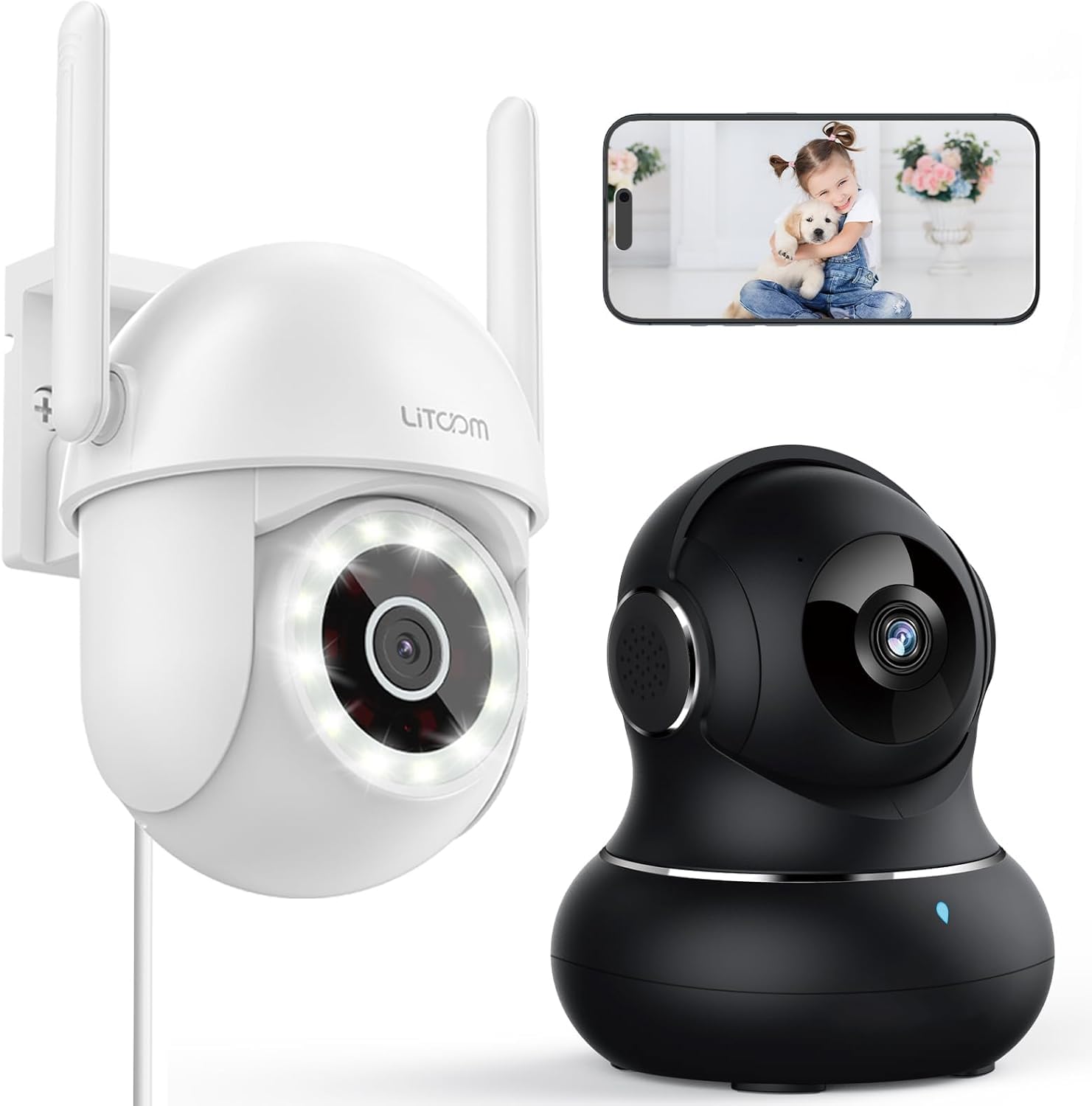
Vaizdas: Viršview of the litokam 2.5K 4MP QHD Outdoor PTZ Security Camera.
Sąrankos vadovas
1. Pakuotės turinys
Before installation, please ensure all components are present:
- litokam 2.5K 4MP QHD Outdoor PTZ Security Camera
- Maitinimo adapteris
- Montavimo varžtai ir inkarai
- Vartotojo vadovas (šis dokumentas)
2. Fotoaparato maitinimo įjungimas
The camera requires a direct power supply. Connect the provided power adapter to the camera's power input port and then plug it into a standard electrical outlet. Ensure the power source is stable.
3. Kameros montavimas
Kamera skirta montuoti prie sienos. Pasirinkite tinkamą vietą, kuri užtikrintų norimą viewing angle and is within range of your 2.4GHz Wi-Fi network. Use the included screws and anchors to securely mount the camera.
- Pažymėkite gręžimo taškus ant sienos, naudodami kameros pagrindą kaip šabloną.
- Išgręžkite skylutes pažymėtose vietose.
- Įkiškite plastikinius inkarus į išgręžtas skyles.
- Align the camera base with the holes and secure it with the screws.
4. Programėlės diegimas ir „Wi-Fi“ ryšys
To operate the camera, you need to download the litokam app on your smartphone (compatible with Android and iOS). The camera only works with 2.4GHz Wi-Fi networks.
- Download the litokam app from your device's app store.
- Prisiregistruokite arba prisijunkite prie savo paskyros.
- Follow the in-app instructions to add your new camera. This typically involves scanning a QR code on the camera or manually selecting the device type and entering Wi-Fi credentials.
- Sąrankos metu įsitikinkite, kad jūsų telefonas prijungtas prie 2.4 GHz „Wi-Fi“ tinklo.
Naudojimo instrukcijos
1. Gyvai View ir panoraminio/pakreipimo valdymas
Access the live video feed through the litokam app. The camera offers 360° pan and tilt functionality, allowing you to remotely adjust the viewing angle. Use the on-screen controls in the app to pan horizontally and tilt vertically.

Image: Remote Pan/Tilt/Zoom (PTZ) control via the mobile application, showing 360° horizontal viewing angle and 3X digital zoom.
The camera also supports 3X digital zoom to view details more closely within the live feed.
2. Dirbtinio intelekto judesio aptikimas ir įspėjimai
The camera features PIR motion detection and advanced AI analytics to accurately identify and differentiate between people and vehicles, significantly reducing false alarms. When motion is detected, real-time alerts are sent to your phone.

Image: AI analysis detecting a vehicle in the surveillance area, reducing false alarms.

Image: The camera detecting motion, with options for real-time alerts and app notifications.
You can customize alert settings, including siren activation and flashing white light, to deter unwanted visitors.
3. Dvipusis garso ryšys
With a built-in microphone and speaker, the camera enables two-way audio. Use the app to speak with visitors, family members, or pets directly through the camera, or to warn intruders.

Image: Demonstrating two-way audio, allowing communication with a person at the door.
4. Naktinio matymo režimai
The camera offers three night vision options for clear monitoring up to 33 feet in low-light conditions:
- Infraraudonųjų spindulių režimas: Standartinis nespalvotas naktinis matymas naudojant infraraudonųjų spindulių šviesos diodus.
- Spalvotas režimas: Utilizes the built-in LED spotlight to provide full-color video even at night.
- "Smart Mode": Automatically switches between infrared and full-color mode based on detected motion or light conditions.

Image: Comparison of standard night vision (left) and full-color night vision (right) with LED spotlight activated.

Image: Visual representation of 4MP HD resolution for clearer images, comparing it to lower resolution.
5. Daugelio vartotojų bendrinimas
The litokam app allows you to share camera access with multiple users, such as family members. This enables several people to view the live feed and receive alerts simultaneously.

Image: The litokam app interface showing multi-user access and sharing capabilities across different devices (Android, iOS, Tablet, PC Software).
Priežiūra
1. Kameros valymas
To ensure clear image quality, periodically clean the camera lens and housing. Use a soft, damp šluoste nuvalykite dulkes ir nešvarumus. Venkite naudoti stiprias chemines medžiagas ar abrazyvines medžiagas, kurios gali pažeisti objektyvą ar apdailą.
2. Firmware atnaujinimai
Keep your camera's firmware updated to benefit from the latest features and security enhancements. Check for available updates within the litokam app and follow the on-screen instructions to install them.
3. Atsparumas oro sąlygoms
The camera has an IP65 rating, indicating it is protected against dust and water jets. This allows for efficient, all-weather operation, withstanding rain, snow, and harsh conditions. No special weather-related maintenance is typically required beyond ensuring the power connection remains secure and protected.
Trikčių šalinimas
If you encounter issues with your litokam security camera, refer to the following common solutions:
- Fotoaparatas neprisijungęs:
- Ensure the camera is properly powered and the power adapter is securely connected.
- Verify your Wi-Fi router is working and the camera is within range of a 2.4GHz Wi-Fi signal.
- Iš naujo paleiskite fotoaparatą atjungdami ir vėl prijungdami maitinimo adapterį.
- Check the litokam app for any network status indicators or troubleshooting guides.
- Nepavyksta prisijungti prie „Wi-Fi“:
- Įsitikinkite, kad jūsų „Wi-Fi“ tinklas yra 2.4 GHz dažnio. Kamera nepalaiko 5 GHz „Wi-Fi“.
- Įsitikinkite, kad įvedėte teisingą „Wi-Fi“ slaptažodį.
- Move the camera closer to your Wi-Fi router during the setup process.
- Reset the camera (refer to the app for specific reset instructions, usually a small button).
- Prasta vaizdo kokybė:
- Nuvalykite fotoaparato objektyvą minkšta šluoste.
- Įsitikinkite, kad priešais objektyvą nėra jokių kliūčių.
- Patikrinkite interneto ryšio greitį; lėtas ryšys gali paveikti transliacijos kokybę.
- Judesio aptikimas neveikia:
- Verify motion detection settings are enabled in the litokam app.
- Adjust sensitivity levels if necessary.
- Įsitikinkite, kad fotoaparatas view nėra trukdoma.
For further assistance, please contact litokam customer support or refer to the FAQ section within the litokam app.
Specifikacijos
| Funkcija | Detalė |
|---|---|
| Modelis | 2.5K 4MP QHD Outdoor PTZ Security Camera |
| Vaizdo įrašymo raiška | 2.5K, 4 MP (2560*1440) |
| Skaitmeninis priartinimas | 3X |
| Pan/Tilt Coverage | 360° |
| Ryšio protokolas | „Wi-Fi“ (tik 2.4 GHz) |
| Maitinimo šaltinis | Wired (Direct Power Supply) |
| Judesio aptikimas | PIR Motion Detection, Advanced AI Analytics (Person/Vehicle Differentiation) |
| Naktinis matymas | Full-Color, Infrared, Smart Mode (up to 33ft visible range) |
| Garsas | Dvipusis garsas (įmontuotas mikrofonas ir garsiakalbis) |
| Atsparumas oro sąlygoms | IP65 įvertinimas |
| Suderinami įrenginiai | Smartphone (Android, iOS), PC Software |
| Montavimo tipas | Sieninis laikiklis |
| ASIN | B0CX91MDJ4 |
Garantija ir palaikymas
Informacija apie garantiją
For detailed warranty information, please refer to the warranty card included with your product or visit the official litokam websvetainėje. Garantijos sąlygos gali skirtis priklausomai nuo regiono ir pirkimo datos.
Pagalba klientams
If you require technical assistance, have questions about your product, or need to report an issue, please contact litokam customer support. You can typically find contact information (email, phone, or support portal) on the official litokam website or within the litokam mobile application.
Prašome pateikti savo produkto modelį ir ASIN (B0CX91MDJ4) ready when contacting support for faster service.