
1. Įvadas
This manual provides instructions for the Varmilo Koi 73 JIS Keyboard with Sakura Switches (Model: VMMA73A039SAKURA). This keyboard features a unique design inspired by traditional Chinese Koi fish and water elements, combined with a modern aesthetic. It is a compact 65% size keyboard with a Japanese Industrial Standard (JIS) layout, designed for both functionality and portability. The keyboard is equipped with Cherry-style stabilizers for a stable typing experience.
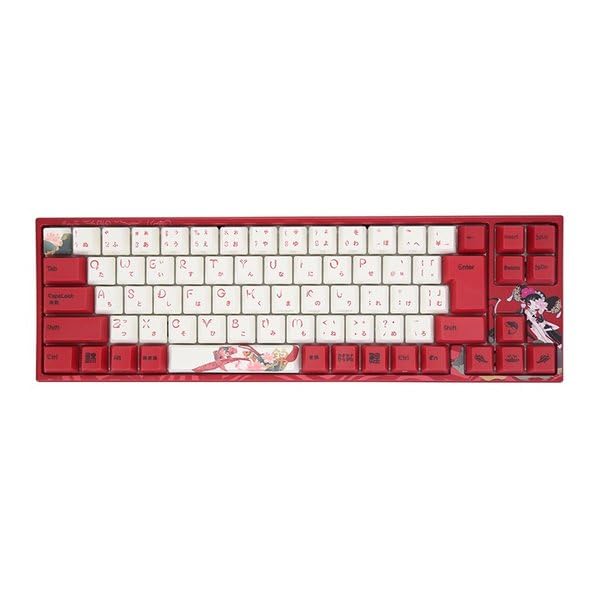
Image: Varmilo Koi 73 JIS Keyboard overview.
2. Pagrindinės savybės
- Unique Koi Design: Features vibrant koi fish illustrations and a red aesthetic, developed in collaboration with illustrator Li Huan.
- JIS Layout: 73-key Japanese Industrial Standard layout for specific regional input needs.
- Kompaktiškas 65 % dydis: Optimizes desk space while retaining essential function and arrow keys.
- Customizable Switches: Offers a choice of Varmilo mechanical electrostatic capacity switches to suit individual typing preferences.
- Cherry-Style Stabilizers: Ensures consistent and stable key presses, especially for larger keys.
- USB jungtis: Reliable wired connection for stable performance.
3. Sąrankos vadovas
3.1 Pakuotės turinys
Prieš pradėdami, įsitikinkite, kad pakuotėje yra visi reikalingi daiktai:
- Varmilo Koi 73 JIS Keyboard
- USB kabelis
- Vartotojo vadovas (šis dokumentas)
3.2 Klaviatūros prijungimas
To connect your Varmilo Koi 73 keyboard to your computer, follow these steps:
- Raskite USB-C prievadą klaviatūros gale.
- Prijunkite vieną pateikto USB kabelio galą prie klaviatūros USB-C prievado.
- Kitą USB kabelio galą prijunkite prie laisvo kompiuterio USB prievado.
- The keyboard should be automatically recognized by your operating system.
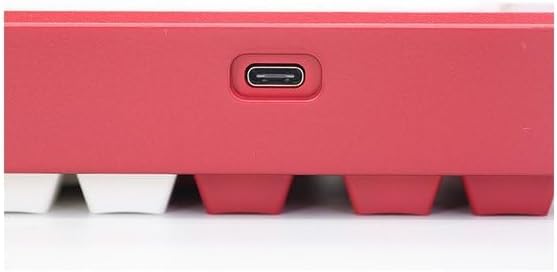
Image: USB-C port for keyboard connection.
3.3 Tvarkyklės diegimas (neprivaloma)
For advanced customization and optimal performance, it is recommended to install the Varmilo driver software. This software allows you to remap keys, adjust performance settings, and customize lighting effects.
Video: This video demonstrates the driver installation process and software usage for Varmilo keyboards. While it features the Muse65 model, the steps for driver installation and basic software navigation are generally applicable to other Varmilo keyboards like the Koi 73.
Please visit the official Varmilo website for the latest driver downloads specific to your keyboard model. Follow the on-screen instructions during installation.
4. Naudojimo instrukcijos
4.1 Pagrindinės klavišų funkcijos
The Varmilo Koi 73 keyboard features a standard JIS layout. Most keys function as labeled. For special functions, refer to the combination keys below.
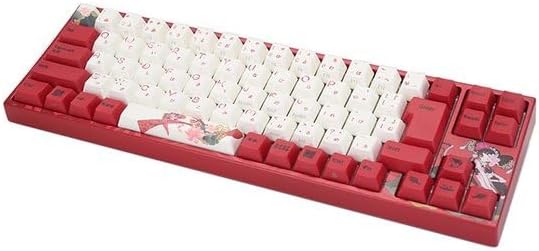
Vaizdas: Viršview of the Varmilo Koi 73 JIS Keyboard layout.
4.2 Funkcijų (Fn) klavišų deriniai
Since this is a 73-key layout, some functions are accessed via the Fn key. Hold down the Fn key and press the corresponding key to activate its secondary function. Common Fn combinations include:
- Fn + F1–F12: Multimedijos valdikliai (pvz., garsumas, paleidimas / pristabdymas).
- Fn + rodyklių klavišai: Page Up/Down, Home/End (specific to model, refer to keycap legends).
- Fn + Win Key: Užrakina / atrakina „Windows“ klavišą.

Image: Left side keys, often used with Fn for additional functions.
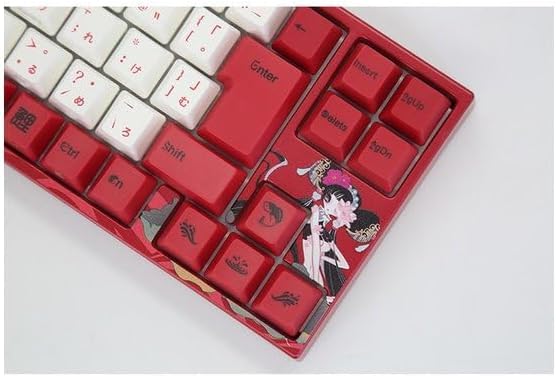
Image: Right side keys, including navigation and utility keys.
4.3 apšvietimo efektai
The Varmilo Koi 73 keyboard supports various RGB lighting effects. You can cycle through different modes and adjust brightness using specific key combinations. Refer to your keyboard's specific keycap legends or the driver software for detailed lighting controls.
Video: This video showcases various RGB lighting effects on a Varmilo keyboard. While the model shown is Muse65, it provides a general idea of the dynamic lighting capabilities available on Varmilo keyboards, including the Koi 73.
5. Priežiūra ir priežiūra
Proper maintenance ensures the longevity and optimal performance of your Varmilo Koi 73 keyboard.
- Klaviatūros dangtelių valymas: Gently remove keycaps using a keycap puller. Clean the keycaps with a soft cloth dampnuplaukite švelniu muilu ir vandeniu. Prieš pritvirtindami, įsitikinkite, kad jie yra visiškai sausi.
- Klaviatūros korpuso valymas: Use a soft, dry cloth to wipe down the keyboard body. For stubborn dirt, a slightly damp cloth with a small amount of isopropyl alcohol can be used. Avoid excessive moisture.
- Dulkių šalinimas: Norėdami pašalinti dulkes ir šiukšles iš tarpų tarp klavišų, naudokite suslėgtą orą.
- Venkite skysčių: Laikykite skysčius atokiai nuo klaviatūros, kad ji nebūtų pažeista.
- Kabelio priežiūra: Nelenkite ir nespauskite USB kabelio per daug.
6. Problemų sprendimas
If you encounter issues with your Varmilo Koi 73 keyboard, try the following solutions:
- Klaviatūra nereaguoja:
- Įsitikinkite, kad USB laidas yra tvirtai prijungtas prie klaviatūros ir kompiuterio.
- Pabandykite prijungti klaviatūrą prie kito kompiuterio USB prievado.
- Iš naujo paleiskite kompiuterį.
- Jei naudojate USB šakotuvą, pabandykite jį prijungti tiesiai prie kompiuterio.
- Neregistruojami raktai:
- Check for any debris or foreign objects under the keycaps.
- If specific keys are not working, consider reinstalling the keyboard driver.
- Apšvietimo problemos:
- Ensure the keyboard driver is installed and up to date.
- Use the Fn key combinations or driver software to adjust lighting modes and brightness.
- Windows Key Locked:
- Paspauskite Fn + Win klavišas norėdami įjungti „Windows“ klavišų užraktą.
If the problem persists, please contact Varmilo customer support for further assistance.
7. Specifikacijos
| Prekės ženklas | Varmilo |
| Modelio numeris | VMMA73A039SAKURA |
| Klaviatūros išdėstymas | 73-key JIS (Japanese Industrial Standard) |
| Ryšys | USB laidinis |
| Jungiklio tipas | Mechanical (Linear) |
| Suderinami įrenginiai | Nešiojamasis kompiuteris |
| Gaminio matmenys | 34.2 cm (ilgis) x 34.2 cm (plotis) x 5.1 cm (aukštis) |
| Įtraukti komponentai | USB kabelis |
8. Garantija ir palaikymas
Varmilo products typically come with a manufacturer's warranty. Please refer to the warranty card included with your product or visit the official Varmilo websvetainėje, kurioje pateikiamos išsamios garantijos sąlygos.
For technical support, driver downloads, or further inquiries, please visit the official Varmilo support page or contact their customer service.
Official Varmilo Websvetainė: www.varmilo.com