
Įvadas
This manual provides essential instructions for the safe and efficient use of your Zens Home/Office 2-in-1 Wireless Charger. This device is designed to simultaneously charge your MagSafe-compatible iPhone (12 series and newer) and Qi-compatible devices like AirPods, offering up to 15W ultra-fast charging. Please read this manual thoroughly before operating the device and retain it for future reference.
Pakuotės turinys
- Zens Home/Office 2-in-1 Wireless Charger
- 20 W galios adapteris
- Interchangeable Plug Adapters (for various regions)
- Vartotojo vadovas

Image: The Zens Home/Office 2-in-1 Wireless Charger, featuring a sleek black design with a vertical MagSafe charging stand and a flat Qi charging pad on the base.
Sąranka
1. Maitinimo adapterio prijungimas
- Unpack the Zens 2-in-1 Wireless Charger and its included 20W power adapter.
- Select the appropriate interchangeable plug adapter for your region and attach it to the 20W power adapter.
- Connect the barrel connector of the power adapter cable to the input port located at the rear of the charging base.
- Plug the power adapter into a wall outlet. The charger is now ready for use.
Vaizdo įrašas: Viršijimasview of the Zens Home/Office 2-in-1 Wireless Charger Station, demonstrating its design and dual charging capabilities.
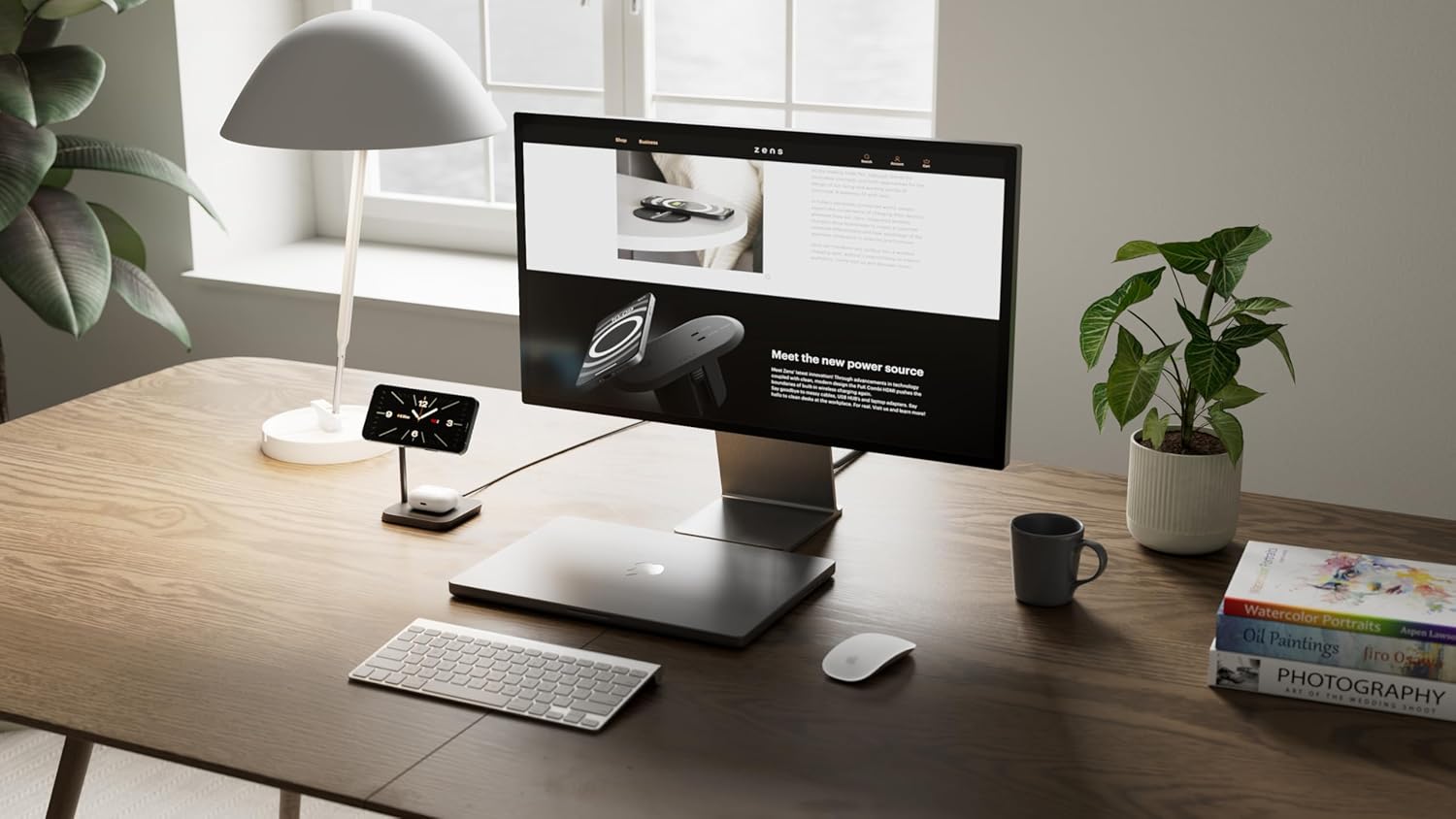
Image: The Zens 2-in-1 Wireless Charger positioned on a wooden desk, actively charging an iPhone on its MagSafe stand and a pair of AirPods on the integrated Qi charging pad.
Naudojimo instrukcijos
1. Charging an iPhone (MagSafe)
- Įsitikinkite, kad jūsų „iPhone“ suderinamas su „MagSafe“ („iPhone 12“ serijos arba naujesnio modelio).
- Align the back of your iPhone with the magnetic charging disc on the stand. The magnets will securely attach your device.
- The iPhone will begin charging automatically, indicated by a charging animation on the screen.

Image: An iPhone securely attached in portrait orientation to the MagSafe charging stand of the Zens 2-in-1 Wireless Charger, displaying the current time.
2. Charging AirPods or Qi-Compatible Devices
- Place your AirPods charging case or any other Qi-compatible device onto the flat charging pad at the base of the unit.
- Kad įrenginys būtų optimaliai prijungtas, įsitikinkite, kad jis yra įkrovimo padėklo centre.
- Charging will commence automatically. Refer to your device's indicator for charging status.

Image: An iPhone is shown tilted on the MagSafe stand of the Zens 2-in-1 Wireless Charger, demonstrating the adjustable viewing angle, with AirPods charging on the base.
3. Adjustable Angle and StandBy Mode
- The MagSafe stand allows for adjustment of your iPhone's viewing angle. Gently tilt your iPhone to your preferred position for optimal viewtiek portreto, tiek kraštovaizdžio režimais.
- When charging in stand mode, your Apple iPhone can utilize the StandBy feature, providing a convenient display of time, widgets, or Live Activities.

Image: An iPhone is shown mounted horizontally on the MagSafe stand of the Zens 2-in-1 Wireless Charger, displaying the time, ideal for StandBy mode.
Specifikacijos
| Modelio numeris | ZEDC26B/00 |
| Prekės ženklas | ZENS |
| Įkrovimo technologija | MagSafe, Qi Certified |
| Max Output (MagSafe) | 15W |
| Max Output (Qi Pad) | 5W (typical for AirPods) |
| Suderinami įrenginiai | MagSafe compatible iPhone 12 and up (iPhone 12, 13, 14, 15, 16 series), AirPods Pro (all generations), AirPods generation 2 & 3, other Qi-compatible devices |
| Ypatingos savybės | Adjustable Angle, Magnetic Connection, Qi certified, Supports Apple StandBy mode |
| Įvesties tomastage | 240 voltų |
| Maitinimo adapteris | 20W Power Supply Included |
| Spalva | Juoda |
| Prekės svoris | 1.2 svaro |
| Pakuotės matmenys | 7.17 x 6.34 x 4.02 colio |
Priežiūra
- Valymas: Disconnect the charger from the power source before cleaning. Use a soft, dry cloth to wipe the surfaces. Avoid abrasive cleaners or solvents.
- Saugykla: Nenaudojamą įkroviklį laikykite vėsioje, sausoje vietoje.
- Sauga: Do not disassemble or attempt to repair the charger. Keep away from water, heat, and direct sunlight. Ensure proper ventilation during use.
Trikčių šalinimas
- Įrenginys neįkraunamas: Ensure the power adapter is securely plugged into both the charger and the wall outlet. Verify that your device is correctly aligned on the MagSafe stand or centered on the Qi pad. Remove any thick phone cases that may interfere with wireless charging.
- Lėtas įkrovimas: Confirm that your device supports 15W fast charging. Ensure the 20W power adapter is used. Charging speed can be affected by device usage during charging or environmental factors.
- Prietaiso perkaitimas: It is normal for devices to become slightly warm during wireless charging. If excessive heat is detected, remove the device from the charger and allow it to cool. Ensure the charger is in a well-ventilated area.
Garantija ir palaikymas
The Zens Home/Office 2-in-1 Wireless Charger comes with a comprehensive 3 metų garantija covering any defects or malfunctions. Please retain your proof of purchase for warranty claims.
For further assistance, technical support, or warranty inquiries, please visit the official Zens website or contact their customer service department. Contact information can typically be found on the product packaging or the Zens brand store page.