
1. Įvadas ir saugos informacija
This manual provides essential instructions for the installation, operation, and maintenance of your GAMEMAX GX-850 80 Plus Gold Fully Modular Power Supply. Please read this manual thoroughly before installation and retain it for future reference.
1.1 Svarbūs saugos įspėjimai
- Elektros smūgio pavojus: Power supplies contain high voltage components. Do not open the power supply unit. There are no user-serviceable parts inside. Opening the unit will void the warranty.
- Tinkamas įžeminimas: Ensure your computer system is properly grounded to prevent electrical hazards.
- Atjunkite maitinimą: Always disconnect the AC power cord from the wall outlet before installing, removing, or servicing the power supply or any other computer components.
- Vėdinimas: Užtikrinkite tinkamą ventiliaciją aplink maitinimo šaltinį. Neužblokuokite jokių ventiliacijos angų.
- Drėgmė ir temperatūra: Do not operate the power supply in high humidity or high-temperature environments. Keep it away from water and heat sources.
- Profesionalus montavimas: Jei nesate tikri dėl kurių nors diegimo veiksmų, kreipkitės pagalbos į kvalifikuotą specialistą.
2. Pakuotės turinys
Verify that all items are present in your GAMEMAX GX-850 package:
- GAMEMAX GX-850 80 Plus Gold Fully Modular Power Supply
- Modular Cable Set (including ATX 24-pin, CPU 8-pin, PCIe 6+2-pin, SATA, Peripheral 4-pin cables)
- Kintamosios srovės maitinimo laidas
- Tvirtinimo varžtai
- Vartotojo vadovas (šis dokumentas)
3. Produktas baigtasview
The GAMEMAX GX-850 is an 850-watt 80 Plus Gold certified fully modular power supply designed for desktop computers. It features an LLC and DC-DC circuit design for high efficiency and stable power delivery, along with an ultra-quiet FDB (Fluid Dynamic Bearing) fan for optimal cooling and low noise.
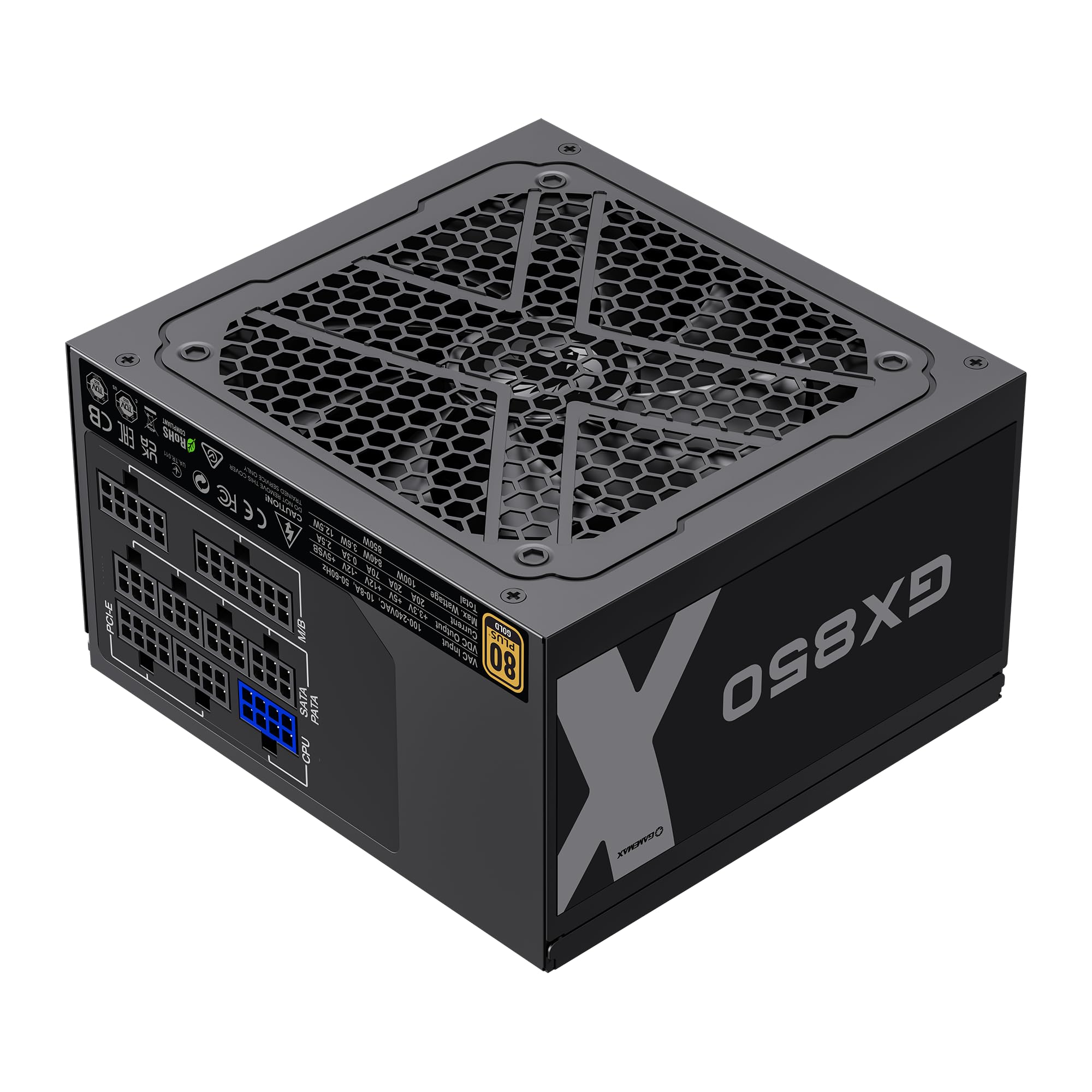
Image: The GAMEMAX GX-850 80 Plus Gold Fully Modular Power Supply, showcasing its black finish and modular design.
3.1 Pagrindinės savybės
- 80+ aukso sertifikatas: Ensures high power efficiency, reducing heat and operating costs.
- LLC+DC-DC Circuit: Advanced circuit design for stable voltage output and improved efficiency.
- Visiškai modulinis dizainas: Allows for custom cable management, reducing clutter and improving airflow.
- FDB Fan: Ultra-quiet temperature-controlled Fluid Dynamic Bearing fan for silent operation and extended lifespan.
- 105℃ Mainstream Capacitor: High-quality capacitors ensure long life and smooth power output.
- Visapusiška apsauga: Features SIX levels of protection: Over Temperature Protection (OTP), Over Current Protection (OCP), Short Circuit Protection (SCP), Over Voltage apsauga (OVP), pagal ttage Protection (UVP), and Over Power Protection (OPP).
4. Sąranka ir diegimas
Follow these steps to properly install your GAMEMAX GX-850 power supply into your computer system.
4.1 diegimo žingsniai
- Paruoškite savo sistemą: Įsitikinkite, kad jūsų kompiuteris yra visiškai išjungtas ir atjungtas nuo sieninio lizdo. Atidarykite kompiuterio korpusą.
- Išimkite seną maitinimo šaltinį (jei taikoma): Atjunkite visus laidus nuo seno maitinimo šaltinio ir išimkite jį iš korpuso.
- Prijunkite naują maitinimo šaltinį: Carefully place the GAMEMAX GX-850 into the power supply bay of your computer case. Secure it with the provided mounting screws. Ensure the fan is facing the correct direction for optimal airflow (typically facing down if your case has a bottom vent, or up if it's a top-mounted PSU).
- Prijunkite modulinius kabelius: Identify the necessary cables for your components. Connect the modular cables to the corresponding ports on the power supply first, then route them to your components.
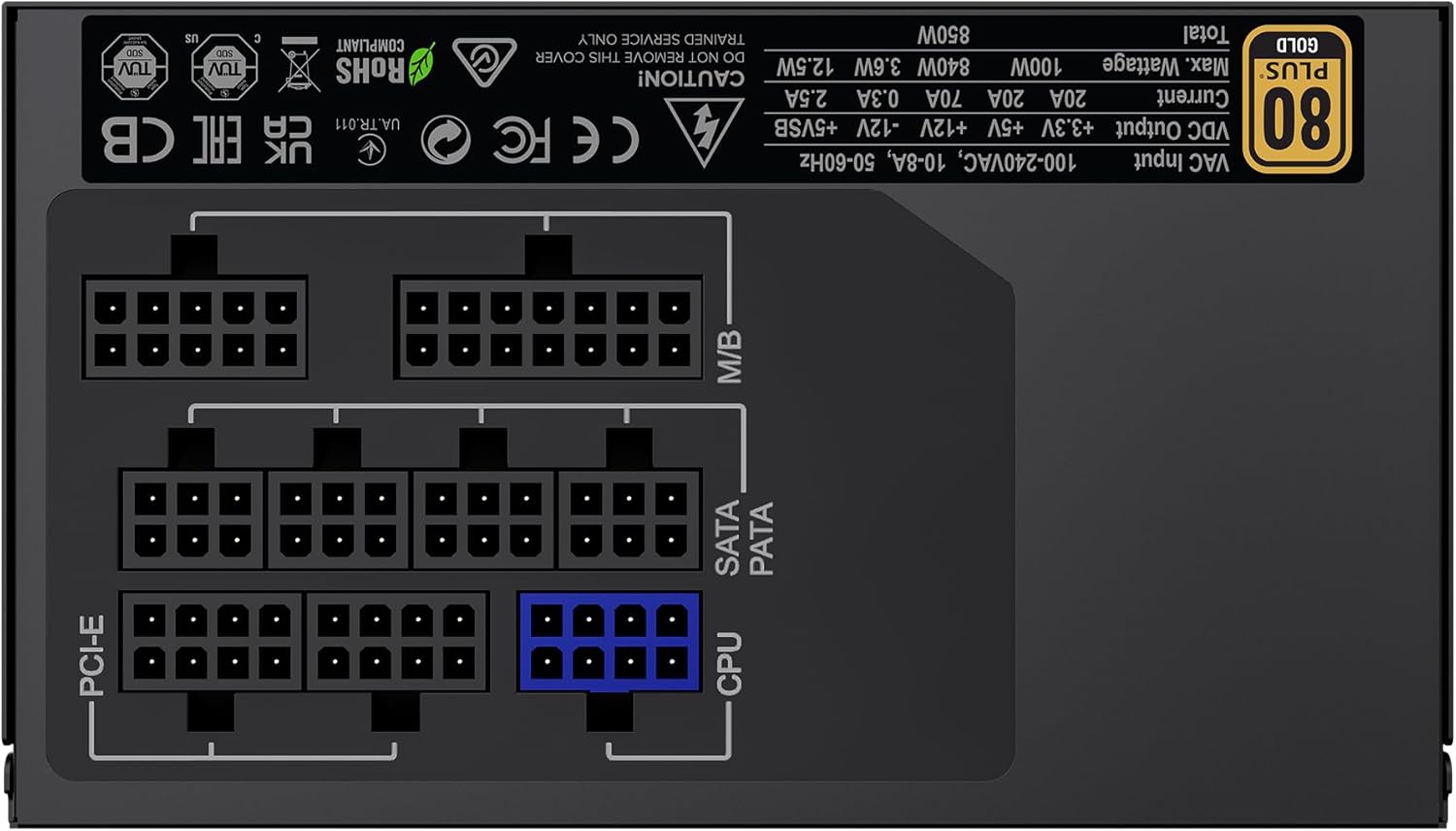
Vaizdas: Galinis view of the GAMEMAX GX-850 showing the fully modular cable connection ports for PCI-e, M/B (Motherboard), SATA/PATA, and CPU cables.
- Motherboard (M/B): Prijunkite 24 kontaktų ATX kabelį prie pagrindinės plokštės.
- CPU: Connect the 8-pin (or 4+4-pin) CPU power cable to the CPU power connector on your motherboard.
- Graphics Cards (PCI-e): Connect the 6+2-pin PCIe power cables to your graphics card(s). Use separate cables for each connector if your GPU requires multiple.
- Storage Devices (SATA): Prijunkite SATA maitinimo laidus prie SSD, HDD ir optinių diskų.
- Peripherals (PATA/Molex): Connect peripheral power cables to any other devices requiring them (e.g., fan controllers, older drives).
- Kabelių valdymas: Tvarkingai išvedžiokite laidus, kad pagerintumėte oro cirkuliaciją ir pagerintumėte estetiką.
- Uždarykite korpusą ir prijunkite kintamosios srovės maitinimą: Close your computer case. Connect the AC power cord to the power supply and then to a grounded wall outlet.
5. Naudojimo instrukcijos
After successful installation, follow these steps to operate your system.
- Maitinimo jungiklis: Įsitikinkite, kad maitinimo jungiklis maitinimo šaltinio gale yra padėtyje „ĮJUNGTA“ (I).
- Sistemos įjungimas: Press the power button on your computer case to turn on the system.
- System Power Off: To turn off your system, use the operating system's shutdown procedure. For a hard shutdown, hold the case power button for several seconds. For complete power disconnection, switch the PSU's power switch to 'OFF' (O) and unplug the AC cord.
6. Priežiūra
Reguliarus aptarnavimas padeda užtikrinti jūsų maitinimo šaltinio ilgaamžiškumą ir optimalų veikimą.
- Dulkių valymas: Periodically clean the power supply's fan and ventilation grilles using compressed air to prevent dust buildup, which can impede cooling. Ensure the system is powered off and unplugged before cleaning.
- Kabelio patikrinimas: Occasionally check all modular cable connections to ensure they are securely seated.
- Aplinkos sąlygos: Maintain a clean, dry, and well-ventilated environment for your computer.
7. Problemų sprendimas
Jei kyla problemų dėl maitinimo šaltinio, vadovaukitės toliau pateiktais įprastais trikčių šalinimo veiksmais.
- Nėra galios:
- Ensure the AC power cord is securely plugged into both the wall outlet and the power supply.
- Patikrinkite, ar maitinimo jungiklis maitinimo bloko gale yra padėtyje „ĮJUNGTA“ (I).
- Verify that the 24-pin ATX and 8-pin CPU power cables are correctly and firmly connected to the motherboard.
- Patikrinkite sieninį lizdą su kitu įrenginiu, kad įsitikintumėte, jog jame yra maitinimas.
- Sistemos nestabilumas / atsitiktiniai išsijungimai:
- Ensure all modular cables are fully seated at both the PSU and component ends.
- Check for proper ventilation and ensure the PSU fan is spinning. Overheating can cause shutdowns.
- If you have recently added new components, ensure your 850W power supply is sufficient for the total system wattage.
- Ventiliatorius nesisuka:
- The GX-850 features a temperature-controlled fan. It may not spin at low loads or temperatures. This is normal operation.
- If the fan does not spin under load and the PSU feels hot, ensure there are no obstructions and consider contacting support.
If problems persist after performing these steps, contact GAMEMAX customer support or your retailer for further assistance.
8. Specifikacijos
Detailed technical specifications for the GAMEMAX GX-850 80 Plus Gold Power Supply:
| Funkcija | Specifikacija |
|---|---|
| Modelio pavadinimas | GX-850 Modular |
| Prekės ženklas | GAMEMAX |
| Išėjimo vattage | 850 vatų |
| Formos faktorius | ATX |
| Efektyvumo sertifikavimas | 80 plius auksas |
| Maitinimo bloko dizainas | Pilnas modulinis |
| Aušinimo būdas | Air (FDB Fan) |
| Ventiliatorių skaičius | 1 |
| Minimalus įvesties tūristage | 115 voltų |
| Maksimalus įvesties tūristage | 240 voltai (kintamoji srovė) |
| Viršutinės temperatūros įvertinimas | 105 Degrees Celsius (Capacitors) |
| Suderinami įrenginiai | Stalinis kompiuteris |
| Jungčių tipai | ATX, PCI-e, SATA |
9. Garantija ir palaikymas
GAMEMAX products are manufactured to high-quality standards. For warranty information, please refer to the warranty card included with your product or visit the official GAMEMAX websvetainėje. Garantijos sąlygos gali skirtis priklausomai nuo regiono ir mažmenininko.
For technical support or further inquiries, please contact GAMEMAX customer service through their official websvetainėje arba pardavėjo pateiktą kontaktinę informaciją.