
MARSTEK M1200
MARSTEK M1200 nešiojamos elektrinės naudotojo vadovas
Model: M1200 | Brand: MARSTEK
1. Įvadas ir pabaigaview
The MARSTEK M1200 Portable Power Station is a versatile and robust power solution designed for various applications, including outdoor camping, off-grid living, and emergency power outages. It features a high-capacity 1030Wh LiFePO4 battery with over 6000 cycles, ensuring a long lifespan. The unit supports fast AC charging, solar charging, and provides multiple output ports for a wide range of devices.

1 pav.: priekis view of the MARSTEK M1200 Portable Power Station, showing the main display and various output ports.
2. Kas yra dėžutėje
Upon unboxing your MARSTEK M1200 Portable Power Station, please verify that all the following items are included:
- Nešiojama elektrinė MARSTEK M1200
- AC įkrovimo kabelis
- Automobilio įkrovimo laidas
- Vartotojo vadovas (šis dokumentas)
- Professional Service Card
3. Pagrindinės savybės
3.1. AC Fast Charging
The M1200 supports rapid AC charging, allowing it to reach 0-80% capacity in approximately 50 minutes and a full charge in 70 minutes. This feature is ideal for quick power replenishment before trips or during limited access to power outlets.

Figure 2: The M1200 connected to an AC outlet, demonstrating its fast charging speed.
3.2. Long-Lasting LiFePO4 Battery
Equipped with a self-developing LiFePO4 battery cell, the M1200 offers an impressive lifespan of over 6000 cycles while maintaining 80%+ capacity. This translates to an estimated 25-year operational life under typical usage conditions.

Figure 3: An internal diagram showcasing the durable LiFePO4 battery structure within the power station.
3.3. Versatile Power Output
With 12 diverse output ports and a substantial output capacity, the M1200 can power approximately 99% of common appliances. Its smart control system also supports heated devices with up to 20% more rated power.

Figure 4: The M1200 providing power to multiple devices in an outdoor setting.
3.4. Grynos sinusinės bangos išvestis
The patented circuit design ensures a stable pure sine wave output, which is crucial for sensitive electronics. This prevents damage to devices such as phones, computers, and other delicate equipment.

Figure 5: Visual representation of the pure sine wave output from the M1200, ensuring safe power for sensitive electronics.
3.5. Valdymas išmaniąja programėle
Monitor and manage your M1200 remotely using the dedicated MARSTEK app. This allows for convenient control and real-time status updates from your smartphone.

Figure 6: The MARSTEK app interface on a smartphone, showing remote monitoring capabilities.
3.6. Efficient Solar Charging
The M1200 supports up to 800W solar panel input, significantly reducing charging time by 33%. This provides an eco-friendly and efficient charging option for outdoor and off-grid scenarios.
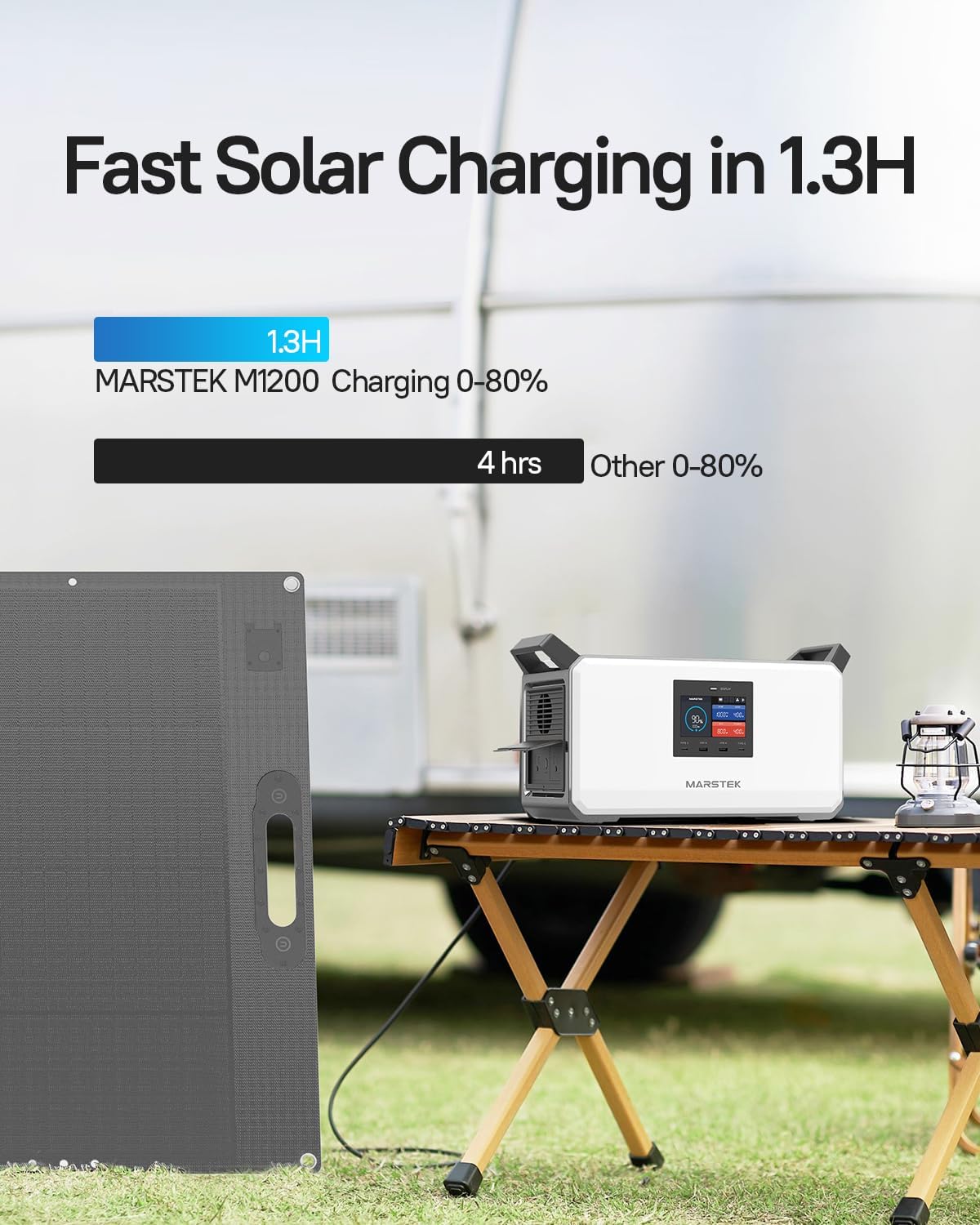
Figure 7: The M1200 being charged by a solar panel, highlighting its fast solar charging feature.
3.7. Avarinis maitinimo šaltinis (AŠŠ)
In the event of a power grid failure, the M1200 features an Emergency Power Supply (EPS) function that automatically switches to battery power in just 0.02 seconds, ensuring a seamless and continuous power supply.
3.8. Tylus veikimas
The M1200 operates at a whisper-quiet 30dB during charging, making it suitable for use in quiet environments such as bedrooms or reading areas without causing disturbance.
4. Sąrankos vadovas
4.1. Pradinis įkrovimas
Before first use, it is recommended to fully charge your MARSTEK M1200. Use the provided AC charging cable and connect it to a standard wall outlet. The display will indicate the charging status and battery percentage. For optimal battery health, ensure the unit is fully charged before long-term storage.
4.2. Connecting Solar Panels (Optional)
To charge using solar power, connect compatible solar panels (up to 800W input) to the designated PV input port on the M1200. Position the solar panels in direct sunlight for maximum efficiency. The display will show the incoming solar wattage.
Video 1: This video demonstrates the setup and basic functionality of the MARSTEK M1200 Power Station, including connecting charging cables and observing the display.
5. Naudojimo instrukcijos
5.1. Įjungimas/išjungimas
Norėdami įjungti arba išjungti įrenginį, paspauskite ir kelias sekundes palaikykite nuspaudę pagrindinį maitinimo mygtuką. Įjungus įrenginį, ekranas užsidegs.
5.2. Išvesties prievadų naudojimas
The M1200 features various output ports:
- AC lizdai: Plug in your AC-powered devices (e.g., laptops, small appliances) into the 1000W AC outlets. The unit supports power lifting up to 1200W for certain devices.
- USB-A prievadai: Connect your USB-A compatible devices for charging (e.g., smartphones, tablets).
- USB-C prievadai: Utilize the USB-C ports for faster charging of compatible devices.
- Car Charging Port: Provides 12V DC output for car appliances.
5.3. MARSTEK App Usage
Download the MARSTEK app from your device's app store. Follow the in-app instructions to connect your M1200 via Bluetooth or Wi-Fi. The app allows you to:
- Monitor charging status and power consumption.
- Nuotoliniu būdu valdykite AC/DC išėjimus.
- View battery health and cycle count.
2 vaizdo įrašas: šiame vaizdo įraše pateikiama išsami informacijaview of the MARSTEK M1200 and P1200 Portable Power Stations, showcasing their features and various use cases.
6. Priežiūra
Proper maintenance ensures the longevity and optimal performance of your M1200:
- Saugykla: Store the power station in a cool, dry place away from direct sunlight and extreme temperatures. For long-term storage, charge the battery to approximately 50-80% every 3-6 months.
- Valymas: Use a soft, dry cloth to clean the exterior. Do not use abrasive cleaners or immerse the unit in water.
- Vėdinimas: Ensure the ventilation vents are clear of obstructions to prevent overheating during operation or charging.
- Baterijos būklė: While the LiFePO4 battery is designed for 6000+ cycles, avoiding frequent deep discharges and overcharging can further extend its life.
7. Problemų sprendimas
If you encounter issues with your MARSTEK M1200, refer to the following common troubleshooting steps:
| Problema | Galima priežastis | Sprendimas |
|---|---|---|
| Įrenginys neįsijungia. | Battery is fully discharged; Power button not pressed long enough. | Charge the unit using the AC adapter. Press and hold the power button for 3-5 seconds. |
| Kintamosios srovės išvestis neveikia. | Kintamosios srovės išvestis neįjungta; suaktyvinta apsauga nuo perkrovos; įrenginio galia viršija ribą. | Ensure AC output is enabled on the display or app. Reduce connected load. Restart the unit. |
| Slow charging via AC. | Incorrect cable used; Environmental temperature too high/low. | Use the original AC charging cable. Charge within recommended temperature range (0-40°C). |
| Solar charging not working or slow. | Insufficient sunlight; Incorrect panel connection; Incompatible solar panel voltage. | Ensure panels are in direct sunlight and clean. Verify connections. Check panel specifications for compatibility. |
| Programėlės ryšio problemos. | „Bluetooth“ / „Wi-Fi“ išjungtas; programėlė neatnaujinta; įrenginys neporavimo režime. | Ensure Bluetooth/Wi-Fi is active on both devices. Update the app. Refer to app instructions for pairing. |
If the problem persists after attempting these solutions, please contact MARSTEK customer support for further assistance.
8. Specifikacijos
| Atributas | Detalė |
|---|---|
| Modelio pavadinimas | M1200 nešiojama elektrinė |
| Baterijos tipas | LiFePO4 |
| Talpa | 1030 Wh |
| AC išvestis | 2 x 1000W (Pure Sine Wave, Power Lifting 1200W) |
| USB-A išvestis | 2 prievadai |
| USB-C išvestis | 2 prievadai |
| Automobilio įkrovimo išėjimas | 12V prievadas |
| Kintamosios srovės įkrovimo laikas (0–80 %) | apytiksliai 50 minučių |
| Saulės įvestis | Iki 800W |
| Matmenys (I x P x A) | 13.39 x 8.66 x 10 colio |
| Prekės svoris | 30.6 svaro |
| Veikimo triukšmo lygis | 30dB (during charging) |
9. Garantija ir palaikymas
MARSTEK products come with a standard warranty. For detailed warranty information, including coverage period and terms, please refer to the Professional Service Card included in your product packaging or visit the official MARSTEK websvetainę.
For technical support, troubleshooting assistance, or any inquiries regarding your MARSTEK M1200, please contact our customer service team. Contact details can be found on the Professional Service Card or the official MARSTEK support page.
Išsaugokite pirkimo įrodymą, kad galėtumėte kreiptis dėl garantijos.
Ask a question about this manual
Ask about setup, troubleshooting, compatibility, parts, safety, or missing instructions. Manuals+ will review the question and use this page’s manual context to help answer it.