
Įvadas
Thank you for choosing the VOLT PLUS TECH Portable Bluetooth Earbuds. These earbuds are designed to provide a high-quality audio experience with advanced features such as noise cancellation, an intuitive LED display, and a portable charging case with an integrated power bank. This manual will guide you through the setup, operation, and maintenance of your new earbuds to ensure optimal performance and longevity.
Kas yra dėžutėje
Patikrinkite pakuotės turinį, kad įsitikintumėte, jog yra visi reikalingi daiktai:
- Portable Bluetooth Earbuds (Left and Right)
- Portable Charging/Storage Case with Power Bank
- USB-C įkrovimo laidas
- Vartotojo vadovas
- Two (2) pairs of different sized earbud tips (small, large)
Produktas baigtasview ir Savybės
The VOLT PLUS TECH earbuds offer a range of features designed for convenience and superior audio quality:
- Bluetooth 5.0 ryšys: Užtikrina stabilų ir efektyvų belaidį ryšį.
- CVC 8.0 Intelligent Noise Reduction: Reduces ambient noise for clear calls and immersive music.
- IPX4 atsparumo vandeniui įvertinimas: Protects against splashes and sweat, suitable for sports (charging case is not waterproof).
- 2000mAh Charging Case: Provides extended battery life for earbuds, offering up to 24 hours of use.
- Protingas LED ekranas: Clearly shows the battery level of the charging case and earbuds.
- Jutikliniai valdikliai: Paprastas muzikos atkūrimo, skambučių ir balso asistento valdymas.

Image: The portable Bluetooth earbuds with their charging case open, displaying the earbuds inside and the digital battery indicator.

Image: The portable Bluetooth earbuds positioned next to their closed charging case, showcasing kompaktiškas dizainas.

Vaizdas: Stambus planas view of the charging case's LED digital display, clearly showing the battery percentage.
Sąranka ir poravimas
Follow these steps for initial setup and pairing with your device:
- Maitinimas: Remove both earbuds from the charging case. They will automatically power on. Alternatively, press and hold the touch panel on both earbuds for 3 seconds until a blue indicator light flashes.
- Automatinis susiejimas: After powering on, you will hear voice prompts, and both earbuds will flash blue and red indicators alternatively. Wait until both earbuds pair with each other. Once paired, the left earbud will continue to flash blue and red alternatively.
- Prisijunkite prie įrenginio: You will hear a voice prompt 'pairing', indicating the earbuds are ready to pair with your mobile device. Turn on the Bluetooth function on your mobile device and search for "JS25" in the list of available devices.
- Galutinis prijungimas: Select "JS25" to pair and connect. Once successfully connected, the earbuds will prompt "Connected".
- Automatinis pakartotinis prisijungimas: Once your device and earbuds are successfully connected, your earbuds will auto-connect to the previously paired device when they are turned on and Bluetooth is enabled on your device.
- Susiejimo trikčių šalinimas: If you cannot pair the earbuds, place them back in the charging case and repeat the previous steps.

Image: A visual guide illustrating the quick pairing process for the earbuds, from removal from case to successful connection.

Image: Depiction of the earbuds automatically connecting to a smartphone upon removal from the charging case.
Naudojimo instrukcijos
Palieskite valdiklius
Ausinės turi intuityvius jutiklinius valdiklius įvairioms funkcijoms atlikti:
- Leisti / pristabdyti: Vieną kartą bakstelėkite bet kurią ausinę.
- Kita daina: Dukart palieskite dešinįjį ausinės antgalį.
- Ankstesnė daina: Dukart palieskite kairįjį ausinės antgalį.
- Atsiliepti / Baigti skambutį: Vieną kartą bakstelėkite bet kurią ausinę įeinančio skambučio metu.
- Atmesti skambutį: Įeinančio skambučio metu paspauskite ir 2 sekundes palaikykite nuspaudę bet kurią ausinę.
- Suaktyvinti „Voice Assistant“: Tris kartus palieskite bet kurią ausinę.
- Garso reguliavimas: Specific instructions for volume adjustment are not detailed in the provided information, but typically involve a long press or multiple taps on a specific earbud. Refer to the quick start guide for precise gestures.
Ausinių ir dėklo įkrovimas
The charging case acts as a power bank for your earbuds and can also charge your mobile phone.
- Ausinių įkrovimas: Place the earbuds into the charging case. They will automatically begin charging. The LED display on the case will show the charging status.
- Įkrovimo dėklas: Connect the USB-C charging cable to the charging port on the case and to a power source. The LED display will indicate the charging progress of the case.
- Maitinimo banko funkcija: The 2000mAh battery in the charging case can provide emergency power to your mobile phone via its USB-C output port.

Image: The earbuds resting in their charging case, with text overlays indicating features like fingerprint touch control, intelligent digital display, and HD calling.
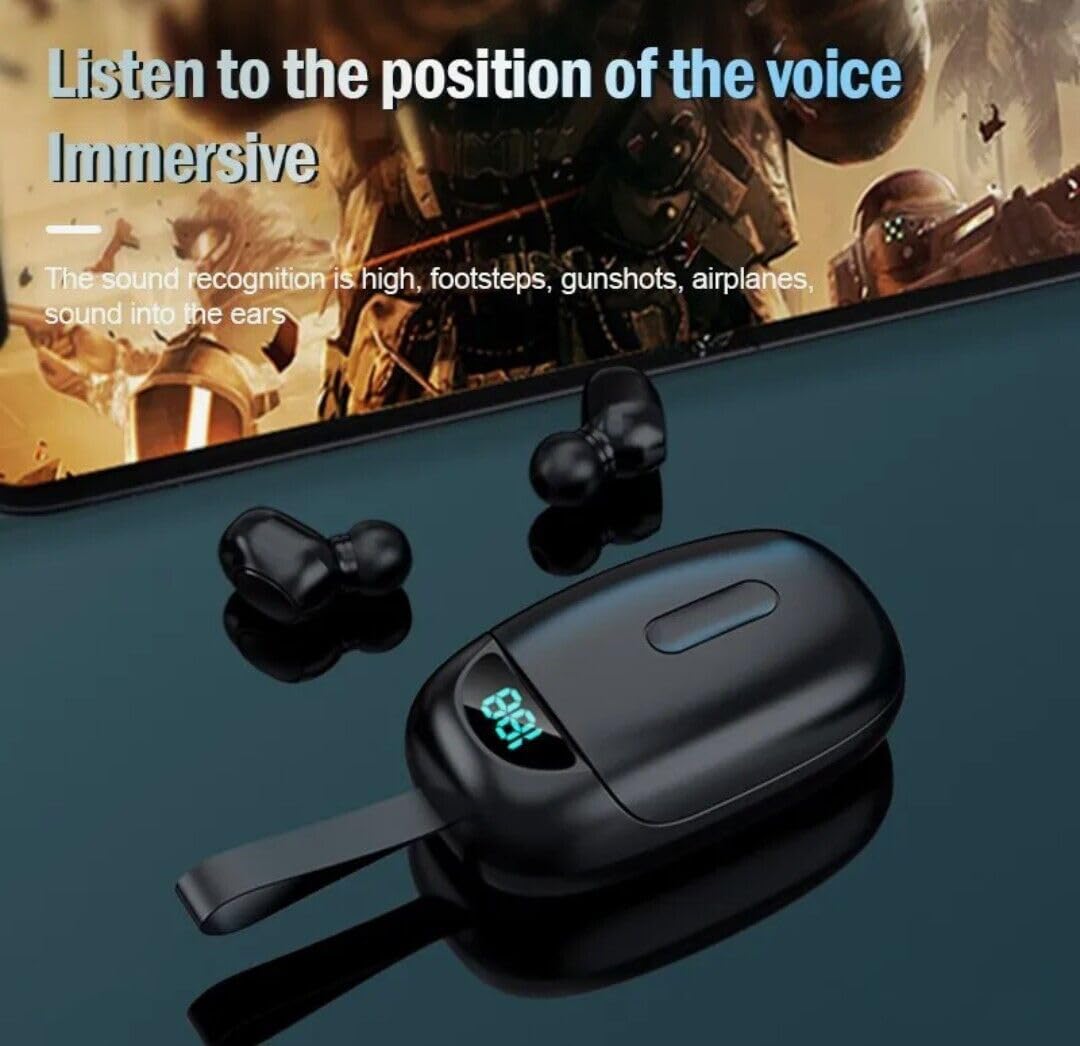
Image: The earbuds positioned near a smartphone displaying a game, illustrating their capability to deliver immersive audio for an enhanced listening experience.
Priežiūra
Norėdami užtikrinti ausinių ilgaamžiškumą ir optimalų veikimą, laikykitės šių priežiūros nurodymų:
- Valymas: Reguliariai valykite ausines ir įkrovimo dėklą minkštu, sausu, nepūkuotu skudurėliu. Nenaudokite abrazyvinių valiklių ar tirpiklių.
- Ausinių antgalių patarimai: Remove and clean the earbud tips periodically to prevent wax buildup. You can gently wash them with water and mild soap, then dry them completely before reattaching.
- Įkrovimo uostai: Įsitikinkite, kad ausinių ir dėklo viduje esantys įkrovimo kontaktai yra švarūs ir be šiukšlių.
- Saugykla: Kai nenaudojate, laikykite ausines įkrovimo dėkle, kad jos būtų apsaugotos ir įkrautos.
- Vandens ekspozicija: While the earbuds are IPX4 waterproof, the charging case is not. Avoid exposing the charging case to water or excessive moisture.
- Temperatūra: Avoid exposing the product to extreme temperatures (hot or cold) as this can damage the battery and internal components.
Trikčių šalinimas
Jei kyla problemų dėl ausinių, žr. toliau pateiktas dažniausiai pasitaikančias problemas ir jų sprendimus:
| Problema | Galima priežastis | Sprendimas |
|---|---|---|
| Ausinės neįsijungia | Low battery; Not removed from case correctly | Charge the earbuds; Ensure earbuds are fully removed from the charging case. |
| Ausinės nesusietos su įrenginiu | Bluetooth off; Earbuds not in pairing mode; Previously paired device interfering | Ensure Bluetooth is enabled on your device; Place earbuds back in case, then remove to re-enter pairing mode; Forget "JS25" from your device's Bluetooth list and re-pair. |
| Veikia tik viena ausinė | Earbuds not paired to each other; Low battery on one earbud | Place both earbuds back in the case, close, then reopen to force re-pairing; Charge both earbuds fully. |
| Prasta garso kokybė arba ryšio sutrikimai | Distance from device; Interference; Low battery | Move closer to your device; Avoid strong electromagnetic interference; Charge earbuds fully. |
| Charging case LED not lighting up | Charging cable issue; Power source issue; Case fully charged | Try a different USB-C cable; Use a different power adapter/port; The case might be fully charged. |
Specifikacijos
Detailed technical specifications for the VOLT PLUS TECH Portable Bluetooth Earbuds Model TG01:
| Funkcija | Specifikacija |
|---|---|
| Modelio pavadinimas | TG01 |
| Ryšio technologija | Bluetooth 5.0 |
| Belaidžio ryšio technologija | Bluetooth |
| Triukšmo valdymas | Aktyvus triukšmo slopinimas (CVC 8.0) |
| Atsparumo vandeniui lygis | IPX4 (tik ausinėms) |
| Ausinės Jack | USB-C (įkrovimo dėklui) |
| Dažnio atsakas | 48000 KHz |
| Varža | 25.94 omų |
| Kontrolės metodas | Palieskite |
| Suderinami įrenginiai | ZTE Axon 20 and other Bluetooth-enabled devices |
| Medžiaga | Aluminum, Hi Strength Plastic, Metal |
| Prekės svoris | 4 uncijos |
| Gaminio matmenys | 1 x 1.7 x 1.5 colio |
| Gamintojas | VOLT PLUS TECH |
| Spalva | Juoda |
Garantija ir palaikymas
VOLT PLUS TECH products are manufactured to the highest quality standards. For specific warranty information and customer support, please refer to the warranty card included with your purchase or visit the official VOLT PLUS TECH websvetainėje. Išsaugokite pirkimo kvitą kaip pirkimo įrodymą bet kokiems garantiniams prašymams.
If you require further assistance or have questions not covered in this manual, please contact VOLT PLUS TECH customer support.