
Įvadas
Thank you for choosing the VOLT PLUS TECH Portable Bluetooth Earbuds, Model VPT-1258-B. These earbuds are designed for wireless audio enjoyment and hands-free communication, featuring noise cancellation, a portable charging case with an LED display, and IPX4 water resistance. This manual provides detailed instructions for setup, operation, maintenance, and troubleshooting to ensure optimal performance.

Image: The VOLT PLUS TECH Portable Bluetooth Earbuds shown with their charging case, which features an LED display.
Kas yra dėžutėje
- Two (2) Earbuds
- One (1) Portable Power Bank Charging Case
- One (1) USB-C Charging Cable
- Three (3) Pairs of Ear Adapters (Small, Medium, Large)
- Vienas (1) vartotojo vadovas

Image: A visual representation of the earbuds and the charging case, highlighting their compact design.
Sąranka
1. Ausinių ir dėklo įkrovimas
- Prieš pirmą kartą naudodami, visiškai įkraukite įkrovimo dėklą ir ausines.
- Prijunkite USB-C įkrovimo laidą prie dėklo įkrovimo prievado ir prie maitinimo šaltinio.
- The LED display on the case will show the charging progress.
- Įdėkite ausines į įkrovimo dėklą. Jos automatiškai pradės krautis.
2. Pradinis poravimas
- Remove both earbuds from the charging case. They will automatically power on. Alternatively, press and hold the touch panel on both earbuds for 3 seconds until a blue indicator light flashes.
- After powering on, you will hear voice prompts, and both earbuds will flash blue and red indicators alternatively.
- Wait for the earbuds to pair with each other. Once successfully paired, the left earbud will continue to flash blue and red alternatively, indicating it is ready to connect to a device.
- Enable Bluetooth on your mobile device (e.g., Tecno Spark 10 Pro).
- Ieškokite Bluetooth devices and select "JS25" from the list. (If "JS25" is not found, try searching for "Mytrack").
- Once connected, the earbuds will prompt "Connected".

Image: A visual guide illustrating the quick pairing process for the earbuds, showing the steps to connect them to a mobile device.
3. Prisijungimas iš naujo
Once paired, the earbuds will automatically connect to the last paired device when removed from the charging case and Bluetooth is enabled on the device.

Image: Depicts the automatic connection feature of the earbuds to a smartphone upon removal from the charging case.
Naudojimo instrukcijos
1. Maitinimo įjungimas/išjungimas
- Maitinimas: Remove earbuds from the charging case, or press and hold the touch panel for 3 seconds.
- Išjungti: Place earbuds back into the charging case, or press and hold the touch panel for an extended period (refer to specific touch controls for exact duration).
2. Muzikos atkūrimo valdikliai
The earbuds feature touch controls for managing audio playback:
- Leisti / pristabdyti: Vieną kartą bakstelėkite bet kurią ausinę.
- Kita daina: Dukart palieskite dešinįjį ausinės antgalį.
- Ankstesnė daina: Dukart palieskite kairįjį ausinės antgalį.
- Garso reguliavimas: Specific touch gestures for volume control are available (refer to product packaging or manufacturer's website for detailed gestures).
3. Skambučių valdymas
- Atsiliepti / Baigti skambutį: Vieną kartą bakstelėkite bet kurią ausinę.
- Atmesti skambutį: 2 sekundes palaikykite nuspaudę bet kurios ausinės jutiklinį skydelį.
4. Balso asistentas
- Suaktyvinti „Voice Assistant“: Tris kartus palieskite bet kurią ausinę (pvz., „Siri“, „Google Assistant“).
5. LED ekrano informacija
The charging case features an intelligent LED display that shows the battery level of both the charging case and the individual earbuds, allowing for easy monitoring of power status.

Image: The charging case with its LED digital display clearly showing the battery percentage.
Savybės
- Bluetooth 5.3 technologija: Užtikrina stabilų ir efektyvų belaidį ryšį.
- CVC 8.0 Noise Reduction: Reduces ambient noise for clearer calls and music listening.
- IPX4 atsparumas vandeniui: Earbuds are resistant to splashes and sweat, suitable for sports and outdoor activities. (Note: The charging case is not waterproof).
- Pailgintas akumuliatoriaus veikimo laikas: The 2000mAh charging case provides up to 24 hours of music playback and approximately 100 hours of call time for the earbuds.
- LED skaitmeninis ekranas: Clearly indicates battery levels of the case and earbuds.
- Platus suderinamumas: Compatible with various Bluetooth-enabled devices including Android, iOS, Mac, Windows, and specifically Tecno Spark 10 Pro.
- 8D stereo garsas: Užtikrina sodrų garso potyrį.

Image: Highlights the compact design of the earbuds and mentions features such as touch control, intelligent digital display, and HD calling.
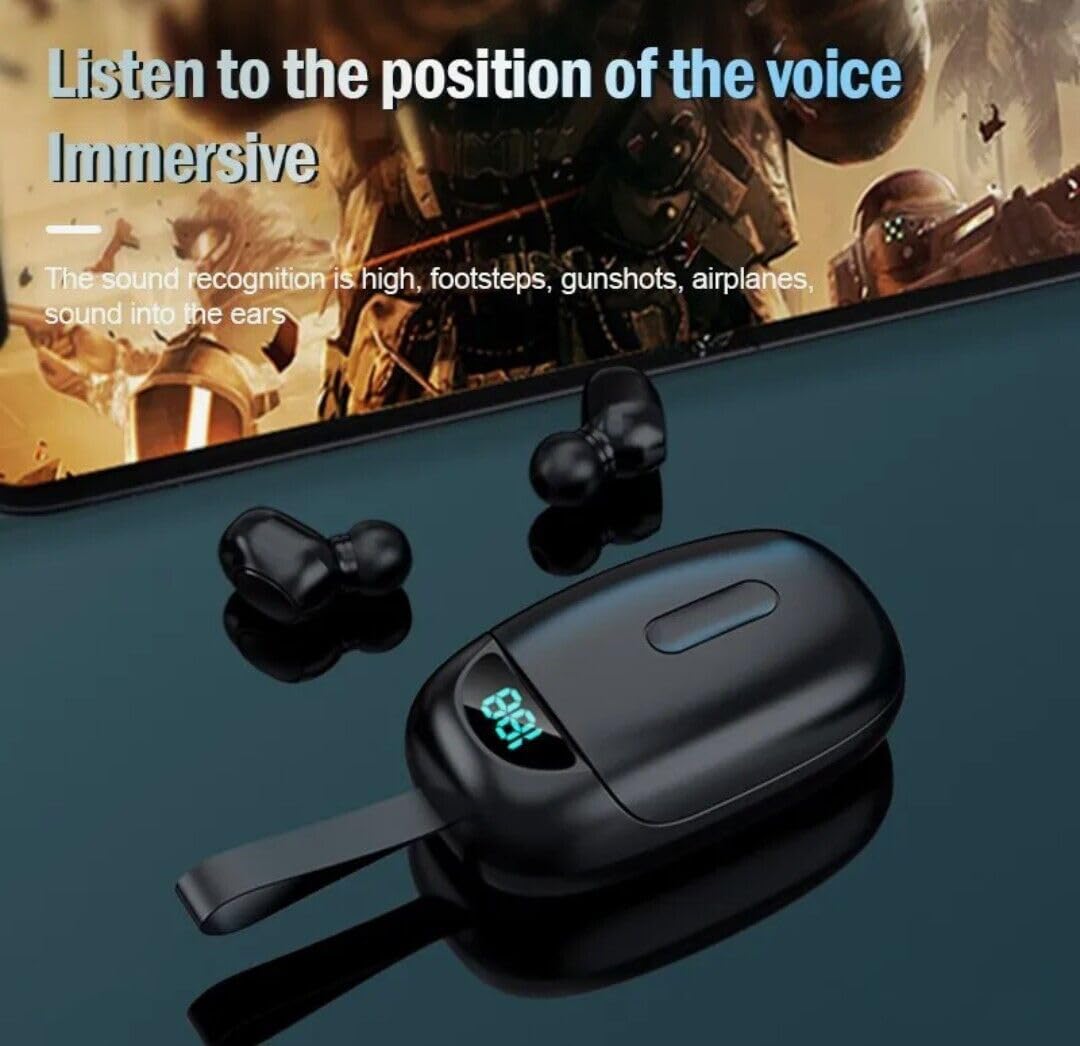
Image: Illustrates the immersive audio experience provided by the earbuds, particularly for applications like gaming where sound recognition is important.
Priežiūra
1. Valymas
- Švelniai nuvalykite ausines ir įkrovimo dėklą minkštu, sausu, nepūkuotu skudurėliu.
- Nenaudokite abrazyvinių valiklių, tirpiklių ar aerozolinių purškalų.
- Įsitikinkite, kad abiejų ausinių ir dėklo įkrovimo kontaktai yra švarūs ir be šiukšlių.
2. Atsparumas vandeniui
- The earbuds are IPX4 water-resistant, meaning they can withstand splashes and sweat. They are not designed for submersion in water.
- The charging case is NOT waterproof. Avoid exposing the charging case to water or moisture.
- If earbuds get wet, dry them thoroughly before placing them back in the charging case.
3. Sandėliavimas
- Kai nenaudojate, laikykite ausines įkrovimo dėkle, kad apsaugotumėte ir liktų įkrautos.
- Laikyti vėsioje, sausoje vietoje, toliau nuo ekstremalių temperatūrų.
Trikčių šalinimas
1. Earbuds Not Pairing with Each Other
- Įsitikinkite, kad abi ausinės yra visiškai įkrautos.
- Įdėkite abi ausines atgal į įkrovimo dėklą, uždarykite dangtelį, palaukite kelias sekundes ir vėl jas išimkite.
- Jei problemos išlieka, pabandykite iš naujo nustatyti ausines (žr. gamintojo instrukcijas). website for specific reset instructions if not detailed in this manual).
2. Earbuds Not Connecting to Device
- Įsitikinkite, kad jūsų įrenginyje įjungtas „Bluetooth“.
- Make sure the earbuds are in pairing mode (left earbud flashing blue and red).
- Forget "JS25" (or "Mytrack") from your device's Bluetooth settings and attempt to pair again.
- Įsitikinkite, kad ausinės yra pakankamai įkrautos.
3. Nėra garso arba garsas per mažas
- Patikrinkite garsumo lygius tiek savo įrenginyje, tiek ausinėse.
- Įsitikinkite, kad ausinės tinkamai prijungtos prie jūsų įrenginio.
- Nuvalykite visas šiukšles nuo ausinių garsiakalbio tinklelio.
4. Charging Case Not Charging
- Patikrinkite, ar USB-C laidas yra tvirtai prijungtas prie korpuso ir maitinimo šaltinio.
- Išbandykite kitą USB-C laidą arba maitinimo adapterį.
- Ensure the charging port on the case is clean and free of obstructions.
Specifikacijos
| Funkcija | Specifikacija |
|---|---|
| Modelio pavadinimas | VPT-1258-B |
| Prekės ženklas | VOLT PLUS TECH |
| Bluetooth versija | 5.3 |
| Bluetooth diapazonas | 33 pėdos (10 metro) |
| Triukšmo valdymas | Active Noise Cancellation, Passive Noise Cancellation, Sound Isolation |
| Atsparumo vandeniui lygis | IPX4 (tik ausinėms) |
| Baterijos veikimo laikas (ausinės) | Iki 24 valandų (su įkrovimo dėklu) |
| Įkrovimo dėklo akumuliatoriaus talpa | 2000 mAh (apytikslė, remiantis produkto aprašymu) |
| Ausinės Jack | USB-C (įkrovimo dėklui) |
| Kontrolės metodas | Palieskite |
| Ausų išdėstymas | Ausyje |
| Prekės svoris | 4 uncijos (bendras produktas) |
| Gaminio matmenys | 1 x 1.7 x 1.5 colio |
| Medžiaga | Plastic, Aluminum, Hi Strength Plastic, Metal |
| Suderinami įrenginiai | Android, iOS, Mac, Tecno Spark 10 Pro, Windows |
Garantija ir palaikymas
For warranty information and customer support, please refer to the product packaging or contact the manufacturer directly through their official websvetainę. Išsaugokite pirkimo čekį garantiniams reikalavimams.