
1. Produktas baigtasview
The FUNLAB Firefly Wireless Pro Controller is designed to enhance your gaming experience on Nintendo Switch, Switch OLED, and Switch Lite consoles. It features Hall Effect joysticks for precise control, customizable RGB LED lighting, programmable back paddle buttons, and motion control capabilities.
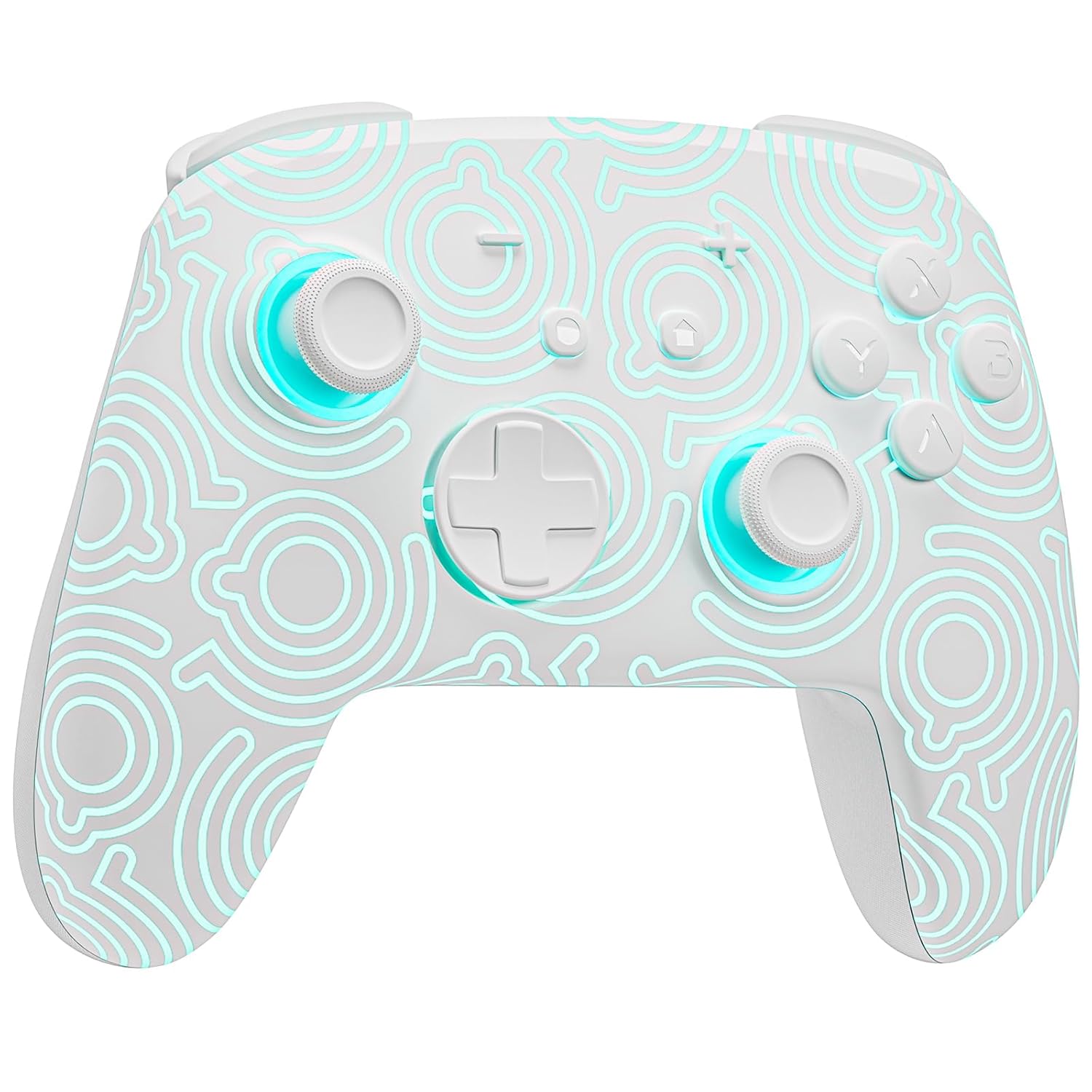
1.1 vaizdas: priekis view of the FUNLAB Firefly Wireless Pro Controller, showcasing its white design with illuminated patterns.
2. Pakuotės turinys
- FUNLAB Firefly Wireless Pro Controller
- USB-C įkrovimo laidas
- Instrukcijų vadovas
3. Sąranka ir prijungimas
3.1 Initial Pairing with Nintendo Switch
- Įsitikinkite, kad jūsų „Nintendo Switch“ konsolė įjungta ir atnaujinta į naujausią sistemos programinę įrangą.
- For the first-time connection, connect the controller to the Switch console using the provided USB-C charging cable. This wired activation is required to enable the one-touch wake-up function.
- Once connected, the controller will automatically pair with the console.
- After initial wired pairing, you can disconnect the cable. The controller can now be connected wirelessly.
3.2 Wireless Connection and Wake-Up Function
- To connect wirelessly, press the NAMAI button on the controller. The controller will attempt to connect to the last paired console.
- The controller supports a one-key wake-up function. Pressing the NAMAI button will wake up a sleeping Nintendo Switch, Switch OLED, or Switch Lite console instantly, provided it has been previously paired via wired connection.
3.3 Valdiklio įkrovimas
- Connect the controller to a USB power source (e.g., Switch dock, computer, USB wall adapter) using the USB-C charging cable.
- The controller features a built-in 3.7V/950mAH Lithium battery.
- A full charge provides approximately 12.5 hours of playtime (with LED lights off). Charging indicators will typically show the charging status.

Image 3.1: Illustration of the controller's battery life, indicating 12 hours playing time and 950mAh capacity.
3.4 Kelių įrenginių suderinamumas
The controller is compatible with multiple devices beyond the Nintendo Switch, including Android, iOS, Steam Deck, and PC systems. Refer to the specific pairing instructions for each device in the included manual or online resources.
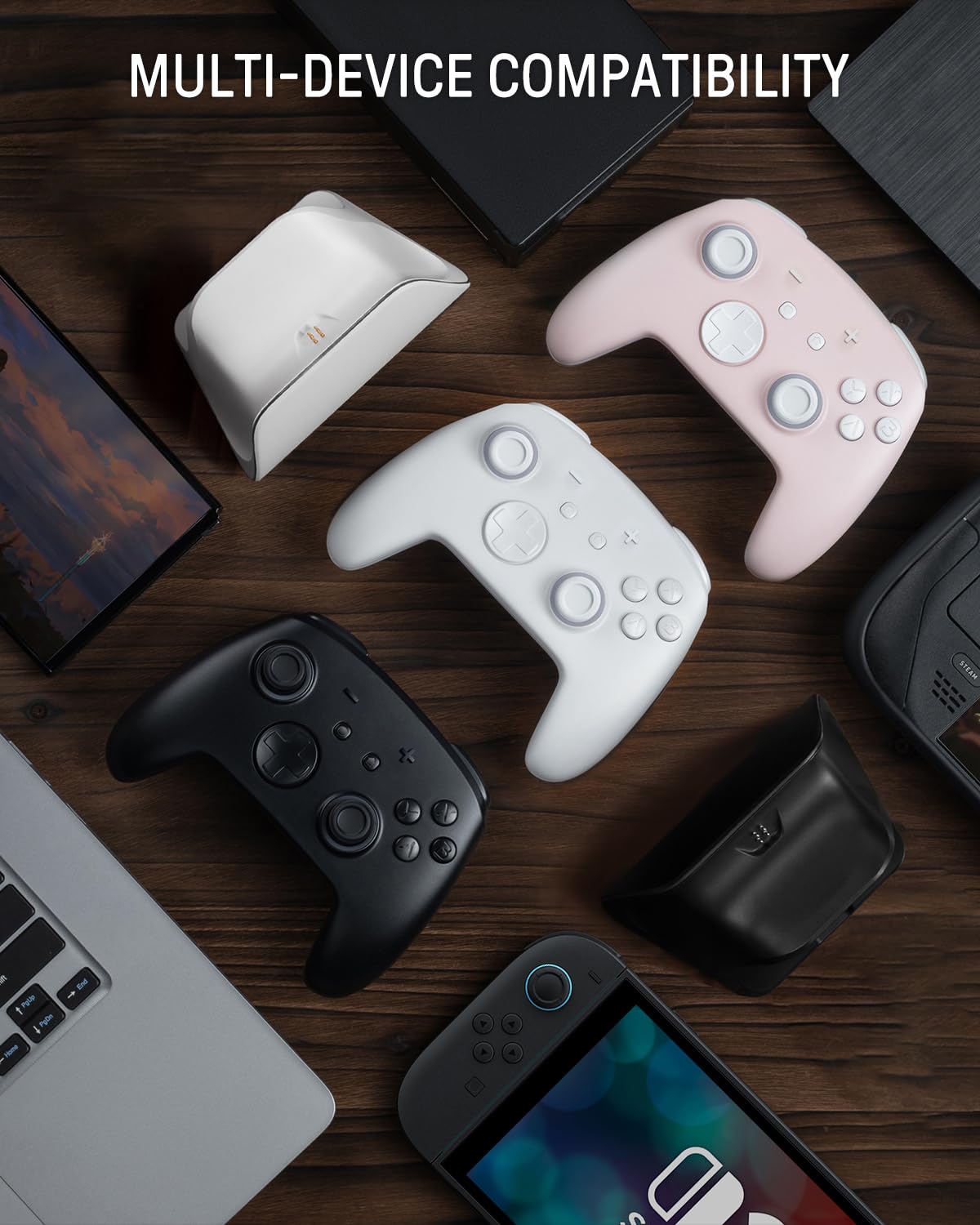
Image 3.2: The controller shown alongside various compatible devices such as laptops, smartphones, and handheld gaming consoles.
4. Naudojimo instrukcijos
4.1 Hidden-til-lit Display and LED Lighting
The controller features a unique hidden-til-lit display. When the LED is inactive, the controller appears as a solid white unit. Upon activation, a hidden pattern illuminates, enhancing the visual experience.
- Paspauskite Šviesos mygtukas (located on the back or front, depending on model variant) to cycle through 7 LED colors.
- The controller offers 4 lighting modes: breathing light mode, quick flash mode, vibration lighting mode, and always-on mode.
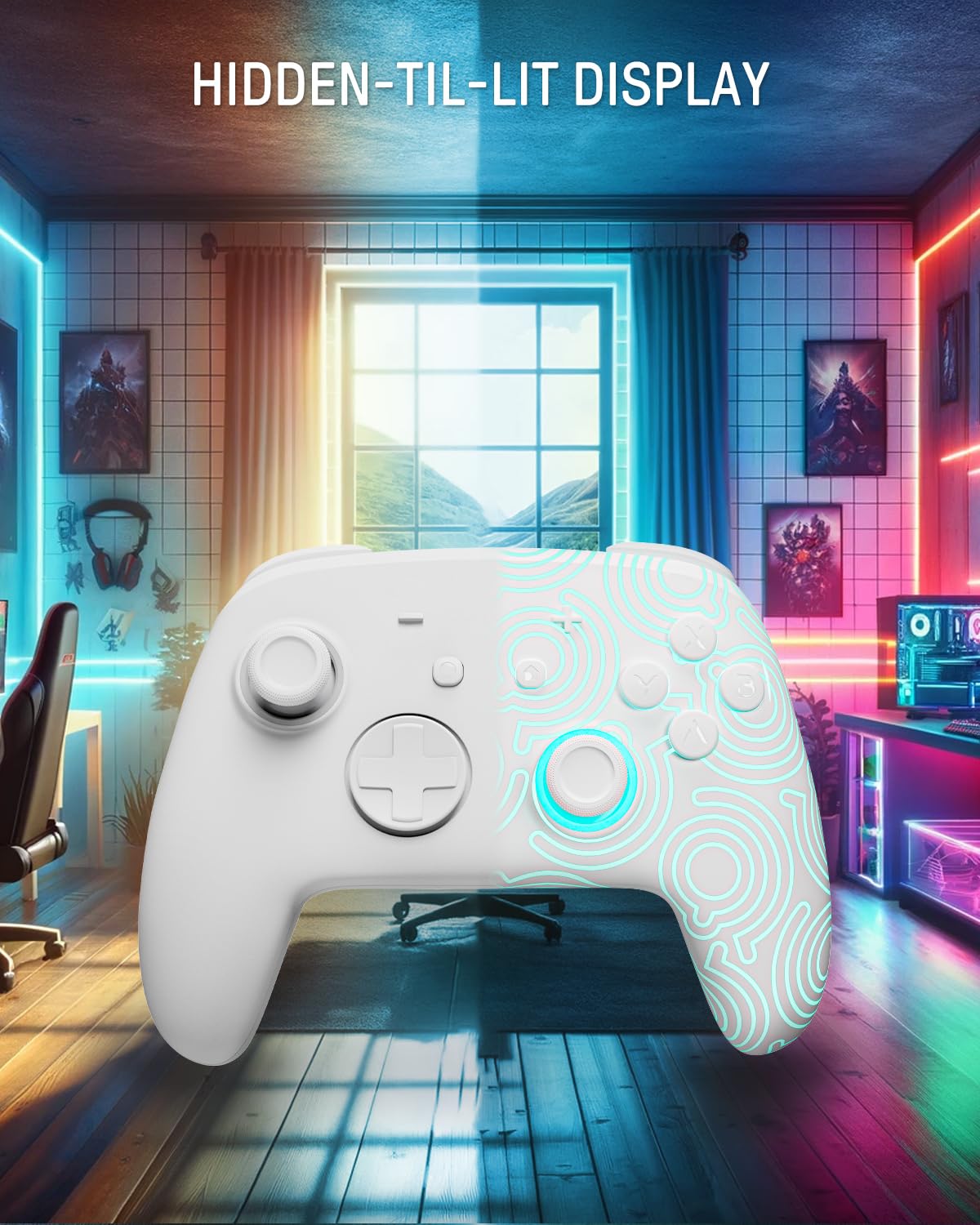
Image 4.1: The controller demonstrating its hidden-til-lit display, with one side illuminated and the other unlit.
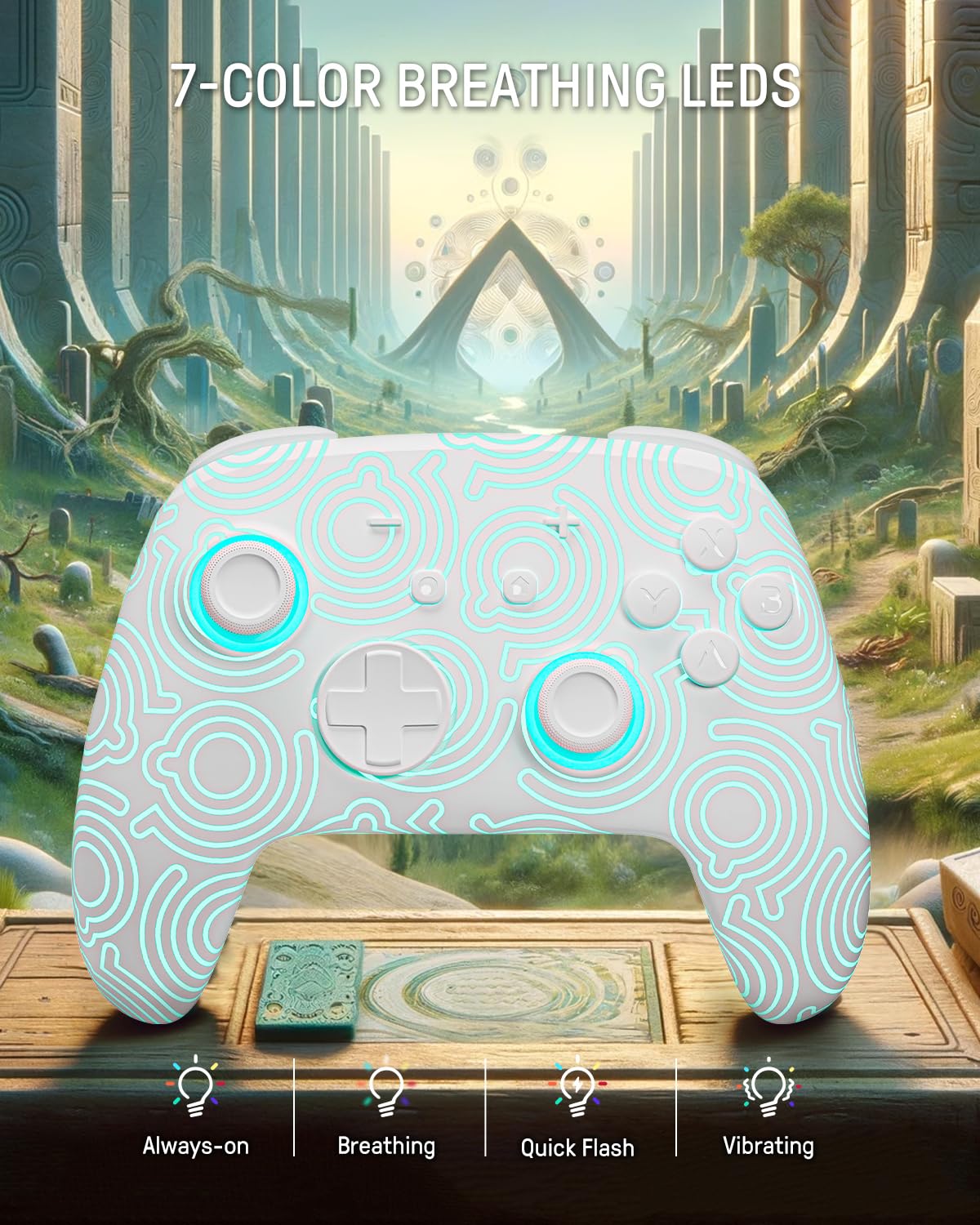
Image 4.2: The controller displaying its 7-color breathing LED feature, with various lighting modes indicated.
4.2 Holo efekto valdymo svirtelės
The controller is equipped with Hall Effect joysticks, which utilize magnetic sensors instead of physical contacts. This design provides precise and sensitive control, ensuring accurate and smooth gameplay while offering a longer lifespan and stable performance with reduced mechanical wear and stick drift.

Image 4.3: A detailed diagram illustrating the internal components and magnetic sensing principle of a Hall Effect joystick.
4.3 Back Paddle Buttons
The controller includes programmable back paddle buttons. These buttons can be assigned to replicate other controller inputs, allowing for enhanced gameplay and customized control setups to suit individual playstyles.

4.4 vaizdas: galinis view of the controller, highlighting the two programmable back paddle buttons.
4.4 Turbo Function and Motion Control
- The controller features a Turbo funkcija, which supports continuous input for rapid button presses. This is beneficial for games requiring quick, repeated actions, such as shooting games.
- Tikslus motion control is integrated, allowing for immersive gameplay in titles that utilize gyroscope or accelerometer input.
4.5 Vibracijos funkcija
The controller provides immersive vibration feedback, bringing in-game actions to life. The intensity of the vibration can often be adjusted or toggled off via console settings or dedicated controller buttons, if available.

Image 4.5: An illustration depicting the vibration function of the controller, with intensity levels indicated.
5. Priežiūra
- Valymas: Valdiklį valykite minkšta, sausa šluoste. Jei nešvarumai sunkiai įveikiami, šiek tiek nuvalykite.ampNuvalykite šluostę vandeniu. Venkite naudoti stiprias chemines medžiagas ar abrazyvines medžiagas.
- Saugykla: Laikykite valdiklį vėsioje, sausoje vietoje, apsaugotoje nuo tiesioginių saulės spindulių ir ekstremalių temperatūrų.
- Akumuliatoriaus priežiūra: Norėdami pailginti baterijos veikimo laiką, venkite dažnai visiškai iškrauti valdiklį. Reguliariai jį įkraukite, net jei ilgesnį laiką nenaudojate.
6. Problemų sprendimas
6.1 Valdiklis neprisijungia
- Įsitikinkite, kad valdiklis įkrautas.
- Perform the initial wired pairing as described in Section 3.1.
- Check the console's Bluetooth settings to ensure it is enabled and searching for devices.
- Try resetting the controller (a small reset button may be present on the back, often requiring a pin to press).
6.2 Įvesties delsa arba nereaguojantys mygtukai
- Ensure the controller is fully charged. Low battery can affect performance.
- Move closer to the console to minimize wireless interference.
- Įsitikinkite, kad kiti belaidžiai įrenginiai nekelia trukdžių.
- Restart both the controller and the console.
6.3 Neveikiančios LED lemputės
- Press the Light button repeatedly to cycle through modes and colors.
- Įsitikinkite, kad valdiklio akumuliatorius yra pakankamai įkrautas.
7. Specifikacijos
| Funkcija | Detalė |
|---|---|
| Modelis | FUNLAB Firefly Wireless Pro Controller |
| ASIN | B0D2LCBVYD |
| Gaminio matmenys | 5.91 x 2.36 x 4.33 colio |
| Prekės svoris | 8.8 uncijos |
| Gamintojas | FUNLAB |
| Baterijos tipas | 1 ličio jonų baterija (pridedama) |
| Baterijos talpa | 950 mAH |
| Numatomas žaidimo laikas | Iki 12.5 valandų (išjungus šviesas) |
| Ryšys | Wireless (Bluetooth), USB-C (wired) |
| Suderinamumas | Nintendo Switch, Switch OLED, Switch Lite, Android, iOS, Steam Deck, PC |
| Ypatingos savybės | Hall Effect Joysticks, RGB 7 LED Colors, Back Paddle Buttons, Turbo Function, Motion Control, Wake-Up Function |
8. Garantija ir palaikymas
For warranty information and customer support, please refer to the documentation included with your product or visit the official FUNLAB websvetainę. Taip pat galite susisiekti su pardavėju tiesiogiai per platformą, kurioje įsigijote produktą, ir gauti pagalbos.
Gamintojas: FUNLAB
Pirmą kartą pasiekiama data: 24 m. balandžio 2024 d