
1. Įvadas
Ačiū, kad pirkoteasing the plplaaoo Cordless Table LampŠiame vadove pateikiama esminė informacija, kaip saugiai ir efektyviai naudoti jūsų naują lampPrieš naudojimą atidžiai perskaitykite ir išsaugokite ateičiai.
2. Saugos instrukcijos
- Neatskleiskite lamp vanduo arba per didelė drėgmė.
- Venkite ardyti ar modifikuoti lamp, nes tai gali anuliuoti garantiją ir kelti pavojų saugai.
- Įkrovimui naudokite tik pridedamą USB C tipo laidą.
- Laikykite lamp away from heat sources and direct sunlight to prevent battery damage.
- Įsitikinkite, kad lamp pastatytas ant lygaus, stabilaus paviršiaus, kad neapvirstų.
- Šis lamp skirtas naudoti tik patalpose.
3. Pakuotės turinys
Patikrinkite, ar pakuotėje yra visi reikalingi daiktai:
- 1 x Cordless Table Lamp
- 1 x USB Type-C įkrovimo laidas

4. Produktas baigtasview
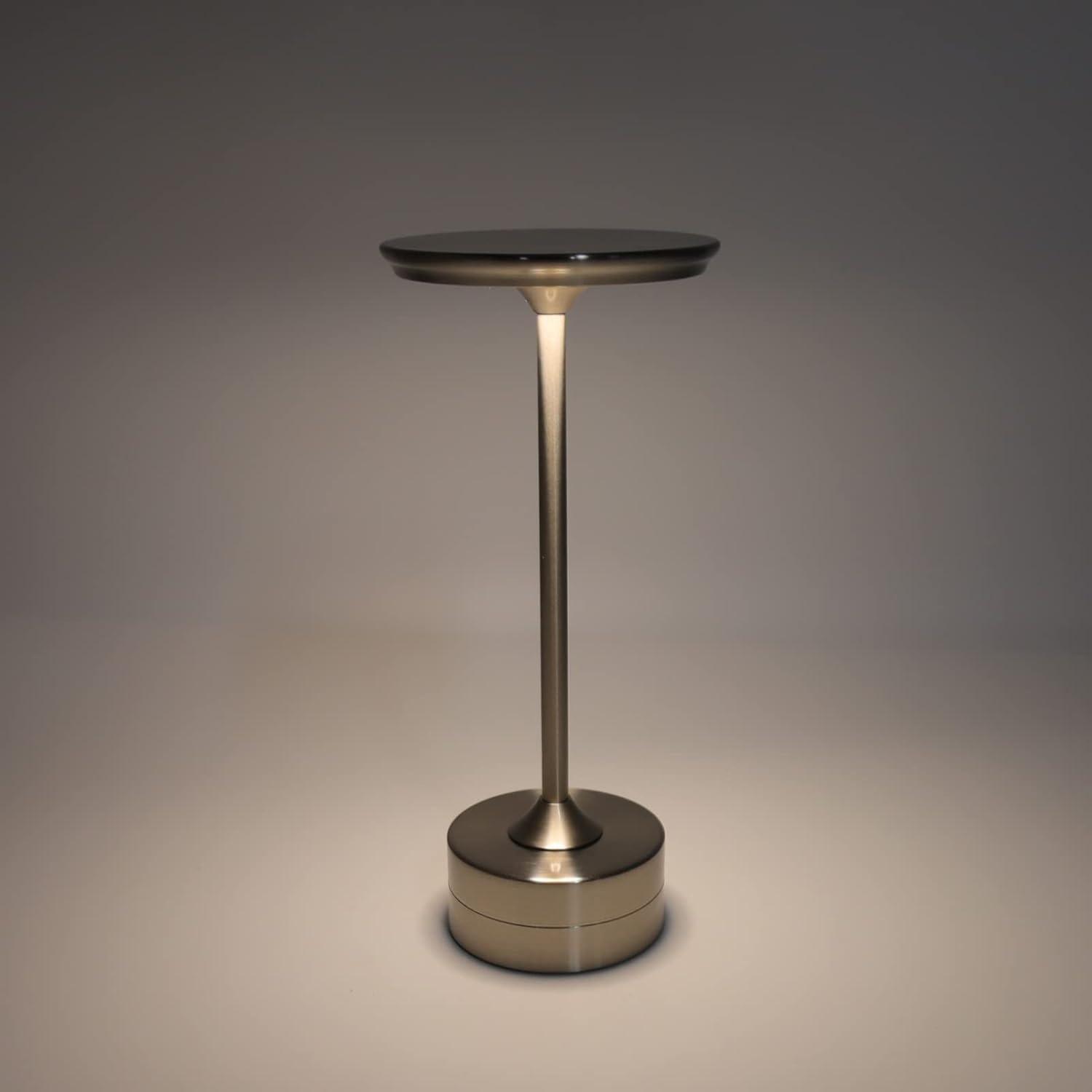
The plplaaoo Cordless Table Lamp features a sleek design with a durable iron, aluminum, and acrylic construction. It includes a built-in 2000mAh rechargeable lithium battery, offering 10-15 hours of working time on a full charge. The lamp provides three light sources: white light, warm light, and ordinary light, with adjustable brightness up to 150lm.


5. Sąranka
Pradinis įkrovimas
Prieš pirmą kartą naudodami, pilnai įkraukite lamp. Connect the provided USB Type-C cable to the charging port on the lamp's base and plug the other end into a compatible USB power adapter (not included).
- Locate the USB Type-C charging port on the base of the lamp.
- Insert the USB Type-C cable into the lampįkrovimo prievadą.
- Connect the USB-A end of the cable to a standard USB power adapter (e.g., phone charger, computer USB port).
- The charging indicator (if present) will show the charging status. Allow several hours for a full charge.
6. Naudojimo instrukcijos
Įjungimas / išjungimas ir ryškumo reguliavimas
Lamp features both a bottom switch and a top touch control for operation.
- Apatinis jungiklis: Flip the switch on the bottom of the lamp to the 'ON' position to enable the touch control function.
- Top Touch Control: Gently touch the top surface of the lamp to cycle through the three light modes: white light, warm light, and ordinary light. Continue touching to adjust brightness levels within each mode.
- Norėdami išjungti lamp, either cycle through all light modes until it turns off via touch control, or flip the bottom switch to the 'OFF' position.


7. Priežiūra
- Valymas: Nuvalykite lamp minkštu, sausu skudurėliu. Nenaudokite abrazyvinių valiklių ar tirpiklių.
- Saugykla: Kai ilgesnį laiką nenaudojate, laikykite lamp vėsioje, sausoje vietoje. Prieš sandėliavimą įsitikinkite, kad akumuliatorius yra iš dalies įkrautas, kad pailgintumėte jo tarnavimo laiką.
- Akumuliatoriaus priežiūra: Norėdami palaikyti akumuliatoriaus būklę, venkite dažnai visiškai jį iškrauti. Įkraukite jį.amp kai šviesos srautas pastebimai sumažėja.
8. Problemų sprendimas
| Problema | Galima priežastis | Sprendimas |
|---|---|---|
| Lamp neįsijungia. | Battery is depleted. Bottom switch is off. | Įkraukite lamp using the USB Type-C cable. Ensure the bottom switch is in the 'ON' position. |
| Šviesa blanki arba mirga. | Senka baterija. | Įkraukite lamp. |
| Cannot change light mode/brightness. | Bottom switch is off. Touch control malfunction. | Ensure the bottom switch is 'ON'. Try restarting the lamp by turning the bottom switch off and on again. |
| Lamp neapmokestina. | Faulty cable or adapter. Charging port issue. | Try a different USB Type-C cable and power adapter. Ensure the cable is fully inserted. |
9. Specifikacijos
| Funkcija | Detalė |
|---|---|
| Modelis | B0D2LG61MQ |
| Medžiaga | Iron, Aluminum, Acrylic |
| Aukštis | apytiksliai 28.5 cm / 11.2 colio |
| Skersmuo | apytiksliai 13 cm / 5.1 colio |
| Svoris | Approx. 0.66 kg / 23.4 oz |
| Integruota baterija | Ličio 2000 mAh |
| Šviesos šaltinis | White light, Warm light, Ordinary light (3 levels brightness) |
| Maksimalus ryškumas | 150lm |
| Įkrovimo būdas | C tipo USB |
| Kontrolė | Bottom switch, Top touch control |

10. Garantija ir palaikymas
This product is covered by a standard manufacturer's warranty. For specific warranty details, please refer to the product packaging or contact the retailer where you purchased the item. For technical support or inquiries, please visit the official plplaaoo store or contact customer service.