
Įvadas
This manual provides instructions for the GHUST Replacement Magic Voice Remote Control. This remote is designed to function as a direct replacement for your original LG Magic Remote, offering seamless control over your compatible LG Smart TV.
Suderinami televizorių modeliai:
- LG OLED evo B4, C4, G4 Series: OLED55G4SUB, OLED65G4SUB, OLED77G4SUB, OLED83G4SUB, OLED97G4SUB, OLED42C4PUA, OLED48C4PUA, OLED55C4PUA, OLED65C4PUA, OLED77C4PUA, OLED83C4PUA, OLED55B4PUA, OLED65B4PUA, OLED77B4PUA
- LG OLED C3, B3, G3 Series: OLED42C3AUA, OLED42C3PUA, OLED48C3PUA, OLED55C3PUA, OLED65C3AUA, OLED77C3PUA, OLED83C3PUA, OLED55G3PUA, OLED65G3PUA, OLED77G3PUA, OLED83G3PUA, OLED55B3PUA, OLED65B3PUA, OLED77B3PUA
- LG QNED Series: 43QNED75URA, 50QNED75URA, 55QNED75URA, 65QNED75URA, 75QNED75URA, 50QNED80URA, 55QNED80URA, 65QNED80URA, 75QNED80URA, 86QNED80URA
- LG UR Series: 43UR9000PUA, 50UR9000PUA, 55UR9000PUA, 65UR9000PUA, 75UR9000PUA, 55UR340C9UD, 75UR340C9UD, 86UR340C9UD
Sąranka
This replacement remote control requires no programming or complex setup. Simply install the batteries, and it will be ready for use with your compatible LG Smart TV.
Akumuliatoriaus montavimas
- Nuotolinio valdymo pulto gale raskite baterijų skyrių.
- Norėdami atidaryti akumuliatoriaus dangtelį, stumkite jį žemyn arba rodyklės nurodyta kryptimi.
- Įdėkite dvi (2) AAA baterijas (nepridedamos), užtikrindami, kad teigiamas (+) ir neigiamas (-) poliai teisingai sutaptų su žymėjimais skyriaus viduje.
- Uždarykite akumuliatoriaus dangtelį, stumdami jį atgal į vietą, kol jis tvirtai užsifiksuos.
Once batteries are installed, the remote is ready for immediate use. No pairing process is typically required for basic functions.

Image: The back of the remote control with the battery cover removed, illustrating where to insert two AAA batteries.
Naudojimo instrukcijos
The GHUST Replacement Magic Voice Remote Control provides intuitive control over your LG Smart TV. Familiarize yourself with the button layout for optimal use.

Vaizdas: skaidrus view of the GHUST Replacement Magic Voice Remote Control, showcasing its buttons and ergonomic design.
Pagrindinės funkcijos
- Įjungimo mygtukas (⏻): Įjungia arba išjungia televizorių.
- Skaičių mygtukai (0–9): Tiesiogiai pasirinkite kanalus.
- Garsumo didinimas / sumažinimas (+/-): Reguliuoja televizoriaus garsumą.
- Kanalas aukštyn/žemyn (∧/∨): Keičia televizijos kanalus.
- Navigacijos skydelis (aukštyn, žemyn, kairėn, dešinėn, gerai): Naršyti meniu ir pasirinkti elementus.
- Namų mygtukas (🏠): Atidaro „Smart TV“ pagrindinį ekraną.
- Atgal mygtukas (↩): Grįžta į ankstesnį ekraną arba meniu.
Magic Remote and Voice Control
This remote supports Magic Remote functionality, allowing you to point and click on your TV screen, and voice control for convenient commands.
- Voice Button (🎤): Paspauskite ir palaikykite, kad suaktyvintumėte balso komandas. Aiškiai kalbėkite į nuotolinio valdymo pultą.
- Slinkties ratukas / mygtukas „Gerai“: Use the scroll wheel for quick navigation through lists and web pages. Press the wheel to confirm selections.
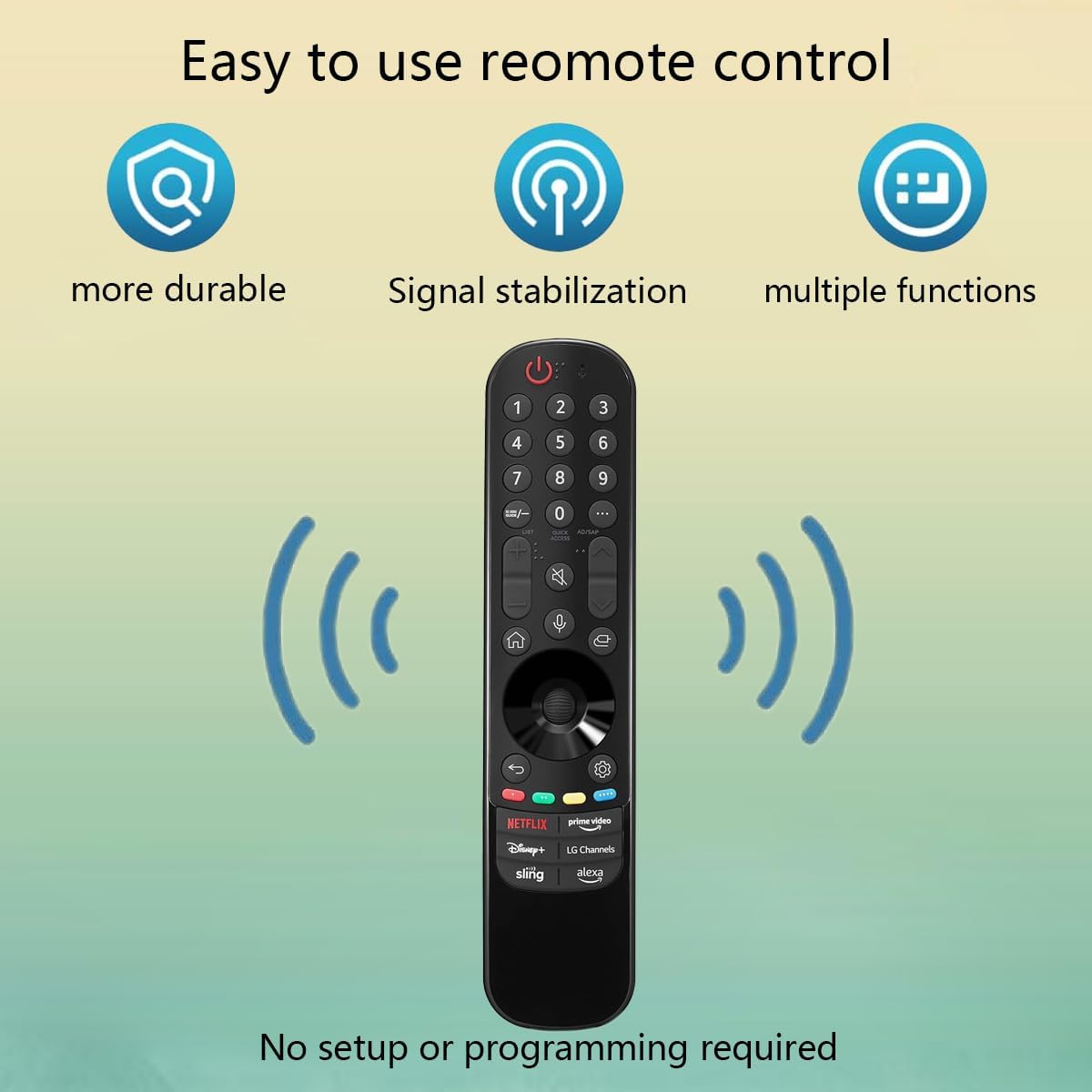
Image: The remote control is shown with graphical representations indicating its durability, stable signal transmission, and versatile functionality.
Spartieji mygtukai
Dedicated buttons provide quick access to popular streaming services and features:
- NETFLIX
- pagrindinis vaizdo įrašas
- Disney+
- LG kanalai
- stropas
- Alexa

Image: A close-up of the remote control highlighting the shortcut buttons for Netflix, Prime Video, Disney+, LG Channels, Sling, and Alexa.
Priežiūra
Tinkama priežiūra ir remontas prailgins jūsų nuotolinio valdymo pulto tarnavimo laiką.
Valymas
- Nuotolinio valdymo pultą nuvalykite minkšta, sausa šluoste.
- Esant sunkiai įsisenėjusiems nešvarumams, švelniai dampen the cloth with water or a mild, non-abrasive cleaner. Ensure no liquid enters the remote's openings.
- Nenaudokite stiprių cheminių medžiagų, tirpiklių ar abrazyvinių valymo kempinių.
Baterijos keitimas
Pakeiskite baterijas, kai nuotolinio valdymo pultas reaguoja lėtai arba nustoja veikti. Visada keiskite abi baterijas vienu metu naujomis AAA baterijomis. Nemaišykite senų ir naujų baterijų arba skirtingų tipų baterijų.
Sandėliavimas
Jei nuotolinio valdymo pultas nebus naudojamas ilgesnį laiką, išimkite baterijas, kad išvengtumėte elektrolito ištekėjimo ir galimo įrenginio pažeidimo.
Trikčių šalinimas
If you encounter issues with your remote control, refer to the following common solutions.
- Nuotolinio valdymo pultas nereaguoja:
- Patikrinkite, ar baterijos įdėtos teisingai, tinkamu poliškumu.
- Pakeiskite baterijas naujomis AAA tipo baterijomis.
- Įsitikinkite, kad tarp nuotolinio valdymo pulto ir televizoriaus nėra jokių kliūčių.
- Balso valdymas neveikia:
- Ensure you are pressing and holding the voice button while speaking.
- Kalbėkite aiškiai ir normaliu garsumu.
- Check your TV's settings to ensure voice recognition is enabled and configured correctly.
- Cursor Not Appearing/Working (Magic Remote Function):
- Ensure the remote is pointed towards the TV.
- Try shaking the remote gently to reactivate the cursor.
- If the issue persists, try removing and reinserting the batteries.
- Suderinamumo problemos:
- Patikrinkite, ar jūsų televizoriaus modelis yra nurodytas šio vadovo skyriuje „Suderinami televizorių modeliai“.
- Ensure your TV's firmware is up to date, as this can sometimes affect remote functionality.
Specifikacijos
| Prekės ženklas | VAIDUOKLIS |
| Modelis | Replacement Magic Voice Remote Control |
| Matmenys (I x P x A) | 7.99 x 4.61 x 1.5 colio |
| Prekės svoris | 3.7 uncijos |
| Reikalingos baterijos | 2 AAA baterijos (į komplektą neįeina) |
| Medžiaga | Aukštos kokybės ABS |
| Ypatinga funkcija | Balso paieška |
| Suderinami įrenginiai | Televizija |
| Maksimalus palaikomų įrenginių skaičius | 1 |
| Spalva | Juoda |

Image: Three different views of the remote control (front, side, and back) with its approximate dimensions indicated.
Palaikymas
For any questions regarding the quality or functionality of your GHUST Replacement Magic Voice Remote Control, please contact our customer service. We are committed to promptly addressing and resolving any issues you may encounter.