
1. Įvadas
Thank you for choosing the Ctronics 4K Security Camera Outdoor. This manual provides detailed instructions for the installation, operation, and maintenance of your new security camera. Designed for robust outdoor surveillance, this camera offers advanced features such as 4K Ultra HD resolution, AI-powered detection, auto-tracking, and dual-band Wi-Fi connectivity. Please read this manual thoroughly before use to ensure proper setup and optimal performance.
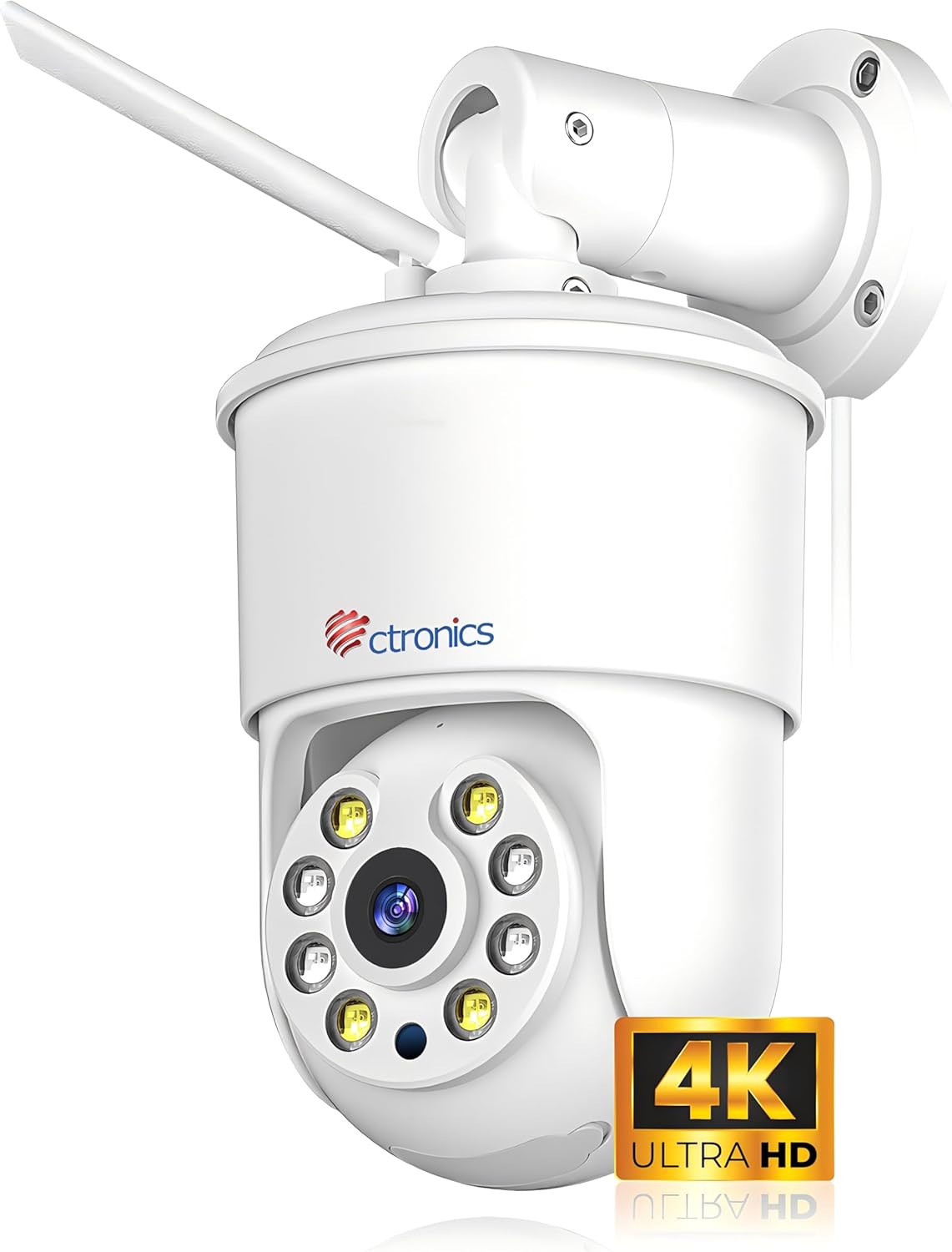
Figure 1.1: Ctronics 4K Security Camera Outdoor (Model: CTIPC-840C-4K)
2. Produktas baigtasview
2.1 Pagrindinės savybės
- 4K Ultra HD raiška: Equipped with a SONY IMX415 sensor, delivering 8 million pixels (3840x2160) for crystal-clear images.
- Spalvotas naktinis matymas: Innovative technology captures vivid images even in low-light or total darkness.
- Išmanusis AI aptikimas: Precise detection and tracking of people, vehicles, and pets.
- Automatinis stebėjimas: Automatically follows detected subjects within the camera's field of view.
- Garso ir šviesos signalizacijos: Integrated alarms to deter potential threats.
- Dviejų juostų WiFi: Supports 2.4G and 5G WiFi for faster and more stable connections.
- Nuotolinis stebėjimas: Pasiekite realaus laiko maistotage via smartphone or computer from anywhere.
- Visiškai metalinis korpusas: Robust construction for superior durability and heat dissipation, suitable for outdoor use.
- Lankstus saugojimas: Supports up to 256GB Micro SD cards, cloud storage, FTP, and NAS.
- Dvipusis garsas: Įmontuotas mikrofonas ir garsiakalbis bendravimui.
- Iš anksto nustatytos pozicijos: Set and save specific viewing angles for quick access.
2.2 Pakuotės turinys
Įsitikinkite, kad dėžutėje yra visi daiktai:
- Ctronics 4K Security Camera
- WLAN Cable
- Montavimo varžtai ir inkarai
- Maitinimo adapteris (laidinis elektrinis)
- Greitos pradžios vadovas
3. Sąranka
3.1 Fotoaparato montavimas
The camera offers flexible installation with both ceiling and wall mounting options. Choose a location that provides optimal viewing coverage and a stable surface for mounting.
- Pasirinkite vietą: Identify a suitable outdoor location, ensuring it is within Wi-Fi range and has access to a power outlet.
- Gręžimo taškų žymėjimas: Use the mounting template (if provided) or the camera base to mark the screw holes on the wall or ceiling.
- Gręžimo skylės: Pažymėtuose taškuose išgręžkite kreipiamąsias skyles. Jei tvirtinate prie mūro arba gipso kartono, įstatykite sieninius inkarus.
- Saugi kamera: Sulygiuokite kameros pagrindą su skylėmis ir pritvirtinkite jį pridėtais varžtais.

Figure 3.1: Flexible Installation Options (Ceiling and Wall Mount)
3.2 Įjungimas
Prijunkite maitinimo adapterį prie kameros maitinimo įvesties prievado, o tada įjunkite jį į standartinį elektros lizdą. Kamera įsijungs ir pradės paleidimo seką.
3.3 Tinklo jungtis
The Ctronics camera supports both 2.4GHz and 5GHz Wi-Fi for flexible and stable connectivity.
- Atsisiųsti programą: Download the "Ctronics Pro" app from your smartphone's app store (iOS or Android).
- Sukurti paskyrą: Atidarykite programėlę ir užregistruokite naują paskyrą arba prisijunkite, jei jau turite.
- Pridėti įrenginį: Follow the in-app instructions to add your new camera. This typically involves scanning a QR code on the camera or using Bluetooth networking for quick pairing.
- Prisijunkite prie „Wi-Fi“: Select your Wi-Fi network (2.4GHz or 5GHz) and enter the password. Ensure your phone is connected to the same Wi-Fi network during setup.

Figure 3.2: Fast Bluetooth Networking for Initial Setup
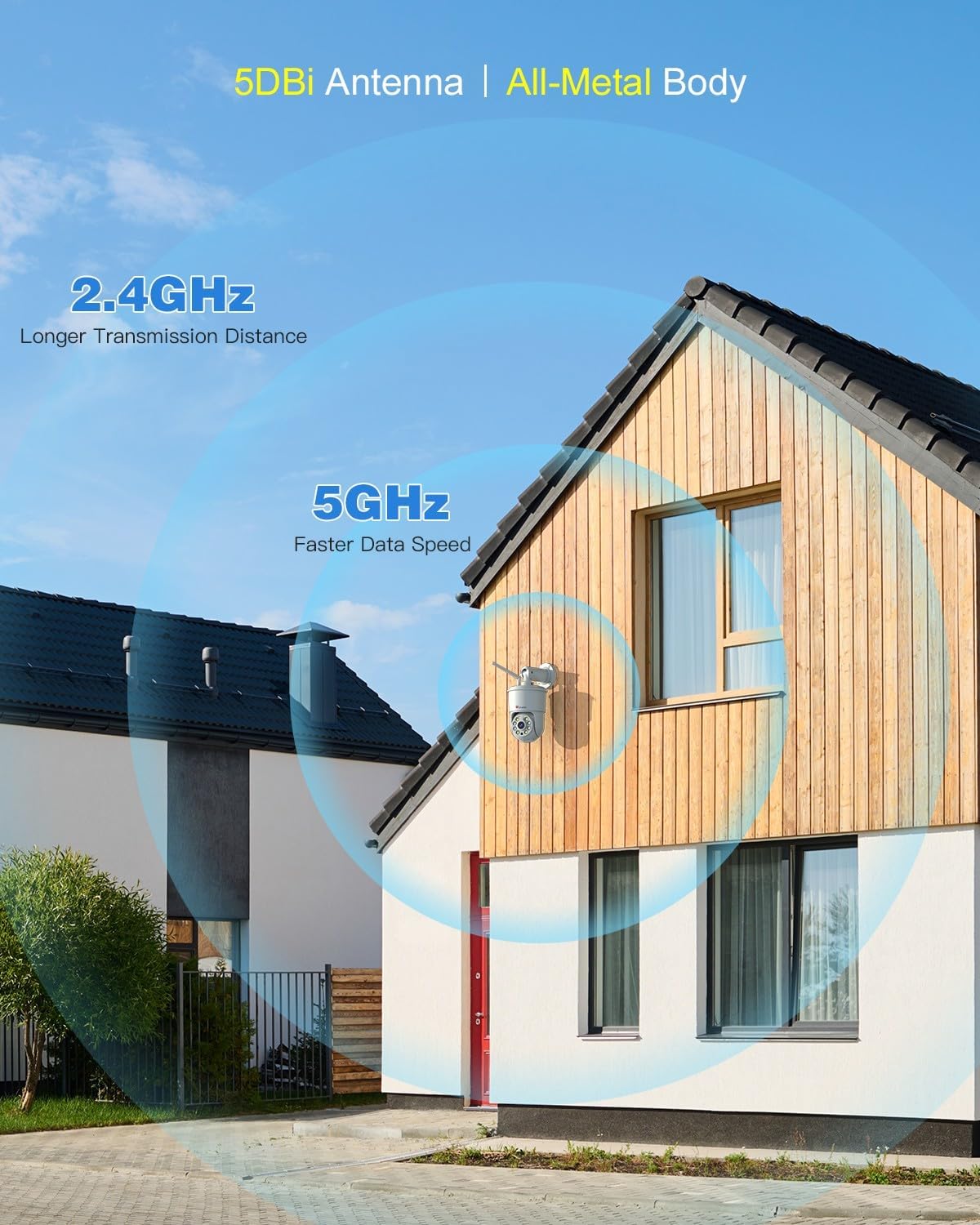
Figure 3.3: Dual-Band Wi-Fi Connectivity
4. Naudojimo instrukcijos
4.1 Tiesiogiai View ir Atkūrimas
Prisijungę galite view gyvas kvailystage and access recorded videos through the Ctronics Pro app or PC client. The 4K resolution provides exceptional clarity.

Figure 4.1: 4K 8MP Ultra HD Resolution and Color Night Vision

Figure 4.2: Remote Monitoring via PC and Mobile Devices
4.2 Smart AI Detection and Auto Tracking
The camera utilizes advanced AI to distinguish between humans, vehicles, and pets, reducing false alarms. When a detected object enters the monitoring area, the camera can automatically track its movement.
- Žmogaus aptikimas: Focuses on human shapes to minimize alerts from swaying trees or insects.
- Transporto priemonės aptikimas: Identifies vehicles for specific monitoring needs.
- Naminių gyvūnėlių aptikimas: Atpažįsta augintinius, naudinga stebint gyvūnų veiklą.
- Automatinis stebėjimas: The camera will pan and tilt to follow the detected subject.

Figure 4.3: AI Human, Vehicle, and Pet Detection with Auto Tracking
4.3 Sound and Light Alarms
Upon detection of an intruder, the camera can activate a sound alarm and flash its built-in lights to deter them. You will also receive instant notifications on your connected device.

Figure 4.4: Sound & Light Alerts for Enhanced Security
4.4 Dvipusis garsas
Communicate with visitors or deter unwanted guests using the camera's integrated microphone and speaker. This feature allows for real-time, two-way conversations.

4.5 pav.: Dvipusis garso ryšys
5. Išplėstinės funkcijos
5.1 Preset Positions and Detection Zones
Set up to 8 preset positions for quick navigation to specific areas. You can also customize detection zones to focus monitoring on critical areas and ignore irrelevant ones, reducing unnecessary alerts.

Figure 5.1: Preset Positions and Customizable Detection Zones
5.2 Multi-Camera Management
The Ctronics Pro app allows you to monitor up to four cameras simultaneously with Quad View Preview. You can manage over 36 cameras and organize them into groups for effortless management. Family sharing features allow multiple users to access the camera feed.

Figure 5.2: Advanced App Features for Multi-Camera Management
5.3 Video Masking
For privacy protection, you can define user-defined video masks to block out specific areas from being recorded or viewred.

Figure 5.3: Video Masking for Privacy
6. Saugojimo parinktys
Your Ctronics camera offers multiple secure storage solutions for your footage:
- „Micro SD“ kortelė: Supports up to 256GB Micro SD cards for local storage. Insert the card into the designated slot on the camera.
- Saugykla debesyje: Secure cloud storage options are available through the Ctronics app (subscription may be required).
- FTP/NAS: Compatible with FTP and NAS systems for continuous 24/7 recording and secure data backup.

Figure 6.1: Flexible Storage Solutions
7. Priežiūra
To ensure the longevity and optimal performance of your Ctronics 4K Security Camera, follow these maintenance guidelines:
- Valymas: Reguliariai valykite fotoaparato objektyvą ir korpusą minkšta,amp šluoste dulkėms ir nešvarumams pašalinti. Nenaudokite stiprių cheminių medžiagų ar abrazyvinių valiklių.
- Apsauga nuo oro sąlygų: The camera features an all-metal body and an IP66 international protection rating, making it highly resistant to dust and water jets. While designed for outdoor use, avoid direct exposure to extreme weather conditions if possible to prolong its lifespan.
- Firmware atnaujinimai: Check the Ctronics Pro app periodically for firmware updates. Keeping the firmware updated ensures the latest features and security enhancements.
- Kabelio apžiūra: Periodically inspect the power cable and WLAN cable for any signs of wear or damage.

Figure 7.1: All-Metal Body and Weather Resistance (IP66)
8. Problemų sprendimas
If you encounter issues with your Ctronics 4K Security Camera, refer to the following common problems and solutions:
| Problema | Galima priežastis | Sprendimas |
|---|---|---|
| Kamera neprisijungusi / Nepavyksta prisijungti prie „Wi-Fi“ | Silpnas „Wi-Fi“ signalas, neteisingas slaptažodis, maršrutizatoriaus problemos, kamera per toli nuo maršrutizatoriaus. | Ensure camera is within Wi-Fi range. Check Wi-Fi password. Restart router and camera. Try connecting to 5GHz if available for better stability. |
| Prasta vaizdo kokybė | Nešvarus objektyvas, prastas apšvietimas, tinklo pralaidumo problemos. | Clean the camera lens. Ensure sufficient lighting for optimal color night vision. Check network speed. |
| Dažni klaidingi aliarmai | Sensitivity too high, objects like trees or shadows triggering detection. | Adjust detection sensitivity in the app. Set up custom detection zones to exclude irrelevant areas. Utilize AI detection filters (human, vehicle, pet). |
| Į SD kortelę įrašymas negalimas | SD kortelė pilna, sugadinta arba netinkamai įdėta. | Check if the SD card is inserted correctly. Format the SD card via the app. Replace with a new SD card if corrupted. Ensure recording settings are enabled. |
| Neveikia dvipusis garsas | Microphone/speaker muted in app, network delay. | Ensure microphone and speaker are enabled in the app. Check network connection for stability. |
If the problem persists, please refer to the Ctronics official website for more detailed troubleshooting guides or contact customer support.
9. Specifikacijos
| Funkcija | Specifikacija |
|---|---|
| Modelio pavadinimas | CTIPC-840C-4K |
| Naudojimas viduje / lauke | Lauke |
| Vaizdo įrašymo raiška | 4K (3840 x 2160) |
| Veiksminga nejudančioji raiška | 8 MP |
| Ryšio technologija | Wireless (Wi-Fi 2.4G/5G, Bluetooth) |
| Maitinimo šaltinis | Laidinis elektrinis (12 voltų, 12 vatų) |
| Valdiklio tipas | Ctronics APP |
| Montavimo tipas | Tvirtinimas prie sienos, Tvirtinimas prie lubų |
| Naktinio matymo diapazonas | 30 metrai |
| Kadrų dažnis | 15 kadrų per sekundę |
| Medžiaga | Metalas |
| „Flash“ atminties tipas | Micro SD |
| „Flash“ atminties palaikomas maksimalus dydis | 256 GB |
| Tarptautinis apsaugos įvertinimas | IP66 |
| Prekės matmenys P x P x A | 8.27 x 5.91 x 3.94 colio |
| Prekės svoris | 2.4 svaro |
| Įspėjimo tipas | Garsas ir judesys |
| Priartinimo tipas | Skaitmeninis priartinimas (4x) |
10. Garantija ir palaikymas
Ctronics products are manufactured with high-quality standards. For warranty information, please refer to the warranty card included with your product or visit the official Ctronics website. For technical support, product inquiries, or assistance with setup and troubleshooting, please contact Ctronics customer service through the following channels:
- Oficialus Websvetainė: www.ctronics.com
- Pagalba el. paštu: Žiūrėkite kontaktinę informaciją, pateiktą ant produkto pakuotės arba oficialioje websvetainę.
Please have your model number (CTIPC-840C-4K) and purchase details ready when contacting support.