
1. Įvadas
Thank you for choosing the HY-T26 Headphones. These innovative open-ear earbuds are designed to provide a comfortable and high-quality audio experience, perfect for sports, daily use, and active lifestyles. Featuring Bluetooth 5.4 connectivity, HiFi stereo sound, and intuitive touch controls, the HY-T26 ensures seamless audio playback and communication while keeping you aware of your surroundings.
This manual provides detailed instructions on how to set up, operate, and maintain your new headphones.
2. Kas yra dėžutėje
- 1 x pora HY-T26 ausinių
- 1 x dirželis
- 1 x belaidžio įkrovimo dėklas
- 1 x Type-C įkrovimo laidas
- 1 x Naudotojo vadovas (šis dokumentas)

Image: The HY-T26 headphones and their packaging, showcasing the black color variant.
3. Produkto ypatybės
3.1 Innovative Ergonomic Open-Ear Design
The HY-T26 headphones feature a unique open-ear design that rests securely atop your ears, avoiding insertion into the ear canal. This design enhances comfort during prolonged wear and reduces the risk of ear fatigue or hearing loss, allowing you to stay aware of your surroundings.

Image: A close-up of the HY-T26 earbud resting comfortably on an ear model, illustrating its open-ear placement.
3.2 Exceptional HiFi Stereo Sound
Equipped with a built-in 16mm dynamic speaker, these headphones deliver 360° Hi-Fi stereo sound with clear clarity and powerful bass. Advanced noise reduction technology ensures crisp vocals and immersive audio at any volume level.
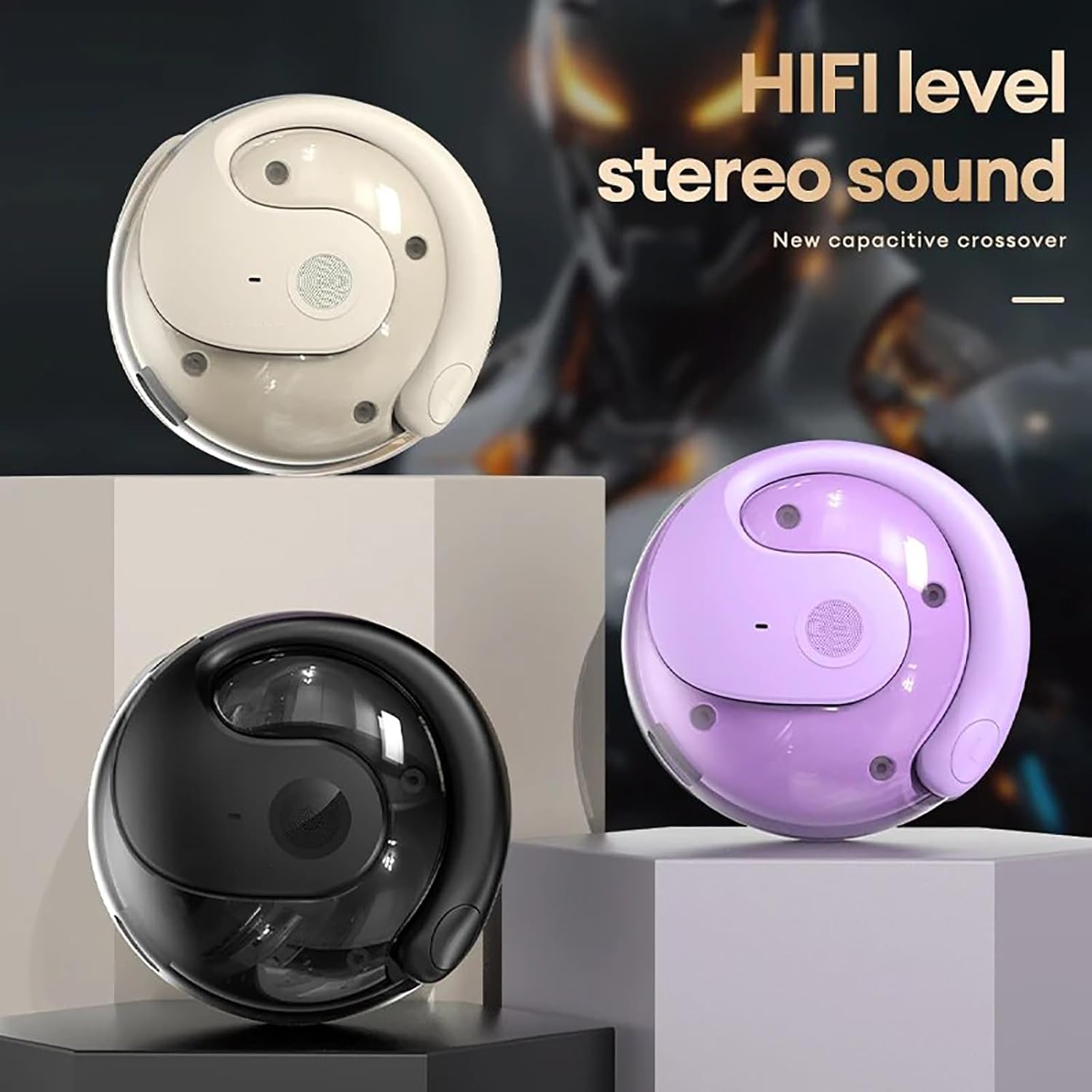
Image: Three HY-T26 charging cases in white, purple, and black, emphasizing the HiFi stereo sound capability.

Image: A detailed diagram illustrating the metal diaphragm component responsible for powerful and immersive sound.
3.3 Secure Fit for Active Lifestyles
Designed with ergonomic and flexible ear hooks, the HY-T26 headphones distribute weight evenly for a secure fit. The soft silicone ear hooks with memory recall ensure comfort and prevent slippage during workouts or outdoor activities.
3.4 Intuityvūs jutikliniai valdikliai
Each earphone features a touch panel for easy management of audio playback and calls. Functions include play/pause, volume adjustment, answering/hanging up calls, and voice assistant activation.
3.5 Sweatproof Durability
Utilizing new technology, these headphones offer maximum protection against sweat and moisture, safeguarding internal components for enhanced durability and longevity during intense activities.

Image: The HY-T26 earbud with overlaid text emphasizing its pleasant and sound-proof qualities, including HD calls and HiFi sound.
4. Sąranka
4.1 Ausinių ir dėklo įkrovimas
Before first use, fully charge the headphones and the charging case. Connect the provided Type-C charging cable to the charging port on the case and a power source. The charging time for the case is approximately 1 hour. The earphones will charge automatically when placed inside the case.

Image: The HY-T26 charging case with a Type-C cable plugged in, demonstrating its large battery life and charging capability.
Video: A demonstration of the HY-T26 charging case and lanyard, highlighting its portability and charging functionality.
4.2 Bluetooth poravimas
- Atidarykite įkrovimo dėklą. Ausinės automatiškai įsijungs ir pradės veikti susiejimo režimu.
- Savo įrenginyje (išmaniajame telefone, planšetiniame kompiuteryje ir kt.) įjunkite „Bluetooth“.
- Ieškokite "HY-T26" in the list of available Bluetooth devices and select it to connect.
- Once connected, you will hear a confirmation prompt, and the indicator light on the earphones will change.
Ausinės palaiko „Bluetooth 5.4“, kad būtų užtikrintas stabilus ryšys iki 10 metrų (33 pėdų) atstumu.

Image: An HY-T26 earbud positioned near a smartphone displaying a video game, illustrating seamless audio and video synchronization.
5. Naudojimo instrukcijos
5.1 Ausinių dėvėjimas
Gently slide the ear hooks over the top of your ears, ensuring the main earbud unit rests comfortably outside your ear canal. Adjust for a secure and comfortable fit. The earphones are marked 'L' for left and 'R' for right.
5.2 Jutikliniai valdikliai
The HY-T26 headphones feature intuitive touch controls on each earbud:
- Leisti / pristabdyti: Vieną kartą bakstelėkite bet kurią ausinę.
- Garsumo didinimas / sumažinimas: Specific gestures (refer to quick start guide for exact taps, typically long press or multiple taps).
- Kitas takelis: Dukart palieskite dešinįjį ausinės antgalį.
- Ankstesnis takelis: Dukart palieskite kairįjį ausinės antgalį.
- Atsiliepti / Baigti skambutį: Vieną kartą bakstelėkite bet kurią ausinę įeinančio skambučio metu.
- Atmesti skambutį: Įeinančio skambučio metu ilgai paspauskite bet kurią ausinę.
- Suaktyvinti „Voice Assistant“: Tris kartus palieskite bet kurią ausinę.
6. Priežiūra
To ensure the longevity and optimal performance of your HY-T26 headphones:
- Reguliariai valykite ausines ir įkrovimo dėklą minkšta, sausa šluoste.
- Avoid exposing the headphones to extreme temperatures or direct sunlight for extended periods.
- While sweatproof, avoid submerging the headphones in water.
- Kai nenaudojate, laikykite ausines įkrovimo dėkle, kad jos būtų apsaugotos ir įkrautos.
7. Problemų sprendimas
If you encounter issues with your HY-T26 headphones, try the following steps:
- Nėra garso / ryšio problemų:
- Įsitikinkite, kad abi ausinės yra įkrautos.
- Išjunkite ir įjunkite įrenginio „Bluetooth“ ryšį, tada bandykite susieti iš naujo.
- Place both earphones back into the charging case, close the lid, wait a few seconds, then open it again to reset.
- Ensure the headphones are within the 10M Bluetooth transmission distance of your device.
- Earphone Not Charging:
- Patikrinkite, ar įkrovimo dėklas turi pakankamai įkrovos.
- Įsitikinkite, kad ausinių ir dėklo viduje esantys įkrovimo kontaktai yra švarūs ir be šiukšlių.
- Try a different Type-C charging cable and power adapter.
- Garso kokybės problemos:
- Ensure the earphones are properly positioned on your ears.
- Clean the speaker mesh if it appears obstructed.
- Pabandykite leisti garsą iš kito šaltinio ar įrenginio.
8. Specifikacijos
| Funkcija | Detalė |
|---|---|
| Modelio pavadinimas | HY-T26 |
| Bluetooth versija | 5.4 |
| Perdavimo atstumas | 10 metrų (33 pėdos) |
| Įkrovimo sąsaja | C tipas |
| Įkrovimo skyriaus talpa | 300 mAh |
| Įkrovimo laikas (dėklas) | apytiksliai 1 valanda |
| Nepertraukiamo naudojimo laikas | Iki 36 valandų (su įkrovimo dėklu) |
| Garso tvarkyklės dydis | 16 mm |
| Dažnių diapazonas | 20 Hz–20 000 Hz |
| Atsparumo vandeniui lygis | Atsparus vandeniui (prakaitui) |
| Valdymo tipas | Palieskite valdymą |
| Ausų išdėstymas | Atidarykite ausį |
9. Garantija ir palaikymas
For detailed warranty information and customer support, please refer to the warranty card included with your product or visit the official Generic product support websvetainę. Išsaugokite pirkimo čekį garantiniams reikalavimams.