
Įvadas
The Tech Feel smartwatch with ECG combines the primary functionalities of a smart watch with comprehensive 360° cardiac monitoring. It is an ideal tool for individuals who wish to monitor their heart functions, as well as for athletes who want to track their performance. Please note: This device is not a medical device and should not be used for medical diagnosis or treatment.
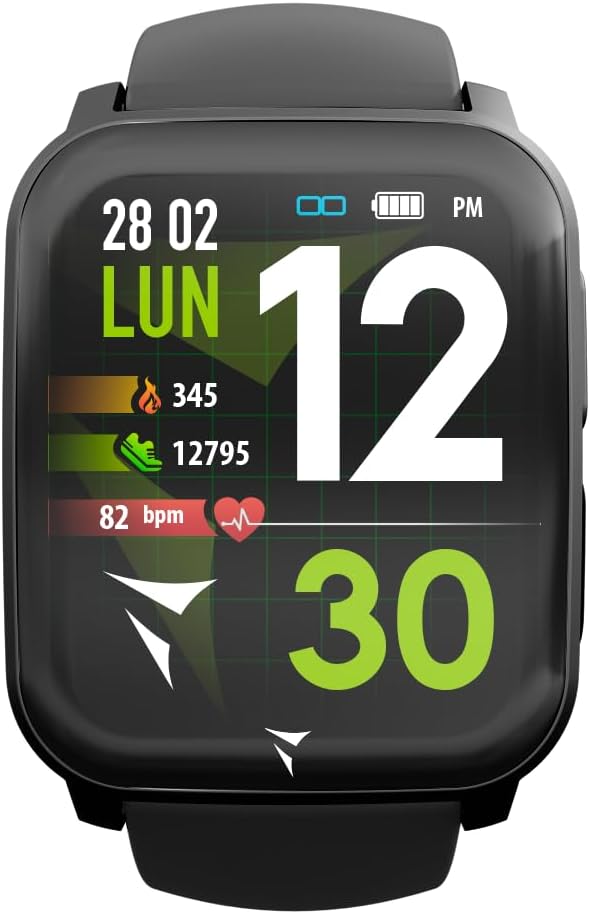
Figure 1: Tech Feel Smartwatch displaying activity data.
1. Sąranka
1.1 Įrenginio įkrovimas
Before first use, fully charge your Tech Feel smartwatch. Connect the magnetic charging cable to the charging contacts on the back of the watch and plug the USB end into a standard USB power adapter (not included) or a computer's USB port. The watch display will indicate charging status.
1.2 Programėlės diegimas ir susiejimas
- Atsisiųskite pagalbinę programėlę: Ieškokite the official Techmade companion app (e.g., "Techmade Fit" or similar, check product packaging or quick start guide for exact name) on the Apple App Store (for iOS devices) or Google Play Store (for Android devices).
- Sukurti paskyrą: Atidarykite programėlę ir vykdykite ekrane pateikiamus nurodymus, kad sukurtumėte naują vartotojo paskyrą arba prisijunkite, jei ją jau turite.
- Įjungti Bluetooth: Įsitikinkite, kad jūsų išmaniajame telefone įjungtas „Bluetooth“.
- Pair the Smartwatch: Within the app, navigate to the device pairing section. Select your Tech Feel smartwatch from the list of available devices. Follow any prompts on both the app and the watch to complete the pairing process. A successful connection will usually be indicated on the watch display.
2. Naudojimo instrukcijos
2.1 Pagrindinė navigacija
- Jutiklinis ekranas: Swipe left/right, up/down to navigate through different screens and menus. Tap to select an option.
- Šoninis mygtukas / skaitmeninė karūnėlė: Press the side button (often also a digital crown) to return to the home screen, wake the device, or access the app menu. Rotate the digital crown (if applicable) to scroll through lists.
2.2 ECG Measurement
The Tech Feel smartwatch is equipped with additional electrodes to perform a single-lead Electrocardiogram (ECG) measurement. This feature provides insights into your heart rate and rhythm.
- Paruošimas: Įsitikinkite, kad laikrodis tvirtai prigludęs prie riešo.
- Matavimo pradžia: Navigate to the ECG function on your smartwatch.
- Piršto padėtis: While wearing the smartwatch, place your fingertip (typically the index finger of the opposite hand) on the digital crown located on the side of the screen. This action closes an electrical circuit through your fingertip, which then reaches the sensor on your wrist.
- Matavimo procesas: Hold your finger still for approximately 30 seconds while the watch records the electrical signals.
- Rezultatai: An algorithm within the Techmade application processes the data and generates an ECG graph. This single-lead ECG can provide information on heart rate and rhythm and may assist in the classification of atrial fibrillation.
- Sharing Data: The generated ECG data can be viewed in the companion app and potentially shared with your doctor for review.
Svarbi pastaba: A single-lead ECG cannot be used to detect all heart problems, such as heart attacks. This device is not a medical device and should not replace professional medical advice or diagnosis.
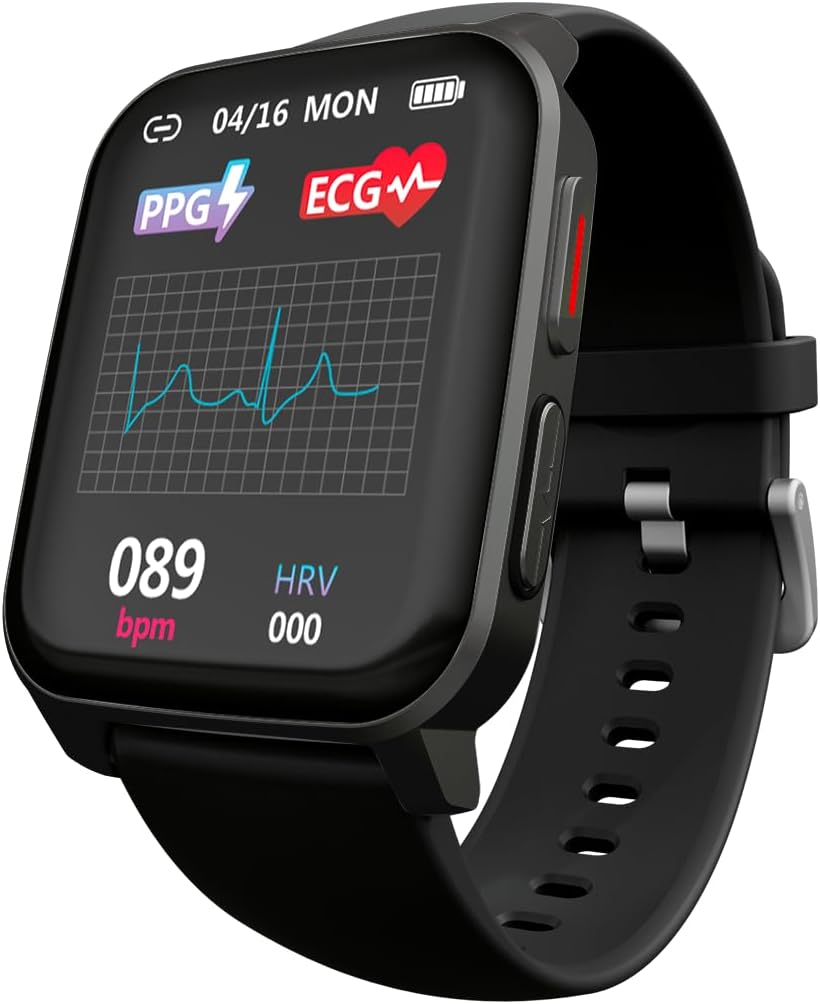
Figure 2: ECG waveform display on the smartwatch.

Figure 3: Smartwatch on wrist with companion app displaying ECG analysis.
2.3 Heart Rate and Blood Oxygen Monitoring
The smartwatch continuously monitors your heart rate and can measure blood oxygen saturation (SpO2). Access these features through the dedicated menus on the watch or view historical data in the companion app.
2.4 Sporto režimai
The Tech Feel smartwatch supports various sport modes to track your physical activity. Select the desired sport mode before starting your workout to record metrics such as steps, distance, calories burned, and heart rate during exercise.

Figure 4: Smartwatch displaying Sport mode during an outdoor activity.
2.5 Miego stebėjimas
Wear the smartwatch to bed to automatically monitor your sleep patterns. The app provides detailed analysis of your sleep stages (gilus, lengvas, REM) ir trukmė.
2.6 Pranešimai
Once paired with your smartphone, the Tech Feel smartwatch can receive notifications for calls, messages, and app alerts directly on your wrist. Configure notification settings within the companion app.
3. Priežiūra
- Valymas: Reguliariai valykite laikrodį ir dirželį minkšta,amp audiniu. Venkite naudoti stiprias chemines medžiagas ar abrazyvines medžiagas. Prieš įkrovimą įsitikinkite, kad įkrovimo kontaktai yra švarūs ir sausi.
- Saugykla: Laikykite išmanųjį laikrodį vėsioje, sausoje vietoje, kai nenaudojate.
- Atsparumas vandeniui: Refer to the product specifications for water resistance ratings. Avoid exposing the watch to hot water, steam, or high-pressure water jets.
- Venkite ekstremalių temperatūrų: Do not expose the device to extremely high or low temperatures, as this can damage the battery and internal components.
4. Problemų sprendimas
| Problema | Galima priežastis | Sprendimas |
|---|---|---|
| Laikrodis neįsijungia. | Senka baterija. | Įkraukite laikrodį mažiausiai 30 minučių. |
| Nepavyksta susieti su išmaniuoju telefonu. | „Bluetooth“ išjungtas; laikrodis yra už diapazono ribų; programėlės problema. | Ensure Bluetooth is on. Bring watch closer to phone. Restart both watch and phone. Reinstall the app if necessary. |
| Inaccurate heart rate/ECG readings. | Watch not worn snugly; sensor dirty; movement during measurement. | Ensure watch is snug on wrist. Clean the sensor on the back of the watch. Remain still during measurements. |
| Pranešimų negauta. | Notification permissions not granted; app not running in background. | Check app notification settings on your phone. Ensure the app is running or allowed to run in the background. |
5. Specifikacijos
| Funkcija | Detalė |
|---|---|
| Prekės ženklas | Techmade |
| Modelio pavadinimas | ECG Tech Feel |
| Prekės modelio numeris | TM-FEEL-BK |
| Spalva | Black Case and Strap |
| Operacinė sistema | Wear OS |
| Ryšio technologija | Bluetooth |
| Belaidžio ryšio standartas | Bluetooth |
| Ypatingos savybės | Blood Pressure Monitoring, ECG, Heart Rate, Oxygenation, Sport, Sleep Monitor, Call Notification |
| Suderinami įrenginiai | Smartphone (iOS and Android) |
| Baterijos sudėtis | Ličio polimeras |
| Įkraunama baterija | Taip |
| Baterijos talpa | 180 mAh (apytiksliai) |
| GPS | GPS per išmanųjį telefoną |
| Forma | Kvadratas |
| Gamintojas | Techmade |
| Kilmės šalis | Kinija |
| Atsarginių dalių prieinamumas | Informacija apie atsargines dalis nepateikiama |
| Programinės įrangos atnaujinimai garantuojami iki | Informacijos nėra |
| Data, kurią pirmą kartą galima rasti Amazon.com.be svetainėje | 26 m. balandžio 2024 d |
6. Informacija apie garantiją
Specific warranty details for the Tech Feel Smartwatch are not provided in the product information. Please refer to the warranty card included with your product or visit the official Techmade websvetainėje, kurioje pateikiamos išsamios garantijos sąlygos.
7. Pagalba klientams
For technical assistance, troubleshooting beyond this manual, or product inquiries, please visit the official Techmade support websvetainėje arba susisiekite su jų klientų aptarnavimo skyriumi. Kontaktinė informacija paprastai pateikiama gamintojo websvetainėje arba produkto pakuotėje.