1. Produktas baigtasview
This manual provides instructions for the Generic Transparent Dual Material Phone Case, designed specifically for the Oppo A98 5G (CPH2529) model. This case offers robust protection while maintaining the phone's original aesthetic.
Pagrindinės funkcijos:
- Suderinamumas: Exclusively designed for Oppo A98 5G CPH2529.
- Dual Material Construction: Features a soft TPU center frame combined with a transparent PC (Polycarbonate) back panel for enhanced durability and clarity.
- Camera and Screen Protection: Raised bezels (1.5mm for camera, 1.0mm for screen) provide elevated protection against scratches and direct impacts.
- Neslystantis dizainas: Bilateral textured edges ensure a secure and comfortable grip, reducing the risk of accidental drops.
- Tikslūs išpjovimai: Accurate cutouts allow full access to all ports, buttons, sensors, and cameras without obstruction. Buttons are designed for responsive feedback.
- Papildomos funkcijos: Anti-fingerprint, anti-slip, and high-definition transparency.
2. Sąranka ir diegimas
Follow these steps to correctly install the phone case on your Oppo A98 5G CPH2529.
- Paruoškite savo įrenginį: Ensure your Oppo A98 5G CPH2529 is clean and free of dust or debris. Gently wipe the phone with a soft, dry cloth if necessary.
- Sulygiuokite bylą: Hold the phone case with the transparent PC back panel facing up. Carefully align the phone with the case, starting with one of the top corners.
- Įdėkite telefoną: Gently push your phone into the case, ensuring all corners and edges are securely seated within the soft TPU frame. Apply even pressure around the edges until the phone is fully enclosed.
- Patikrinkite tinkamumą: Verify that all buttons (power, volume) are accessible and functional, and that the camera and charging port cutouts align perfectly. The case should fit snugly without any gaps.

Figure 2.1: Illustration of the phone case installation process, demonstrating a secure and precise fit with its dual material design.
3. Valdymas ir naudojimas
Once installed, the phone case provides continuous protection and enhances the usability of your Oppo A98 5G CPH2529.
- Apsauga: The dual-material construction and raised bezels protect your phone from daily scratches, minor drops, and impacts. The 1.5mm raised camera bezel and 1.0mm raised screen bezel prevent direct contact with flat surfaces.
- Prieinamumas: All ports, buttons, and features remain fully accessible. The precise cutouts ensure unhindered use of the charging port, headphone jack (if applicable), speakers, and microphones.
- Patobulintas sukibimas: The bilateral non-slip texture on the sides of the case provides a firm and comfortable grip, reducing the likelihood of accidental slips.
- Aiškumas: The transparent PC back panel maintains the original look of your phone while offering protection.
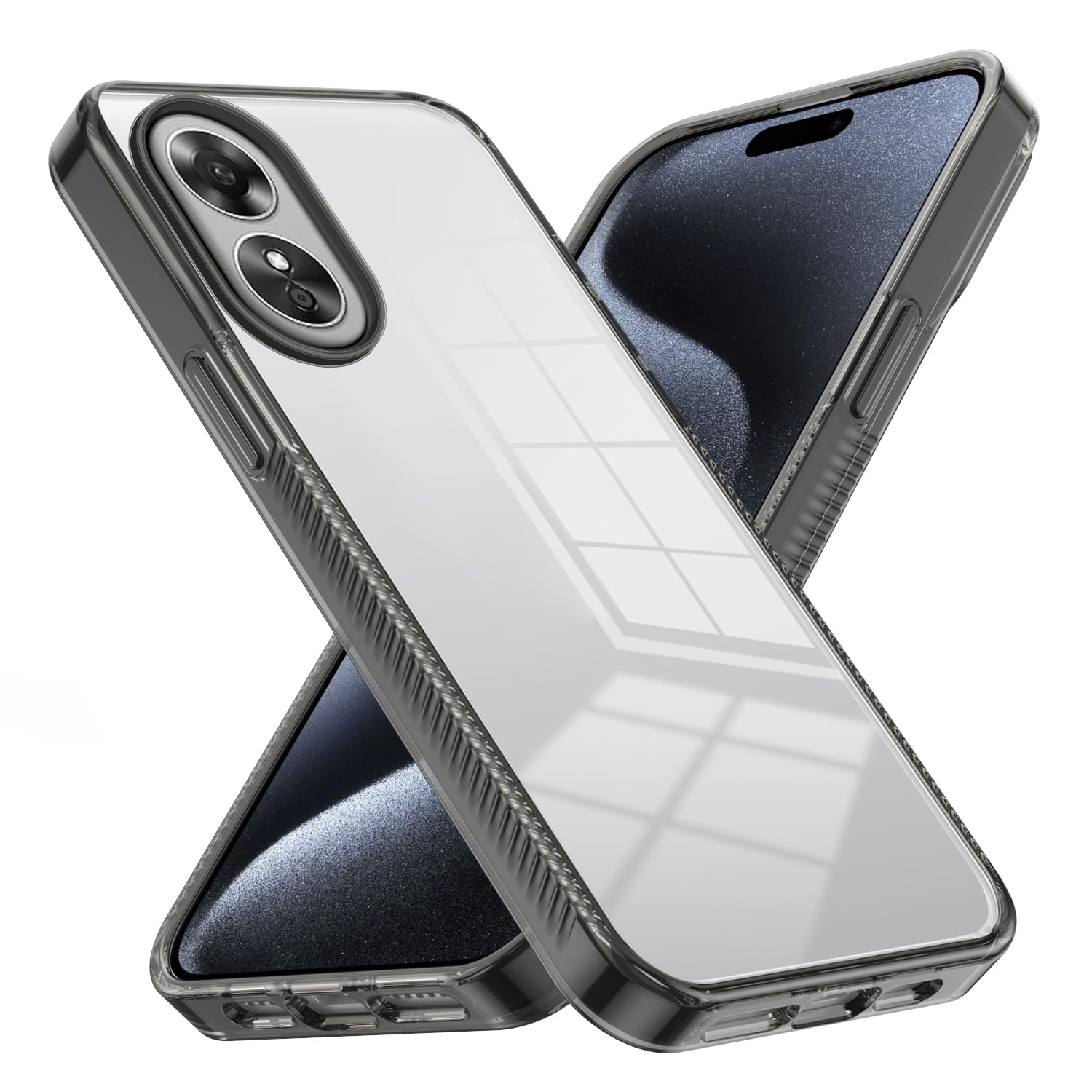
Figure 3.1: Detail of the camera and screen guard features, illustrating the 1.5mm camera bezel and 1.0mm screen bezel.

Figure 3.2: Visual representation of the non-slip design, highlighting the bilateral texture for a secure hold.
4. Priežiūra ir priežiūra
To ensure the longevity and appearance of your phone case, follow these simple maintenance guidelines:
- Valymas: Regularly clean the case with a soft, damp cloth. For stubborn dirt, a mild soap solution can be used. Avoid harsh chemicals or abrasive cleaners, as these can damage the material or clarity.
- Džiovinimas: After cleaning, dry the case thoroughly with a clean, soft cloth before reattaching it to your phone.
- Venkite ekstremalių sąlygų: Do not expose the case to extreme temperatures (hot or cold) or prolonged direct sunlight, as this may cause material degradation or discoloration.
- Patikra: Periodically inspect the case for any signs of wear or damage. While durable, severe impacts can compromise its protective capabilities.

Figure 4.1: Demonstration of the case's fine texture, highlighting its fingerprint-resistant and oil-proof qualities for easy cleaning.
5. Problemų sprendimas
This section addresses common inquiries regarding the phone case.
- Dėklas netinka: Ensure you have the correct model phone (Oppo A98 5G CPH2529). This case is designed specifically for this model. Double-check the phone model number in your device settings.
- Mygtukai nereaguoja arba yra standūs: Re-install the case, ensuring it is perfectly aligned. Sometimes a slight misalignment can affect button responsiveness. If the issue persists, ensure no debris is lodged between the phone and the case buttons.
- Case appears discolored: Over time, transparent materials can show signs of yellowing due to UV exposure. Regular cleaning as per Section 4 can help maintain clarity. Avoid prolonged exposure to direct sunlight.
- Scratches on the case: While the case offers protection, it is not entirely scratch-proof. Minor scratches are normal with daily use. For significant damage, consider replacing the case to ensure optimal phone protection.
6. Specifikacijos
| Funkcija | Detalė |
|---|---|
| Suderinamumas | Oppo A98 5G CPH2529 |
| Medžiaga | Soft TPU (Thermoplastic Polyurethane) frame + Transparent PC (Polycarbonate) back panel |
| Spalva | Black (frame) / Transparent (back panel) |
| Gaminio matmenys | 0.39 x 0.39 x 0.39 inches (approximate, for case only) |
| Prekės svoris | 2.46 uncijos |
| Camera Bezel Height | 1.5 mm |
| Screen Bezel Height | 1.0 mm |
| Ypatingos savybės | Anti-Fingerprint, Anti-Slip, High Definition, Transparent Dual Material |
| Kas yra dėžutėje | 1x Transparent Dual Material Case |
7. Garantija ir palaikymas
For any questions, concerns, or support regarding your Generic phone case, please refer to the retailer's return and support policies where the product was purchased. Keep your proof of purchase for any warranty claims.
This product is designed for protection and durability under normal use. Damage resulting from misuse, abuse, or unauthorized modification is not covered.


