
1. Produktas baigtasview
This manual provides essential instructions for the safe and efficient use of your HUAWEI MatePad SE 11" Tablet. Please read this manual thoroughly before using the device and retain it for future reference.

Vaizdas: Galinis view of the HUAWEI MatePad SE 11" tablet, highlighting its lightweight (475g) and slim (6.9mm) design. The tablet features a premium metal unibody construction.
The HUAWEI MatePad SE 11" is designed for an immersive visual and audio experience, featuring an 11-inch FullView Eye Comfort screen and a powerful quad-speaker system. Its lightweight and slim design make it highly portable.
2. Pradinė sąranka
2.1. Išpakavimas ir pakuotės turinys
Carefully unpack your HUAWEI MatePad SE 11" tablet. Ensure all items listed below are present:
- HUAWEI MatePad SE 11" Tablet (6GB+128GB)
- Įkroviklis
- C tipo kabelis
- Greitos pradžios vadovas
- Garantijos kortelė
2.2. Planšetinio kompiuterio įkrovimas
Before first use, fully charge the tablet. Connect the Type-C cable to the tablet's USB-C port and the charger, then plug the charger into a power outlet. The tablet supports 22.5W fast charging.
2.3. Įjungimas/išjungimas
- Norėdami įjungti: Paspauskite ir palaikykite maitinimo mygtuką, kol pasirodys HUAWEI logotipas.
- Norėdami išjungti: Paspauskite ir palaikykite maitinimo mygtuką, tada iš parinkčių pasirinkite „Išjungti“.
- Norėdami paleisti iš naujo: Paspauskite ir palaikykite maitinimo mygtuką, tada iš parinkčių pasirinkite „Paleisti iš naujo“.
2.4. Pradinė konfigūracija
Vykdykite ekrane pateikiamus nurodymus, kad atliktumėte pradinę sąranką, įskaitant:
- Kalbos pasirinkimas
- Wi-Fi tinklo ryšys
- HUAWEI ID login (or create a new one)
- Security settings (PIN, password, pattern, or facial recognition)
3. Planšetinio kompiuterio valdymas
3.1. Ekrano funkcijos

Image: The HUAWEI MatePad SE 11" screen, showcasing its 11-inch FHD+ Eye Comfort display. Key features include an 85% screen-to-body ratio, 1920x1200 resolution, and 400 Nits brightness for a clear visual experience.
The 11-inch FHD+ Eye Comfort display provides an immersive visual experience. It features:
- Rezoliucija: 1920 x 1200 pikselių
- Akių patogumas: TÜV Rheinland certified for low blue light and flicker-free viewing, reducing eye strain during prolonged use.
- Ryškumas: 400 Nits, with 4096-level brightness adjustment.
- E-Book Mode: A dedicated mode for a paper-like reading experience.
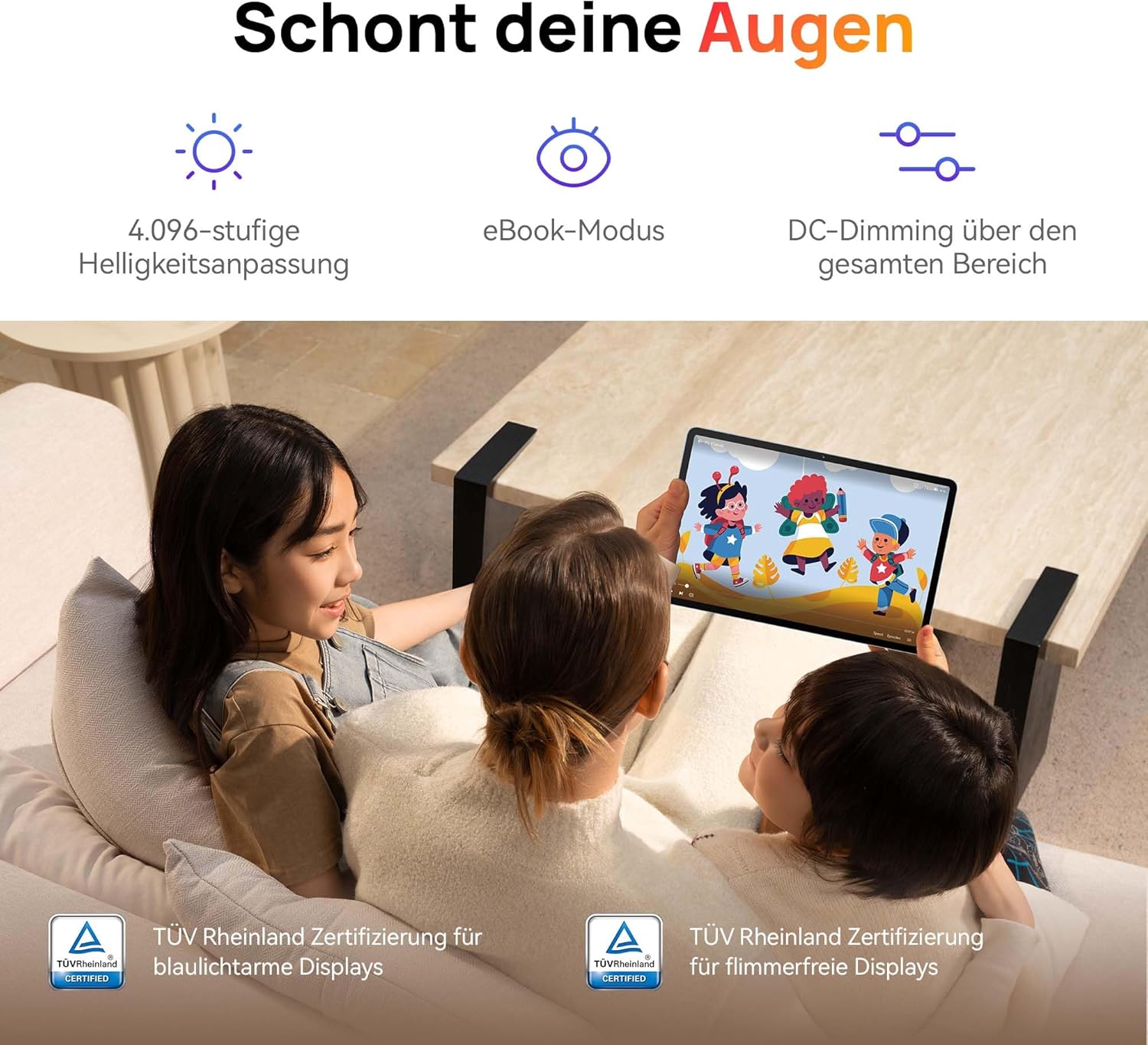
Image: Children using the tablet, illustrating the eye protection features. The display is TÜV Rheinland certified for low blue light and flicker-free operation, ensuring a comfortable viewpatirtį.
3.2. Garso sistema

Image: A user enjoying music on the tablet, demonstrating the immersive quad-speaker system. This system is optimized by HUAWEI Histen 9.0 technology for high-quality audio.
The tablet features a symmetrical quad-speaker system optimized by HUAWEI Histen 9.0 technology, providing cinematic sound quality for various applications.
3.3. Kids Corner

Image: The Kids Corner interface on the tablet, designed as a safe and engaging environment for children. Features include posture warnings, a blue light filter, and an eBook mode, along with content from BabyBus.
Kids Corner provides a safe and dedicated environment for children to learn and play. Parents can manage:
- Time limits for usage.
- Allowed applications and content.
- Features like posture warnings and blue light filters to promote healthy digital habits.
It also includes content from BabyBus, offering games, stories, and nursery rhymes.
3.4. M-Pen Lite (Optional Accessory)

Image: The HUAWEI M-Pen Lite stylus, an optional accessory that enhances interaction with the tablet for drawing, writing, and note-taking. It is supported by the HUAWEI MatePad SE 11" Stylus Set.
If you have the HUAWEI M-Pen Lite, it can be used for enhanced interaction, drawing, and note-taking. Ensure your tablet supports the M-Pen Lite stylus set.
The tablet also supports applications like GoPaint for professional and easy-to-use digital art, and HUAWEI Note for organized note-taking.

Image: GoPaint application on the tablet, illustrating its interface for digital art creation.

Image: HUAWEI Note application on the tablet, showing its capabilities for detailed note-taking.
3.5. Ryšys
- „Wi-Fi“: Connect to available Wi-Fi networks for internet access. Supports 802.11ac.
- Bluetooth: Pair with Bluetooth devices such as headphones, speakers, or keyboards.
- USB-C prievadas: Used for charging, data transfer, and connecting compatible accessories.
3.6. Multi-Window and Multi-Device Collaboration
The tablet supports multi-window functionality for enhanced multitasking and multi-device screen sharing for seamless integration with other HUAWEI devices.
4. Priežiūra ir priežiūra
- Valymas: Ekraną ir korpusą valykite minkštu, nepūkuotu audiniu. Venkite abrazyvinių medžiagų ar stiprių cheminių medžiagų.
- Akumuliatoriaus priežiūra: Norėdami pailginti akumuliatoriaus veikimo laiką, venkite ekstremalių temperatūrų. Neleiskite akumuliatoriui dažnai visiškai išsikrauti.
- Programinės įrangos atnaujinimai: Reguliariai tikrinkite, ar yra programinės įrangos atnaujinimų, ir juos įdiekite, kad užtikrintumėte optimalų našumą ir saugumą.
- Saugykla: Tabletę laikykite vėsioje, sausoje vietoje, apsaugotoje nuo tiesioginių saulės spindulių ir drėgmės.
5. Problemų sprendimas
| Problema | Galimas sprendimas |
|---|---|
| Planšetinis kompiuteris neįsijungia. | Įsitikinkite, kad akumuliatorius įkrautas. Prijunkite įkroviklį ir palaukite kelias minutes, prieš bandydami vėl įjungti. |
| Ekranas nereaguoja. | Restart the tablet by holding the Power button for approximately 10 seconds. If unresponsive, ensure the screen is clean and dry. |
| „Wi-Fi“ ryšio problemos. | Check if Wi-Fi is enabled. Restart your router and the tablet. Ensure you are within range of the Wi-Fi signal. |
| Apps are not downloading from Play Store. | The HUAWEI MatePad SE 11" runs on HarmonyOS and uses HUAWEI AppGallery. Google Play Store services are not natively supported. Use Petal Search to find and install apps or access web paslaugų versijos. |
| Lėtas veikimas. | Uždarykite nereikalingas fonines programas. Išvalykite talpyklą ir laikinąsias files. Ensure sufficient storage space is available. Restart the tablet. |
6. Techninės specifikacijos
| Funkcija | Detalė |
|---|---|
| Modelio pavadinimas | MatePad SE 11" |
| Modelio numeris | 53014FHK |
| Matmenys (I x P x A) | 26.23 x 16.38 x 0.69 cm |
| Svoris | 475 gramų |
| Ekrano dydis | 11 colių |
| Ekrano tipas | LCD |
| Ekrano raiška | 1920 1200 x XNUMX XNUMX pikselių (FHD+) |
| Krašto santykis | 16:9 |
| Operacinė sistema | HarmonyOS |
| Procesorius | Huawei Processor (Agassi6-W09C) |
| RAM | 6 GB |
| Sandėliavimo talpa | 128 GB |
| Baterijos tipas | Ličio polimeras |
| Baterijos talpa | 7700 mAh |
| Įkrovimas | 22.5W Fast Charging (via USB Type-C) |
| Galinės kameros skiriamoji geba | 8 megapikselio |
| Garsiakalbiai | 4 speakers with HUAWEI Histen 9.0 |
| Belaidė technologija | „Wi-Fi“ (802.11ac), „Bluetooth“ |
| USB prievadai | 1 (USB C tipo) |
| Ypatingos savybės | 11-inch Eye Comfort Screen, Kids Corner, Multi-window, Multi-device screen sharing |
| Įdėta į dėžutę | Tablet, Charger, Type-C Cable, Quick Start Guide, Warranty Card |
7. Garantija ir palaikymas
7.1. Informacija apie garantiją
Your HUAWEI MatePad SE 11" Tablet comes with a manufacturer's warranty. Please refer to the included Warranty Card for specific terms and conditions. Spare parts availability is guaranteed for 24 months.
7.2. Pagalba klientams
For technical assistance, troubleshooting beyond this manual, or warranty claims, please contact HUAWEI customer support. Visit the official HUAWEI websvetainė, kurioje rasite kontaktinę informaciją ir pagalbos išteklius.
Internetiniai ištekliai: HUAWEI palaikymas Websvetainę