
1. Įvadas
Thank you for choosing the Ctronics CTIPC-500C 4G LTE Battery-Powered 2K Indoor PTZ Security Camera. This manual provides essential information for setting up, operating, and maintaining your camera to ensure optimal performance and security. Please read this manual thoroughly before use and retain it for future reference.

Image 1.1: Ctronics CTIPC-500C 4G LTE Battery-Powered 2K Indoor PTZ Security Camera.
2. Saugos informacija
- Įsitikinkite, kad kamera sumontuota stabilioje vietoje, kad ji nenukristų.
- Naudokite tik nurodytą įkrovimo laidą ir adapterį, kad išvengtumėte pažeidimų ar gaisro.
- Saugokite fotoaparatą nuo vandens, drėgmės ir ekstremalių temperatūrų.
- Nebandykite patys ardyti ar taisyti fotoaparato. Dėl pagalbos kreipkitės į klientų aptarnavimo tarnybą.
- Išmeskite baterijas laikydamiesi vietinių taisyklių.
3. Pakuotės turinys
Patikrinkite, ar pakuotėje yra visi reikalingi daiktai:
- Ctronics CTIPC-500C 4G LTE Camera
- USB įkrovimo laidas
- Maitinimo adapteris
- Montavimo laikiklis ir varžtai
- Vartotojo vadovas
- Pre-installed SIM Card (with 300MB test data)
4. Produktas baigtasview
Susipažinkite su fotoaparato komponentais:
- Kameros objektyvas: Užfiksuoja vaizdo įrašą footage.
- Infraraudonųjų spindulių šviesos diodai: Naktinio matymo funkcijai.
- Mikrofonas: Dėl garso įvesties.
- Pranešėjas: For two-way audio output.
- SIM kortelės lizdas: Dėl 4G LTE ryšio.
- „Micro SD“ kortelės lizdas: For local storage (up to 128GB, not included).
- Atkūrimo mygtukas: Norėdami atkurti gamyklinius nustatymus.
- USB įkrovimo prievadas: Dėl maitinimo įvesties.
- Antena: For 4G signal reception.
5. Sąranka
5.1 Pradinis įkrovimas
Before first use, fully charge the camera's built-in 7800mAh battery. Connect the camera to a power source using the provided USB cable and adapter. The charging indicator light will show the charging status.

Image 5.1: The camera's fully wireless design allows flexible placement.
5.2 SIM kortelės montavimas
The camera comes with a pre-installed SIM card for 4G LTE connectivity. If you need to replace it, ensure the camera is powered off. Locate the SIM card slot, insert the new Nano-SIM card correctly, and ensure it is securely seated.

Image 5.2: The camera operates via 3G/4G LTE, eliminating the need for WiFi.
5.3 Programėlės atsisiuntimas ir kameros susiejimas
- Download the 'Ctronics' app from your smartphone's app store (iOS or Android).
- Užregistruokite paskyrą ir prisijunkite.
- Įjunkite fotoaparatą.
- Programėlėje palieskite „+“, kad pridėtumėte naują įrenginį.
- Follow the on-screen instructions to scan the QR code on the camera or manually enter the device ID.
- Prisijungę galite pavadinti savo kamerą ir pradėti tiesioginį transliavimą. viewing.
6. Naudojimo instrukcijos
6.1 Tiesiogiai View ir PTZ valdymas
Open the Ctronics app and select your camera to access the live view. Use the on-screen controls to pan (355° horizontally) and tilt (90° vertically) the camera lens. You can also use the 4x digital zoom feature to get a closer look.

Image 6.1: PTZ controls and 4x digital zoom for comprehensive coverage.
6.2 Motion and Human Detection (PIR)
The camera features PIR (Passive Infrared) human/motion detection up to 8 meters. When motion is detected, the camera can send real-time alerts to your phone, trigger sound and light alarms, and upload footage via FTP. This system is designed to reduce false alarms by 95%.

Image 6.2: PIR detection provides accurate alerts for human movement.
6.3 Dvipusis garsas
Norėdami bendrauti su šalia kameros esančiais asmenimis, naudokite dvipusio garso funkciją. Tiesioginio vaizdo transliacijoje palieskite mikrofono piktogramą. view to speak, and the camera's built-in speaker will transmit your voice. You can also hear audio from the camera's location.
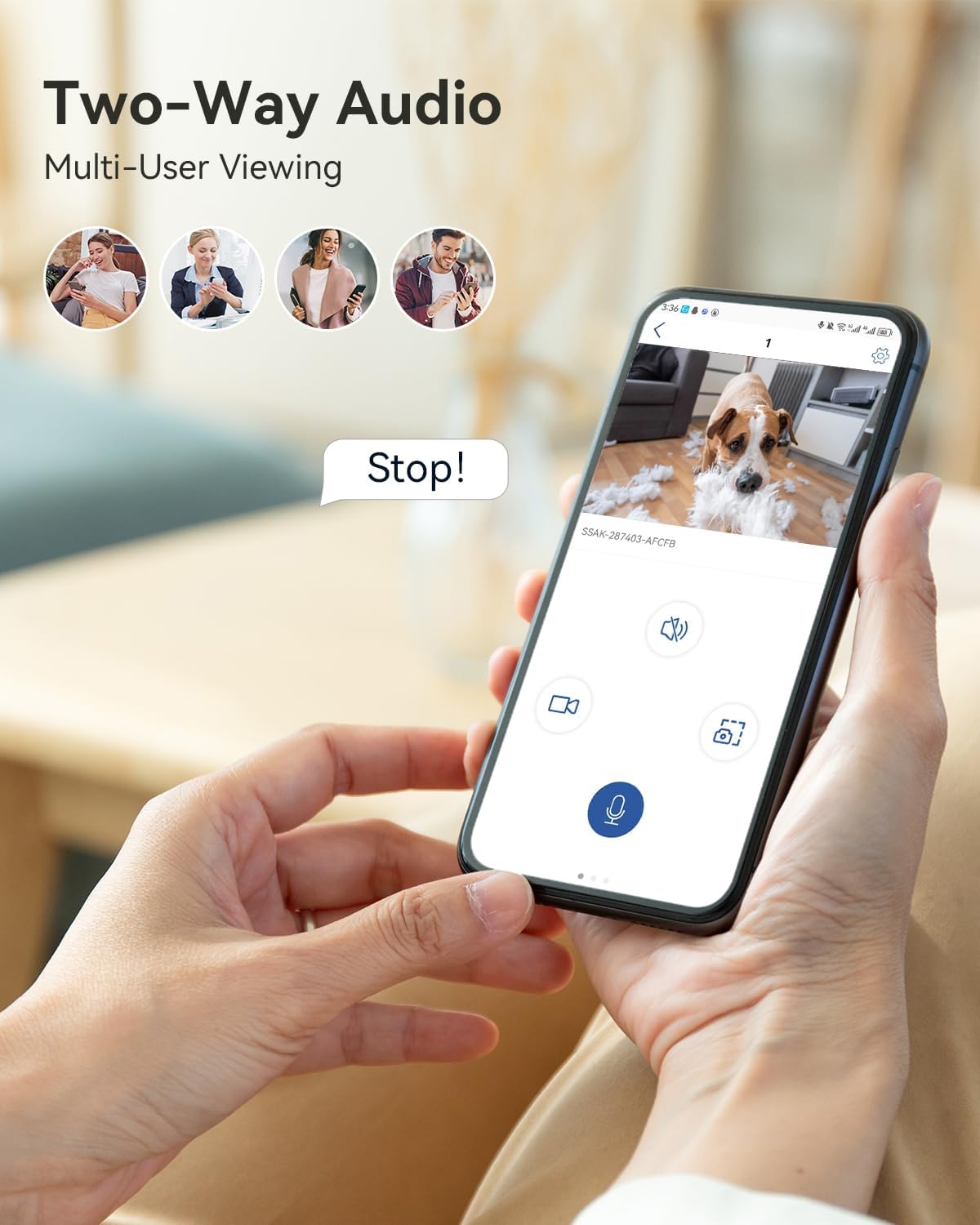
Image 6.3: Two-way audio for interactive communication.
6.4 2K spalvų naktinis matymas
The camera provides 2K 3MP resolution video with enhanced color night vision up to 20 meters. This ensures clear and detailed images even in low-light conditions, offering improved visibility compared to traditional black and white night vision.

Image 6.4: Enhanced 2K color night vision for clear images in darkness.
6.5 Įrašymas ir saugojimas
Kamera palaiko du saugojimo būdus:
- Vietinė saugykla: Insert a Micro SD card (up to 128GB, not included) into the designated slot. Note that 24/7 continuous recording is not supported to preserve battery life and SIM data.
- Saugykla debesyje: Subscribe to Ctronics cloud services for secure video playback and storage. Access your recordings anytime via the app.

Image 6.5: Local and cloud storage options for video recordings.
6.6 Multi-Platform Access
Access your camera's live feed and recordings from various devices using the Ctronics app or client software. Supported platforms include iOS, Android, Windows, and Mac OS.

Image 6.6: Access your camera from multiple devices and operating systems.
7. Priežiūra
7.1 Akumuliatoriaus įkrovimas
Regularly check the battery level in the app. Recharge the camera when the battery is low to ensure continuous operation. The 7800mAh battery provides extended usage, but frequent alerts or live viewing will consume power faster.
7.2 Valymas
Gently wipe the camera lens and body with a soft, dry cloth. Avoid using harsh chemicals or abrasive materials that could damage the camera's surface or lens.
8. Problemų sprendimas
- Camera not connecting to 4G: Ensure the SIM card is correctly inserted and activated. Check for network coverage in your area. Restart the camera.
- Baterija nekraunama: Verify the charging cable and adapter are working correctly. Ensure the charging port is clean and free of debris.
- Dažni klaidingi aliarmai: Adjust the PIR detection sensitivity settings in the app. Ensure the camera is not pointed at areas with constant movement (e.g., curtains near a window).
- Prasta vaizdo kokybė: Check the camera's resolution settings in the app. Ensure the lens is clean.
- Dvipusio garso problemos: Ensure microphone and speaker permissions are granted to the app on your phone. Check volume settings on both the app and the camera.
9. Specifikacijos
| Modelis | CTIPC-500C |
| Rezoliucija | 2K (3MP) |
| Ryšys | 4G LTE (korinis ryšys) |
| Baterijos talpa | 7800mAh ličio jonai |
| Panardinimo / pakreipimo diapazonas | 355°, pakreipimas 90° |
| Skaitmeninis priartinimas | 4x |
| Naktinis matymas | 2K Color Night Vision (up to 20m) |
| Aptikimas | PIR Human/Motion Detection (up to 8m) |
| Garsas | Dvipusis garsas |
| Saugojimo parinktys | Micro SD Card (max 128GB, not included), Cloud Storage |
| Matmenys (I x P x A) | 15 x 22 x 15 cm |
| Svoris | 510 gramų |
10. Garantija ir palaikymas
Ctronics products come with a standard warranty. For detailed warranty information, please refer to the warranty card included in your package or visit the official Ctronics website. If you encounter any issues or have questions, please contact Ctronics customer support through the app or their official webpagalbos svetainę.