
W26 Pro Max
W26 Pro Max Smart Watch with Bluetooth Earphones Microphone Series 8 Compatible Blue User Manual
Model: W26 Pro Max
Įvadas
This manual provides comprehensive instructions for the W26 Pro Max Smart Watch with Bluetooth Earphones. It covers setup, operation, maintenance, and troubleshooting to ensure optimal use of your device. The W26 Pro Max is a versatile 2-in-1 device, combining a smartwatch with integrated wireless Bluetooth earphones, designed to keep you connected and active.
Pakuotės turinys
Atidarius pakuotę, patikrinkite, ar yra visi komponentai:
- W26 Pro Max Smart Watch
- Integrated Wireless Bluetooth Earphones
- Įkrovimo kabelis
- Vartotojo vadovas (šis dokumentas)
- Additional Watch Strap (if included as a free gift)

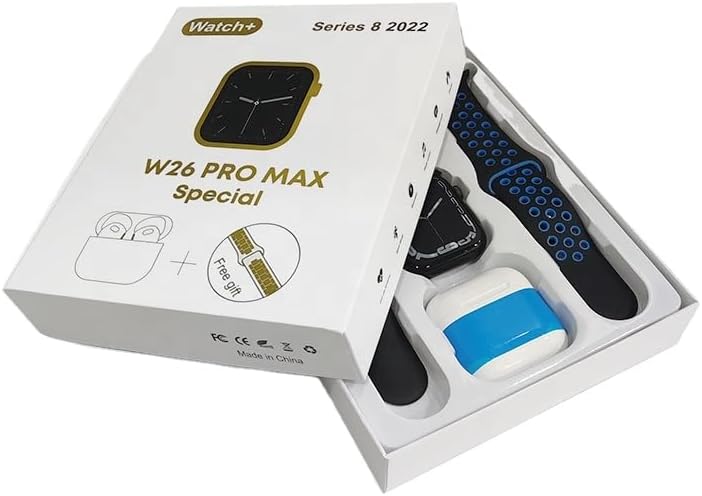
Image: The W26 Pro Max Smart Watch and its accompanying Bluetooth earphones, along with an extra watch strap, are neatly arranged within their retail packaging. The watch face is visible, and the earphones are housed in their charging case.

Paveikslėlis: Iš viršaus į apačią view of the W26 Pro Max Smart Watch and Bluetooth Earphones within their packaging. The watch, earphones, and an additional strap are clearly visible, indicating the complete product set.
Sąrankos vadovas
1. Pradinis įkrovimas
Before first use, fully charge both the smartwatch and the integrated earphones. Connect the provided charging cable to the watch and a compatible USB power source. The watch display will indicate charging status. Ensure the earphones are properly seated in their charging case within the watch.
2. Įjungimas/išjungimas
- Maitinimas: Press and hold the side button on the smartwatch until the screen illuminates.
- Išjungti: Press and hold the side button, then select the "Power Off" option on the screen.
3. Susiejimas su išmaniuoju telefonu
To unlock full functionality, pair your W26 Pro Max with your smartphone via Bluetooth.
- Įsitikinkite, kad jūsų išmaniajame telefone įjungtas „Bluetooth“.
- On the W26 Pro Max, navigate to the Bluetooth settings.
- On your smartphone, search for available Bluetooth devices and select "W26 Pro Max" from the list.
- Jei būsite paraginti, patvirtinkite susiejimo užklausą abiejuose įrenginiuose.
- For optimal performance, download and install the recommended companion application (e.g., "FitPro app" as mentioned in product description) from your smartphone's app store.
4. Ausinių susiejimas
The integrated earphones automatically pair with the smartwatch when removed from their charging slots. To pair them with another device (e.g., directly with your phone):
- Remove the earphones from the smartwatch.
- Įjunkite „Bluetooth“ įrenginyje, su kuriuo norite susieti.
- Ieškokite "W26 Pro Max Earphones" (or similar name) in the Bluetooth device list and select to connect.
Naudojimo instrukcijos
Navigating the Smartwatch
- Jutiklinis ekranas: Braukite kairėn / dešinėn, aukštyn / žemyn, kad naršytumėte meniu ir pasiektumėte funkcijas. Palieskite, kad pasirinktumėte.
- Šoninis mygtukas: Press to return to the home screen or wake the device. Long press for power options or voice assistant.
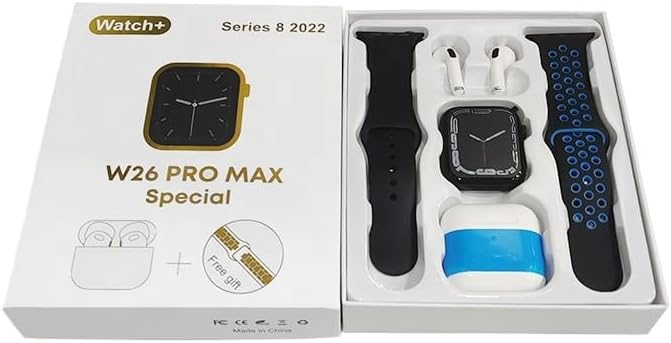
Image: The W26 Pro Max Smart Watch screen shows a voice assistant interface, with text bubbles indicating "Call Linda!" and "What's the weather like today?". This illustrates the voice command functionality.
Pagrindinės savybės
Fitneso ir sveikatos stebėjimas
The W26 Pro Max is equipped with sensors to monitor various health metrics.
- Širdies ritmo stebėjimas: The optical heart rate sensor continuously tracks your heart rate. View real-time data on the watch or in the companion app.
- Pedometras: Stebi jūsų kasdienius žingsnius, atstumą ir sudegintas kalorijas.
- Miego stebėjimas: Stebi jūsų miego įpročius, įskaitant gilų miegą, lengvą miegą ir pabudimo laiką.

Image: The W26 Pro Max Smart Watch screen displays heart rate information, showing a graph of heart rate over time, current beats per minute (bpm), and blood pressure readings. This demonstrates the health monitoring capabilities.
Paveikslėlis: detalus view of the W26 Pro Max Smart Watch screen showing heart rate and blood pressure monitoring. The text explains that an optical heart rate sensor is used for precise calculation and data can be viewed on the watch or via the FitPro app.
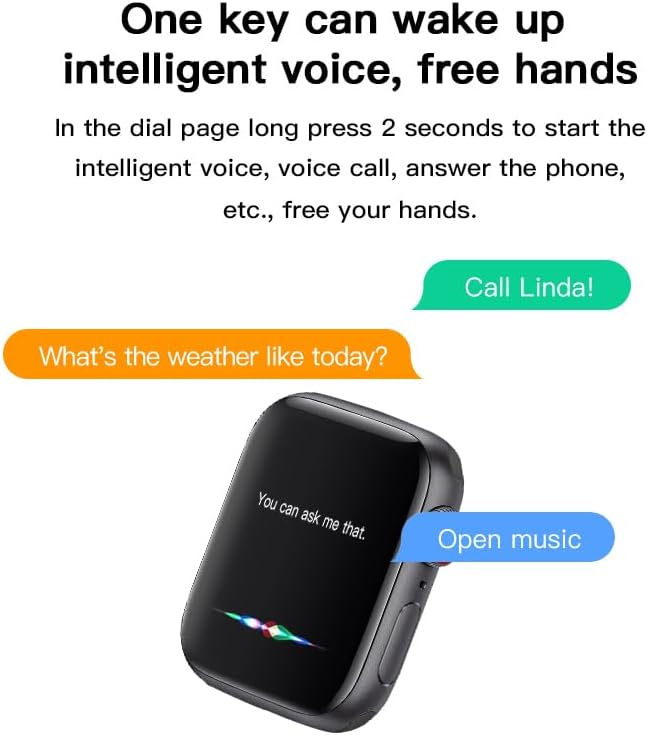
Image: The W26 Pro Max Smart Watch screen displays sleep monitoring data, showing sleep quality (Excellent), percentages of deep sleep, light sleep, and awake time, along with total sleep duration. This highlights the sleep tracking feature.
Communication and Media
- „Bluetooth“ skambučiai: Make and receive calls directly from your smartwatch using the integrated microphone and speaker.
- Pranešimai: Gaukite įspėjimus apie skambučius, žinutes ir programų pranešimus iš susieto išmaniojo telefono.
- Muzikos atkūrimas: Control music playing on your smartphone or listen directly via the integrated earphones.

Image: The W26 Pro Max Smart Watch screen shows music playback controls, including play/pause and skip track buttons, along with a visualizer. This indicates the watch's capability to control audio.
Balso asistentas
Long press the side button to activate the intelligent voice assistant. Use voice commands for calls, weather inquiries, music control, and more, providing hands-free operation.
Priežiūra ir priežiūra
- Valymas: Wipe the watch and earphones with a soft, dry, lint-free cloth. For stubborn dirt, slightly dampNuvalykite šluostę vandeniu. Venkite stiprių cheminių medžiagų ar abrazyvinių medžiagų.
- Atsparumas vandeniui: The W26 Pro Max has an IP68 rating, meaning it is resistant to dust and can withstand immersion in water up to 1.5 meters for 30 minutes. However, it is not suitable for diving, hot showers, or saunas. Always dry the device thoroughly after exposure to water.
- Akumuliatoriaus priežiūra: To prolong battery life, avoid fully discharging the device frequently. Charge it regularly and store it in a cool, dry place when not in use for extended periods.
- Saugykla: Laikykite prietaisą vėsioje, sausoje vietoje, toliau nuo tiesioginių saulės spindulių ir ekstremalių temperatūrų.
Trikčių šalinimas
| Problema | Galima priežastis | Sprendimas |
|---|---|---|
| Įrenginys neįsijungia. | Senka baterija. | Charge the device for at least 30 minutes before attempting to power on again. |
| Nepavyksta susieti su išmaniuoju telefonu. | Bluetooth is off on phone/watch; device not in pairing mode; interference. | Ensure Bluetooth is enabled on both devices. Restart both devices. Move closer to the phone. Forget previous pairings and try again. |
| Earphones not connecting. | Earphones not properly seated; low earphone battery. | Ensure earphones are fully seated in their charging slots within the watch. Charge the watch to ensure earphones are charging. |
| Netikslūs sveikatos duomenys. | Netinkamas tvirtinimas; jutiklio užblokavimas. | Įsitikinkite, kad laikrodis tvirtai uždėtas ant riešo – ne per stipriai ar per laisvai. Nuvalykite jutiklį laikrodžio gale. |
| Trumpas baterijos veikimo laikas. | Dažnas daug energijos eikvojančių funkcijų naudojimas; sena baterija. | Reduce screen brightness, limit notifications, disable unnecessary features. Ensure full charge cycles. |
Specifikacijos
| Funkcija | Detalė |
|---|---|
| Modelio numeris | W26 Pro Max |
| Ekranas | 1.78" AMOLED Touchscreen |
| Operacinė sistema | Wear OS |
| Ryšys | Bluetooth |
| Baterijos talpa | 280mAh (watch) |
| Baterijos veikimo laikas | Iki 3 dienų (įprastas naudojimas) |
| Atsparumas vandeniui | IP68 |
| Ypatingos savybės | Integrated Bluetooth Earphones, Heart Rate Sensor, Pedometer, Sleep Tracker, Microphone, Speaker, Voice Assistant |
| Atminties talpa | 16 MB |
| Pakuotės matmenys | 16.8 x 12.8 x 3 cm |
| Svoris | 170 g |
Garantija ir palaikymas
For information regarding warranty coverage and customer support, please refer to the documentation provided with your purchase or contact the retailer where the product was acquired. As this product is manufactured by "Generic", specific warranty details may vary by region and seller.
For technical assistance or further inquiries, please reach out to the customer service channels provided by your point of purchase.
Ask a question about this manual
Ask about setup, troubleshooting, compatibility, parts, safety, or missing instructions. Manuals+ will review the question and use this page’s manual context to help answer it.